
-
Browse EFT Cheats
Escape from Tarkov Guides: Features & Products, Settings & Requirements
Browse 20 EFT guides covering aiming, ESP, loot, quests, extracts, Full vs Lite, movement, PvE, configs and PC requirements.
-
Featured Products
Escape from Tarkov Guides – Features, Products & Setup
Explore 20 focused EFT guides for aiming, player and AI visuals, loot, raid navigation and product choice.
Compare EFT: Full and EFT: Lite, then follow the topic-specific page for the settings or requirements you want to understand.
Find the EFT Topic You Need
This directory brings the first 20 EFT child guides together. Choose a feature explanation, compare the two products or review configurations and requirements. Each guide links to the other pages needed for related questions.
The main hub provides the broader overview, while the product listings provide current purchase details. Feature names, visual displays, automated actions and mode-specific claims are kept separate throughout this collection.
EFT Gameplay & Menu Previews
Watch the supplied gameplay video and open a screenshot for a closer look.
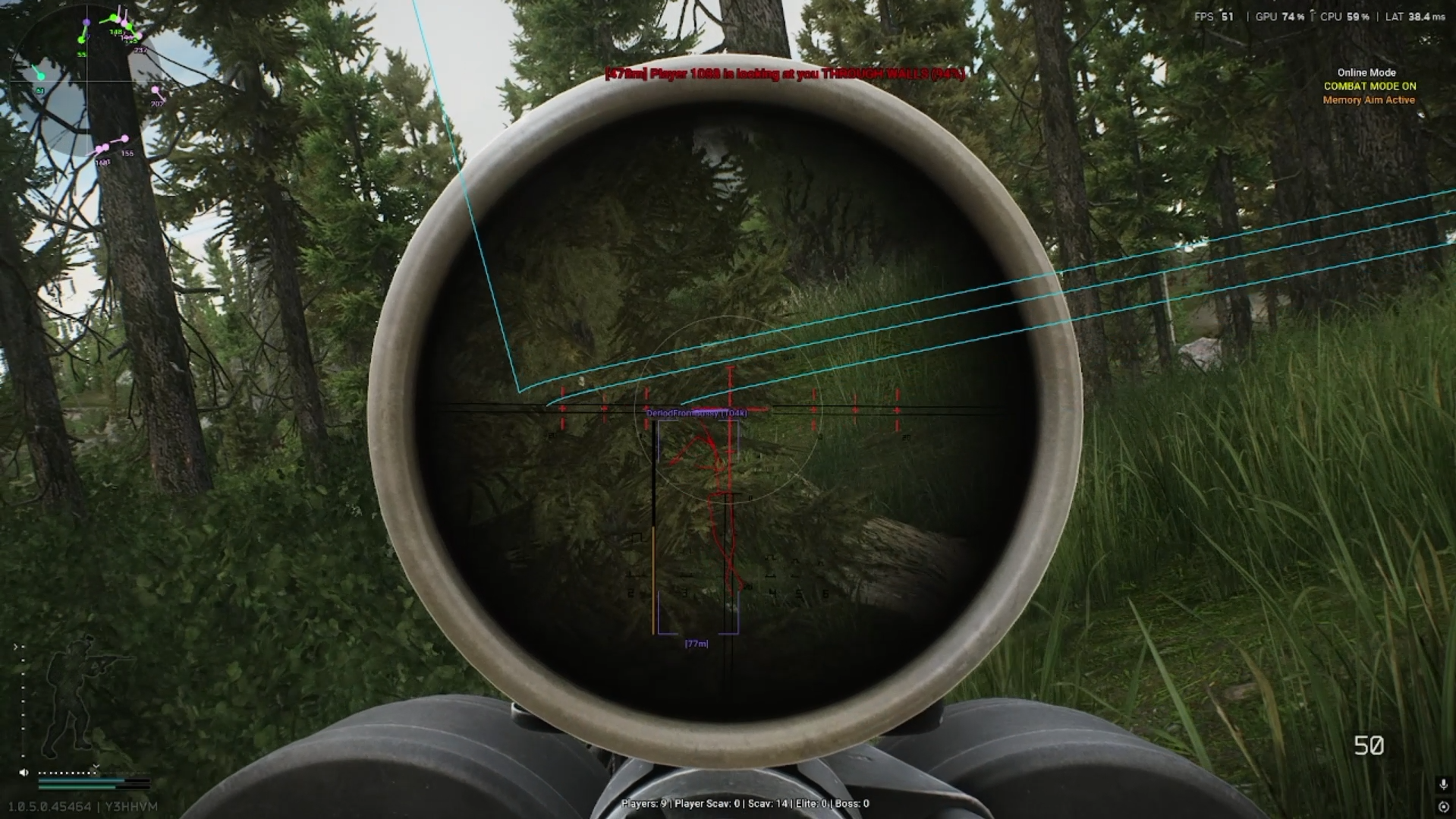
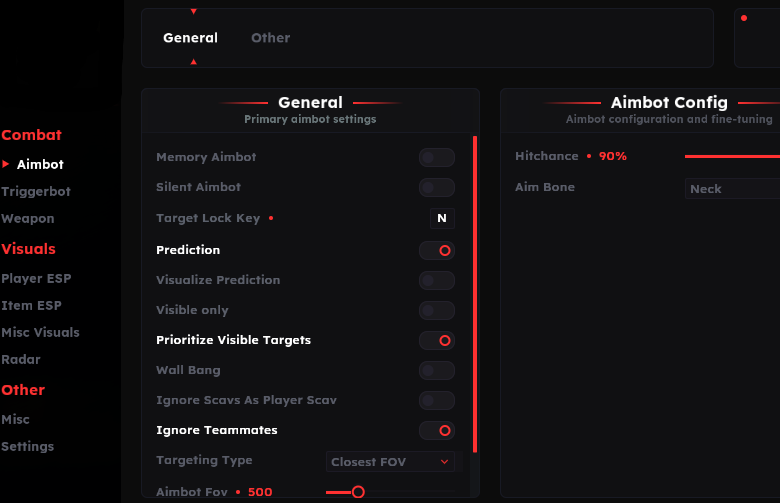
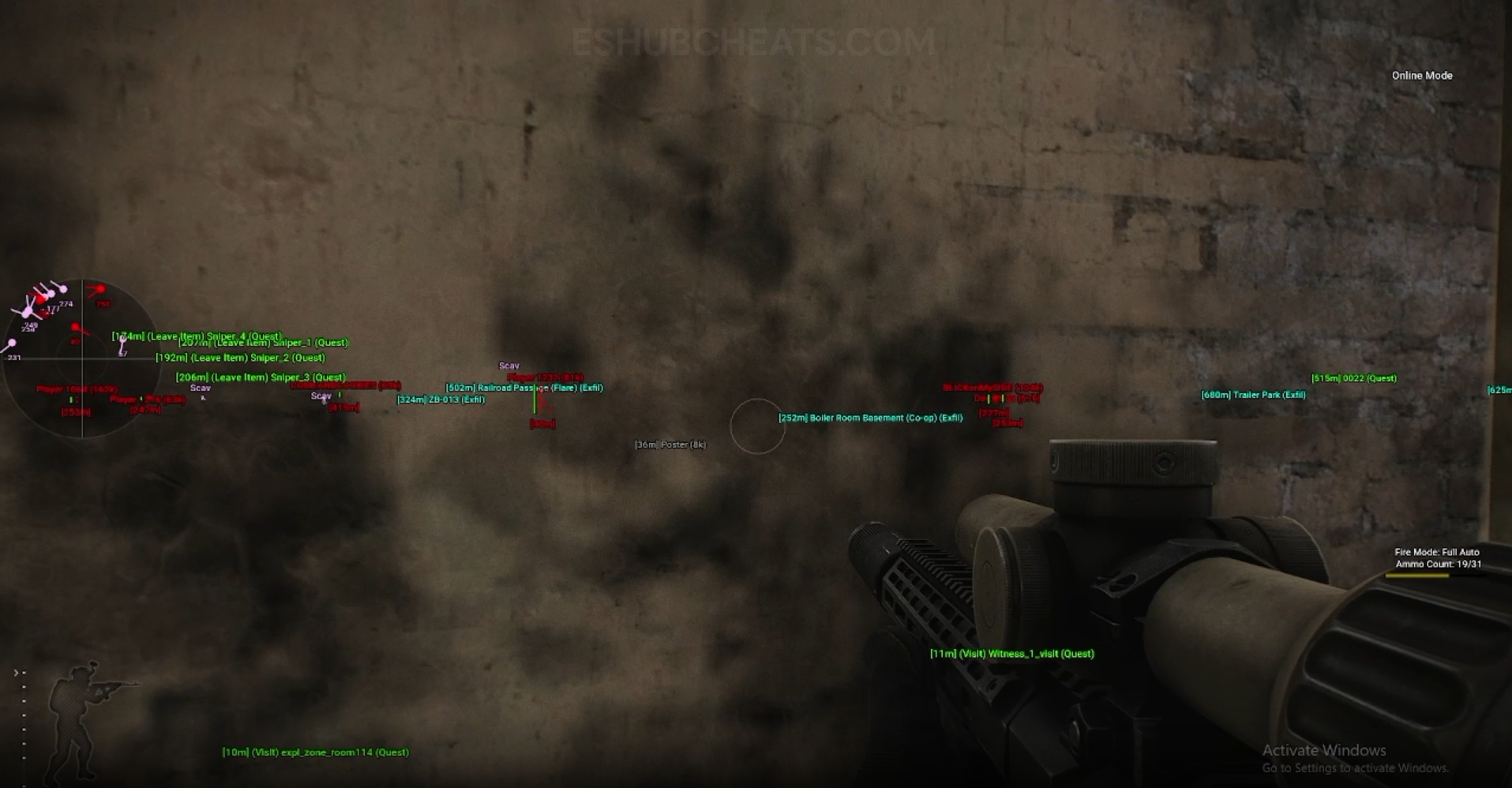
Screenshots show example displays and settings, rather than recommended values or proof that every listed feature appears in the footage.
Four Ways to Start
Choose a feature group or a product question before reading individual controls.
Aiming, Firing & Weapon Guides
Keep aiming modes, shot behavior, Triggerbot conditions and weapon handling separate.
EFT Aimbot & Memory Aim
Explore EFT Full memory aimbot, prediction, smoothing, FOV and target controls. Compare aiming features with Lite and understand related menu options.
Read the Guide →EFT Silent Aim & Magic Bullet
Review EFT Full Silent Aim, Magic Bullet and related targeting controls. Understand separate keybinds and the limits of product feature labels.
Read the Guide →EFT Wallbang, Manipulation & Ricochet
Compare EFT Full wallbang, improved wallbang, manipulation and ricochet labels. Separate shot-related features from ESP and understand documentation limits.
Read the Guide →EFT Triggerbot
Explore EFT Triggerbot in Full and Lite. Understand ADS-only firing, shot delay and maximum distance separately from memory aim and Silent Aim.
Read the Guide →EFT No Recoil & Weapon Handling
Compare EFT recoil controls, sway, instant ADS and malfunction features in Full and Lite. Understand Full’s separate spread and projectile settings.
Read the Guide →Start with a Comparison or Requirement
Full vs Lite compares documented coverage. PC Requirements explains published support and the questions to confirm before purchase.
Config & Settings covers loaded profiles. A configuration should not be treated as a replacement for compatibility or mode support.
Character, Loot & Object Guides
These displays concern different objects and have different filters.
EFT Player ESP & Wallhack
Explore EFT player ESP and wallhack displays in Full and Lite. Compare player information, skeletons, boxes, statistics and visual filtering.
Read the Guide →EFT Scav & Boss ESP
Review EFT Scav and boss visuals, including Lite’s category colors and distance controls. Distinguish AI displays from player ESP and aiming filters.
Read the Guide →EFT Loot ESP & Value Filters
Explore EFT loot ESP, prices and value filtering. Review Lite’s price-per-slot, tier, color and distance controls separately from container and corpse displays.
Read the Guide →EFT Container & Corpse ESP
Compare EFT container and corpse ESP. Review Lite’s container types, locked-object filters, corpse item displays and separate distance settings.
Read the Guide →Raid Navigation & Advanced Features
Understand destinations, movement and actions without confusing display information with automatic behavior.
EFT Quest Helper & Quest ESP
Review EFT Quest Helper in Full and Lite. Distinguish quest items from task locations, ordinary loot filters and extraction markers.
Read the Guide →EFT Exfil ESP & Extraction Markers
Explore EFT extraction displays in Full and Lite. Review exfil names, distances and colors, plus Lite’s marathon transit markers and their limits.
Read the Guide →EFT Radar
Explore EFT 2D radar in Full and Lite. Understand player and Scav markers, direction, distance, size, range and position separately from main-view ESP.
Read the Guide →EFT Speedhack & Movement Features
Review EFT Full speedhack and movement features alongside Lite’s camera controls. Distinguish movement, stamina, debug camera and PvE fly/noclip options.
Read the Guide →EFT Auto Loot & Loot Through Walls
Compare EFT Auto Loot with Loot ESP, wall-looting and Full’s vacuum keybind. Review documented controls without assuming unlimited reach or identical behavior.
Read the Guide →EFT PvE Features
Review EFT Full and Lite PvE feature sections, including Disable AI, Godmode, Fly/Noclip and Force Offline Streets. Keep mode-specific claims separate.
Read the Guide →Products, Configurations & Requirements
Compare actual features and prerequisites rather than judging by a product name.
EFT Full
Explore EFT Full aiming, ESP, loot, movement and PvE feature groups. Compare Full with Lite and review requirements before choosing a package.
Read the Guide →EFT Lite
Explore EFT Lite Triggerbot, detailed player and loot visuals, radar, quest and exfil displays. Compare its documented feature groups with Full.
Read the Guide →EFT Full vs Lite
Compare EFT Full and Lite by documented aiming, visual, loot, movement and PvE groups. Understand shared features and check current requirements.
Read the Guide →EFT Config & Settings Guide
Understand EFT Full and Lite configs, saving, loading, import/export and hotswap keys. Review aiming, visual and action settings as separate groups.
Read the Guide →EFT PC Requirements
Review EFT Full and Lite system requirements, Windows and CPU support, documentation gaps and pre-purchase checks without assuming unsupported setup rules.
Read the Guide →Use Current Listings for Changing Details
This directory is a route to focused explanations. Check current availability, supported release, licence duration and price on the selected product listing.
Both reviewed packages are internal. Shared category names do not establish identical controls, and PvE entries remain mode-specific. A built-in spoofer or status label is not a guarantee of account safety.
Useful Starting Points
EFT Guide Directory FAQ
How many guides are in this first collection?
Twenty child guides, plus this folder index.
Are Full and Lite internal or external?
Both reviewed listings identify them as internal products.
Where should I compare their features?
Full vs Lite is the direct comparison.
Is Loot ESP the same as Auto Loot?
No. Loot ESP concerns information; Auto Loot concerns action features.
Where are mode-specific features explained?
PvE Features keeps those claims under the documented mode scope.
More Escape from Tarkov Guides & Products
Explore the main EFT overview, choose another topic from the guide directory or compare current product listings.
Compare EFT Full and Lite
Use the guides to understand the feature groups, then confirm current requirements, availability and purchase terms on the selected listing.