
-
Browse EFT Cheats
Escape from Tarkov: Player ESP & Wallhack
Explore EFT player ESP and wallhack displays in Full and Lite. Compare player information, skeletons, boxes, statistics and visual filtering.
-
Featured Products
EFT ESP & Wallhack: Players, Stats & Visibility Filters
Player ESP presents supported information about characters in the raid. The listings distinguish that information from Scav displays, world-item markers and aiming controls. A useful setup lets you identify which group a label belongs to.
For AI categories, read Scav & Boss ESP; for world objects, read Loot ESP.
Player Information Is Its Own Display Group
Both packages list player information including names, distance, weapons, health and statistics. Lite’s detailed list explicitly names skeletons, cornered/full boxes, equipment value and color controls.
A wallhack-style marker through cover is visual information. It does not automatically change target eligibility or shot behavior. Full’s aiming and through-cover features have separate controls.
EFT Gameplay & Menu Previews
Watch the supplied gameplay video and open a screenshot for a closer look.
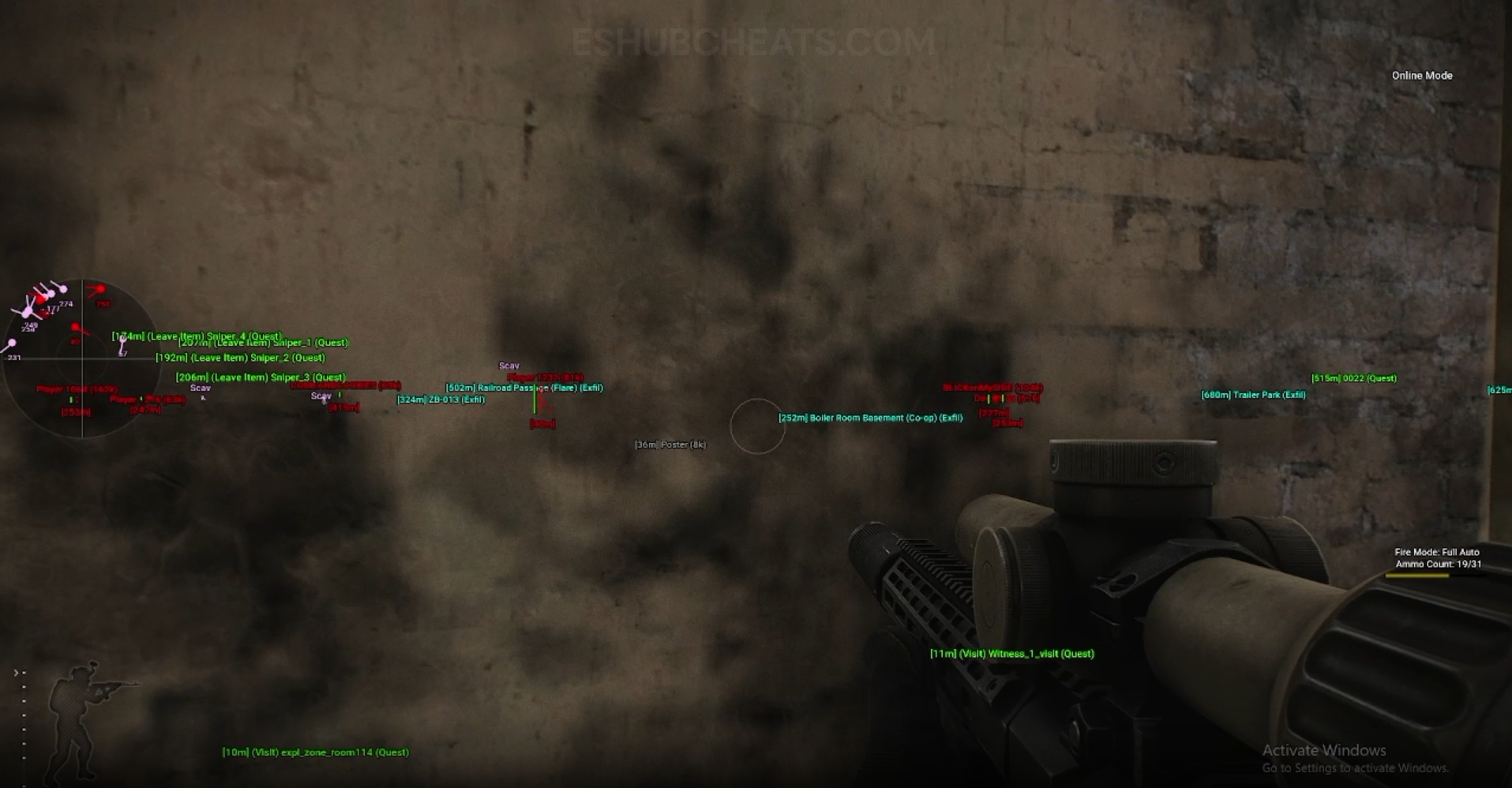
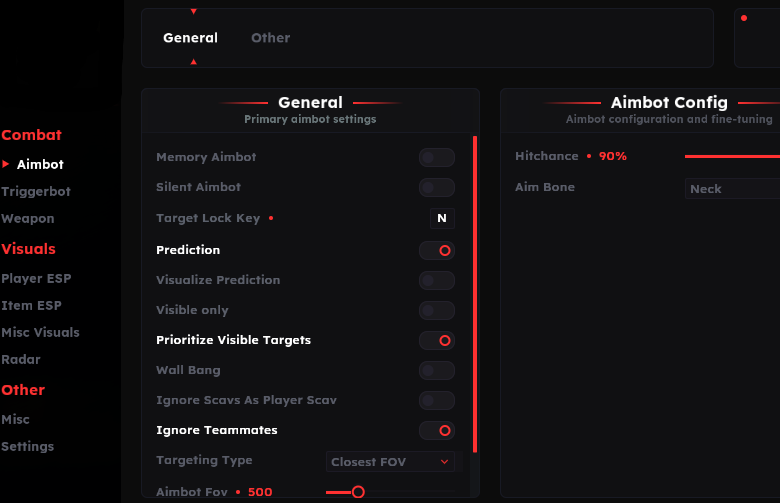
Screenshots show example displays and settings, rather than recommended values or proof that every listed feature appears in the footage.
Player ESP & Wallhack: Main Concepts
Understand these groups before comparing menu controls or profiles.
Identity & Equipment
Names, carried weapons and equipment value provide different kinds of information.
Health & Statistics
Health bars/text and player statistics are labels, not a complete prediction of an encounter.
Display Style
Lite names skeletons and box styles in its player menu.
Filters & Range
Draw distance and color settings determine how the information is presented.
EFT Player ESP & Wallhack: Features & Differences
Check which entries belong to the selected package and the relevant feature group.
Read the character label and its range separately.
Both lists identify a player weapon display.
Lite explicitly names health bars and health text.
Lite lists KD, level and hours as statistics fields.
Lite identifies player value; it is distinct from loose-loot prices.
These styles are explicitly documented in Lite’s player group.
Lite lists teammate handling, Team ID and visibility-based colors.
Maximum visual distance is separate from aimbot or Triggerbot limits.
Check the Missing Group Before Changing Everything
If item labels work but player information is absent, review the player group first. Check its active toggle, range and display choices rather than assuming the complete overlay has failed.
Config & Settings explains profile review. Radar provides a different presentation of position information.
Compare the Actual Player Menus
Compare documented coverage rather than assuming shared category names mean identical menus.
EFT: Full
Full’s public list summarizes names, distance, weapon, health and statistics in its Player ESP group.
View EFT: Full Features →EFT: Lite
Lite provides a more detailed public breakdown of boxes, skeletons, value, health presentation, colors and team-related controls. Do not assume identical menus from the shared ESP label.
View EFT: Lite Features →Player ESP vs Wallbang
Wallbang & Manipulation concerns separately listed shot features. A marker behind an object is not proof that a shot interaction is supported.
Full vs Lite separates the shared visual categories from Full’s additional aiming capabilities.
Compare the EFT Product Options
Review current features, requirements, availability and licence terms on the selected listing.
EFT: Full
The internal package listing memory and silent aiming, visuals and additional movement/action features. Use its own setup guide and confirm the particular feature you need.
View EFT: Full →EFT: Lite
The internal package listing Triggerbot, detailed visual and loot controls, configurations and a separate PvE section. Compare its current coverage with your requirements.
View EFT: Lite →Keep the Display Understandable
Review labels and range by information type. Several overlapping names, health fields and statistics can become difficult to distinguish even when every setting is working.
When seeking support, describe the missing field or style and name the package. “The player health text appears but the box does not” is more informative than “ESP is broken.”
Related Escape from Tarkov Guides
Frequently Asked Questions About Player ESP & Wallhack
Is player ESP the same as loot ESP?
No. They concern characters and world objects respectively.
Does Lite list skeletons and boxes?
Yes. Its player section explicitly names both.
Is player value the same as a nearby loot price?
No. The fields belong to different objects and menu groups.
Does visual range control aiming range?
Do not assume that. Those controls are separate.
Where are Scavs and bosses explained?
Use Scav & Boss ESP.
More Escape from Tarkov Guides & Products
Explore the main EFT overview, choose another topic from the guide directory or compare current product listings.
Compare EFT Full and Lite
Review the feature coverage for player esp & wallhack, then check current requirements, availability and licence terms before choosing.