
-
Browse EFT Cheats
Escape from Tarkov: Radar
Explore EFT 2D radar in Full and Lite. Understand player and Scav markers, direction, distance, size, range and position separately from main-view ESP.
-
Featured Products
EFT Radar: Players, Scavs, Direction & Display Controls
Both packages list a 2D radar with players, Scavs, look direction and distance information. Size, display range and position customize that separate view. Radar is another way to present position information rather than another aiming mode.
Use Player ESP for main-view character labels and Scav & Boss ESP for the AI display categories.
A Separate Position View
A radar gathers the supported character markers into a separate visual area. Its size changes that presentation, while its range changes the represented distance. Screen position decides where it appears. Those controls should not be treated as interchangeable.
Look direction is another information field. The feature list does not say that a direction line guarantees an opponent has detected you or is targeting you.
EFT Gameplay & Menu Previews
Watch the supplied gameplay video and open a screenshot for a closer look.
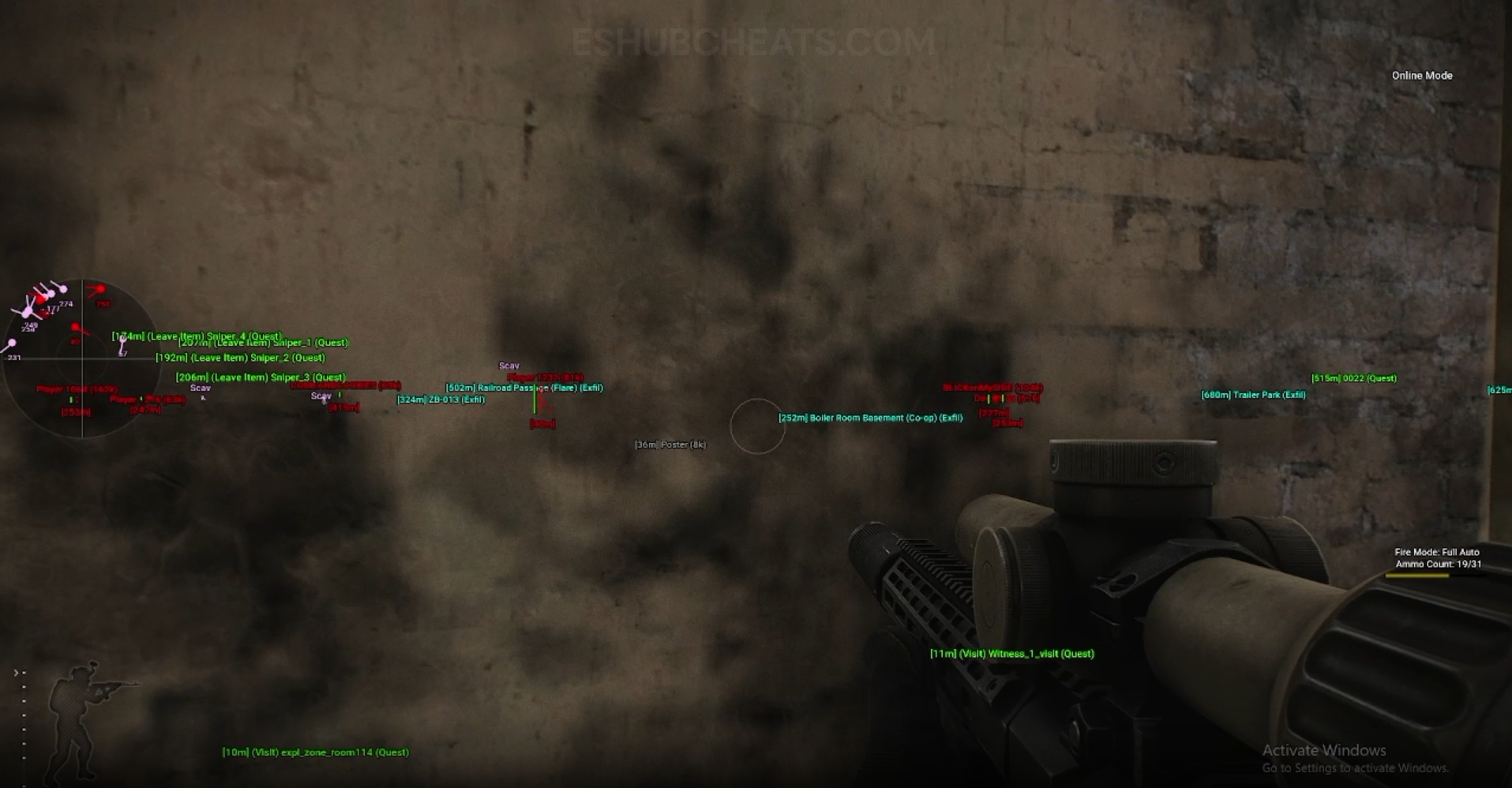
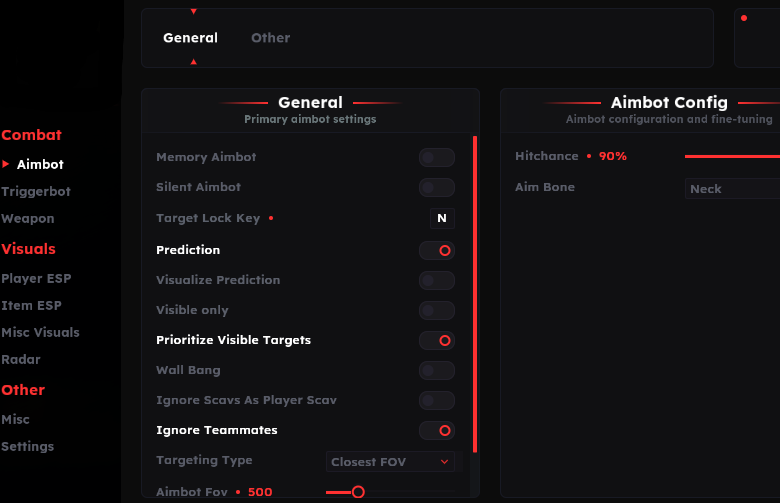
Screenshots show example displays and settings, rather than recommended values or proof that every listed feature appears in the footage.
Radar: Main Concepts
Understand these groups before comparing menu controls or profiles.
Players
Review the player-marker group independently of Scavs.
Scavs
Lite explicitly names the separate Scav radar choice.
Look Direction
A direction line describes the supported orientation field.
Layout & Range
Size, maximum distance and screen position affect different aspects of the view.
EFT Radar: Features & Differences
Check which entries belong to the selected package and the relevant feature group.
Both lists identify this presentation.
Character information in radar is separate from a main-view box.
Lite lists an independent Scav display choice.
Orientation information should not be described as a guaranteed detection alert.
A range control is separate from the radar panel’s physical size.
Review placement and size for readability rather than changing character eligibility.
Identify Whether the Panel or a Marker Is Missing
A hidden panel needs a different check from an enabled panel missing only Scavs. Review the radar toggle, group choices and range before changing main-view ESP settings.
Config & Settings explains reviewing loaded choices. The ESP guide covers the separate main-view display.
Radar Is Listed in Full
Compare documented coverage rather than assuming shared category names mean identical menus.
EFT: Full
Full names players, Scavs, look direction, distance and layout customization in its radar summary.
View EFT: Full Features →EFT: Lite
Lite provides explicit toggles and size, maximum-distance and position entries. Confirm exact scales in its current menu.
View EFT: Lite Features →Radar vs Navigation Markers
Exfil ESP concerns exits and Quest Helper concerns task markers. Radar’s player and Scav information should not be presented as automatically covering those destinations.
The public list identifies the supported radar groups; it does not establish a universal marker for every object in the raid.
Compare the EFT Product Options
Review current features, requirements, availability and licence terms on the selected listing.
EFT: Full
The internal package listing memory and silent aiming, visuals and additional movement/action features. Use its own setup guide and confirm the particular feature you need.
View EFT: Full →EFT: Lite
The internal package listing Triggerbot, detailed visual and loot controls, configurations and a separate PvE section. Compare its current coverage with your requirements.
View EFT: Lite →Keep Orientation Claims Precise
Direction information and an “enemy looking at us” alert are different labels. Lite separately lists that alert in miscellaneous visuals; do not turn the radar line into the same feature by assumption.
When reporting a radar issue, record which marker group is affected, whether the panel appears and which profile is active.
Related Escape from Tarkov Guides
Frequently Asked Questions About Radar
Is radar an aimbot?
No. It is a visual information feature.
Do both packages list 2D radar?
Yes.
Does size change the same thing as range?
No. Panel size and represented distance are separate controls.
Does a look line prove an enemy detected me?
The public feature list does not establish that guarantee.
Does radar replace exfil markers?
No. Exfil ESP is listed as a separate group.
More Escape from Tarkov Guides & Products
Explore the main EFT overview, choose another topic from the guide directory or compare current product listings.
Compare EFT Full and Lite
Review the feature coverage for radar, then check current requirements, availability and licence terms before choosing.