
-
Browse EFT Cheats
Escape from Tarkov: Exfil ESP & Extraction Markers
Explore EFT extraction displays in Full and Lite. Review exfil names, distances and colors, plus Lite’s marathon transit markers and their limits.
-
Featured Products


EFT Exfil ESP: Exit Names, Distance & Transit Markers
Both packages list Exfil ESP with extraction names, distance and color. Lite additionally names marathon transit markers. These are navigation displays, not a promise that a marked exit is available to every player in every raid.
Compare extraction information with Quest Helper and the separate position view in Radar.
A Marked Exit Is Navigation Information
An extraction label identifies the supported exit information shown by the product. Distance can help interpret its position, while color is a presentation choice. None of those labels establishes that the current raid’s extraction conditions have been met.
Lite’s marathon transit entry is separate from the ordinary exfil fields. The public list does not provide a full catalogue of transit behavior or rules for every route.
EFT Gameplay & Menu Previews
Watch the supplied gameplay video and open a screenshot for a closer look.
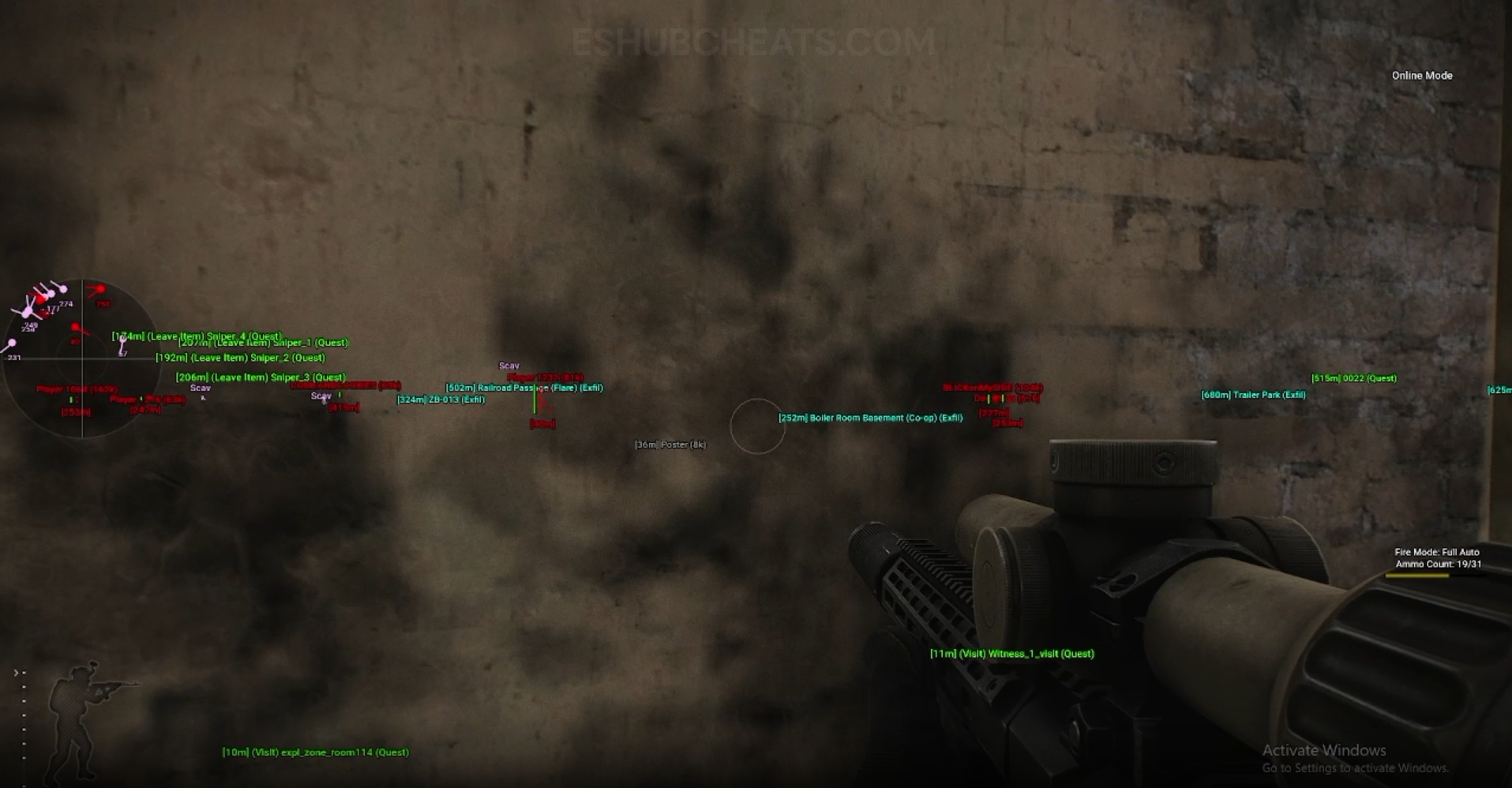
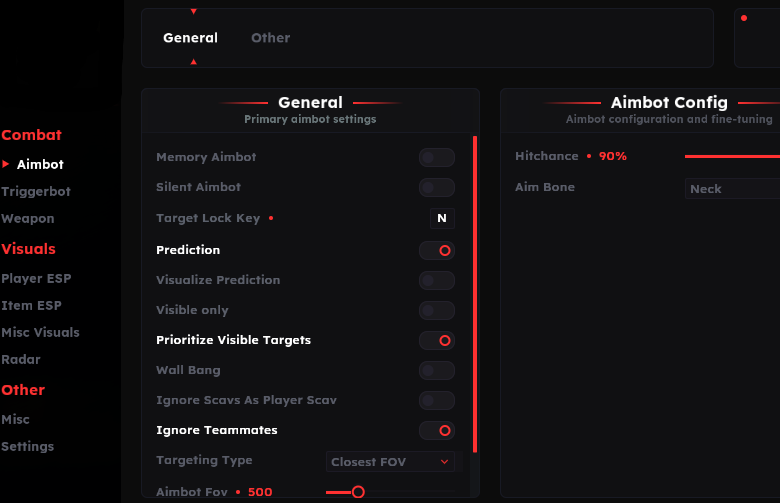
Screenshots show example displays and settings, rather than recommended values or proof that every listed feature appears in the footage.
Exfil ESP & Extraction Markers: Main Concepts
Understand these groups before comparing menu controls or profiles.
Exit Name
The name identifies the marked extraction rather than a quest objective.
Distance
Read this as position information, separately from visual draw-range settings.
Color
A display preference does not establish availability or eligibility.
Transit Markers
Lite explicitly names marathon transits as another navigation display.
EFT Exfil ESP & Extraction Markers: Features & Differences
Check which entries belong to the selected package and the relevant feature group.
Full lists extraction name, distance and color.
Lite lists the same core information and an enable control.
An additional marker group explicitly named in Lite.
A visible name is not confirmation that every condition is satisfied.
Task locations and raid exits answer different navigation questions.
Check the current guide for a route not explained by the public list.
Separate a Missing Marker from an Unusable Exit
Describe whether the display is absent or whether the game does not allow the extraction. Those symptoms point to different questions; changing a color cannot satisfy a raid condition.
Review Config & Settings for the display and Quest Helper for task-oriented information.
Shared Extraction Fields
Compare documented coverage rather than assuming shared category names mean identical menus.
EFT: Full
Full lists exfil names, distances and colors. Use its current guide for detailed behavior.
View EFT: Full Features →EFT: Lite
Lite lists those fields plus marathon transit markers. Do not assume the additional group appears in Full without documentation.
View EFT: Lite Features →Keep the Other Displays in Context
Radar concerns nearby character positions, while Loot ESP concerns items. Neither becomes extraction eligibility simply because it is visible on the same screen.
Use the label for its intended purpose and keep game conditions separate from overlay presentation.
Compare the EFT Product Options
Review current features, requirements, availability and licence terms on the selected listing.
EFT: Full
The internal package listing memory and silent aiming, visuals and additional movement/action features. Use its own setup guide and confirm the particular feature you need.
View EFT: Full →EFT: Lite
The internal package listing Triggerbot, detailed visual and loot controls, configurations and a separate PvE section. Compare its current coverage with your requirements.
View EFT: Lite →Useful Support Evidence
Name the product, the expected marker and the display group. Include whether other navigation labels appear and whether the issue concerns an extraction or a transit.
The public list does not promise automatic extraction, universal routes or a substitute for meeting raid conditions. Keep those limitations clear when comparing products.
Related Escape from Tarkov Guides
Frequently Asked Questions About Exfil ESP & Extraction Markers
Do both products list Exfil ESP?
Yes, including name, distance and color.
Does a marker guarantee I can extract?
No. The game’s applicable conditions remain separate.
Does Lite list transit markers?
Yes, marathon transits are named in its list.
Is an exfil marker a quest marker?
No. Those are separate groups.
Where are profile checks covered?
Use Config & Settings.
More Escape from Tarkov Guides & Products
Explore the main EFT overview, choose another topic from the guide directory or compare current product listings.
Compare EFT Full and Lite
Review the feature coverage for exfil esp & extraction markers, then check current requirements, availability and licence terms before choosing.