
-
Browse EFT Cheats
Escape from Tarkov: Full vs Lite
Compare EFT Full and Lite by documented aiming, visual, loot, movement and PvE groups. Understand shared features and check current requirements.
-
Featured Products
EFT Full vs Lite: Aiming, Visuals, Movement & Requirements
Full and Lite are both listed as internal products. The meaningful comparison is their published feature coverage and setup requirements, rather than an internal-versus-external distinction that does not fit these two packages.
Use the individual Full and Lite guides for their overviews. This page compares them directly.
Start with the Concrete Differences
Full lists memory and silent aiming, additional through-cover features and a broader movement group. Lite lists Triggerbot with detailed player, AI and loot visual controls. Both share several categories, so Lite should not be described as having only ESP.
Public breakdowns vary in detail. A control spelled out in Lite’s list should not automatically be assigned to Full, and a short Full summary does not prove identical submenu choices. Compare the current menus when a particular option matters.
EFT Gameplay & Menu Previews
Watch the supplied gameplay video and open a screenshot for a closer look.
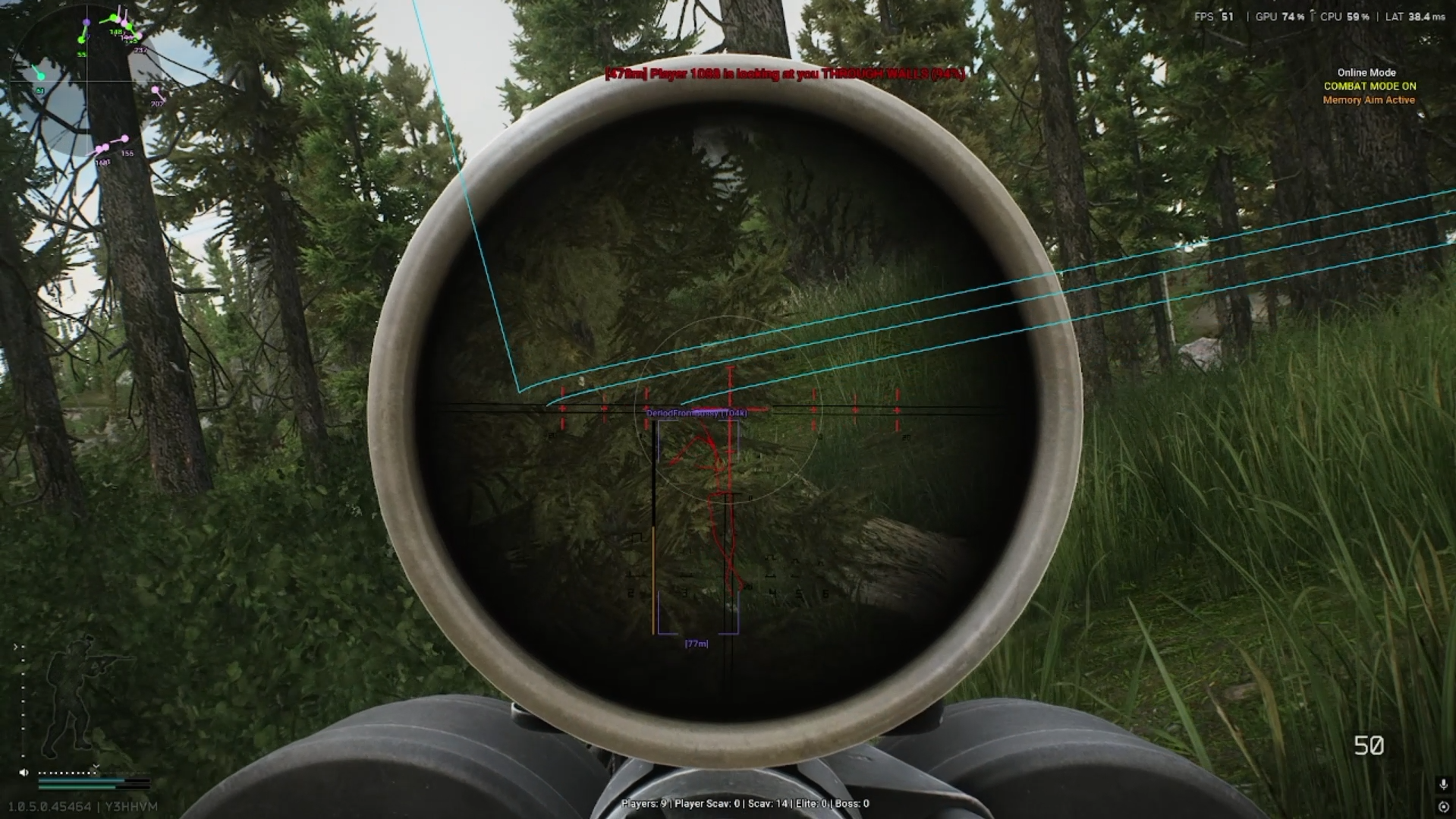
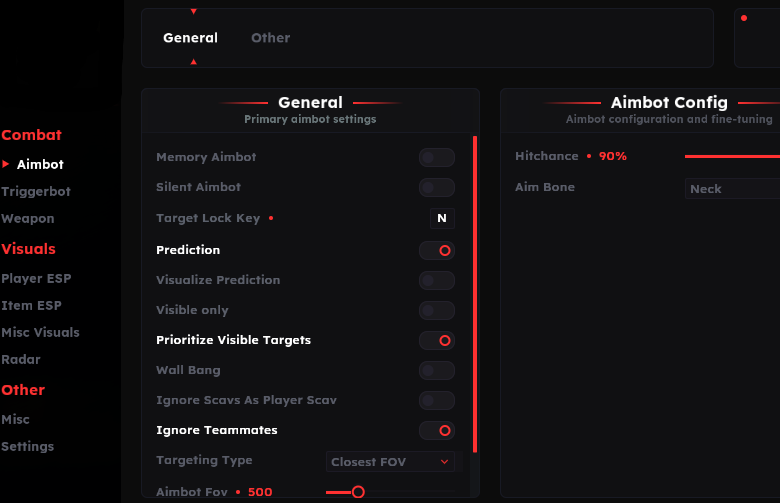
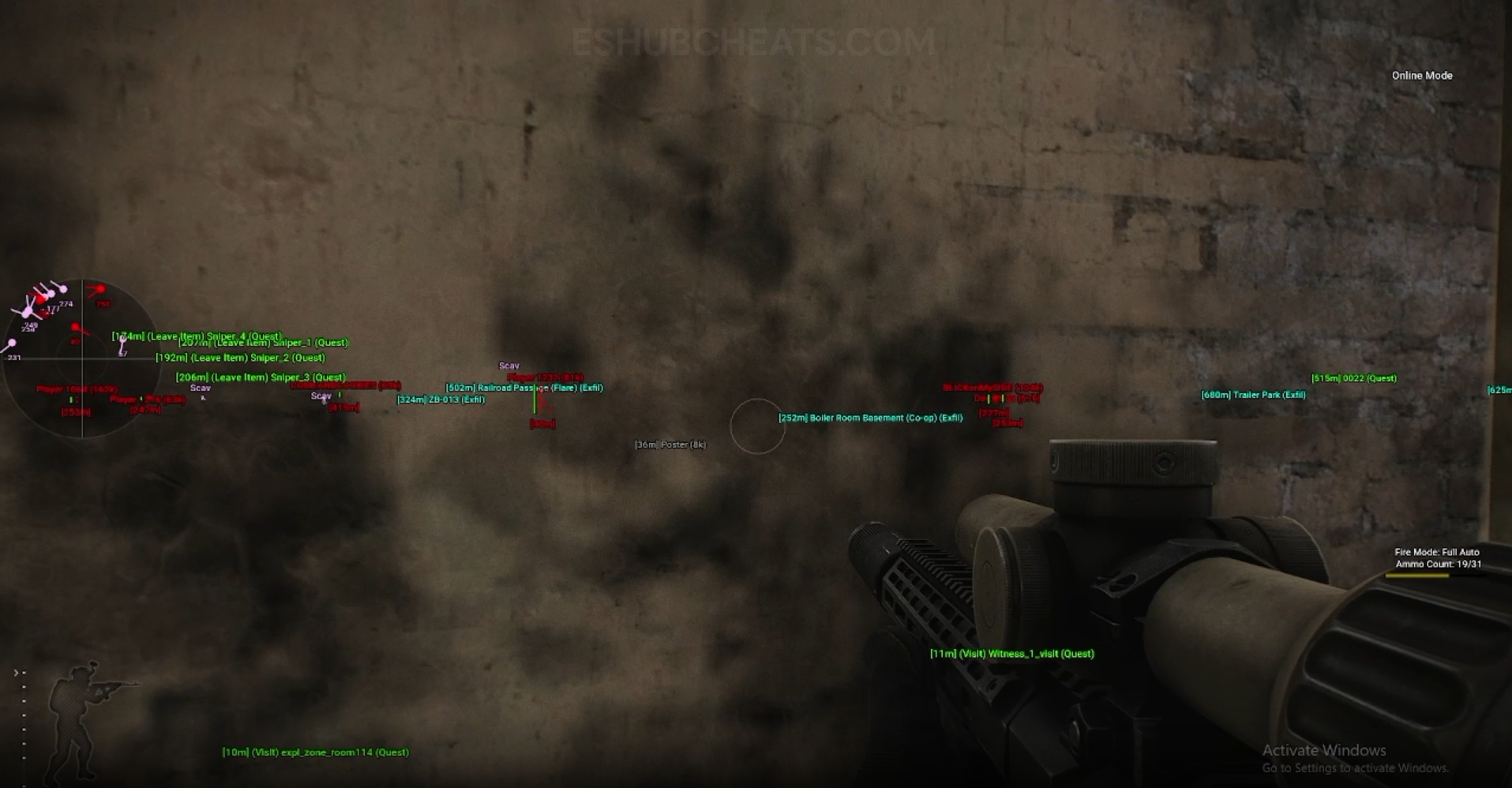
Screenshots show example displays and settings, rather than recommended values or proof that every listed feature appears in the footage.
Full vs Lite: Main Concepts
Understand these groups before comparing menu controls or profiles.
Aiming Modes
Full lists memory and silent aiming; both list Triggerbot.
Visual Coverage
Both publish player, Scav, loot and navigation groups, with different detail.
Movement
Full lists Speedhack and stamina entries not established by Lite’s general list.
Shared Groups
Configuration and PvE headings appear in both products.
EFT Full vs Lite: Features & Differences
Check which entries belong to the selected package and the relevant feature group.
Listed in Full; not established by Lite’s published list.
Listed in both, separately from Full’s aiming modes.
Both list recoil/sway/ADS/malfunction; Full additionally lists spread and projectile settings.
Shared broad categories; exact fields and filters need menu-specific review.
Both list these groups; Lite additionally names marathon transit markers.
Full adds general movement and wall-looting/vacuum labels; both name Auto Loot.
Both publish a separate mode-specific section.
Both list Windows 10/11 and Intel/AMD; review further prerequisites and current licence terms.
Compare the Same Questions for Both Packages
Write down the exact feature, supported system, current availability, required setup and licence duration. A price comparison is incomplete when one package does not contain the feature you need.
Use PC Requirements and Config & Settings alongside the listings.
When Full’s Additional Groups Matter
Compare documented coverage rather than assuming shared category names mean identical menus.
EFT: Full
Full is the package to examine for the listed memory/silent modes, through-cover entries and broader movement controls. Confirm current support for the specific feature.
View EFT: Full Features →EFT: Lite
Lite is the package to examine for Triggerbot and its detailed visual/loot controls. It also lists configuration, automation and PvE groups rather than being a single-purpose overlay.
View EFT: Lite Features →Which Feature Should You Investigate Next?
Compare Aimbot and Triggerbot if firing and aiming are your main questions.
For item information, use Loot ESP; for action features, use Auto Loot.
Compare the EFT Product Options
Review current features, requirements, availability and licence terms on the selected listing.
EFT: Full
The internal package listing memory and silent aiming, visuals and additional movement/action features. Use its own setup guide and confirm the particular feature you need.
View EFT: Full →EFT: Lite
The internal package listing Triggerbot, detailed visual and loot controls, configurations and a separate PvE section. Compare its current coverage with your requirements.
View EFT: Lite →Neither Product Name Replaces Documentation
Both carry an internal label and a built-in spoofer entry. Those labels do not establish universal compatibility or account safety. Check the selected package’s current release and instructions.
Do not assume cross-product profiles are interchangeable simply because both have save/load controls. Formats, menus and setting scales can differ.
Related Escape from Tarkov Guides
Frequently Asked Questions About Full vs Lite
Is this an internal vs external comparison?
No. Both reviewed products are listed as internal.
Does Lite include Triggerbot?
Yes, alongside its other published groups.
Which lists memory and silent aim?
Full.
Are all shared menu controls identical?
Do not assume that from shared category names.
Should I compare only price?
Include feature fit, requirements, current status and licence/support terms.
More Escape from Tarkov Guides & Products
Explore the main EFT overview, choose another topic from the guide directory or compare current product listings.
Compare EFT Full and Lite
Review the feature coverage for full vs lite, then check current requirements, availability and licence terms before choosing.