
-
Browse EFT Cheats
Escape from Tarkov: Config & Settings Guide
Understand EFT Full and Lite configs, saving, loading, import/export and hotswap keys. Review aiming, visual and action settings as separate groups.
-
Featured Products
EFT Config & Settings: Profiles, Import/Export & Hotswap
Both packages list saving, loading, exporting and importing configurations, plus hotswap keybinds. A stored profile can contain several setting groups; it should not be treated as only a color preset.
This guide connects targeting, visual filters and action controls. Use Full vs Lite before assuming a profile from the other package is compatible.
A Profile Is a Collection of Choices
Aiming activation, target eligibility, visual range and loot thresholds answer different questions. A profile can change several of them at once. Read the current menu after loading rather than assuming a stored setup changes one familiar option.
The public lists identify import/export functionality but do not specify a universal file path, format or cross-product compatibility rule. Follow the selected guide for those implementation details.
EFT Gameplay & Menu Previews
Watch the supplied gameplay video and open a screenshot for a closer look.
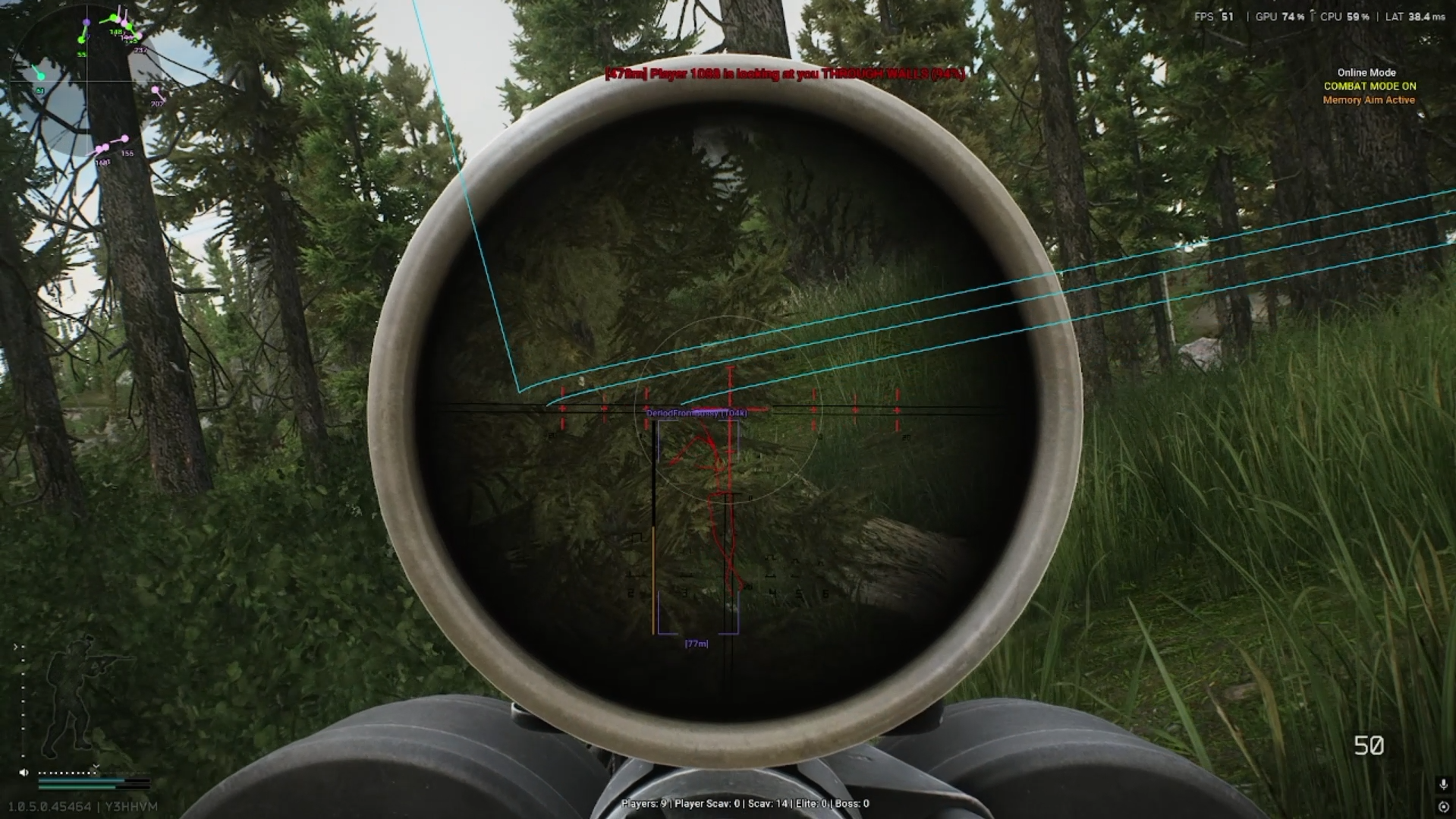
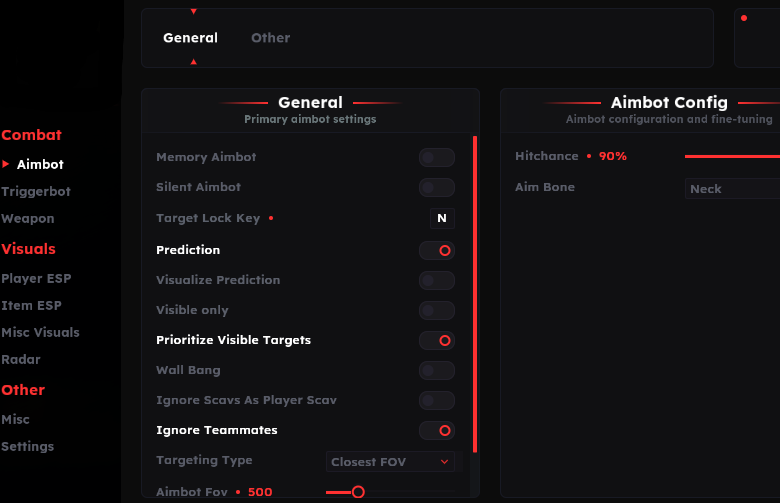
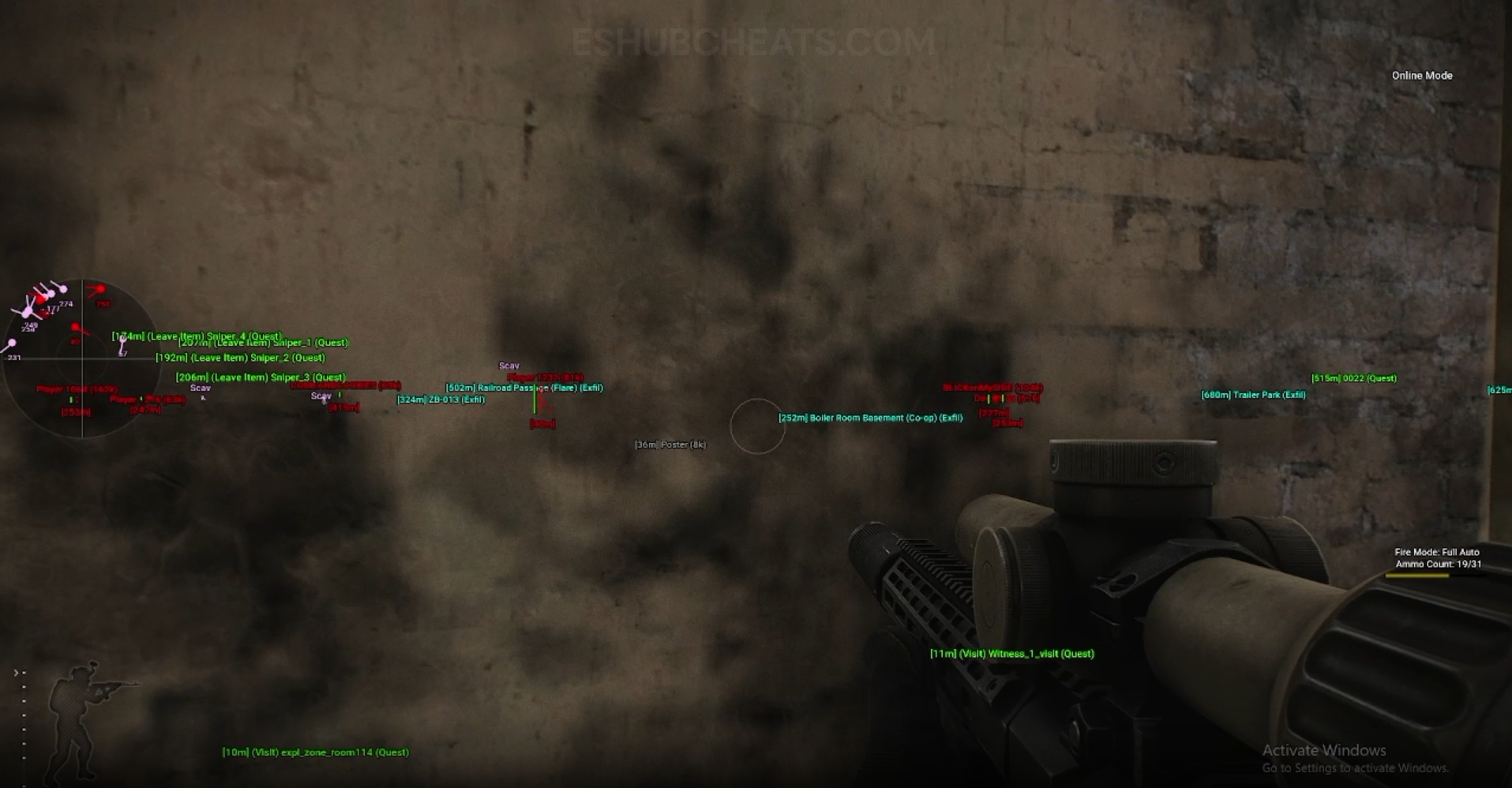
Screenshots show example displays and settings, rather than recommended values or proof that every listed feature appears in the footage.
Config & Settings Guide: Main Concepts
Understand these groups before comparing menu controls or profiles.
Save & Load
Store and return to settings using the package’s documented controls.
Import & Export
Do not assume formats transfer between different products or releases.
Hotswap Keys
A profile-switch binding is separate from aim activation or opening the menu.
Review Groups
Inspect active toggles and filters after a switch, not just the profile name.
EFT Config & Settings Guide: Features & Differences
Check which entries belong to the selected package and the relevant feature group.
Mode, key, FOV and filters belong to the aiming group.
Triggerbot ADS, timing and range are separate choices.
Player and AI labels, colors and ranges have their own controls.
Loot tiers, containers and corpses need group-specific review.
Auto Loot thresholds should not be assumed identical to visual thresholds.
Keep PvE entries under their documented scope.
Review conflicts between profile and feature keys.
Use the current guide instead of an invented universal config path.
Review a Loaded Profile in a Consistent Order
Identify the product and active profile first. Then inspect feature toggles, key assignments, targeting filters and visual ranges. Change one understood control before attributing a result to several adjustments.
Use Aimbot, Loot ESP and Auto Loot for their distinct groups.
Full Configuration
Compare documented coverage rather than assuming shared category names mean identical menus.
EFT: Full
Full lists save/load/export/import and hotswap keys. A profile may include its additional aiming or movement features.
View EFT: Full Features →EFT: Lite
Lite lists the same broad configuration functions. That does not establish identical settings, formats or compatibility with Full profiles.
View EFT: Lite Features →Which Group Changed After Loading?
If character information changed, inspect Player ESP settings. If item visibility changed, inspect Loot ESP filters.
If firing changed, inspect Triggerbot conditions instead of treating an ESP color as the cause.
Compare the EFT Product Options
Review current features, requirements, availability and licence terms on the selected listing.
EFT: Full
The internal package listing memory and silent aiming, visuals and additional movement/action features. Use its own setup guide and confirm the particular feature you need.
View EFT: Full →EFT: Lite
The internal package listing Triggerbot, detailed visual and loot controls, configurations and a separate PvE section. Compare its current coverage with your requirements.
View EFT: Lite →Keep Profiles Understandable
Name a setup by the groups it is intended to change. Before sharing a file or screenshot, remove licence and account information. Do not interpret another user’s profile as documentation of supported features.
Configuration functionality does not bypass system prerequisites or establish support for an undocumented mode. Use the requirements and product guide independently.
Related Escape from Tarkov Guides
Frequently Asked Questions About Config & Settings Guide
Do both products list import/export?
Yes, alongside save/load and hotswap keys.
Can I assume Full and Lite profiles are compatible?
No. Confirm the current formats and supported menu choices.
Are hotswap and aim keys identical?
They have different purposes.
Is a universal config file path documented here?
No. Follow the current package guide.
Does loading a profile replace requirements?
No. System and mode support remain separate checks.
More Escape from Tarkov Guides & Products
Explore the main EFT overview, choose another topic from the guide directory or compare current product listings.
Compare EFT Full and Lite
Review the feature coverage for config & settings guide, then check current requirements, availability and licence terms before choosing.