
-
Browse EFT Cheats
Escape from Tarkov: Silent Aim & Magic Bullet
Review EFT Full Silent Aim, Magic Bullet and related targeting controls. Understand separate keybinds and the limits of product feature labels.
-
Featured Products
EFT Silent Aim & Magic Bullet: Modes, Keys & Target Filters
Full lists Silent Aimbot and Magic Bullet alongside its memory-aiming mode. This guide distinguishes those labels and the related controls without assuming that every label describes the same implementation.
The current listing names the features, but does not explain every interaction. Compare them with Memory Aim and keep firing controls separate from the selected aiming mode.
Silent Aim Is a Separate Listed Mode
Full assigns Silent Aim its own keybind. The listing also names autoshoot while holding the silent-aim key, hitchance and target-selection controls. A key that activates this mode is not automatically the memory-aim key.
Magic Bullet appears as another label in the aiming section. The public list does not define its exact trajectory behavior, range limits or interaction with Silent Aim. Those details need the current product documentation rather than a guessed explanation.
EFT Gameplay & Menu Previews
Watch the supplied gameplay video and open a screenshot for a closer look.
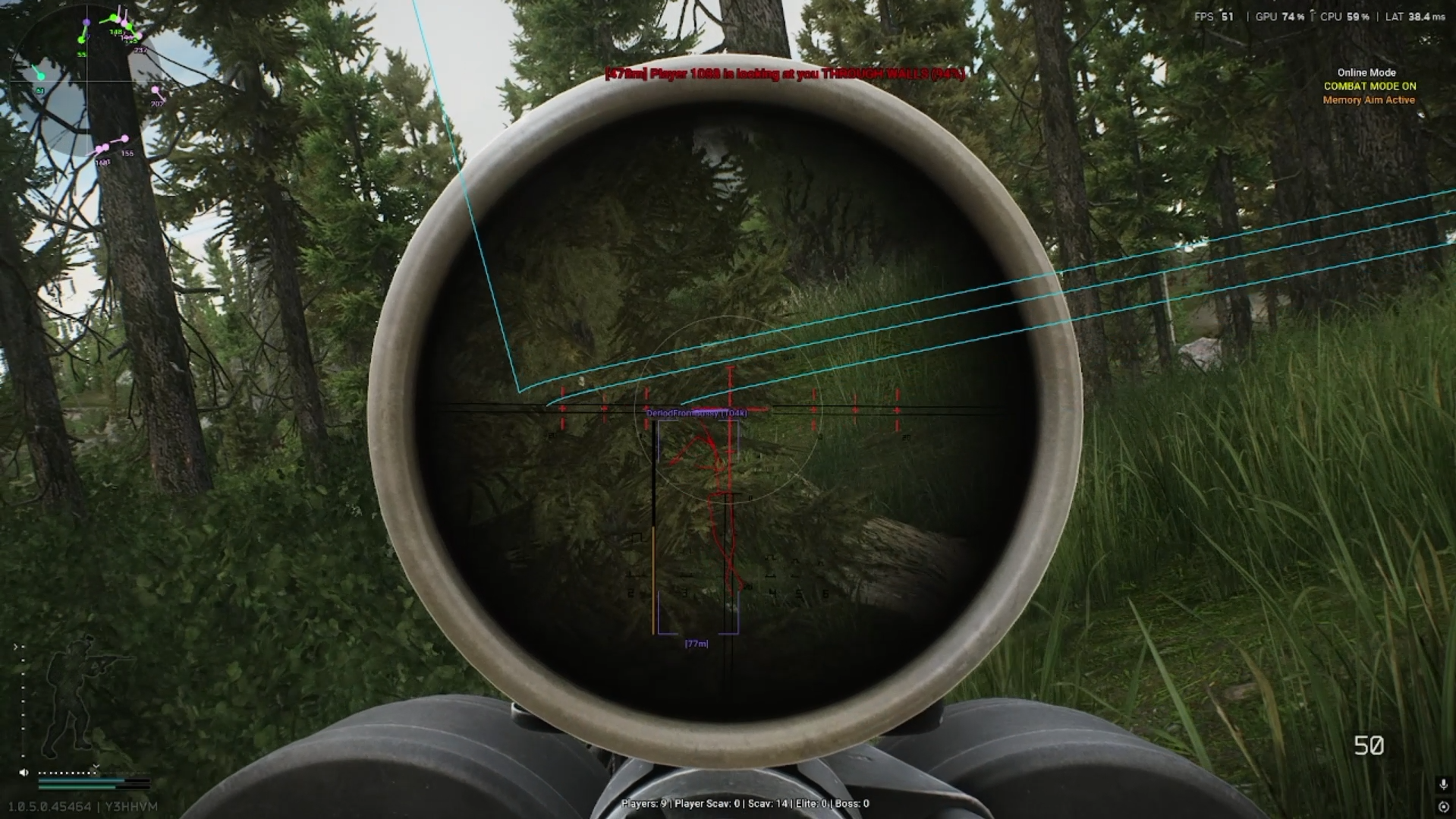
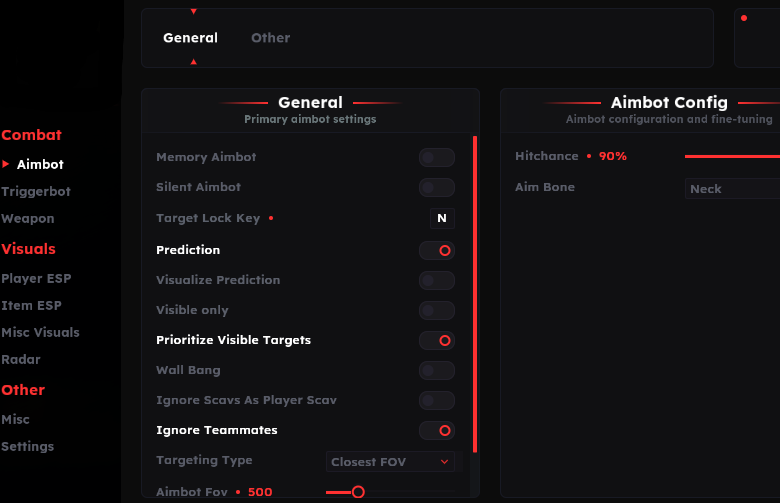
Screenshots show example displays and settings, rather than recommended values or proof that every listed feature appears in the footage.
Silent Aim & Magic Bullet: Main Concepts
Understand these groups before comparing menu controls or profiles.
Mode Keys
Memory aim, silent aim and target locking have separately listed bindings.
Eligibility
FOV, maximum distance and target filters are distinct from a mode’s name.
Autoshoot
Full describes firing while holding the silent-aim key. This is separate from the Triggerbot group.
Label Limits
A named feature confirms its listing, not an undocumented guarantee about every obstacle or target.
EFT Silent Aim & Magic Bullet: Features & Differences
Check which entries belong to the selected package and the relevant feature group.
A separately named aiming mode in Full.
Listed in Full’s aiming section; exact implementation is not defined by the label alone.
Separate from the memory-aim activation binding.
Full lists a hit-chance setting. It is a menu control, not a guaranteed outcome.
Described as shooting while holding the silent-aim key.
Check distance, target priority and visibility controls in the selected menu.
Confirm the Mode Before Comparing Settings
Record which mode is active and which key is assigned. A profile containing several aiming options can make a simple key conflict look like a feature problem.
Review Config & Settings and consult Full’s guide for the undocumented Magic Bullet interactions.
Silent Aiming Is a Full Feature
Compare documented coverage rather than assuming shared category names mean identical menus.
EFT: Full
Full explicitly lists Silent Aimbot and Magic Bullet, with a separate silent-aim keybind.
View EFT: Full Features →EFT: Lite
Lite lists Triggerbot and visuals. Its current feature list does not establish support for Full’s silent-aiming modes.
View EFT: Lite Features →Silent Aim Is Not the Same Topic as Wallbang
Wallbang & Manipulation covers the separately listed through-cover and obstacle-related features. Do not infer those behaviors from the words Silent Aim alone.
Triggerbot has its own firing conditions and limits. It should not be used as another name for silent aim.
Compare the EFT Product Options
Review current features, requirements, availability and licence terms on the selected listing.
EFT: Full
The internal package listing memory and silent aiming, visuals and additional movement/action features. Use its own setup guide and confirm the particular feature you need.
View EFT: Full →EFT: Lite
The internal package listing Triggerbot, detailed visual and loot controls, configurations and a separate PvE section. Compare its current coverage with your requirements.
View EFT: Lite →Questions Worth Asking Before Purchase
Ask whether the named mode is available in the current release, which controls apply to it and what the documented limitations are. State the exact feature rather than asking about an undefined “rage mode.”
Avoid universal settings claims. The feature list does not supply a recommended hitchance, target distance or configuration for every situation.
Related Escape from Tarkov Guides
Frequently Asked Questions About Silent Aim & Magic Bullet
Which product lists Silent Aim?
Full lists it; Lite’s reviewed list does not.
Is Magic Bullet fully explained by its name?
No. Confirm the behavior and limitations in the current product guide.
Does silent aim use the memory-aim key?
Full lists separate keybinds for the two modes.
Is autoshoot the same as Triggerbot?
They appear as separate controls in the feature list.
Where are through-cover features covered?
Read Wallbang & Manipulation.
More Escape from Tarkov Guides & Products
Explore the main EFT overview, choose another topic from the guide directory or compare current product listings.
Compare EFT Full and Lite
Review the feature coverage for silent aim & magic bullet, then check current requirements, availability and licence terms before choosing.