Verify the Source of the Offer
Check who supplies the files, where instructions come from and how support is reached. A familiar name in a filename or reposted screenshot is not proof of origin. Use the product’s official purchase and delivery information. This source check applies to paid packages as well as offers advertised as free.
Compare the Documented Controls
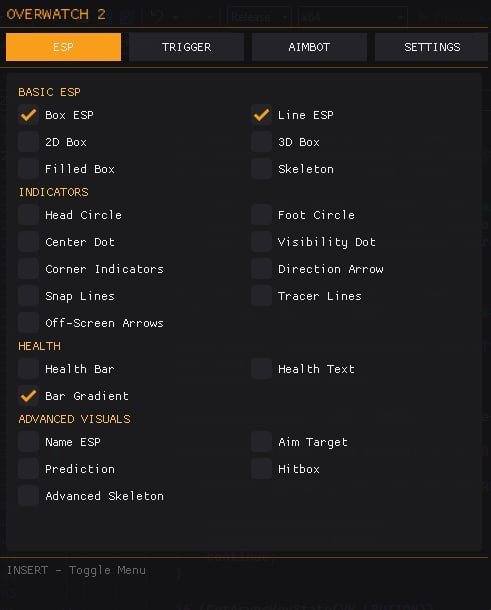
Review aimbot, triggerbot and player ESP against a specific feature list. A claim of complete features should still identify target settings, timing fields and visual categories. Compare what is documented rather than assuming every offer with the same broad label includes the same controls.
Read Duration & Activation Terms
The selected listing offers defined access durations. Review the option being purchased and the applicable activation and downtime terms before payment. This page does not assert when every license timer starts or that a trial is available. Use the current OW2 product listing or ask ESHub Discord support for a concrete access question.
Check Compatibility & Maintenance
Compare Steam support, supported Windows builds and display mode, then review current status and instructions. Read compatibility and launch troubleshooting for the selected environment. A subscription price does not automatically establish support for Battle.net, console play or an unlisted Windows build.
Keep Risk Separate from Price
Payment does not eliminate account risks, and a free offer is not proven safe by popularity. Read the risk page for status and safety claims. Choosing OW2 cheats covers the wider comparison of features, support and terms rather than choosing from price alone.