Activation & Team Keys
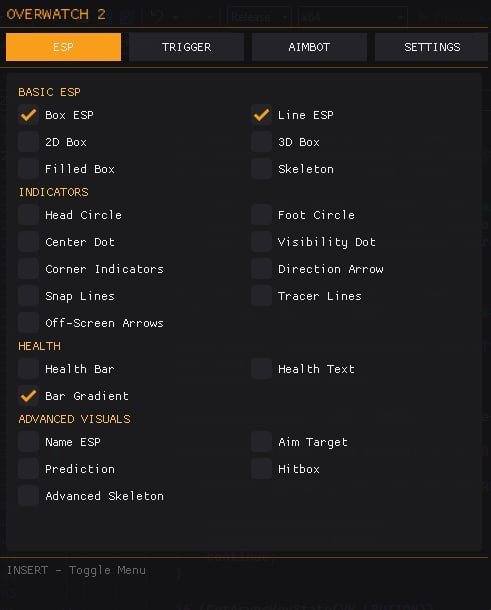
The supplied menu lists INSERT for menu access, SHIFT for both aim and trigger activation, and X for team changes. Review the current bindings alongside the enabled features. A shared example key does not mean that the two combat categories have identical settings. Local Team is listed separately from the enemy and ally colors.
Aimbot Selection & Movement
Aim settings include radius, target type, response time, minimum and maximum distance, smoothing speed and sensitivity. Advanced smoothing lists Exponential mode and a smooth exponent. Prediction and Lead Target are separate numerical fields. Keep these controls distinct when describing a change in the aiming behavior.
Triggerbot Timing & Targeting
Triggerbot has its own radius, target, maximum distance, shot delay and reaction time. Review both timing fields rather than reporting just one. The menu examples are 50 ms for shot delay and 0 ms for reaction time; those values document the supplied screen and do not establish a recommended setup.
Overlay Appearance & Range
Visual settings include box and hitbox thickness, borders, tracer length, arrow size, distance filtering, Distance Scaling and Distance Alpha. Enemy and ally colors have their own entries. Appearance controls style a marker, while filters can affect whether it is shown. Directional indicators have additional related presentation controls.
Configuration Changes & Troubleshooting
Keep a record of the current settings before changing several categories together. This feature list does not confirm a save/load/share configuration system, so use only tools actually present in the current menu. For absent visuals, follow ESP checks; for an inaccessible interface, follow menu checks. Use ESHub Discord support for a product-specific field.