
-
Deadlock External vs Internal Cheats: Compare the Approaches
Understand how external and internal implementations differ in operation and available features.
-
Featured Products
Compare component terminology, overlays and loaders alongside the hardware arrangement used by DMA. Predator, Prey and DMA have separate listings and requirements; the label alone does not establish feature coverage or safety.
Compare the documented options in Deadlock: Predator, Deadlock: Prey, Deadlock: DMA. Feature support and requirements differ by product.
Customer Feedback
Deadlock customer feedback on features, setup and support.
Auto parry is easily my favorite feature in EsHub’s Deadlock cheat. It’s been amazing to use and is the feature that stands out most to me.
There’s plenty more to explore in the product, with lots of settings to customize, but auto parry has definitely been the highlight.
Really happy with how it works overall.
The Deadlock cheat has been great so far. There are loads of features to try, and I’ve enjoyed going through the settings and getting things how I like them.
Had an issue that I needed help with, so I messaged EsHub. Got a reply almost immediately, and they helped me get everything working again.
Very pleased with it. The features are great, and my experience with support was just as good.
Really happy with EsHub’s Deadlock cheat so far. I ran into an issue and contacted support, and they responded almost instantly. They helped me get it sorted quickly, which made a great first impression.
Once that was fixed, everything worked great. There are loads of features and settings to explore, so you have plenty of room to customize things to your liking. The product itself has been great, but the quick support really stood out to me.
EsHub’s support made a great first impression. I ran into an issue and reached out, and they responded almost instantly.
They helped me get it fixed quickly, so I could get everything working. The Deadlock cheat itself has been great too, with lots of features and plenty of settings to customize.
Really happy with the product and the help I received.
Guide Updates & Product News
— Guide refreshed with Deadlock product comparisons, gameplay previews, customer feedback and topic-specific guidance.
For product release notes and game-update compatibility, see ESHub Discord → and the current product details.
External, Internal & DMA Terminology
An external component runs outside the game process. An internal component runs within the game process. These terms describe where a component operates, rather than its price, menu appearance or complete feature list.
A product can involve more than one component. A separate loader window does not establish that every feature is external, and a separate overlay does not identify how the information behind it is obtained.
Compare the current product listing before purchase. A feature described for one option does not establish that the other options include it.
DMA describes a hardware access arrangement rather than only a process location. Deadlock DMA requires a separate second PC for its loader and a browser for settings. Predator and Prey are listed as External; their exact requirements still come from their own product pages.
Deadlock Gameplay: Predator & Prey
Deadlock: Predator Gameplay
Deadlock: Prey Gameplay
Predator and Prey gameplay previews. The product listings provide current features and requirements.
Deadlock In-Game Aimbot & ESP Images
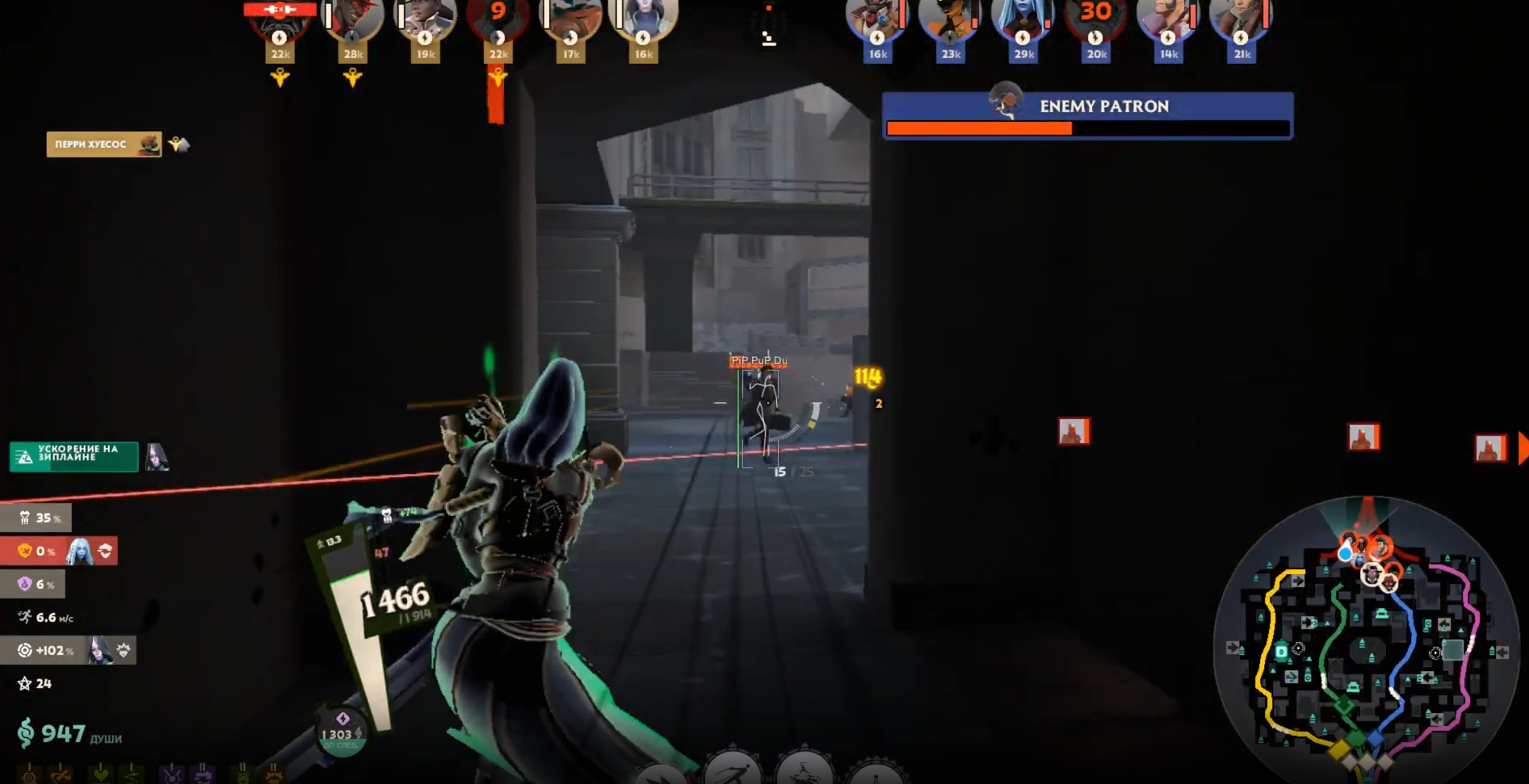
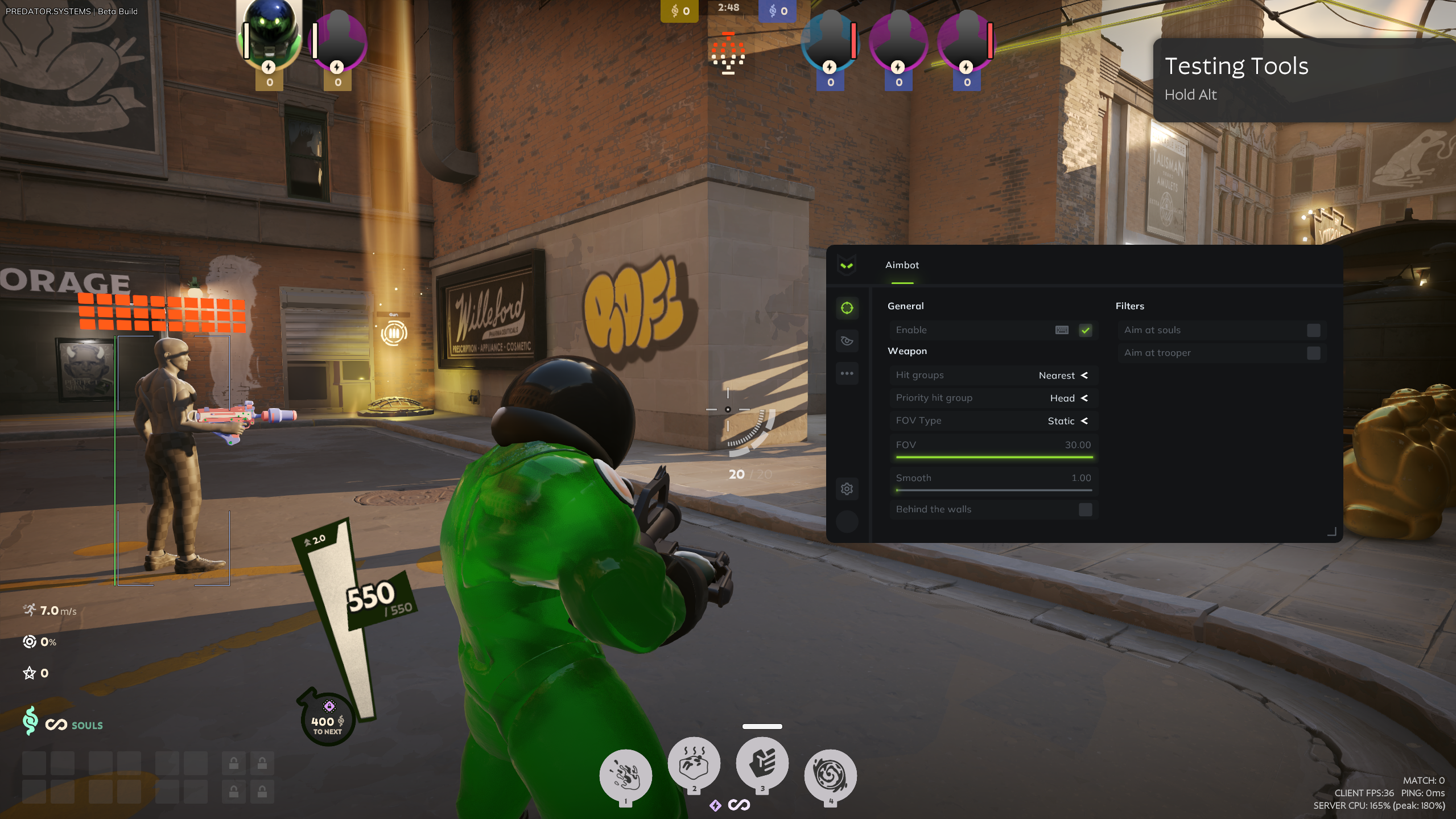
Key Controls & Product Checks
Component location
External and internal refer to where a component operates.
Hardware arrangement
DMA adds hardware and second-PC dependencies to the product decision.
Display vs implementation
A separate overlay or menu does not identify every underlying component.
Actual requirements
Use the selected listing for features, compatibility and current availability.
Loaders, Menus & Feature Components
Loader refers to the launch or management application. Menu refers to the controls you interact with. Overlay refers to a visual display layer. Component refers to part of the implementation.
These can be separate parts of one product. A visible overlay should not be used as proof of external-only operation. Similarly, a loader that remains outside the game can manage a component that operates inside it.
For menu availability problems, use Cheat Menu Not Opening. For saved controls, see Config & Settings.
A label such as Aimbot, ESP or Radar describes behavior. It does not specify the complete implementation. Read the feature’s current requirements rather than assigning it to a component based on the name alone.
The Silent Aim and No Recoil & RCS guides explain their separate behaviors. The Radar guide distinguishes a separate radar panel from in-game minimap features.
If a listing identifies a feature as requiring an additional component, check whether that component is included and supported in the current build. This terminology guide does not establish that Predator offers every possible component combination.
| Product | Relevant options and checks |
|---|---|
| Predator | Listed as External; check its own components and compatibility |
| Prey | Listed as External; check its own components and compatibility |
| DMA | DMA hardware and second-PC loader; browser settings and separate input-device choices |
Product Requirements & Compatibility Checks
- Which component or components does the selected product use?
- Which features depend on an additional component?
- Are there separate system requirements for those components?
- Does the current status notice cover the entire product or a specific part?
- Are any feature restrictions or extra access costs stated?
Use ESHub’s status page for current notices. For access-cost questions, read Free vs Paid; for the wider product checklist, read How to Choose Deadlock Cheats.
Status, Safety Claims & Product Differences
The label alone is not enough to establish a safety ranking. Unauthorized multiplayer software carries account risk, and neither process location guarantees protection from bans. Compatibility and download authenticity remain separate questions.
See Safety & Safe Mode Explained for status terminology. A Temporary Spoofer has separate functions and requirements; it does not determine whether a component is external or internal.
DMA is not a universal safety guarantee either. Its menu includes Device and Memory input choices for heavy-melee Auto Parry, with a shown memory-writing dependency for the Memory choice. Describe the enabled feature path rather than assuming every DMA mode is read-only.
Related Deadlock Features & Guides
How to Choose Deadlock Cheats
Explore how to choose deadlock cheats with feature explanations, product-specific differences and related settings.
Read the Guide →Are Deadlock Cheats Safe?
Explore are deadlock cheats safe? with feature explanations, product-specific differences and related settings.
Read the Guide →Deadlock Product Information
Explore the available products and check each listing for its current features and requirements.
Deadlock: Predator
External option with aim-key, FOV, smoothing and hitbox controls, player labels and skeletons, Trooper and XP targeting, Radar and Map Hack. Review the current listing for its full requirements and available plans.
View Deadlock: Predator →Deadlock: Prey
External option with vector and silent aim, soul and trooper targeting, player and trooper visuals, Auto-Parry and Save/Load/Reset controls. Its menu and supported features are separate from Predator and DMA.
View Deadlock: Prey →Deadlock: DMA
Hardware-based option with aiming controls, hero and non-hero visual groups, heavy-melee Auto Parry and cloud profiles. DMA hardware and a separate second PC are required for this option. Confirm the complete setup before purchase.
View Deadlock: DMA →Related Deadlock Cheat Guides
Frequently Asked Questions About External vs Internal vs DMA
Click a question below to view the answer.