
-
Deadlock ESP & Wallhack Cheats: Detailed Player Information
Explore player overlays, visibility colors and supported health, distance and skeleton displays.
-
Featured Products
Compare Deadlock visual information across Predator, Prey and DMA. This guide explains player labels, shapes and visibility controls while keeping each product’s supported entity groups clear.
Compare the documented options in Deadlock: Predator, Deadlock: Prey, Deadlock: DMA. Feature support and requirements differ by product.
Customer Feedback
Deadlock customer feedback on features, setup and support.
EsHub’s support made a great first impression. I ran into an issue and reached out, and they responded almost instantly.
They helped me get it fixed quickly, so I could get everything working. The Deadlock cheat itself has been great too, with lots of features and plenty of settings to customize.
Really happy with the product and the help I received.
Been really happy with EsHub’s Deadlock cheat. It works great, and there’s a lot to play around with in the settings. Having that much customization has been one of my favorite things about it.
I did need help with an issue, but support got back to me straight away and helped sort it out.
Good product overall, and I appreciated how quickly they responded.
Auto parry is easily my favorite feature in EsHub’s Deadlock cheat. It’s been amazing to use and is the feature that stands out most to me.
There’s plenty more to explore in the product, with lots of settings to customize, but auto parry has definitely been the highlight.
Really happy with how it works overall.
The Deadlock cheat has been great so far. There are loads of features to try, and I’ve enjoyed going through the settings and getting things how I like them.
Had an issue that I needed help with, so I messaged EsHub. Got a reply almost immediately, and they helped me get everything working again.
Very pleased with it. The features are great, and my experience with support was just as good.
Guide Updates & Product News
— Guide refreshed with Deadlock product comparisons, gameplay previews, customer feedback and topic-specific guidance.
For product release notes and game-update compatibility, see ESHub Discord → and the current product details.
What Deadlock ESP & Wallhack Show
ESP is shorthand for extra sensory perception. In a gaming context, it describes additional information drawn around supported entities. A wallhack is a broader search term commonly associated with information that remains visible despite an obstruction.
The distinction matters when comparing products: a list of visual options does not establish how every option behaves behind walls. Check the documented visibility behavior rather than assuming that an ESP label confirms unrestricted vision.
Deadlock Gameplay: Predator & Prey
Deadlock: Predator Gameplay
Deadlock: Prey Gameplay
Predator and Prey gameplay previews. The product listings provide current features and requirements.
Deadlock In-Game Aimbot & ESP Images
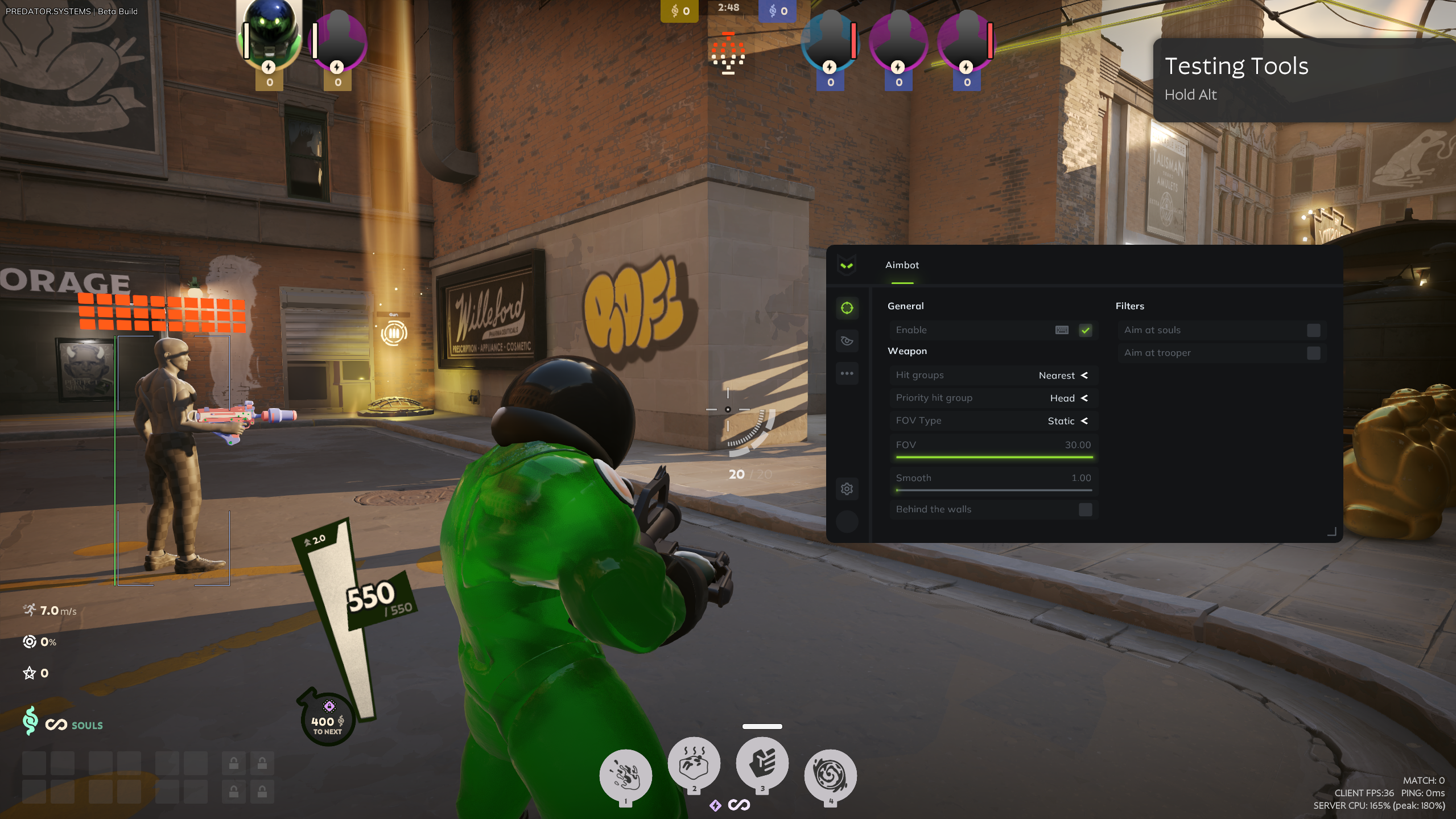
Key Controls & Product Checks
Entity groups
Player, trooper, NPC and boss coverage varies by product.
Visual layers
Boxes, skeletons, labels and health bars communicate different information.
Visibility
Visibility-only filters differ from visible and hidden colour choices.
Readability
Balance useful information against overlapping labels and display clutter.
Player Visuals & Supported Entity Groups
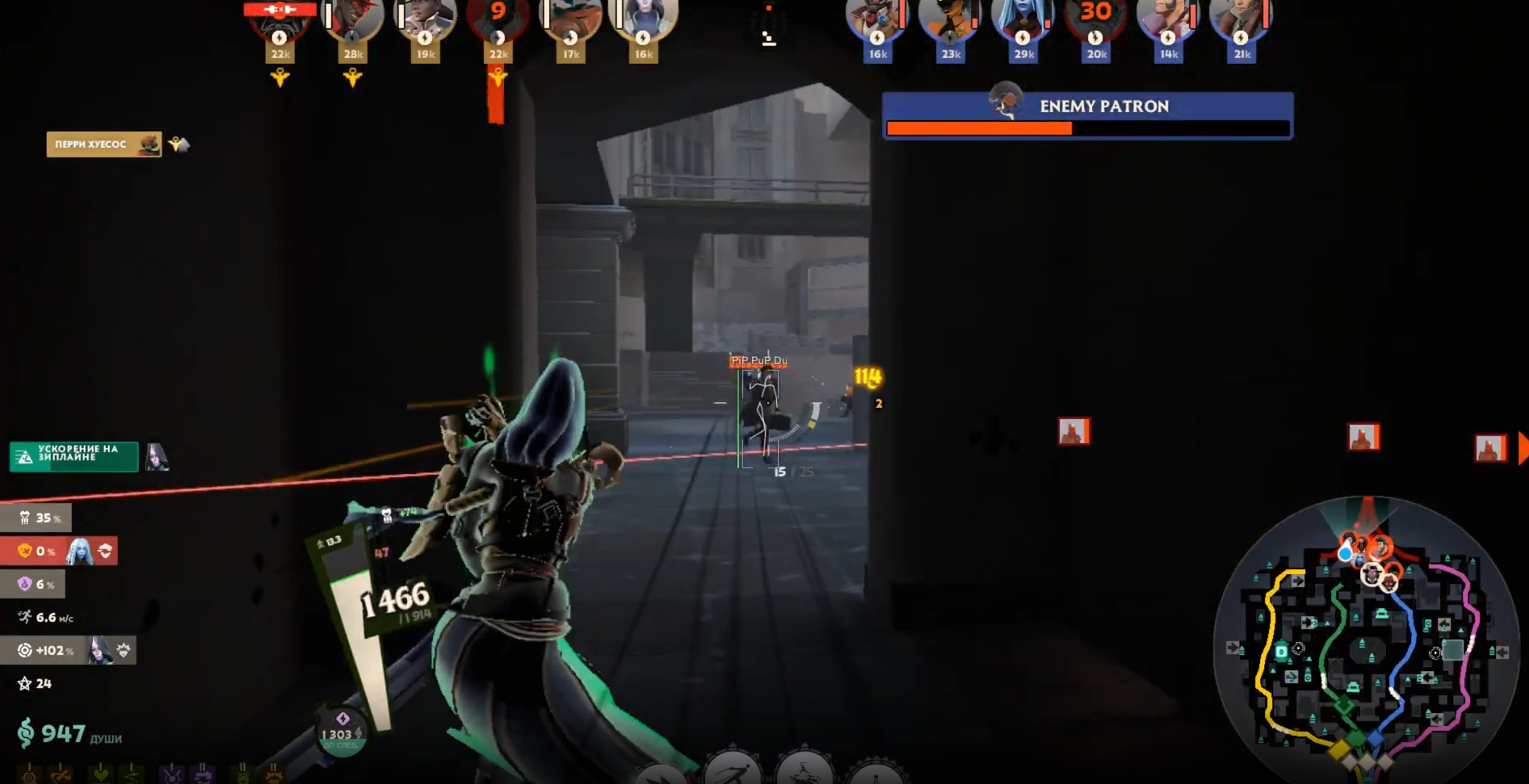
The product listing includes boxes, health bars, nickname, distance, level, hero name, skeleton, ESP preview, Only Visible, shop zone and regeneration zone.
Prey adds player and trooper visuals with boxes, health, names, skeletons and glow. DMA organizes Heroes, Teammates, NPCs and Bosses separately; its listed non-hero groups include Troopers, Neutrals, Sentries, Summons, Guardians, Walkers, Shrines and Patron.
Player Identification. Labels are useful only when their meaning is clear. Distinguish the player’s nickname from the hero identity, and consider whether both labels need to occupy the same space.
Information Density. Compare a screenshot with the overlay enabled and disabled. Identify which information is being added and whether it obscures important parts of the original interface.
Visual Shapes. Boxes and skeletal lines are different representations. Evaluate them separately instead of assuming that enabling every visual produces a clearer display.
Visibility Behavior. Ask what a visibility filter considers visible. Visibility checks, targeting checks and the final overlay output are distinct concepts.
Compare the current product listing before purchase. A feature described for one option does not establish that the other options include it.
| Product | Relevant options and checks |
|---|---|
| Predator | Player boxes, health, names, levels, hero names and skeletons |
| Prey | Player and trooper visuals, boxes, health, skeletons and glow |
| DMA | Heroes, Teammates, NPCs and Bosses groups; visibility and display controls |
Visibility Filters & Overlay Readability
Start by identifying the purpose of each element. Position, identity and status answer different questions; repeating the same information in several places adds clutter without necessarily adding clarity.
Look at the display during movement and in crowded scenes, not just in a still image. Overlapping labels, large boxes and dense lines can make it harder to recognize which information belongs to which entity. Text should also remain readable against both bright and dark backgrounds. Our Deadlock configuration guide covers organizing settings, while the beginner guide explains the main feature categories.
A clear feature description should say which entities are supported and what each indicator represents. If the description leaves a detail open, ask for an example rather than treating a promotional image as proof of every capability.
For any product, check the enabled category and supported visibility rules first. DMA’s separate group tabs make category selection particularly important. Visible-only filtering and hidden-target colours answer different questions.
ESP, Radar & Targeting Are Different Features
These terms describe different functions. ESP adds information to the main game view. Radar organizes positions in a map-style display. An aimbot concerns targeting rather than the appearance of visual labels. Purchasing one feature does not automatically establish the behavior of the others.
Keep those distinctions in mind when comparing screenshots, demonstrations and feature lists. Explore our Deadlock radar guide for map-style information, or read about Deadlock aimbot and silent aim for targeting terminology.
Unauthorized third-party multiplayer software carries account risk. No overlay configuration makes that risk disappear, and a working feature is not evidence that enforcement cannot occur. Product availability and compatibility may change following updates.
Related Deadlock Features & Guides
Deadlock Aimbot
Explore deadlock aimbot with feature explanations, product-specific differences and related settings.
Read the Guide →Deadlock Config & Settings
Explore deadlock config & settings with feature explanations, product-specific differences and related settings.
Read the Guide →Deadlock Product Information
Explore the available products and check each listing for its current features and requirements.
Deadlock: Predator
External option with aim-key, FOV, smoothing and hitbox controls, player labels and skeletons, Trooper and XP targeting, Radar and Map Hack. Review the current listing for its full requirements and available plans.
View Deadlock: Predator →Deadlock: Prey
External option with vector and silent aim, soul and trooper targeting, player and trooper visuals, Auto-Parry and Save/Load/Reset controls. Its menu and supported features are separate from Predator and DMA.
View Deadlock: Prey →Deadlock: DMA
Hardware-based option with aiming controls, hero and non-hero visual groups, heavy-melee Auto Parry and cloud profiles. DMA hardware and a separate second PC are required for this option. Confirm the complete setup before purchase.
View Deadlock: DMA →Related Deadlock Cheat Guides
Frequently Asked Questions About Deadlock ESP & Wallhack
Click a question below to view the answer.