
-
Browse EFT Products
Tarkov Cheats Buyer Guide — EFT Guide
Choose Tarkov cheat access by comparing Full/Lite features, PC requirements, mode support, licence duration, current status and customer support.
-
Featured Products
Choose Tarkov cheat access by starting with the functions you need, then checking the product, computer requirements and selected subscription. This buyer guide turns the feature lists into a purchase checklist; the separate Full vs Lite page remains the detailed package comparison.
Compare documented features and current access details for EFT: Full and EFT: Lite. Use the topic guides below for feature-specific explanations and the product listings for current requirements.
Escape from Tarkov Customer Reviews
Customer feedback supplied from Discord and lightly edited for spelling and grammar. Marked excerpts focus on the relevant EFT product. These are individual customer experiences from the dates shown.
Tried EFT: Lite. The product is amazing, customizable and minimal if desired. It was easy to set up straight out of the box.
Eagle responds ASAP—calm, collected and precise. Would purchase again: yes!
Amazing support—helped with everything I needed. Great dude! @Eagle on top.
Everything worked exactly as advertised.
Would purchase again: yes. I’m going to grab a month or try out Full as soon as this week runs out.
+rep EFT Full. This is one of the best EFT cheats on the market. I’ve used other providers before, but none have come close to the number of features this one offers.
Eagle also has some of the best customer service in the industry. Whenever there’s a problem with a key or an error, he always tries to help get you sorted. 11/10.
EFT Full is by far one of, if not the best, EFT products I’ve ever used. There are SO MANY FEATURES, and it’s 100% worth every cent.
I only got a day before wipe to try it out, and I’ll be grabbing a week or a month later this week. Definitely recommend.
Guide Updates & Product News
2 November 2026 — Published this tarkov cheats buyer guide guide with topic-specific explanations, linked customer feedback, gameplay, images and individual Full/Lite status.
For product release notes and game-update compatibility, see ESHub Discord → and the current product details.
Start with the job you want the features to perform
Write down the function rather than only a broad product label. Are you comparing player information, item values, task markers, aiming behaviour or conditional firing? Player ESP, Loot ESP, Quest Helper, aimbot and Triggerbot answer different questions. A long menu is not automatically a better fit if the controls you want are absent or documented for a different mode.
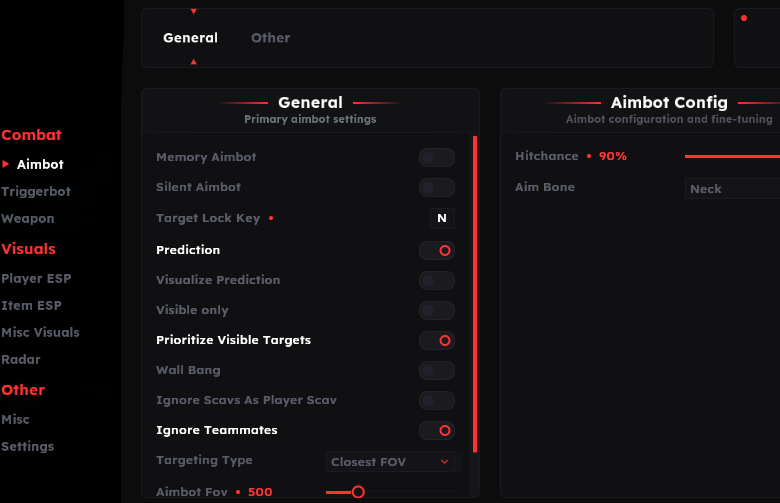
Use the relevant feature guide to identify the exact labels to check. For example, a price-per-slot field and a minimum total item value are different loot controls. Full lists memory and silent aiming, while Lite lists Triggerbot. The Full vs Lite page compares these documented differences without requiring this buying checklist to repeat every feature.
EFT Gameplay Video
Escape from Tarkov Gameplay
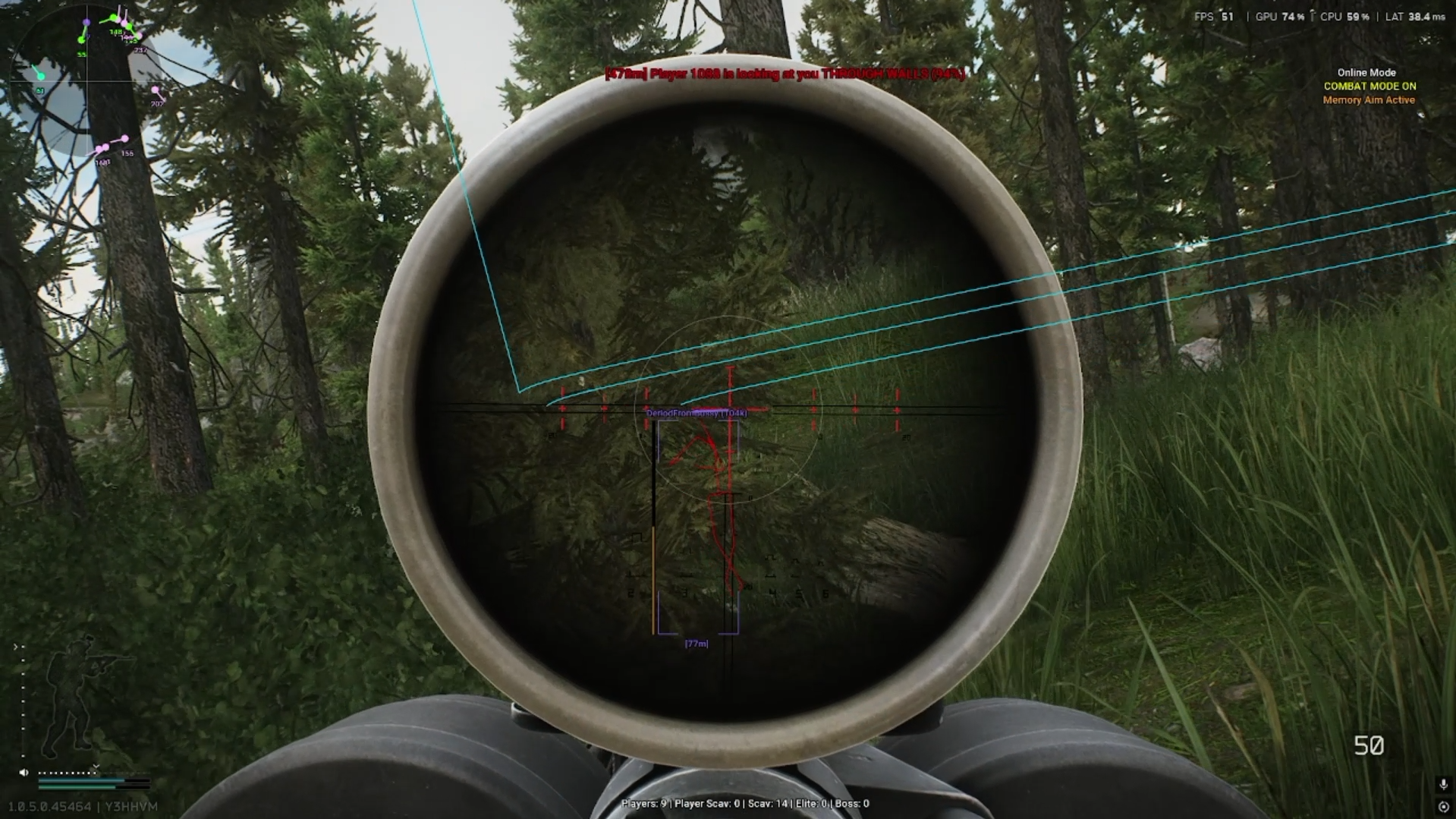
Supplied EFT gameplay footage. Check Full and Lite separately for current feature coverage; the recording is not proof that both products include every demonstrated feature.
EFT Gameplay & Menu Images
Tarkov Cheats Buyer Guide — Key Checks
Needs
Name the function and control you actually want.
Compatibility
Check the computer environment and intended mode.
Access
Confirm the selected duration, current total and instructions.
Status & support
Check the named product and resolve unclear details.
Match the listing to your computer and game mode
Read the current listing for operating-system and processor support, licence restrictions and any prerequisites described in its instructions. Both product pages identify Windows and Intel/AMD support, but a broad label does not resolve every release or configuration question. If the computer details are uncertain, ask about the exact product before purchasing.
Also identify whether you mean PvP or the separately listed PvE features. A control named inside a PvE section should not be advertised as a universal capability. Keep PC compatibility, mode support and feature coverage as separate checks. The PC requirements and PvE guides organize those questions in more detail.
| Question or check | What it means |
|---|---|
| Needs | Name the function and control you actually want. |
| Compatibility | Check the computer environment and intended mode. |
| Access | Confirm the selected duration, current total and instructions. |
| Status & support | Check the named product and resolve unclear details. |
Check duration, access and current status before checkout
Use the selected option on the product page and checkout for current cost, subscription length and availability. An old starting price does not establish today’s selected total. Confirm what licence you are buying and where the access instructions will be provided. If a duration or condition is unclear, resolve that uncertainty before choosing the option.
Read Full and Lite individually on the live status panel. Available purchase access and a ready-to-use release are different things. A product marked Updating may require maintenance even if subscriptions remain visible. Undetected is a reported current state rather than a promise about your account. The safety page explains that distinction.
Use reviews for experience, and support for your specific questions
The dated reviews on this page describe Full and Lite experiences, including setup and support. Product labels are linked so you can distinguish which package the reviewer used. A review mentioning many features does not prove every feature is available in another package, and an older review may predate changes to the menu or release.
Before purchasing, ask support about any missing compatibility or access detail. After purchase, use the instructions supplied for your exact licence. Keep an order reference for access questions and avoid putting keys into public screenshots. The how-to-use guide covers that route; it does not replace the product-specific loading instructions.
Keep Full and Lite Feature Claims Separate
Compare documented coverage rather than assuming shared category names mean identical menus.
EFT: Full
Full lists memory aimbot and Silent Aimbot alongside player, loot and other feature groups. Check its current listing for the function, mode and requirements you need.
View EFT: Full Features →EFT: Lite
Lite lists Triggerbot with detailed player and loot information, radar and configuration options. Its visuals should not be treated as confirmation of Full’s aiming modes.
View EFT: Lite Features →More Escape from Tarkov Guides & Products
Explore the main EFT overview, choose another topic from the guide directory or compare current product listings.
Compare the EFT Product Options
Review current features, requirements, availability and licence terms on the selected listing.
EFT: Full
The internal package listing memory and silent aiming, visuals and additional movement/action features. Use its own setup guide and confirm the particular feature you need.
View EFT: Full →EFT: Lite
The internal package listing Triggerbot, detailed visual and loot controls, configurations and a separate PvE section. Compare its current coverage with your requirements.
View EFT: Lite →Related Escape from Tarkov Guides
Tarkov Cheats Buyer Guide FAQ
Click a question below to view the answer.
Should I pick the longest feature list?
Where is the detailed Full vs Lite comparison?
Should I check status before buying?
Does a review guarantee compatibility with my PC?
How do I confirm the current subscription price?
Explore Tarkov Products & Related Guides
Use the current Full and Lite listings for supported features, requirements, access and subscription choices. Continue with the related guides for the questions covered above.