
-
ROB RUN Cheats Buyer Guide: Orbit Features, Windows & Access
Compare Orbit’s feature groups, check Windows compatibility, and know what to verify before choosing an access duration.
View Rob Run: Orbit -
Featured Products
Compare Orbit’s feature groups, check Windows compatibility, and know what to verify before choosing an access duration.
Explore the controls and limitations below, then check the current requirements and availability for Rob Run: Orbit.
Rob Run: Orbit Reviews
Rob Run: Orbit feedback supplied by ESHub. Individual experiences vary.
+++rep for EsHub. Orbit was a little more than I wanted to spend at first, but I’m glad I gave it a shot. There’s a lot to tweak, and once I got the settings how I wanted them, it felt great to use. The EsHub team was chill and answered my questions too.View Rob Run: Orbit →
I mainly wanted ESP for Rob Run, so I started with a day key to see how I liked it. Being able to see where players were made it easier to decide when to push and when to back off. I ended up grabbing a month after that first day.View Rob Run: Orbit →
First time trying anything like this, so I got stuck during setup. I opened a ticket and EsHub walked me through the step I missed. Once I was in-game, the menu was pretty easy to figure out. Thanks for the help.View Rob Run: Orbit →
A friend put me onto Orbit after I told him how rough my Rob Run matches had been, lol. I mostly used ESP at first, then spent some time dialing in the aimbot. Being able to tweak both was what sold me on it.View Rob Run: Orbit →
Guide Updates & Product News
— Updated this guide’s layout, related links and product information placement.
See live product status for current availability and EsHub Discord for product updates. Read the Rob Run: Orbit reviews.
What are you buying Orbit for?
Choose based on the information you want to see. Player ESP is for player roles and labels; Loot ESP is for containers, cash and value filters; radar is for relative position and direction. Aimbot is a separate set of targeting controls.
Rob Run: Orbit Screenshots
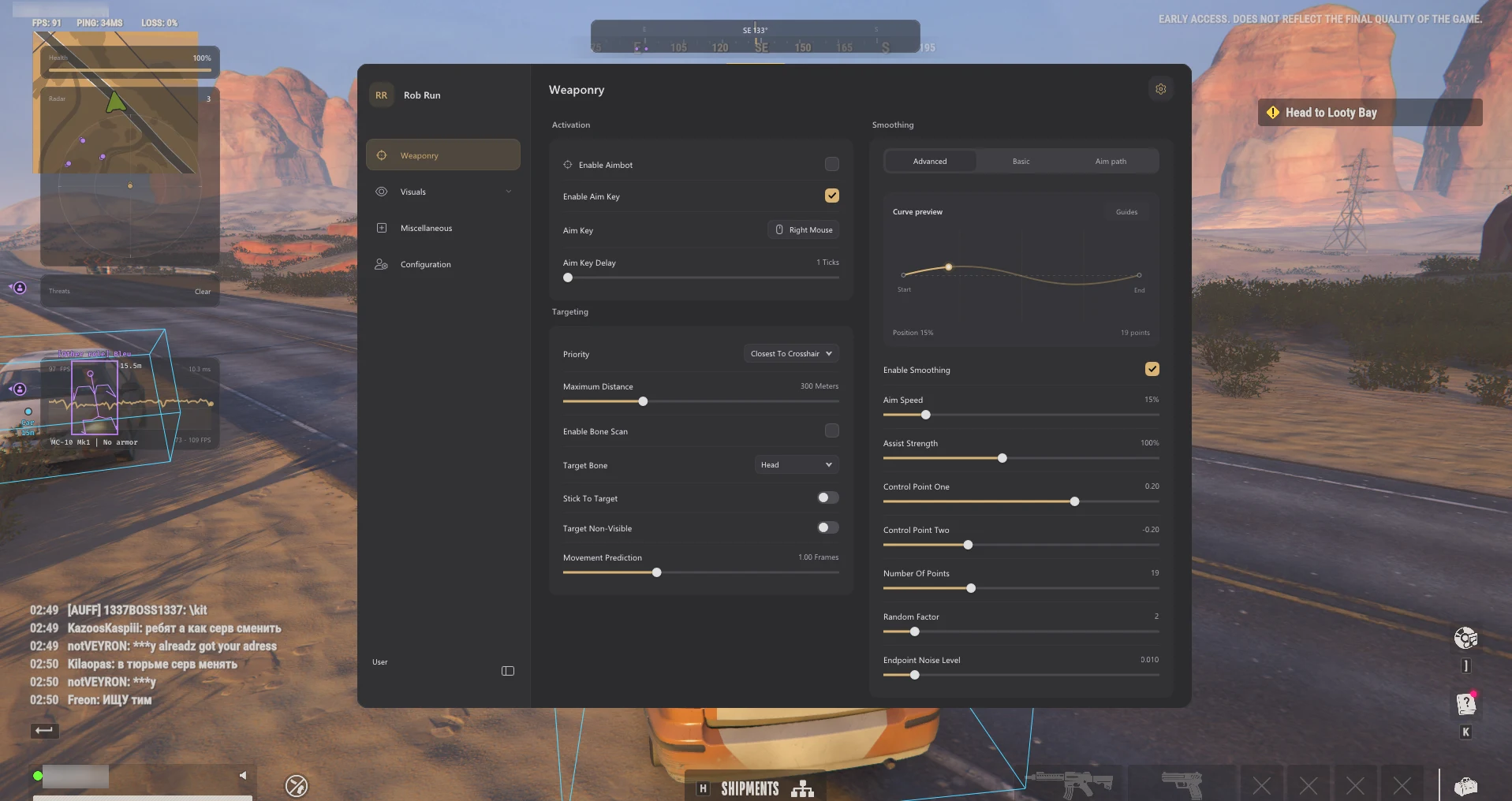
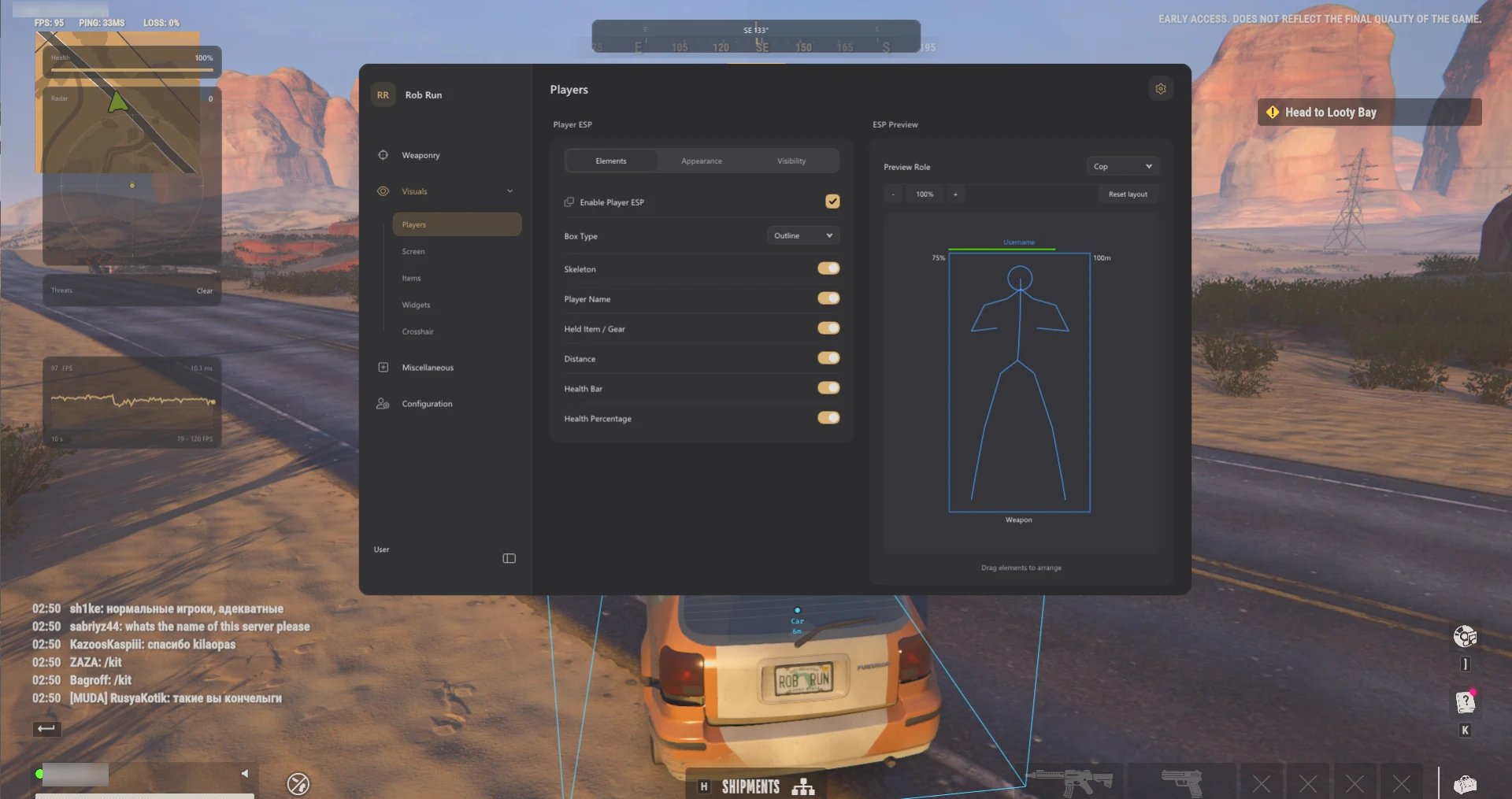
Know what the overlays may not show
A container can have an unknown value. A player marker does not guarantee armour segments or inventory data. A vehicle marker may show a name and distance without 3D bounds. Buy for the documented features rather than assuming every field appears on every object.
Check your Windows build and the product status
Use the Requirements tab to check the current supported builds. The stated support is Windows 11 23H2, 24H2 and 25H2; Windows 10 22H2 has limited compatibility without technical support. Check the live status page and read the account-risk guide before deciding.
Compare access durations on the product page
The Orbit listing is the place to confirm current prices and available durations. Choose a duration only after confirming that your setup and the current game build are supported. If a requirement is unclear, ask support before ordering.
Related ROB RUN Features & Guides
Are ROB RUN Cheats Safe?
Understand ROB RUN account risk, what Orbit’s status label means, and how to spot suspicious downloads.
Read the Guide →How to Use ROB RUN Cheats
Check your Windows build, locate the Orbit setup guide, and learn what the ESP, radar and profile controls do.
Read the Guide →Rob Run: Orbit Product Information
Check the product listing for supported Windows versions, current requirements and subscription options.
Rob Run: Orbit
Read the Orbit listing for the full feature list, supported Windows versions and available durations. Game updates can change compatibility. Third-party multiplayer software can lead to account penalties.
Listed access: 1 day · 1 week · 1 month · Lifetime. Check current checkout options.
View Rob Run: Orbit →Frequently Asked Questions: ROB RUN Cheats Buyer Guide
Click a question below to view the answer.