
-
ROB RUN Camera FOV, Fullbright & HUD
Explore Orbit’s 60°–140° camera override, lighting settings, crosshair editor and HUD widgets.
View Rob Run: Orbit -
Featured Products
Explore Orbit’s 60°–140° camera override, lighting settings, crosshair editor and HUD widgets.
Explore the controls and limitations below, then check the current requirements and availability for Rob Run: Orbit.
Rob Run: Orbit Reviews
Rob Run: Orbit feedback supplied by ESHub. Individual experiences vary.
+++rep for EsHub. Orbit was a little more than I wanted to spend at first, but I’m glad I gave it a shot. There’s a lot to tweak, and once I got the settings how I wanted them, it felt great to use. The EsHub team was chill and answered my questions too.View Rob Run: Orbit →
I mainly wanted ESP for Rob Run, so I started with a day key to see how I liked it. Being able to see where players were made it easier to decide when to push and when to back off. I ended up grabbing a month after that first day.View Rob Run: Orbit →
First time trying anything like this, so I got stuck during setup. I opened a ticket and EsHub walked me through the step I missed. Once I was in-game, the menu was pretty easy to figure out. Thanks for the help.View Rob Run: Orbit →
A friend put me onto Orbit after I told him how rough my Rob Run matches had been, lol. I mostly used ESP at first, then spent some time dialing in the aimbot. Being able to tweak both was what sold me on it.View Rob Run: Orbit →
Guide Updates & Product News
— Updated this guide’s layout, related links and product information placement.
See live product status for current availability and EsHub Discord for product updates. Read the Rob Run: Orbit reviews.
Camera FOV and lighting
Orbit lists a 60°–140° camera FOV override. Sun Color, adjustable Fullbright brightness and No Fog are separate options.
Rob Run: Orbit Screenshots
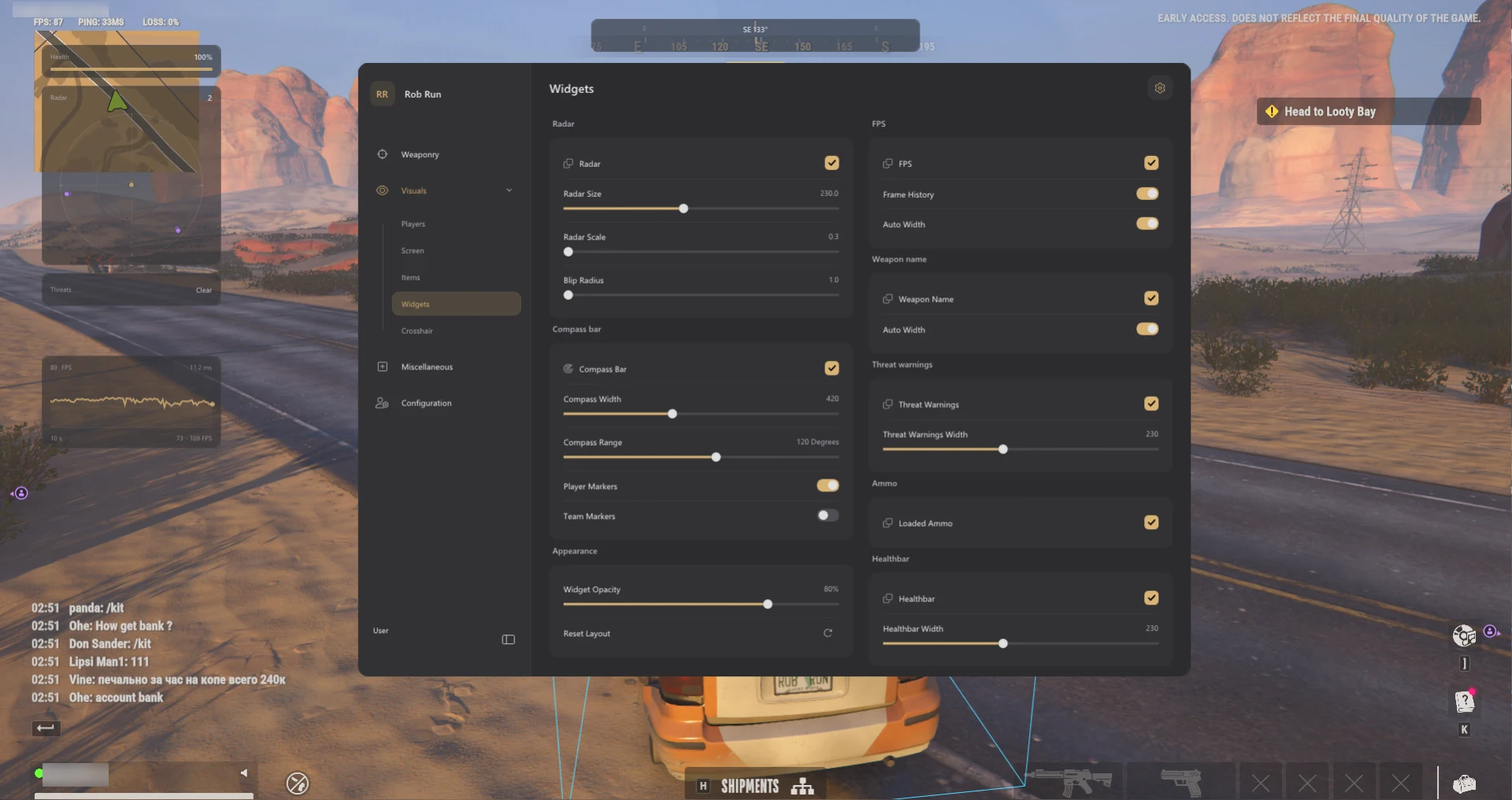
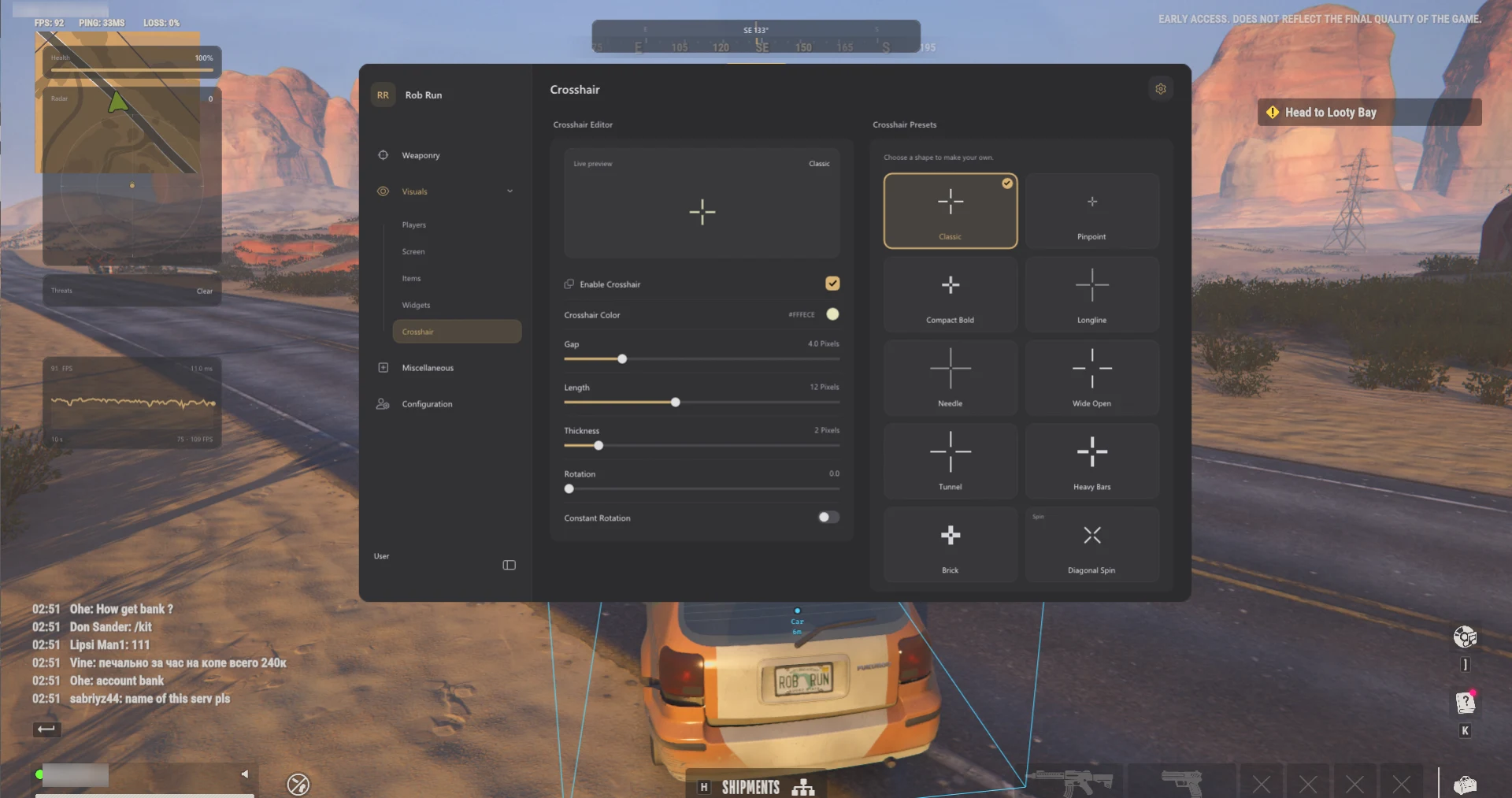
Which controls change the view, and which add information?
Camera FOV
Changes the visible scene width within the listed 60°–140° range.
Scene lighting
Sun Color, Fullbright and No Fog are separate visual settings.
Crosshair
Presets and adjustable gap, thickness and rotation change the centre marker.
HUD widgets
FPS, frame history and health can be displayed separately. Weapon and ammo fields depend on available data.
Camera FOV vs. targeting FOV
Camera FOV changes how much of the scene you see. Targeting FOV controls the area in which the aim logic considers targets. The camera override and dynamic ADS targeting FOV are adjusted separately.
Crosshair and HUD
Choose a preset or adjust crosshair colour, gap, length, thickness and rotation. Widgets include FPS, frame history and health, plus weapon name and loaded ammo when available. Orbit also lists widget sizing, opacity and a layout reset.
Why adjust camera FOV, crosshair or HUD?
These controls change different parts of the display. Camera FOV changes how much of the scene you see. The crosshair changes the centre marker. HUD widgets let you pick which readouts you want on screen.
Camera and lighting controls are independent
Camera FOV does not adjust scene brightness. Fullbright has a brightness setting, Sun Color changes the lighting colour, and No Fog is listed as a separate option.
How to isolate a display change
Change camera width, lighting and widgets separately so you can identify which option affected the display. If the centre marker looks different without the scene widening, compare crosshair settings. If only a readout changed, compare HUD size, opacity or layout.
Related ROB RUN Features & Guides
ROB RUN Aimbot: Targeting, Smoothing & FOV
Compare Orbit’s aim-key delay, target priorities, prediction, smoothing profiles and dynamic ADS targeting FOV.
Read the Guide →ROB RUN Orbit Config & Settings Guide
Save and switch between named Orbit profiles for targeting, role colours, loot filters and display preferences.
Read the Guide →Rob Run: Orbit Product Information
Check the product listing for supported Windows versions, current requirements and subscription options.
Rob Run: Orbit
Read the Orbit listing for the full feature list, supported Windows versions and available durations. Game updates can change compatibility. Third-party multiplayer software can lead to account penalties.
Listed access: 1 day · 1 week · 1 month · Lifetime. Check current checkout options.
View Rob Run: Orbit →Frequently Asked Questions: ROB RUN Camera FOV, Fullbright & HUD
Click a question below to view the answer.