
Dedicated Aim Toggle & Targeting Controls
Explore Hood Warfare 2 magic bullet cheats with customizable controls and ESHub access. Dedicated Aim Toggle & Targeting Controls bring the relevant features together in your PC setup.
Hood Warfare 2 Gameplay Showcase
Watch Hood Warfare 2: Orbit in action, then explore the features and interface previews below.
A Separate Published Aim Feature
Magic Bullet appears as a dedicated toggle in the Hood Warfare 2 aiming category. It sits alongside activation keys, delay, target priorities, bones and movement prediction. The toggle is distinct from the smoothing settings used to shape aim movement. Review the current product build for the available behavior and use ESHub support if you need clarification before buying.
Target Selection Around the Toggle
Five target-priority modes, target bone selection and bone scan supply additional aiming options. Stick-to-target control, non-visible target selection and maximum target distance are also listed. These define other aspects of the aiming setup rather than establishing unlimited range or shots through every surface. This page follows the published feature names without adding unsupported behavior.
Activation, FOV & Smoothing
An optional aim key and adjustable delay determine activation. The targeting FOV circle has radius and color controls, plus a dynamic ADS multiplier. Basic and advanced smoothing options customize aim movement separately. Keep these groups distinguishable when saving a profile so a change to the targeting circle is not mistaken for a change to the Magic Bullet toggle.
See the Complete Feature Set
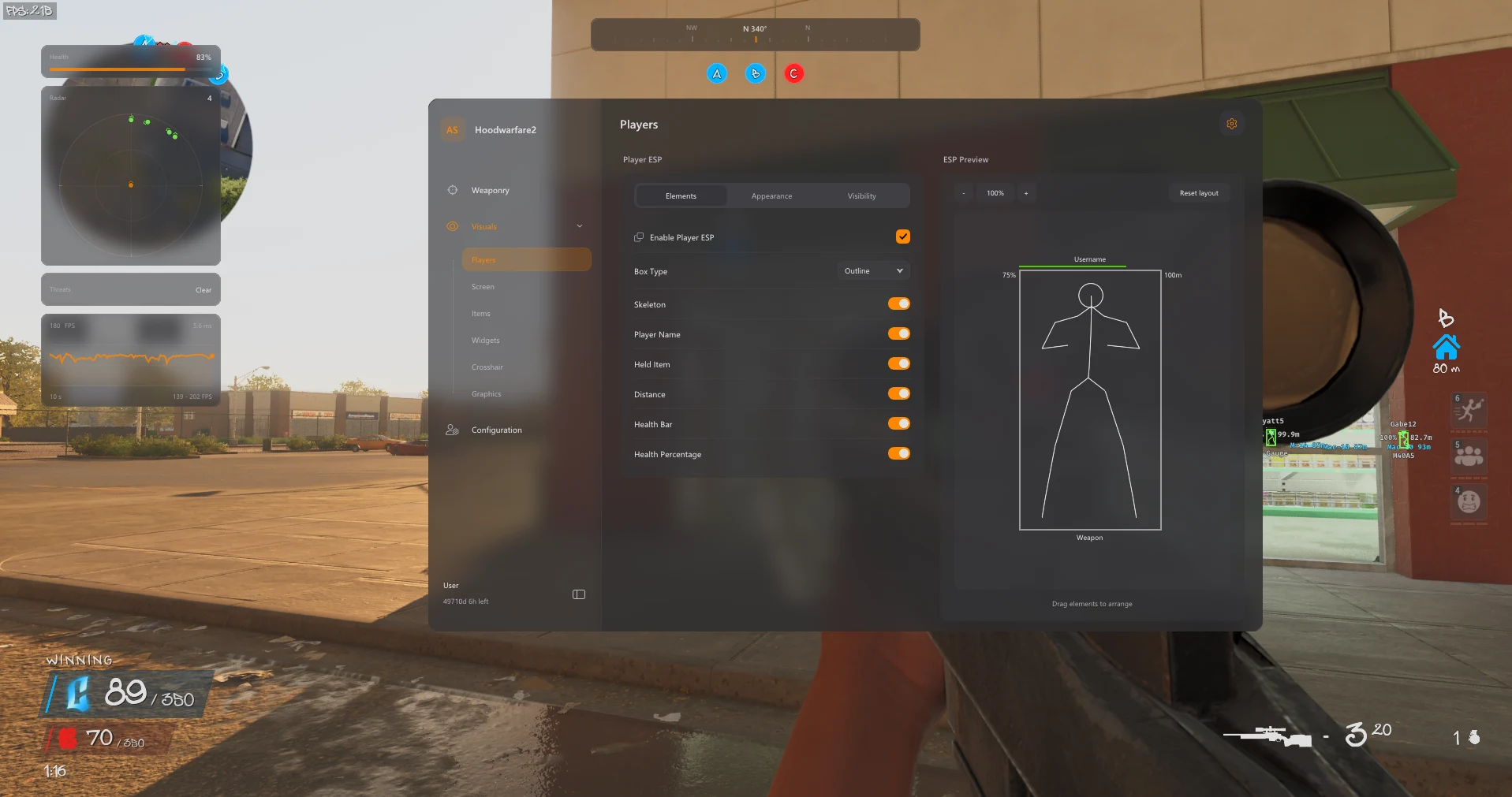
Player ESP, health information, radar and world markers complement the aiming category. The updated product adds movement, tracer, lighting, camo and music controls as separate features. Browse those options on the product listing, inspect the interface previews and select an available duration. No feature name implies a guarantee of account protection or a successful hit in every situation.
Explore the Hood Warfare 2 Interface
Browse all eight screenshots from the product listing. Use the arrows to switch images, or click an image to enlarge it.
PC Compatibility & Access
The product lists Windows 11 23H2, 24H2 and 25H2. Windows 10 22H2 has limited compatibility and no technical support. Review the current product requirements and available durations before purchase. Use the download supplied with your order and contact ESHub for compatibility questions.
Choose Your License →Hood Warfare 2 Magic Bullet Cheats: Questions & Answers
Where are the available controls listed?
The sections above follow Orbit’s published feature list. Open the linked product page for the complete menu groups and current availability.
Can I keep my customized setup?
Yes. Named profiles can be saved, loaded and deleted, with the default profile retained.
Where do I buy access or get help?
Choose an available duration on the Orbit product page. Contact ESHub Discord support for order and setup questions. Availability can change after updates; no cheat guarantees protection from bans.
Explore All Hood Warfare 2 Features
Customize Your Hood Warfare 2 Setup
Explore aiming, player and item visuals, radar, movement and personalization in the complete product.
Get Hood Warfare 2 Access →