
-
Explore Hood Warfare 2
Hood Warfare 2 FOV & Graphics Cheats: Camera View & Visual-Effect Overrides
Explore Hood Warfare 2 FOV and graphics controls with camera overrides, motion blur, film grain and depth-of-field settings. Review aiming FOV separately.
-
Featured Products
Camera FOV, Fullbright & No Fog
Explore Hood Warfare 2 fov & graphics cheats with customizable controls and ESHub access. Camera FOV, Fullbright & No Fog bring the relevant features together in your PC setup.
Hood Warfare 2 Gameplay Showcase
Watch Hood Warfare 2: Orbit in action, then explore the features and interface previews below.
Camera Field of View
Hood Warfare 2 lists a camera field-of-view override under Graphics Controls. It changes view presentation and is separate from the targeting FOV in the aim settings. Keep these controls distinct when customizing the interface: camera FOV concerns the scene you see, while aim FOV concerns the region used for target selection. The product also provides an enable/disable switch for graphics overrides.
Reduce Selected Visual Effects
The graphics category lists controls to disable film grain, chromatic aberration, motion blur and depth of field. These options let you personalize selected effects instead of changing every visual setting together. Choose the presentation you prefer and review it with your player overlay and crosshair active. The controls are not a guarantee of an FPS improvement on every system.
Sun Color, Fullbright & No Fog
The updated product description adds Sun Color, Fullbright and No Fog. A brightness slider provides additional Fullbright adjustment. These lighting and atmosphere controls expand the original graphics category beyond camera FOV and effect toggles. Inspect the current build through the product listing and save a configuration after making the visual changes you want to keep.
Aim FOV & Shot Visuals
The aim category provides a targeting circle with adjustable radius, color and a dynamic multiplier when aiming down sights. Bullet tracers are separately listed, starting at the weapon muzzle with editable color, thickness and duration. Optional impact markers have their own custom color. Use those screen effects alongside the graphics options without confusing shot presentation with target-selection settings.
Explore the Hood Warfare 2 Interface
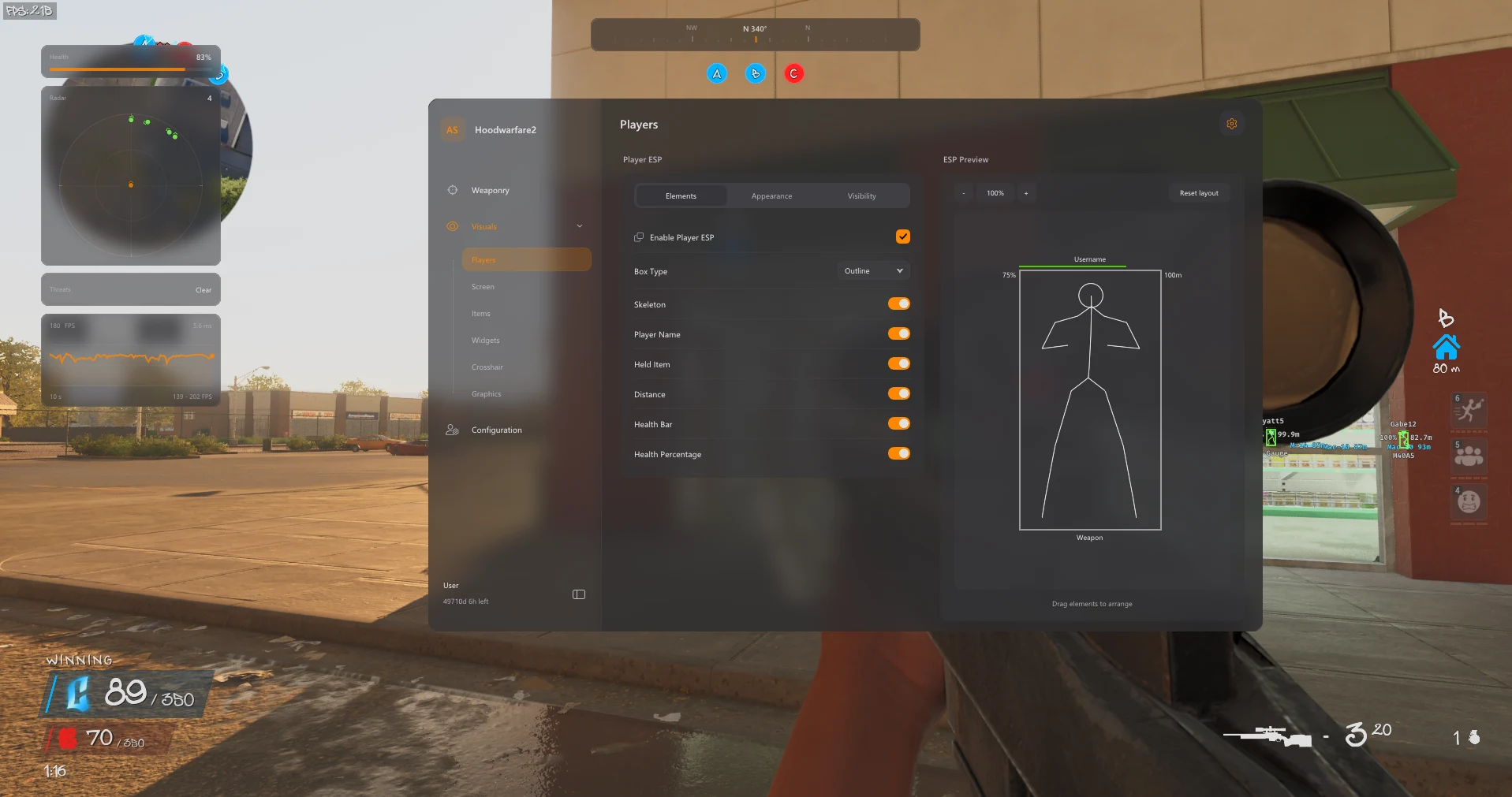
Browse all eight screenshots from the product listing. Use the arrows to switch images, or click an image to enlarge it.
PC Compatibility & Access
The product lists Windows 11 23H2, 24H2 and 25H2. Windows 10 22H2 has limited compatibility and no technical support. Review the current product requirements and available durations before purchase. Use the download supplied with your order and contact ESHub for compatibility questions.
Choose Your License →Hood Warfare 2 FOV & Graphics Cheats: Questions & Answers
Where are the available controls listed?
The sections above follow Orbit’s published feature list. Open the linked product page for the complete menu groups and current availability.
Can I keep my customized setup?
Yes. Named profiles can be saved, loaded and deleted, with the default profile retained.
Where do I buy access or get help?
Choose an available duration on the Orbit product page. Contact ESHub Discord support for order and setup questions. Availability can change after updates; no cheat guarantees protection from bans.
Explore All Hood Warfare 2 Features
Customize Your Hood Warfare 2 Setup
Explore aiming, player and item visuals, radar, movement and personalization in the complete product.
Get Hood Warfare 2 Access →