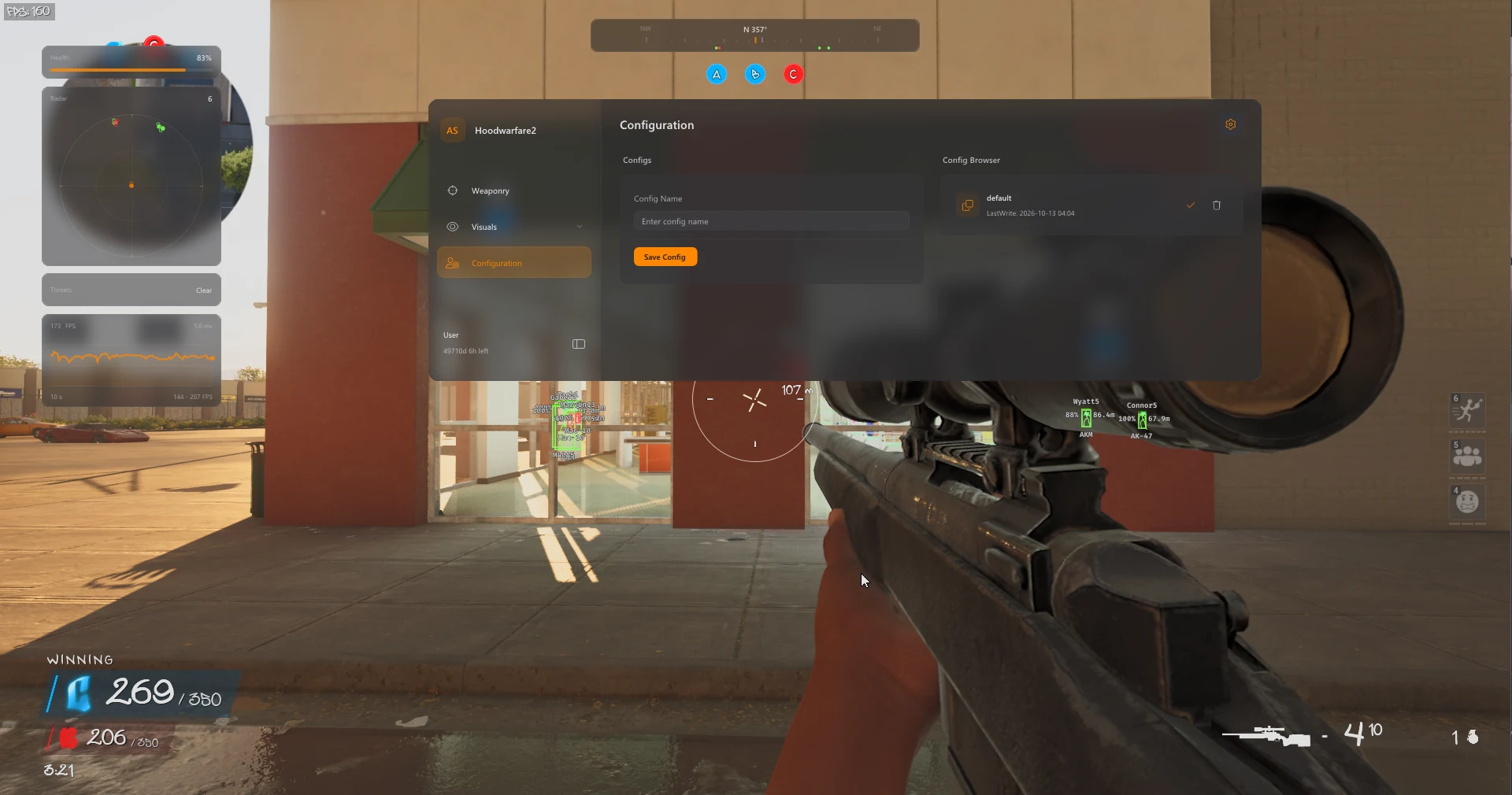
Explore the features
12 categories / 72 listed features
Expand a category to view its complete feature list.
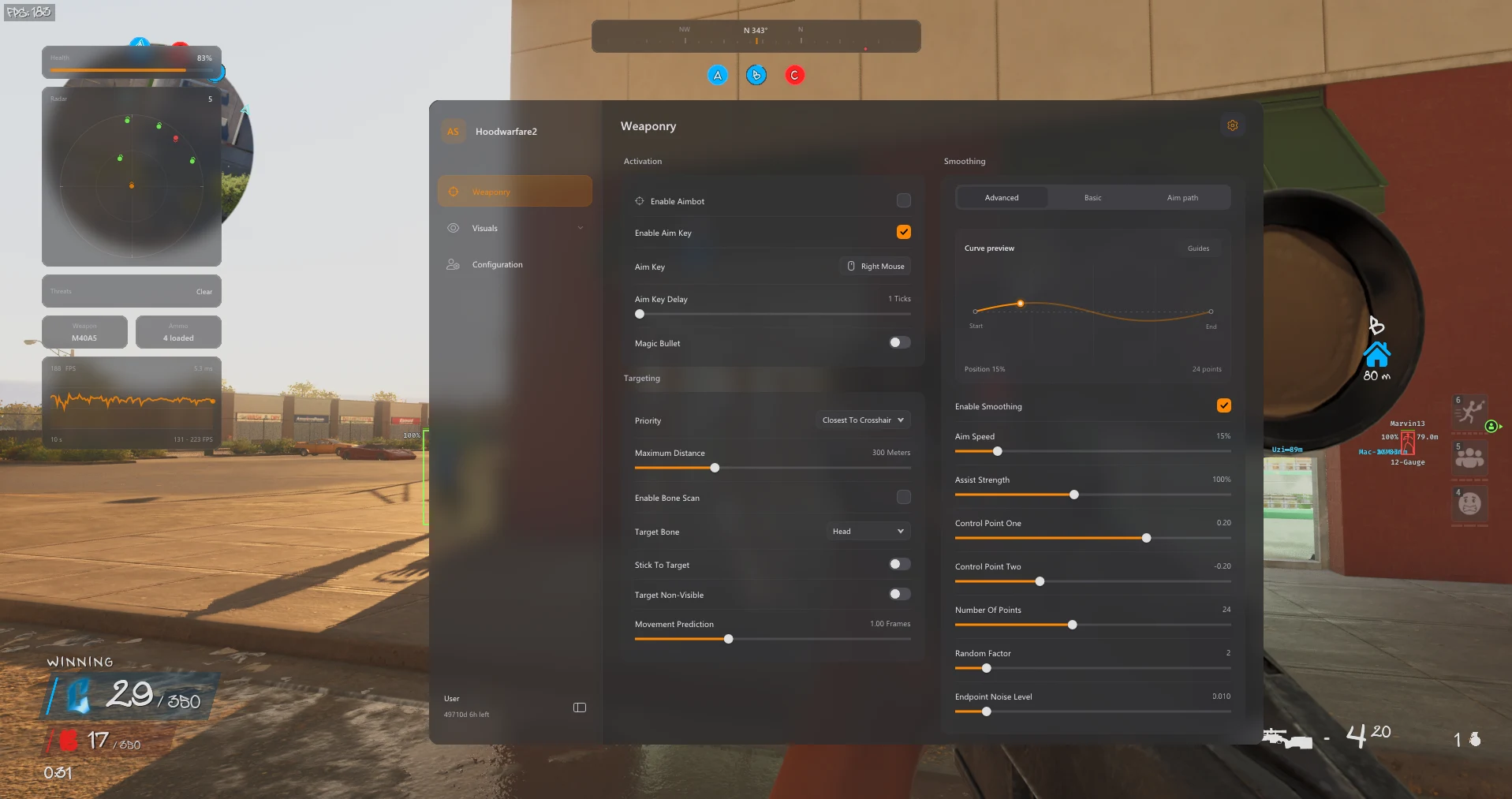
Aimbot & Targeting
Choose how targets are selected, set an activation key and adjust prediction for moving players.
9
-
Enable aimbot with an optional aim key
-
Adjustable aim-key delay
-
Magic Bullet toggle
-
Five target-priority modes
-
Target bone selection and bone scan
Show 4 more featuresShow fewer features
-
Stick-to-target control
-
Non-visible target selection
-
Maximum target distance
-
Movement prediction
Player ESP & Wallhack
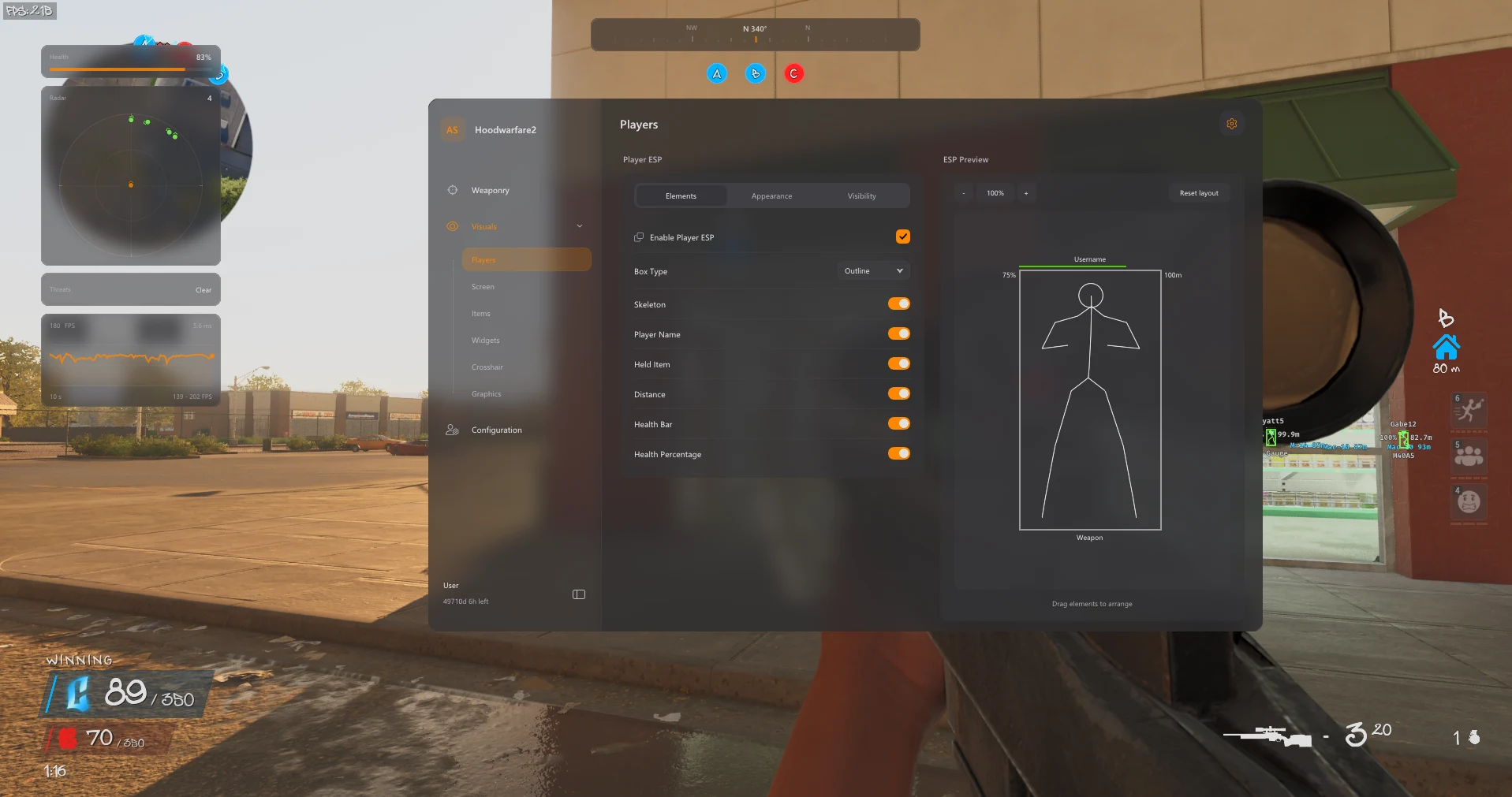
Display player information with adjustable boxes, skeletons, health indicators and colour filters.
10
-
Outline, corner and filled boxes
-
Skeleton overlay
-
Player names and held-item labels
-
Distance labels
-
Health bar and health percentage
Show 5 more featuresShow fewer features
-
Team, enemy and self filters
-
Ignore non-visible players option
-
Player render-distance control
-
Friendly, enemy and visible-enemy colours
-
ESP preview with editable element placement
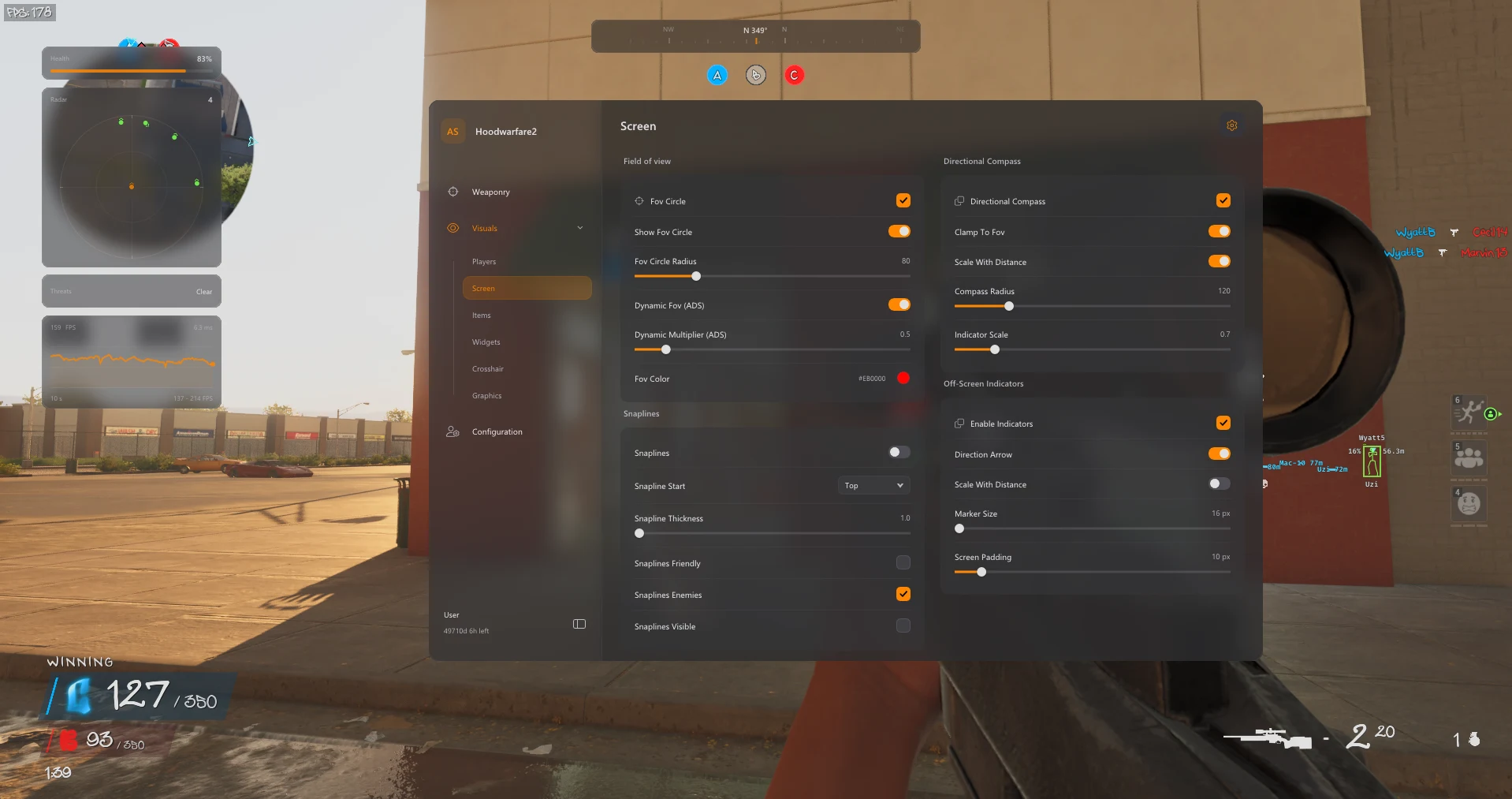
Radar & Awareness
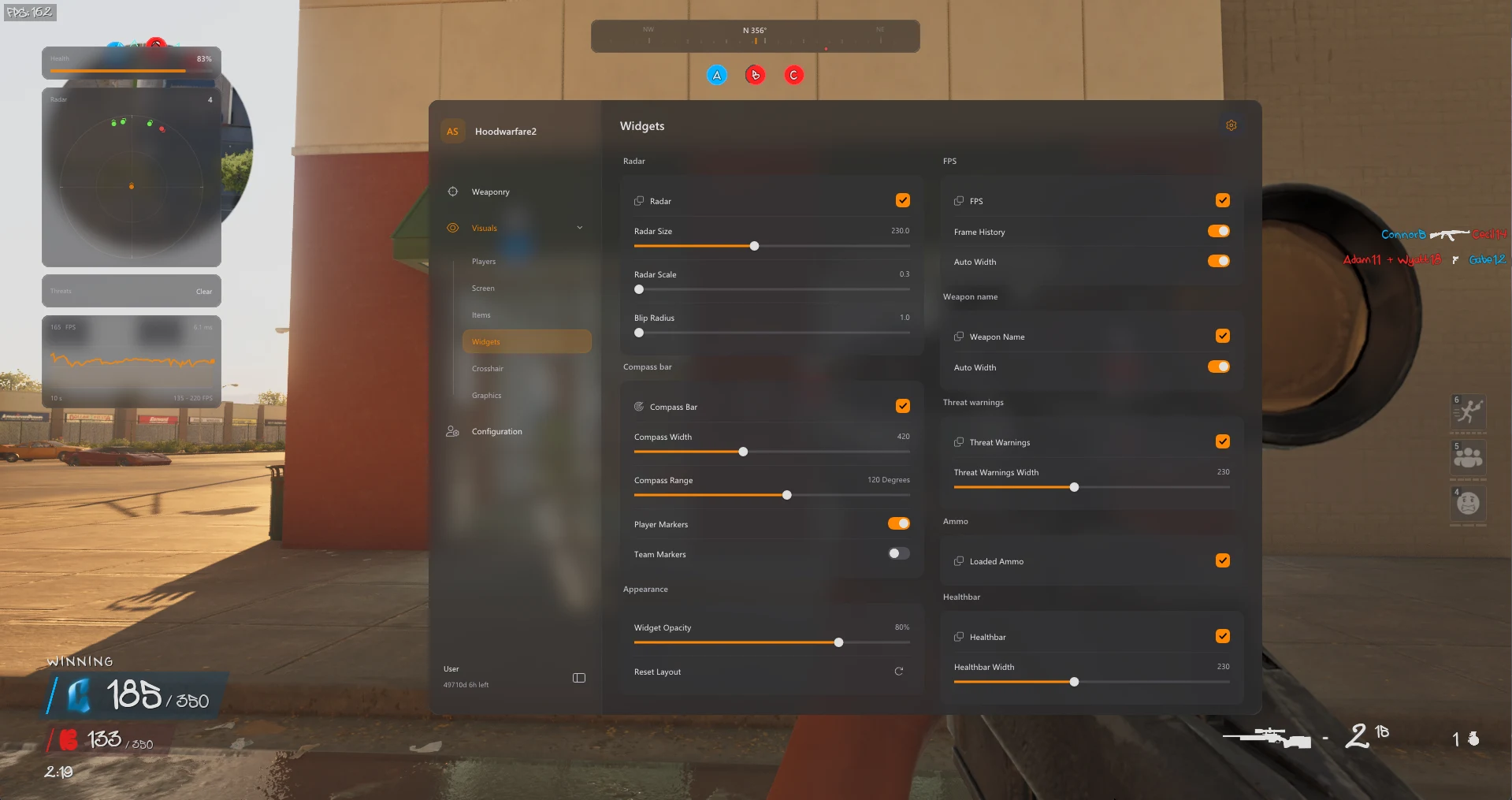
Combine radar, compass markers and off-screen indicators to keep track of player directions.
8
-
Radar size, scale and blip-radius controls
-
Directional compass
-
Compass bar with player and team markers
-
Off-screen direction arrows
-
Distance-scaled indicators
Show 3 more featuresShow fewer features
-
Marker size and screen-padding controls
-
Friendly, enemy and visible-player snaplines
-
Threat-warning widget
Graphics Controls
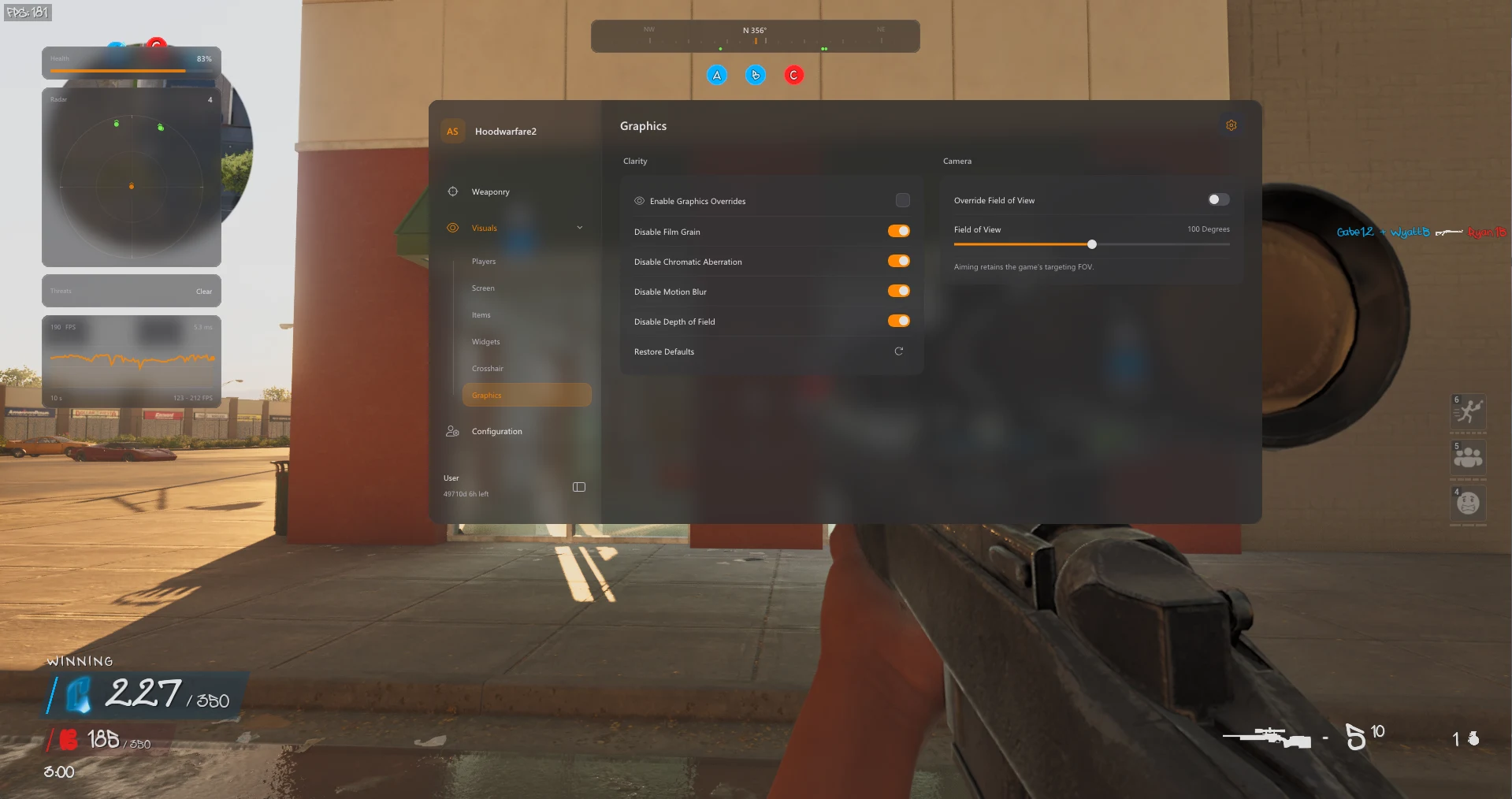
Adjust camera FOV and disable selected visual effects through the graphics override settings.
8
-
Enable or disable graphics overrides
-
Disable film grain
-
Disable chromatic aberration
-
Disable motion blur
-
Disable depth of field
Show 3 more featuresShow fewer features
-
Camera field-of-view override
-
Sun Color, Fullbright and No Fog
-
A Fullbright brightness slider
Smoothing & Aim FOV
Tune the aim response with smoothing profiles, humanized controls and a separate targeting radius.
7
-
Basic Smooth, Balanced and Aggressive profiles
-
Basic strength and Humanized controls
-
Advanced aim speed and assist strength
-
Bezier curve points, random factor and endpoint noise
-
Aim-path and assist-point visualizer
Show 2 more featuresShow fewer features
-
Adjustable targeting FOV radius and colour
-
Dynamic FOV multiplier when aiming down sights
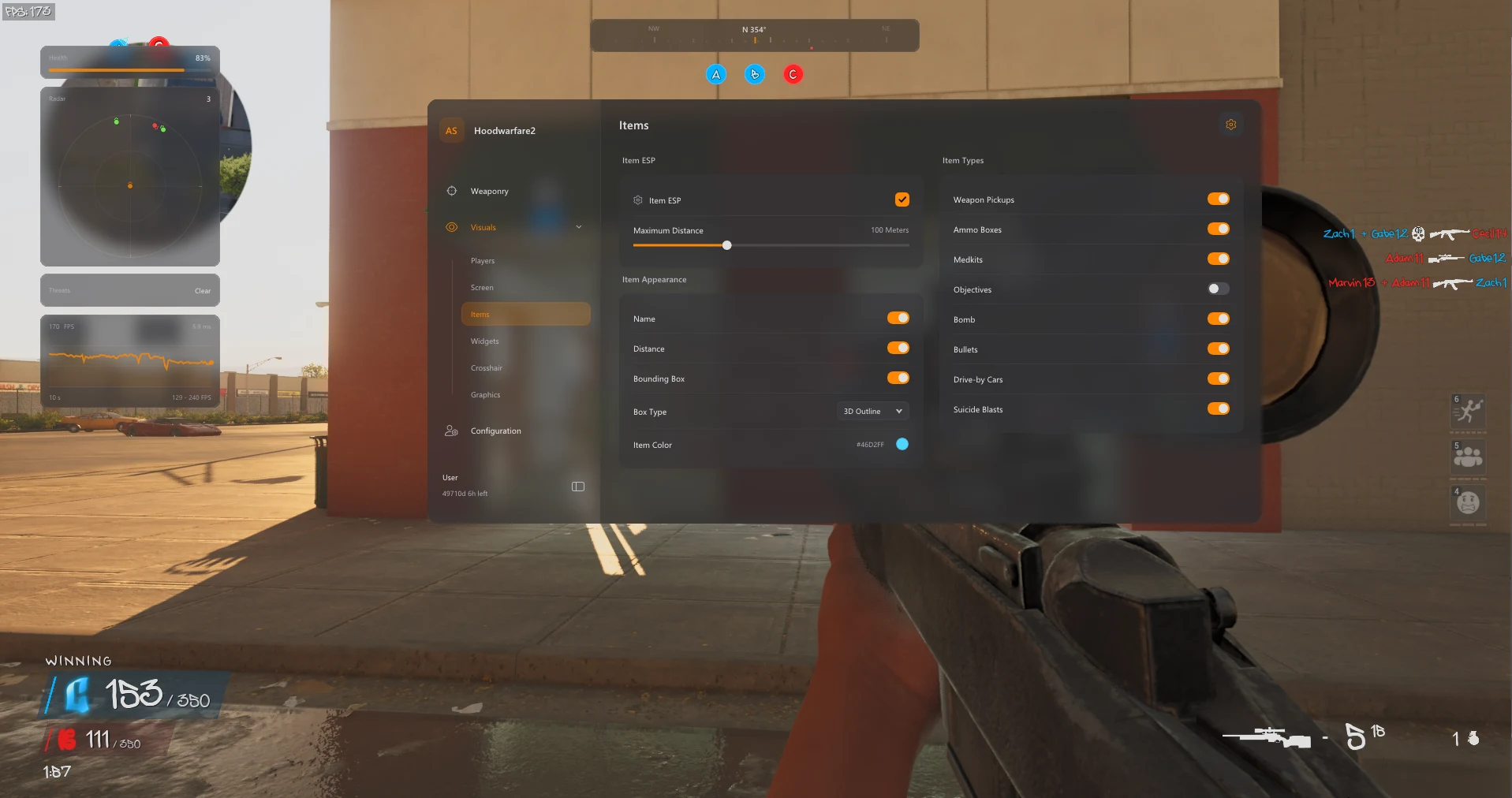
Item & Objective ESP
Keep weapon pickups, supplies and objectives visible with their own names, boxes and distance controls.
9
-
Weapon pickups
-
Ammo boxes and medkits
-
Objective and bomb markers
-
Bullet markers
-
Drive-by car markers
Show 4 more featuresShow fewer features
-
Suicide blast markers
-
Item names and distance labels
-
Outline, corner and filled item boxes
-
Item colour and maximum-distance controls
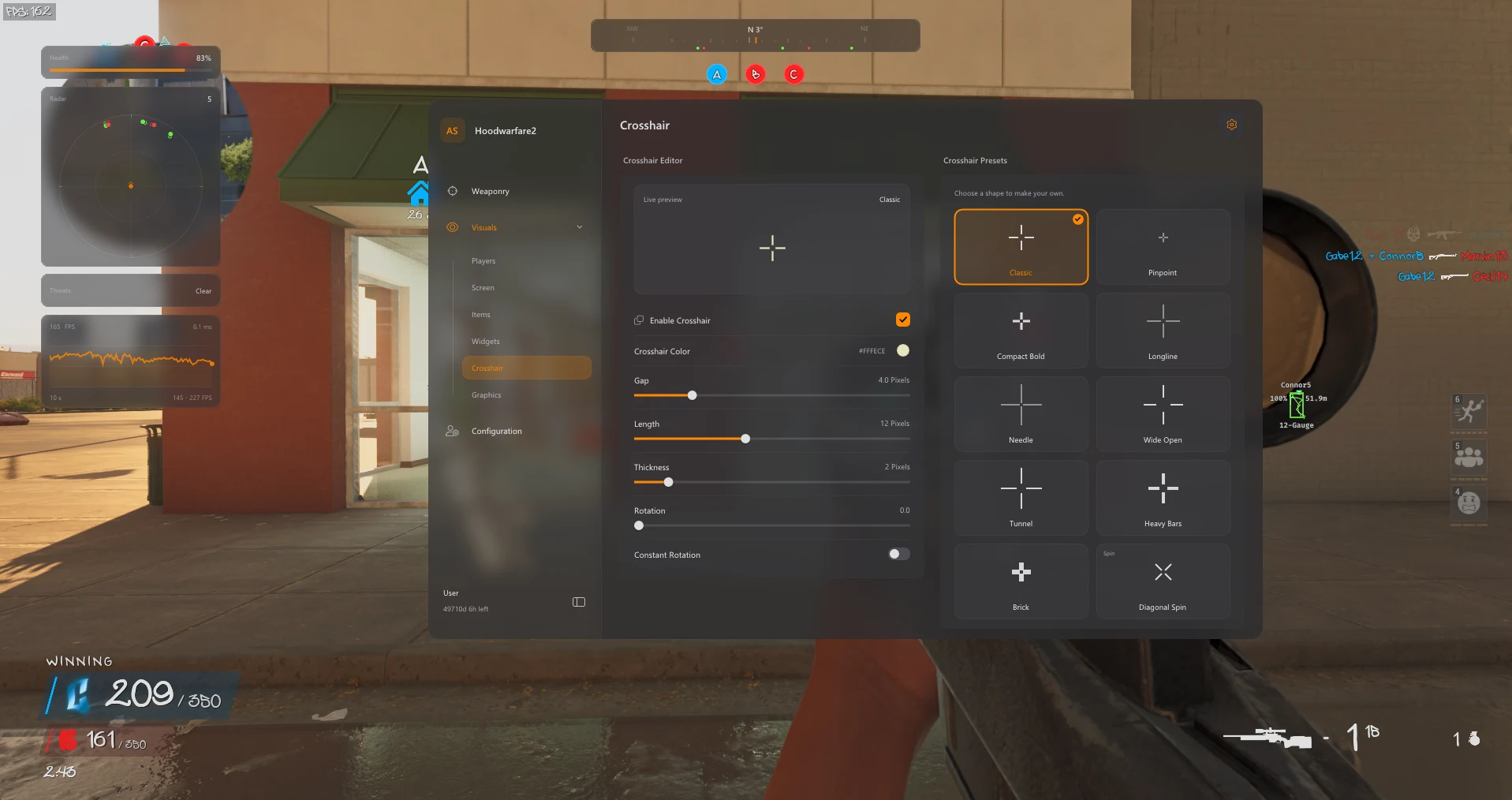
HUD & Crosshair
Customize the crosshair and add readable widgets for health, ammunition and performance.
7
-
Custom crosshair with presets
-
Crosshair colour, gap, length and thickness
-
Crosshair rotation controls
-
FPS counter and frame-history graph
-
Equipped-weapon and loaded-ammo widgets
Show 2 more featuresShow fewer features
-
Healthbar widget
-
Widget opacity and layout reset
Configuration Profiles
Save configurations so different aim and visual setups are ready to load when you need them.
5
-
Save named configurations
-
Browse and load saved profiles
-
Delete custom profiles
-
Default profile retained
-
Keep separate aim and visual setups
Movement Controls
Configure movement and its activation.
2
-
Bunny Hop with a configurable keybind
-
Speed editor
Music Player
Play music through a movable in-game widget.
3
-
In-game music playback
-
Previous, next, pause, resume and volume controls
-
A movable Music Player widget
Bullet Tracers
Customize shot trails and impact indicators.
3
-
Bullet tracers starting at the weapon muzzle
-
Customisable tracer colour, thickness and duration
-
Optional impact markers with a custom colour
Camo Selector
Select a camo or cycle automatically.
1
-
Camo selector with Off, Automatic Cycle and Selected Camo modes
About Hood Warfare 2
Hood Warfare 2 brings together targeting controls, player and item ESP, radar, HUD customization and configuration profiles. Its twelve feature categories let you adjust aiming behaviour and the information shown on screen.
Aimbot, prediction & smoothing
Set an optional aim key, adjust activation delay and choose from five target-priority modes. Bone selection, bone scan, stick-to-target controls, movement prediction and a Magic Bullet toggle are included. Smoothing profiles and humanized controls provide further aim adjustment.
Player, item & objective visuals
Player ESP includes boxes, skeletons, names, held items, health and distance. Team, enemy and self filters, colour settings and an editable preview help organize the display. Item ESP covers weapons, ammo boxes, medkits, objectives, bombs, bullets, drive-by cars and suicide blast markers.
Radar, HUD & graphics
Customize radar scale and blip size, use compass markers and off-screen arrows, and adjust snaplines and warning indicators. HUD tools include a custom crosshair, health and ammunition widgets, FPS tracking and a frame-history graph. Graphics overrides include camera FOV and selected visual-effect toggles.
Configuration profiles
Save named configurations, load saved profiles and remove custom profiles. A default profile is retained, and separate aim and visual setups can be kept for later use.
Frequently asked questions
Can I customize the aim response?
Yes. Basic Smooth, Balanced and Aggressive profiles are listed, alongside strength, humanized controls, aim speed, assist strength and Bezier curve settings.
Can I change where player ESP information appears?
Yes. The player ESP preview supports editable element placement. Colours, filters and render distance can also be configured.
Does it include radar and off-screen indicators?
Yes. The feature list includes radar controls, a directional compass, player and team markers, off-screen arrows, distance-scaled indicators and snaplines.
Are aim FOV and camera FOV separate settings?
Yes. Targeting FOV controls the aim radius, with a dynamic multiplier when aiming down sights. Camera field-of-view override is listed separately under Graphics Controls.
Can I save multiple setups?
Yes. Save named configurations, browse and load profiles, delete custom profiles and keep separate aim and visual setups. The default profile is retained.
Which Windows releases are supported?
Windows 11 23H2, 24H2 and 25H2 are supported. Windows 10 22H2 has limited compatibility and no technical support.
Which Windows and BIOS settings are required?
The supplied guide requires Vulnerable Driver Blocklist and virtualization (VT-x / SVM) disabled. Antivirus protection and Windows Firewall are temporarily disabled for loader use, then re-enabled when finished. Follow any additional setting identified by your exact error.
When should I launch the game?
Keep the game fully closed when starting the loader. Launch only when the loader reports success or specifically tells you to launch.
What should I do if the loader shows an error?
Stop and contact ESHub support with the exact error message. Use only the product download attached to your purchase.