
-
Browse Rust Products
Rust Cheats for Beginners: Features & Product Types
New to Rust cheat terminology? Start by separating targeting, visual information and product requirements. Understanding those categories makes it easier to read feature lists without assuming that every package includes the same functions.
-
Featured Products
Understand Rust cheat features including Aimbot, ESP and Radar, then compare software types, hardware requirements and the current product options.
Explore the available options in , and . Feature availability and requirements vary between products.
Three feature groups to understand
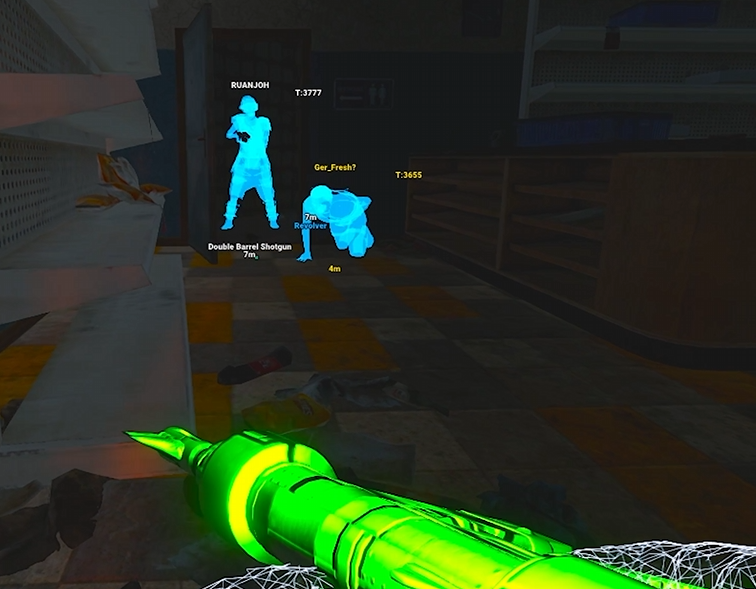
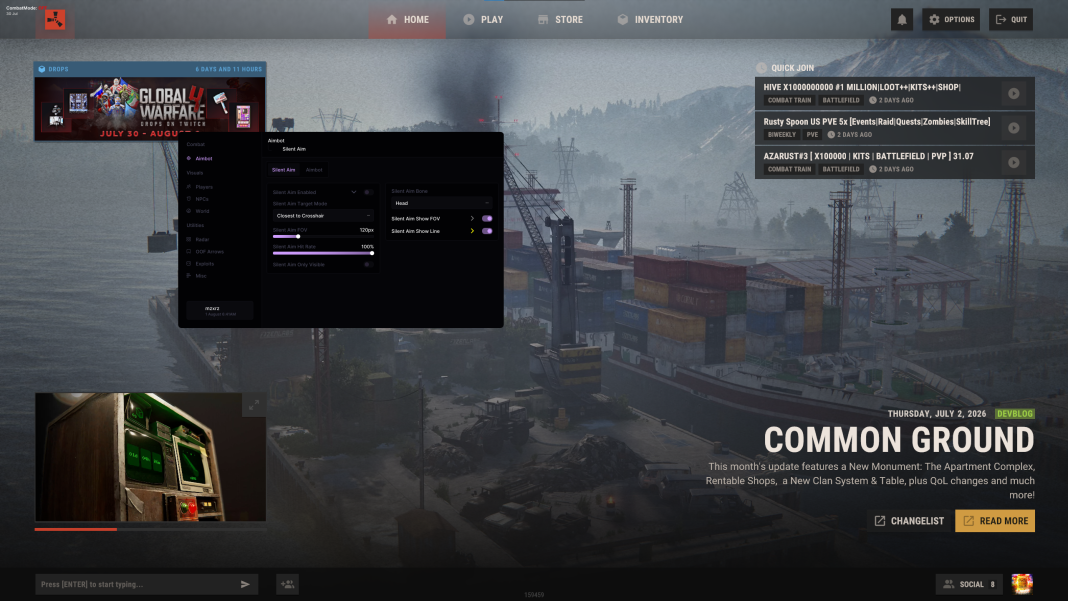
Aimbot concerns targeting. ESP concerns additional visual information, such as player labels or resource markers. Radar presents positions through a separate map-style view. These functions can appear together, but each has its own settings and requirements.
World ESP is a broad heading that can include resources, loot, traps and vehicles. A broad heading does not prove support for every object. Look for named entities or current picker options when a particular resource, container or device matters to you.
Rust Cheat Features Explained
Aimbot
Target selection and aiming controls.
ESP
Additional labels and visual information.
Radar
Positions presented in a separate map-style view.
Requirements
Software type, hardware and feature dependencies need separate checks.
Product type and requirements
is labelled internal, external, and Rush DMA requires DMA hardware. These labels describe different approaches rather than a quality or safety ranking. Features, setup complexity and compatibility still need to be checked separately.
DMA has additional distinctions: its aimbot needs a supported connected aim device, and some features require memory writing. Its Web Radar phone view is a viewer for the stream, not a way to replace the hardware setup with a phone.
Make an informed first comparison
Write down the few functions you actually need to understand, then compare the exact product entries. Check requirements before prices, and distinguish a software license from hardware and accessories. Do not assume a configuration file adds a missing feature.
Also read the safety guide. Unauthorized software carries account risk, and a status label is not a guarantee. When ready to review account access and launch instructions, continue to How to Use Rust Cheats rather than relying on a generic setup video.
Related Rust Features & Guides
How to Use Rust Cheats
Get started with ESHub Rust products by checking requirements, accessing your purchase and following the correct instructions for Rush, Disconnect or Rush DMA.
Read the Guide →Rust Internal vs External vs DMA Cheats
Compare Rust cheat types, supported features and setup requirements across internal software, external software and hardware-based DMA products.
Read the Guide →Rust Gameplay Preview
Recorded Rust gameplay preview. Check individual product listings for current features and compatibility.
Rust Products & Requirements
Explore the available products and check each listing for its current features and requirements.
Rust: Rush
Internal software with targeting, player and NPC visuals, world ESP and configurations.
Rust: Disconnect
External software with Silent Aim, Player ESP and detailed world-information features.
Rust: Rush DMA
DMA hardware required. Aimbot additionally requires a connected supported aim device.
Related Rust Cheat Guides
Frequently Asked Questions About Rust Cheats for Beginners
Click a question below to view the answer.