
-
Browse Rust Products
Rust Chams: Player, Hand & Weapon Highlights
Rust Chams refers to model highlighting rather than ordinary name labels or boxes. Disconnect explicitly lists player, hand and weapon chams, while Rush DMA makes its chams feature conditional on memory writing.
-
Featured Products
Explore Rust Chams for supported player, hand and weapon highlighting, including Disconnect options and Rush DMA memory-writing requirements.
Explore the available options in and . Feature availability and requirements vary between products.
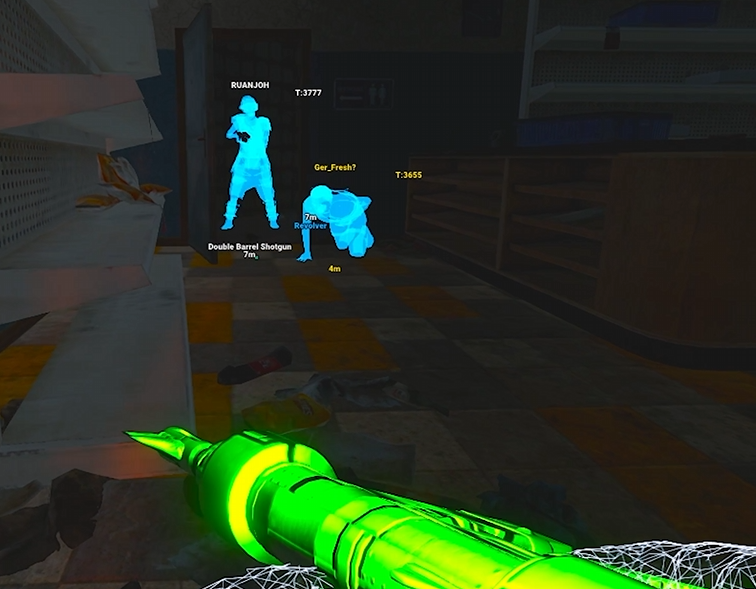
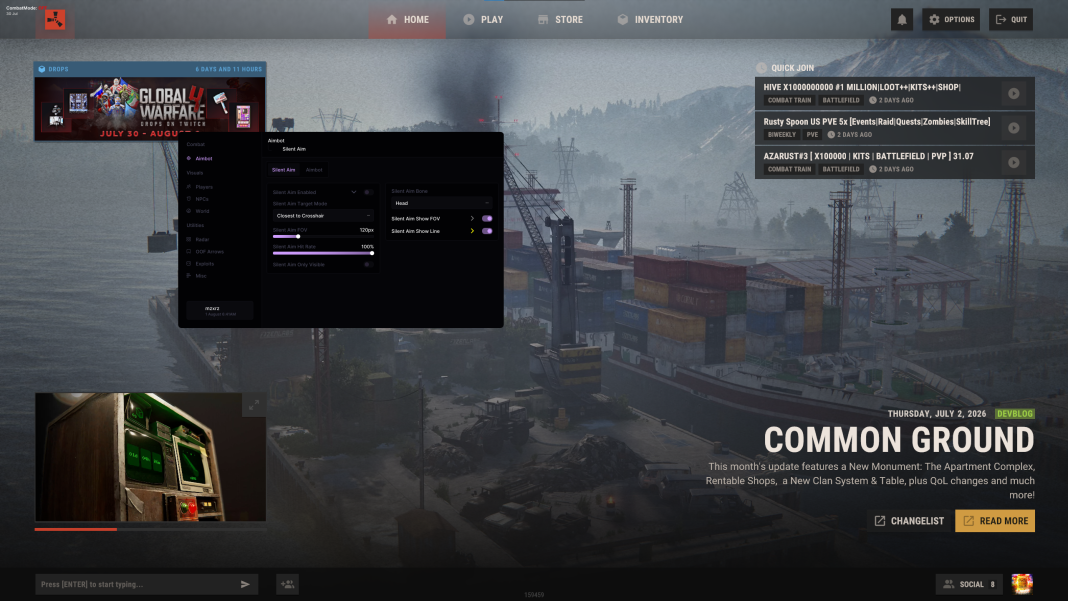
Chams compared with ordinary ESP
ESP can display labels, distances, boxes and skeletons. Chams changes how supported models are highlighted. A screenshot with a coloured outline or box does not by itself establish which kind of rendering feature produced it.
This distinction matters when comparing products. A product can list extensive Player ESP without listing chams, and the existence of skeletons or visibility colours does not justify adding model-highlighting claims to its feature summary.
Rust Chams Features
Player highlights
Disconnect lists player chams separately from ordinary overlay labels.
Hand highlights
Disconnect explicitly lists Hand Chams.
Weapon highlights
Disconnect explicitly lists Weapon Chams.
DMA requirement
Rush DMA chams requires Allow Memory Writing.
Disconnect's documented options
lists Chams, Hand Chams and Weapon Chams, each with 18 options. Those are separate categories in its feature list. They should not be rewritten as 18 different supported game entities or a guarantee that every material works in every environment.
Its ordinary Player ESP controls remain separate, including boxes, health bars, names and hotbar information. Visitors comparing model appearance with information labels should review both groups rather than treating one as a replacement for the other.
Rush DMA requirements and Rush boundaries
lists chams with visible and hidden colours and explicitly requires Allow Memory Writing. Read-only operation therefore does not include that documented modification. Other visual markers may remain available without sharing that requirement.
The reviewed internal listing does not explicitly name chams. We do not infer it from the presence of Player ESP or NPC visuals. Open the current product listing if a particular highlighting effect is essential to your selection.
Related Rust Features & Guides
Rust ESP & Wallhack
Explore Rust ESP & Wallhack features including player names, boxes, skeletons, equipment information and configurable world visuals.
Read the Guide →Rust DMA Read-Only vs Memory Writing
Compare Rust DMA operating modes and identify which chams, weapon, view and movement features require Allow Memory Writing.
Read the Guide →Rust Gameplay Preview
Recorded Rust gameplay preview. Check individual product listings for current features and compatibility.
Rust Products With Chams Features
Explore the available products and check each listing for its current features and requirements.
Rust: Disconnect
External software with Silent Aim, Player ESP and detailed world-information features.
Rust: Rush DMA
DMA hardware required. Aimbot additionally requires a connected supported aim device.
Related Rust Cheat Guides
Frequently Asked Questions About Rust Chams
Click a question below to view the answer.