
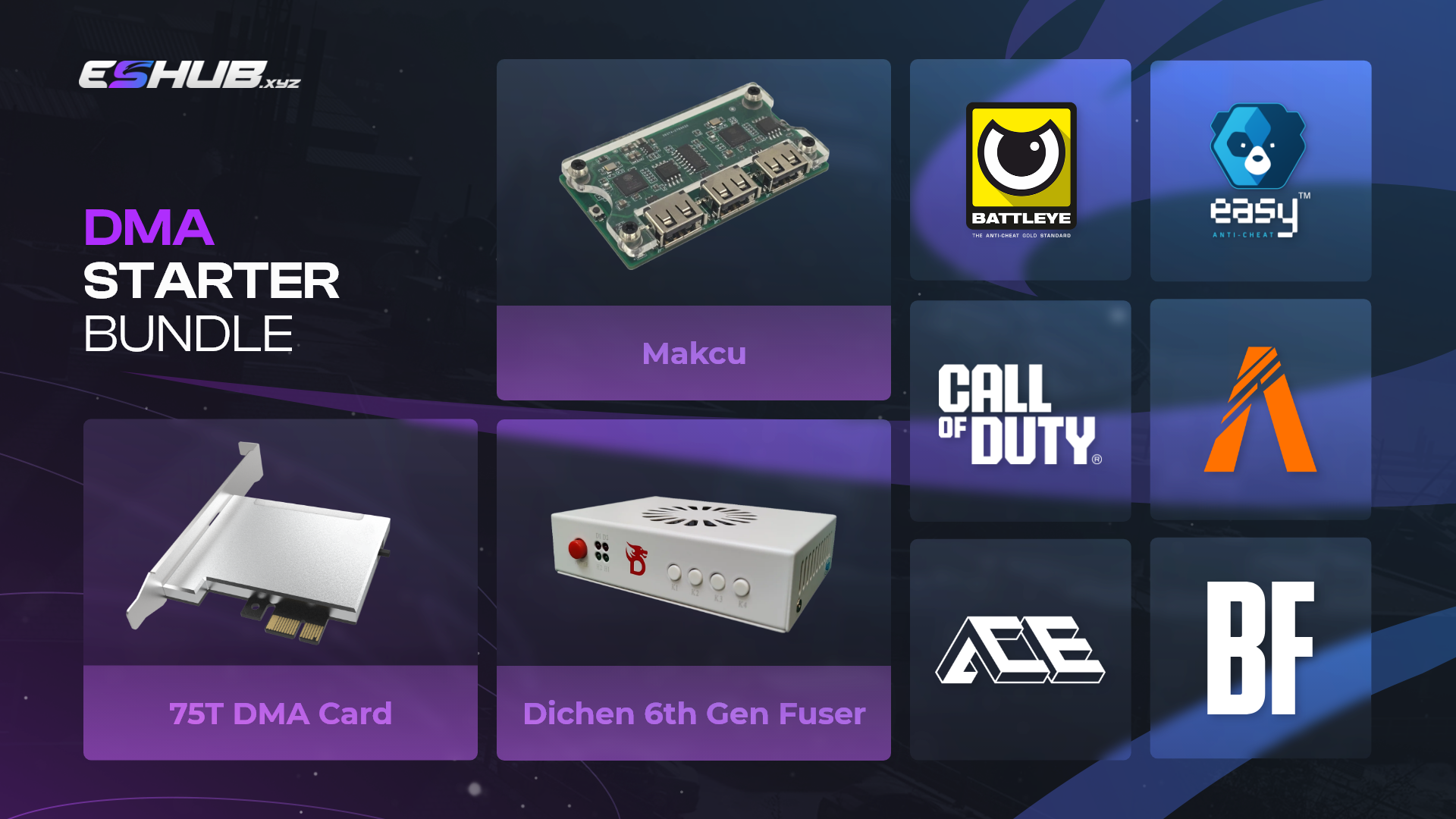
DMA hardware brings together a memory-access card, compatible firmware, video equipment and an input bridge for a two-PC arrangement. Each component serves a different purpose. Understanding those roles helps you compare a bundle, check your existing equipment and separate the hardware purchase from the software you intend to use.
ESHub’s DMA hardware category currently lists the DMA Starter Kit with 75T and 100T options. Both computers and a compatible game-software subscription are separate requirements. Review the current listing’s specific exclusions before ordering.
What Is Direct Memory Access?
Direct Memory Access is a mechanism that lets devices transfer data to or from memory without the CPU copying each piece of data. It is a general computing capability, not a feature unique to game software. Which memory a device can access depends on the platform, operating system and device configuration.
In the two-PC arrangement described here, the DMA card installs in a suitable PCIe slot in the gaming PC. The second computer runs compatible software that communicates with the card and interprets data. The earlier page incorrectly placed the card in the second PC.
Memory access, interpreting game data, drawing an overlay and producing input are separate stages. A hardware card does not automatically understand a game’s entities or provide an aimbot. Those functions depend on compatible software.

Current Starter Kit Options: 75T and 100T
The current Starter Kit listing offers 75T and 100T card variants. Both name a Dichen 6th Gen fuser, MAKCU and included firmware. Use the live product page for current pricing and stock; the old Starter/ESP/Aimbot kit price table is not reproduced here.
75T Starter Kit
Select the 75T option after confirming that your intended software and firmware support the exact board.
View 75T Option100T Starter Kit
Select the 100T option against the same compatibility checks. The model label alone does not prove faster overlay updates or better aiming.
View 100T OptionBoard design, supported firmware, connections and software requirements matter alongside the FPGA variant. Do not choose a card solely from an advertised speed claim or assume that a configuration for another board will work.
DMA Card, Video Fuser and Input Bridge
The card provides the memory interface. The video fuser combines video feeds. The input bridge carries supported input commands. These components are complementary, but they do not perform one another’s tasks.
A fuser does not read memory or decide where an overlay marker belongs. It receives pictures produced earlier in the setup. If the software does not generate a feature, the video combiner cannot create it.
Likewise, an input device does not supply player information. Its compatibility with the software matters separately from card compatibility. A supported memory connection does not establish that a particular input bridge is supported.
Firmware: Compatibility Before Marketing Labels
Firmware configures how the hardware operates. For FPGA-based devices, the configuration is commonly supplied as a bitstream. It needs to match the intended board and FPGA; a filename or broad DMA label is not enough to establish compatibility.
The earlier page advertised a separate 1:1 firmware product and three protection tiers as a universal upgrade path. This hub does not repeat that standalone offer without a confirmed current listing. The Starter Kit’s included firmware should be checked against the selected hardware and intended software.
A device-emulation claim does not establish universal compatibility or immunity from detection. A device appearing without a warning in Device Manager also does not prove that every security check accepts it. Treat identification, driver behavior and game support as separate questions.

Game Compatibility and Explicit Exclusions
The current Starter Kit listing explicitly excludes Fortnite, Rust, Apex Legends, Delta Force, Arena Breakout Infinite and FACEIT. These restrictions belong to the offered kit. General anti-cheat coverage claims elsewhere in the listing do not override those specific exclusions.
For any other environment, confirm the complete combination of card, firmware, software and input equipment before buying. Supporting an anti-cheat name does not establish support for every game using it.
Read the current kit requirements and identify the exact software you intend to use. This page does not establish a working package for every game, and the existence of a game guide elsewhere on ESHub is not confirmation that this kit supports it.
Your Gaming PC and Second Computer
The gaming PC needs the appropriate expansion connection and physical room for the selected card. Check the motherboard model, slot availability and clearance around other components. A free connector does not by itself establish the complete supported arrangement.
The second computer must meet the application’s own operating-system, processor, memory and connection requirements. A spare machine may be suitable, but “any Windows PC” is not a reliable compatibility rule. Confirm the application’s requirements before purchasing another computer.
The old hub recommended specific mini-PCs without connecting them to a particular application requirement. This revision explains what to compare instead of declaring one model universally sufficient. Account for both computing needs and the video/input connections needed by the accessories.
Display Modes, Ports and Cables
A video setup should be checked against the exact display resolution and refresh rate you intend to use. A monitor having HDMI does not establish support for every display mode through the fuser. Confirm the selected equipment’s specifications and suitable cables.
Memory, video and input connections have different requirements. A working game picture does not establish a working overlay output, and a visible overlay does not establish a supported input path. Keep the components distinguishable when reviewing specifications.
This page does not prescribe a universal cable layout or port count beyond the product’s documented requirements. Use the order-specific instructions for the exact version you receive.
Hardware Security and Detection Claims
Running an application on a second PC does not make the complete arrangement invisible or undetectable. Devices and their access can still be subject to platform security controls. Microsoft documents Kernel DMA Protection and IOMMU-based memory isolation for supported Windows systems.
Those protections are one reason a blanket statement such as “DMA bypasses every anti-cheat” is inaccurate. This hub does not provide instructions to bypass platform protections or describe a firmware tier as permanent protection from bans.
Hardware compatibility, application support and account risk are separate considerations. Confirming that equipment connects successfully does not establish that its intended use is permitted or protected from enforcement.
Software Subscriptions, Support and Order Terms
The hardware bundle and compatible software subscription are separate purchases according to the Starter Kit listing. A card does not provide every feature discussed under ESP or aimbot terminology; the software determines what it can interpret and display.
When requesting compatibility help, provide the motherboard and card model, both PC specifications, intended software, display mode and the component involved. A precise description helps distinguish an issue with video, input or the memory interface.
Use the current order terms for shipping, warranty, returns and delivery details. The earlier hub’s one-month warranty, fixed firmware delivery time and blanket price promises are not retained as universal terms. Confirm them against the actual product and checkout before ordering.
DMA Hardware FAQ
What is currently available in this hardware category?
The DMA Starter Kit with 75T and 100T options. Check the live listing for availability.
Where does the DMA card install?
In a suitable PCIe slot in the gaming PC for the arrangement described here. Compatible software runs on the second computer.
Does the kit include both PCs?
No. Both computers are separate requirements.
Is game software included?
The listing says the compatible DMA software subscription is purchased separately.
Does the fuser read game memory?
No. It combines video signals; memory access belongs to the card.
Does MAKCU supply ESP information?
No. It is an input bridge, not the memory reader or overlay application.
Is 100T automatically faster in every application?
No. The model label alone does not establish end-to-end application performance.
Can I reuse firmware from another card?
Do not assume compatibility. Confirm the exact board and FPGA configuration.
Which environments are excluded by the offered kit?
Fortnite, Rust, Apex Legends, Delta Force, Arena Breakout Infinite and FACEIT are explicitly excluded by the current listing.
Is DMA undetectable?
No. A separate-PC application does not establish that the entire hardware arrangement is invisible to security controls.
Are there child guides linked here?
No. This page links the hardware category and current product listing.
Where are current prices and shipping terms?
Use the live listing and checkout for prices, availability and order terms.
Compare the Current DMA Starter Kit
Choose a card option after checking game exclusions, software compatibility and requirements for both computers.
View DMA Starter Kit · Browse DMA Hardware