Jump to content
Having Trouble Paying? Click here to join the Discord, You can pay with Card, Paypal, Cashapp, Venmo, Zelle, Apple Pay! ×

BF6: Lunar
Undetected Cheat

ESHub provides premium undetected game softwares, DMA Hardware, ESP, Aimbot, and HWID spoofers for popular PC titles including Apex Legends, Arena Breakout Infinite, ARC Raiders, Escape from Tarkov, Fortnite, Rust, Rainbow Six Siege, and more. Our solutions are secure, frequently updated, and designed to stay undetected.

Explore All Softwares
50,000+ Keys DELIVERED
★★★★★ 4.9/5 FROM 500+ REVIEWS
BF6: Lunar

Product Images

BF6: Lunar
BF6: Lunar
BF6: Lunar
BF6: Lunar

BF6: Lunar

  • Instant Delivery
  • Undetected
    Safest External Approved Feature Rich 2/5 Setup Difficulty
$6.99
BATTLEFIELD 6

Battlefield 6: Lunar

Advanced aiming, highly customizable player ESP, vehicle tracking, radar and interface controls for Battlefield 6. Lunar provides extensive control over targeting, battlefield information and visual customization.

PC / LUNAR
Windows 10 / 11 Supported Windows versions
UEFI Mode Required
VT-x / SVM Virtualization enabled
Secure Boot On HVCI must also be disabled

Explore the features

6 categories / extensive customization

Click a linked feature to learn more about what it does.

FOV Circle

Customize the appearance and behavior of the aiming field of view.

10
  • Show FOV
  • FOV Radius
  • Solid / Dashed / Pulse Glow / RGB Rotating
  • Thickness
  • Opacity
Show 5 more features Show fewer features
  • Filled FOV
  • Pulsing
  • Pulse Speed
  • Pulse Range
  • Custom FOV Color

Vehicle & Weapon ESP

Track vehicles and stationary weapons with configurable boxes and team filtering.

12
  • Vehicle ESP
  • Vehicle Boxes
  • Static / Visibility Colors
  • Vehicle Text Color
  • Vehicle Team Check
  • Stationary Weapons ESP
Show 6 more features Show fewer features
  • Stationary Weapon Boxes
  • Static / Visibility Box Colors
  • Visible Color
  • Hidden Color
  • Text Color
  • Team Check

Player ESP

Extensive player information with customizable shapes, colors and visibility states.

15
Show 9 more features Show fewer features
Show customization options Hide customization options
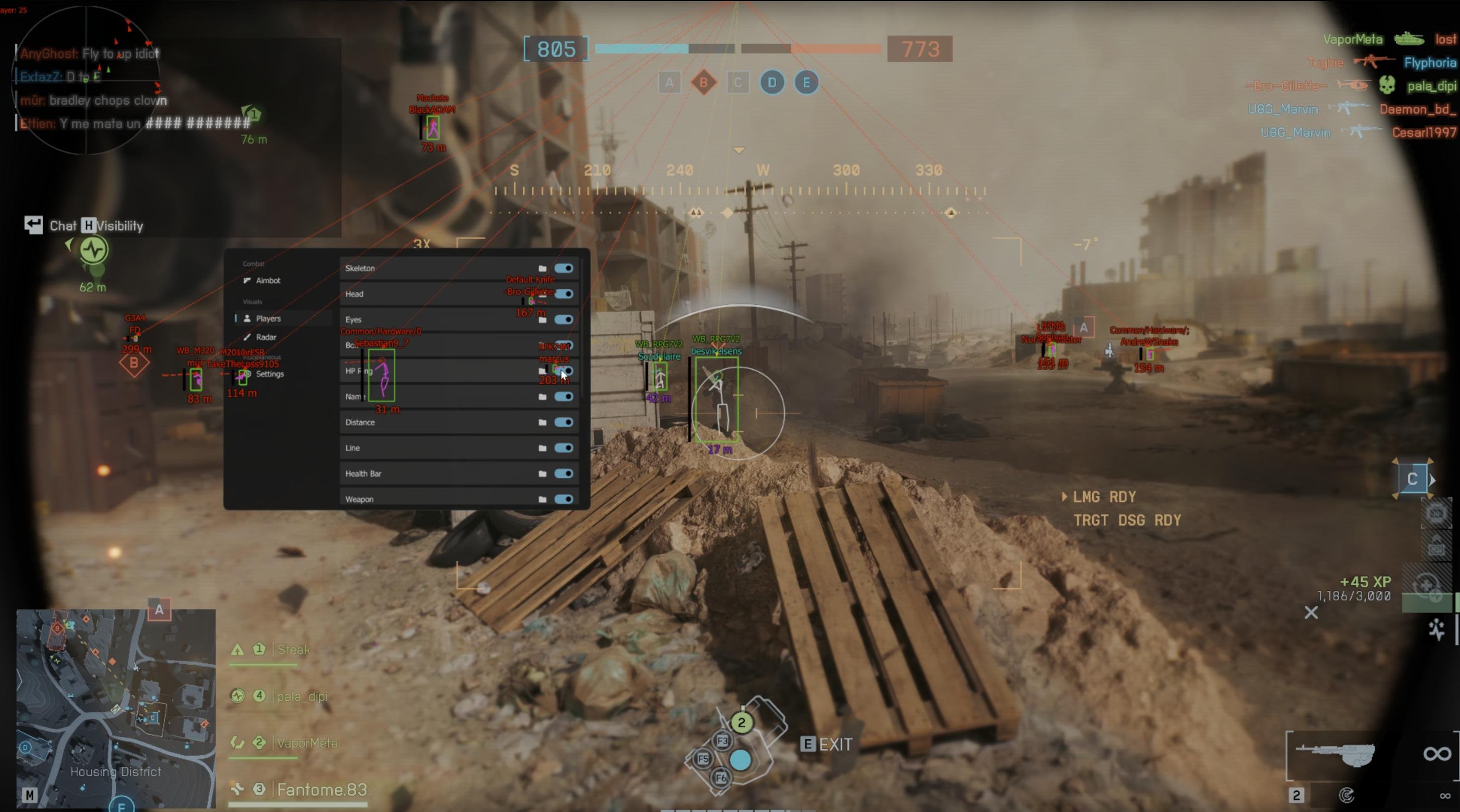
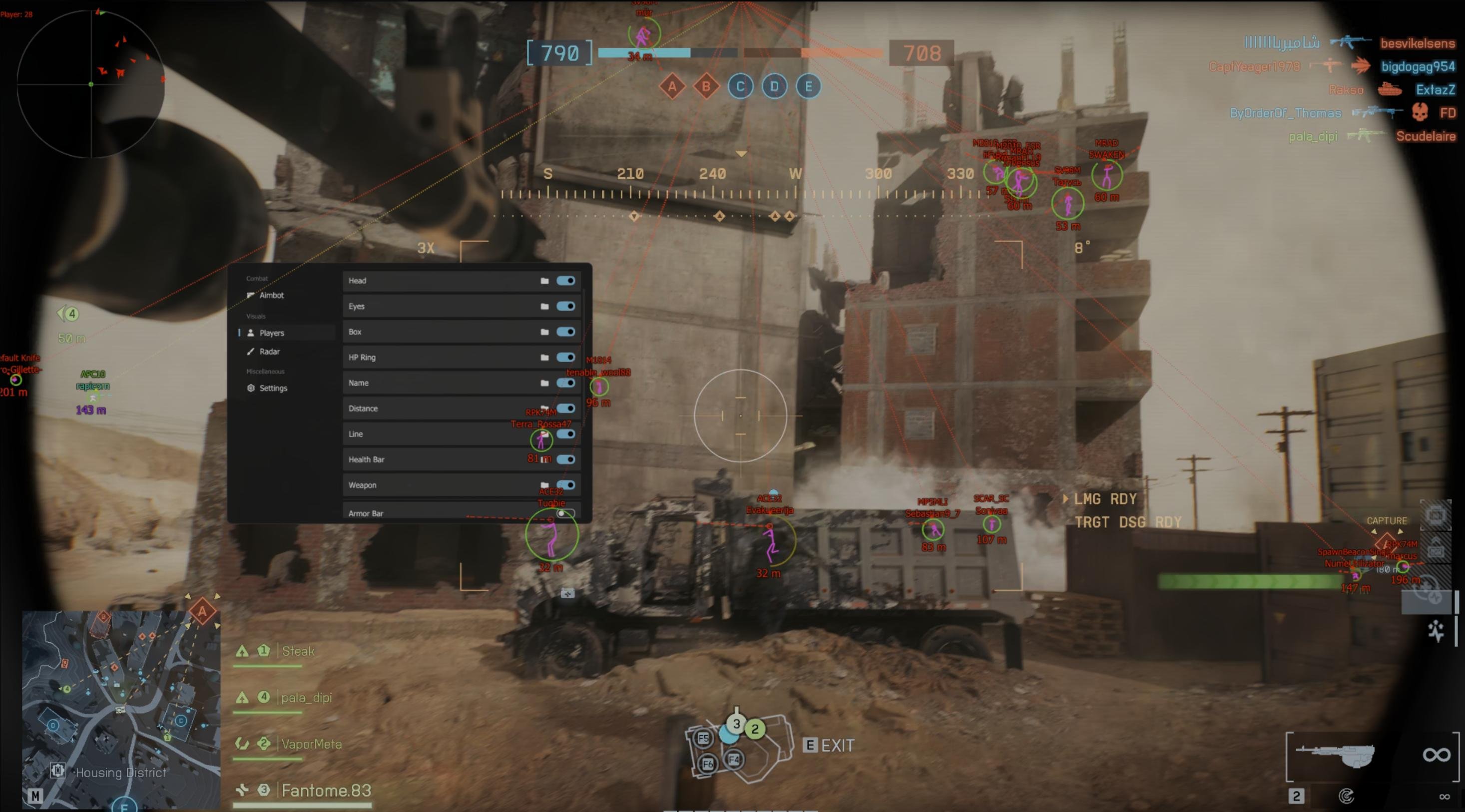
  • Skeleton: Full / Stickman / Torso Only
  • Skeleton Thickness
  • Draw Joints
  • Joint Shape: Dot / Circle / Square / Diamond
  • Joint Size
  • Skeleton Color: Static / Vis Check / Gradient
  • Visible / Hidden Colors
  • Gradient Top / Bottom Colors
  • Head: Circle / Square / Diamond / Triangle / Crosshair
  • Head Size / Thickness
  • Eye Length / Thickness
  • Dashed Eye Lines
  • Dash Length / Gap
  • Eye End: None / Dot / Arrow
  • Near / Far Eye Colors
  • Box: Square / Corners / Circle / Diamond
  • Box Thickness / Corner Size
  • Box Outline
  • Filled Box / Fill Opacity
  • Box Color: Static / Vis Check / Health
  • Automatic HP Gradient
  • HP Ring: Square / Circle / Diamond
  • Low / High HP Colors
  • Name: Above Box / Below Feet
  • Distance: Below Feet / Above Box
  • Distance Units: Meters / Feet
  • Precision: Integer / 1 Decimal / 2 Decimals
  • Line Origin: Top / Middle / Bottom
  • Line Style: Solid / Dashed / Dotted / Curved
  • Dash Length / Gap
  • Curve Amount
  • Line Thickness
  • Line Color: Static / Vis Check / Gradient
  • Gradient Start / End Colors
  • Line Arrow / Arrow Size
  • Health Bar: Left / Right / Top / Bottom
  • HP Gradient / Static Health Color
  • Health Bar Thickness / Offset / Outline
  • Weapon: Above Box / Below Feet
  • Weapon Visibility Colors
  • Text Scale

Radar & Crosshair

Configurable battlefield radar with player, vehicle and display controls.

18
  • Enable Radar
  • Square / Circle / Hexagon / Octagon
  • Mouse Drag / Slider Positioning
  • Rotate With Player
  • Vehicle Radar
  • Dots / Arrows
Show 12 more features Show fewer features
  • Radar X / Y Position
  • Vehicle Dot Color
  • Vehicle Dot Opacity
  • Player Dot Color / Size / Opacity
  • Arrow Color / Size / Opacity
  • Visible / Hidden Radar Colors
  • Background Color / Opacity
  • Border Color / Thickness
  • Center Dot Color / Size
  • Radar Size
  • Radar Scale / Zoom / Max Distance
  • Crosshair Color / Thickness

Settings

Menu controls, configuration management, display options and localization.

9
  • Menu Key
  • Panic Key
  • Stream Proof Mode
  • Language Selection
  • Save Config
Show more settings Show fewer settings
  • Load Config
  • English
  • Russian
  • Chinese
  • Turkish
  • Portuguese
  • German
  • Japanese
  • Vietnamese
  • French
  • Hebrew
  • Thai

System Requirements

Windows Version

Compatible Windows 10 / 11 version required

UEFI Mode

UEFI boot mode must be enabled

CPU Virtualization

Intel VT-x or AMD SVM must be enabled

Windows Defender

Must be disabled using DControl

HVCI

Must be Enabled

Secure Boot

Must be Enabled

Meltdown Mitigation

Must be disabled

Microsoft Vulnerable Driver Blocklist

Must be disabled

About Battlefield 6: Lunar

Battlefield 6: Lunar combines configurable aiming controls, detailed player visuals, vehicle and stationary weapon ESP, radar and extensive interface customization. The product is designed for compatible Windows 10 and Windows 11 systems with the required BIOS and Windows settings configured before use.

Aiming and combat controls

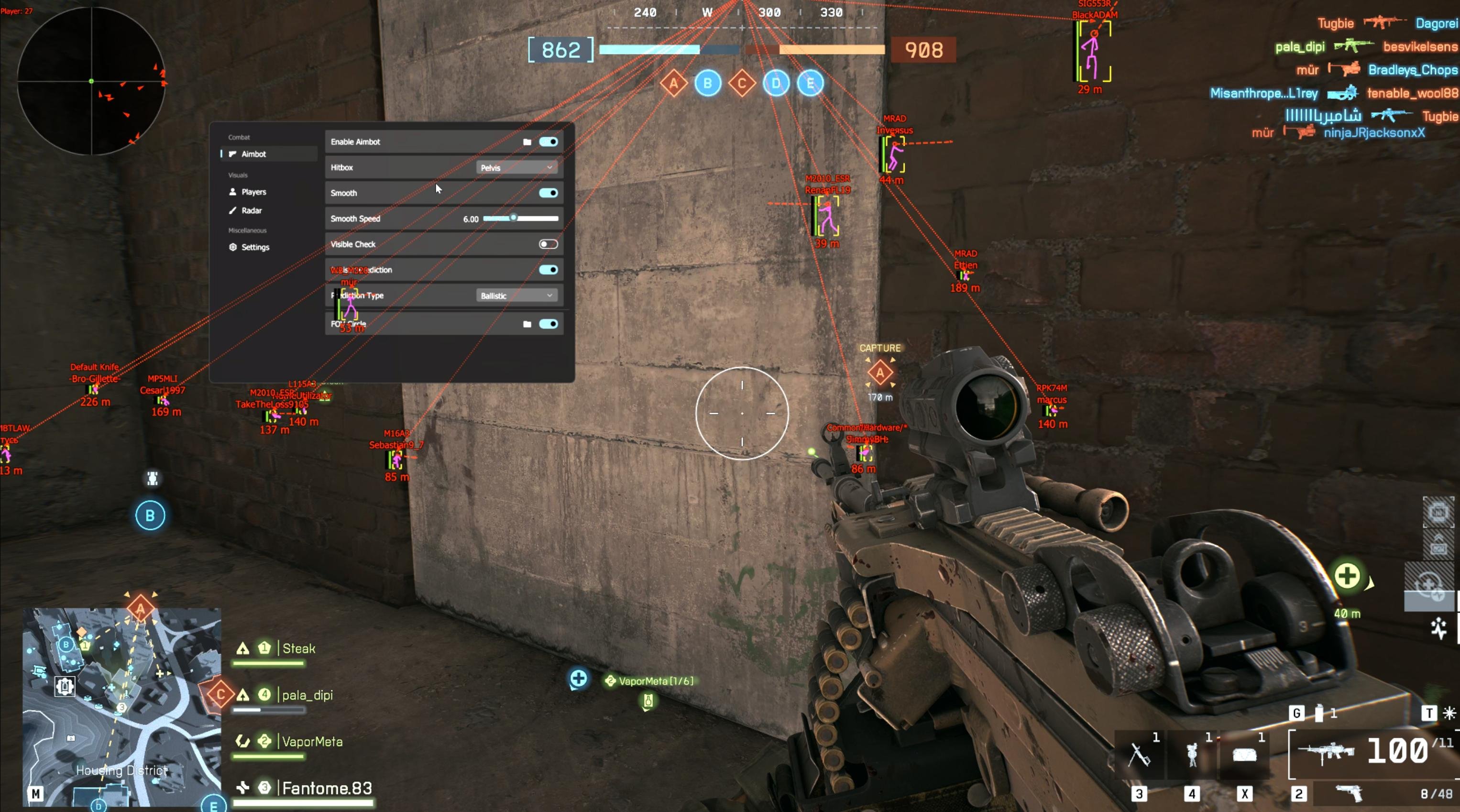
The aiming system includes multiple keybinds, selectable head, neck, pelvis and randomized hitboxes, adjustable smoothing, visibility checking and configurable prediction. Prediction can be disabled or configured as Linear or Ballistic, while No Recoil is also included.

Advanced player visuals

Player ESP provides extensive control over skeletons, head markers, eye direction, boxes, health displays, names, distance, snaplines and weapons. Visual elements can be customized with different shapes, positions, thickness settings, visibility colors, gradients and additional appearance controls.

Radar and battlefield awareness

The radar can display players and vehicles using dots or directional arrows with adjustable size, opacity and colors. Square, circle, hexagon and octagon layouts are available alongside positioning, rotation, zoom, distance, background, border and center-dot controls.

Customization and configuration

Lunar includes configurable menu and panic keys, Stream Proof Mode, configuration saving and loading, and a multilingual interface. Available languages include English, Russian, Chinese, Turkish, Portuguese, German, Japanese, Vietnamese, French, Hebrew and Thai.

Frequently asked questions

Which Windows versions are supported?

A compatible Windows 10 or Windows 11 installation is required. Check the current product status before purchasing if you are using a newly released Windows build.

Does virtualization need to be enabled?

Yes. Intel VT-x or AMD SVM virtualization must be enabled in the BIOS or UEFI settings.

Does Secure Boot need to be disabled?

No. Secure Boot must be Enabled before using Battlefield 6: Lunar.

Does HVCI need to be disabled?

Yes. HVCI must be disabled as part of the required system configuration.

Does Lunar include prediction?

Yes. Prediction can be disabled or configured to use Linear or Ballistic prediction.

Can I customize the ESP?

Yes. Skeletons, boxes, head markers, eye lines, health displays, names, distance, snaplines, weapons and other visual elements include extensive style, color, position and sizing controls.

Does the radar display vehicles?

Yes. Vehicles can be displayed separately on the radar with configurable dot color and opacity.

Can configurations be saved?

Yes. Lunar includes both Save Config and Load Config controls.

×
×
  • Create New...