Jump to content
Having Trouble Paying? Click here to join the Discord, You can pay with Card, Paypal, Cashapp, Venmo, Zelle, Apple Pay! ×

WARDOGS: Arcane
Undetected Cheat

ESHub provides premium undetected game softwares, DMA Hardware, ESP, Aimbot, and HWID spoofers for popular PC titles including Apex Legends, Arena Breakout Infinite, ARC Raiders, Escape from Tarkov, Fortnite, Rust, Rainbow Six Siege, and more. Our solutions are secure, frequently updated, and designed to stay undetected.
Explore All Softwares
50,000+ Keys DELIVERED
★★★★★ 4.9/5 FROM 500+ REVIEWS
WARDOGS: Arcane

Product Images

WARDOGS: Arcane
WARDOGS: Arcane
WARDOGS: Arcane
WARDOGS: Arcane
WARDOGS: Arcane
WARDOGS: Arcane
WARDOGS: Arcane
WARDOGS: Arcane

WARDOGS: Arcane

  • Instant Delivery
  • Undetected
    Most Popular Safest External Approved 2/5 Setup Difficulty
$5.99
WARDOGS

WARDOGS: Arcane

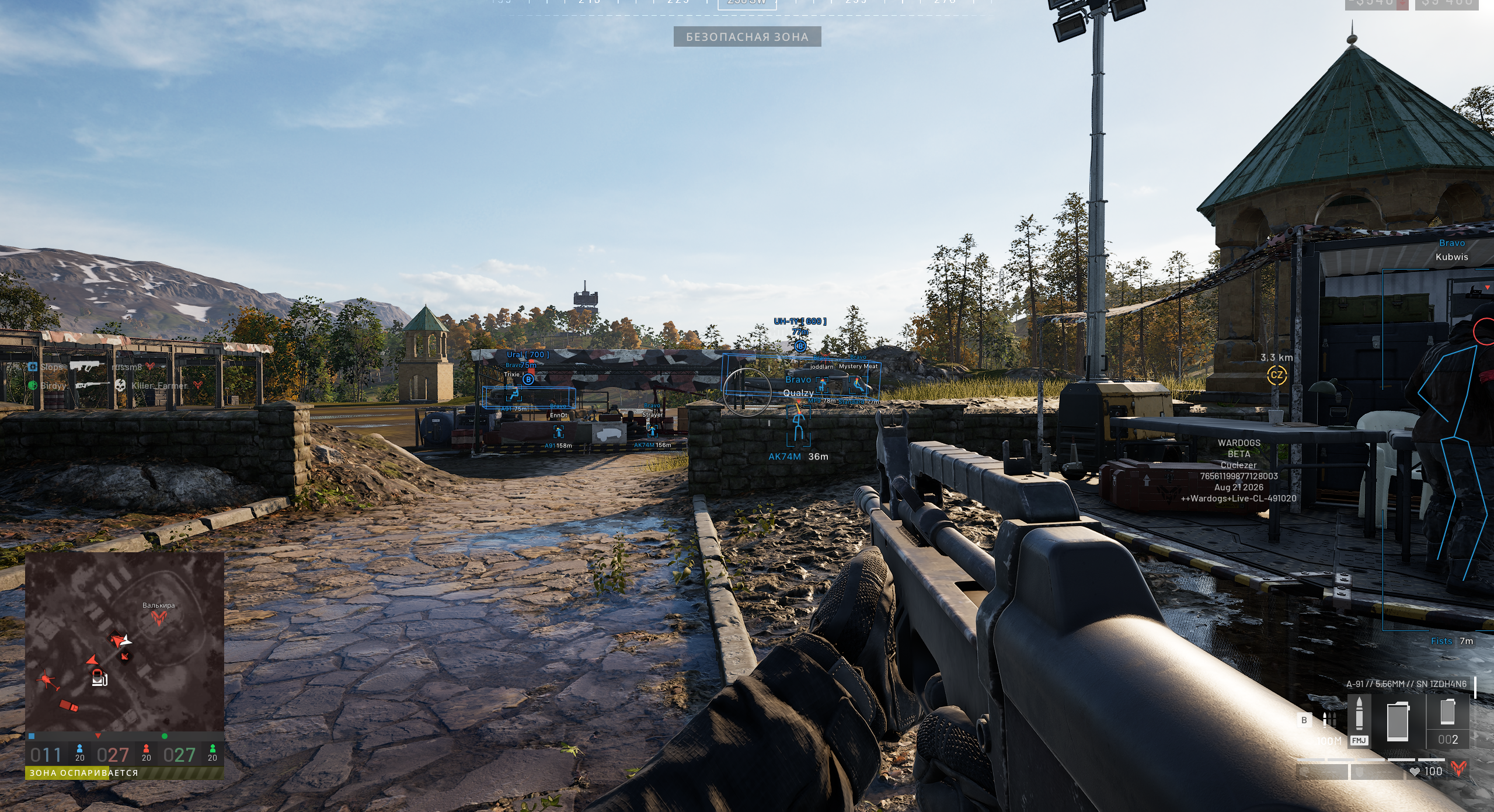
Configurable aiming, player and world ESP, interface customization and shared configurations for WARDOGS on Steam. Explore the targeting, visual and movement options below, including the SPH-2 Artillery Helper, Mortar Helper and Look Alert.

PC / ARCANE
Windows 10 / 11 x64 Windows 11 24H2 supported
Intel & AMD AES support required
Steam Supported game version
12 GB+ RAM Minimum system memory

Explore the features

11 categories / 78 features

Click a linked feature to learn more about what it does, or browse the full feature wiki.

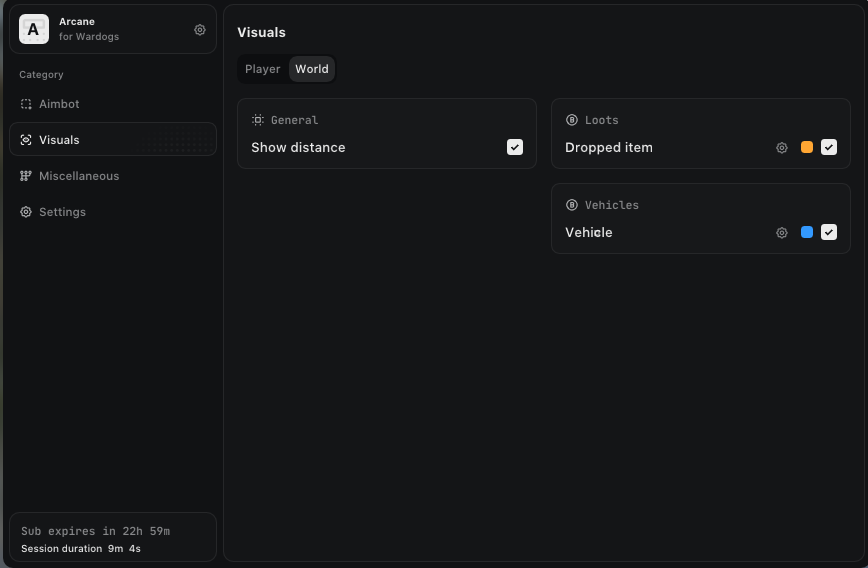
World ESP

Dropped items, vehicles and world lighting.

4
  • Show distance
  • Show dropped items
  • Show vehicles
  • Fullbright

Spectator Mode

Spectator display controls.

2

Artillery Helper · Misc

Dedicated SPH-2 howitzer helper, enabled separately from Mortar Helper.

7
How it works

Mark a point on the map to see how far to turn left or right and raise or lower the barrel. Correct aim displays “Fire on target” and a red cross in the middle of your sight. Details show distance, flight time, current-aim miss distance, barrel spread and the loaded shell. Hull tilt on slopes and barrel angle limits are accounted for. Mark target displays the point on screen, or an arrow beside your sight when it is offscreen. To activate Auto mini-game after firing, press Reload, then any direction button. Open the menu to drag the panel.

Mortar Helper · Misc

Own map markers, barrel spread details and averaged shot correction.

3
How it works

Mortar Helper now uses only your own map markers because the previous marker fix did not work. The SPREAD value shows how many meters the barrel’s own spread can scatter rounds even with perfect aim. Aim correction averages across your shots, so one random shot no longer throws it off. Artillery Helper remains a separate section with its own enable control.

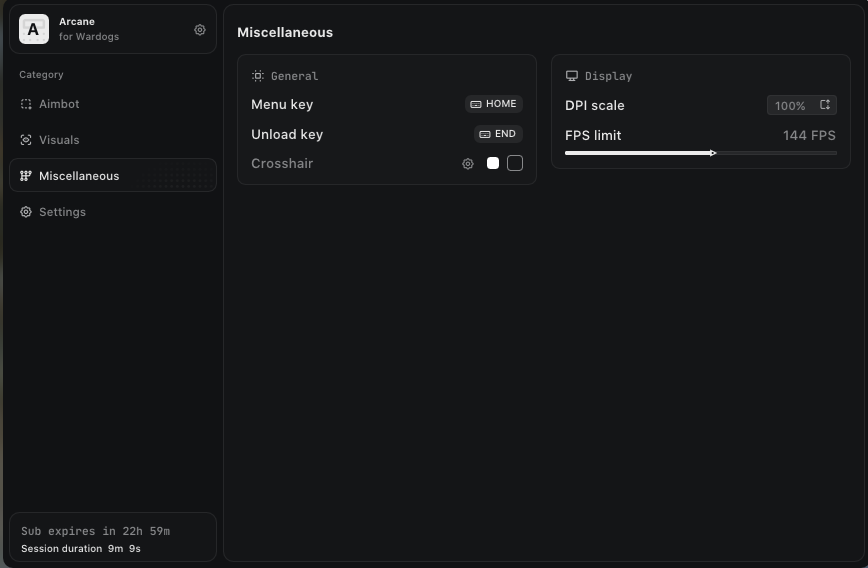
Settings

Menu appearance, controls and display settings.

7
  • Menu keybind
  • Unload keybind
  • DPI Scale
  • VSync
  • Theme
  • Watermark
  • Language

Look Alert · Misc

Warnings for players and bots whose line of sight passes through your body.

8
How it works

Shows which enemies are looking straight at you right now, including players and bots. The list is sorted by distance and shows each name, distance and a direction arrow; open the menu to drag the window. “Looking at you” appears above their ESP box or beside an offscreen warning arrow. Warning arrows work even when regular Offscreen arrows are disabled. Radar markers use a warning color and stay pinned to the radar edge when out of range. Each display can be enabled and colored independently, with Visibility check and Max distance settings.

Offscreen

Direction arrows with clearer distance and label placement.

1
How it works

The distance and label are now stacked neatly one under the other below the arrow. Look Alert’s offscreen warnings have their own controls and can stay active even when regular Offscreen arrows are turned off.

Compatibility

Operating system

Windows 10–11 x64; builds from 1903 onward listed, including Windows 11 24H2

Launcher

Steam

Game display mode

Windowed / Borderless

Processor

Intel or AMD with AES instruction support

Graphics

Any GPU listed in the product description

Memory

12 GB RAM minimum

Required software & overlays

Visual C++

Microsoft Visual C++ Redistributable x64 installed

Overlay

Discord or Medal.tv installed with the in-game overlay enabled

Discord

Enable Game Overlay and Legacy Overlay for the game, as specified in the guide; disable Medal overlay

Medal.tv

Enable In-Game Overlay and Show Overlay; disable Discord overlay

Required settings

BIOS virtualization

Intel VT-X / AMD SVM enabled

Intel Rapid Storage Technology

Disabled in BIOS where present

Hyper-V / VBS

Disabled

Windows virtualization features

Hyper-V, Windows Hypervisor Platform and Virtual Machine Platform disabled; Windows Sandbox disabled if enabled

Memory Integrity

Disabled

Windows Hello PIN

Removed

Windows Defender & SmartScreen

Disabled

Third-party antivirus

Fully uninstalled

Vanguard / FACEIT Anti-Cheat

Uninstalled if installed

About WARDOGS: Arcane

WARDOGS: Arcane combines aiming controls, player ESP, world information and customizable settings for the Steam version of WARDOGS. It supports Windowed and Borderless display modes on Windows 10–11 x64, with 12 GB of RAM required.

Targeting and player visuals

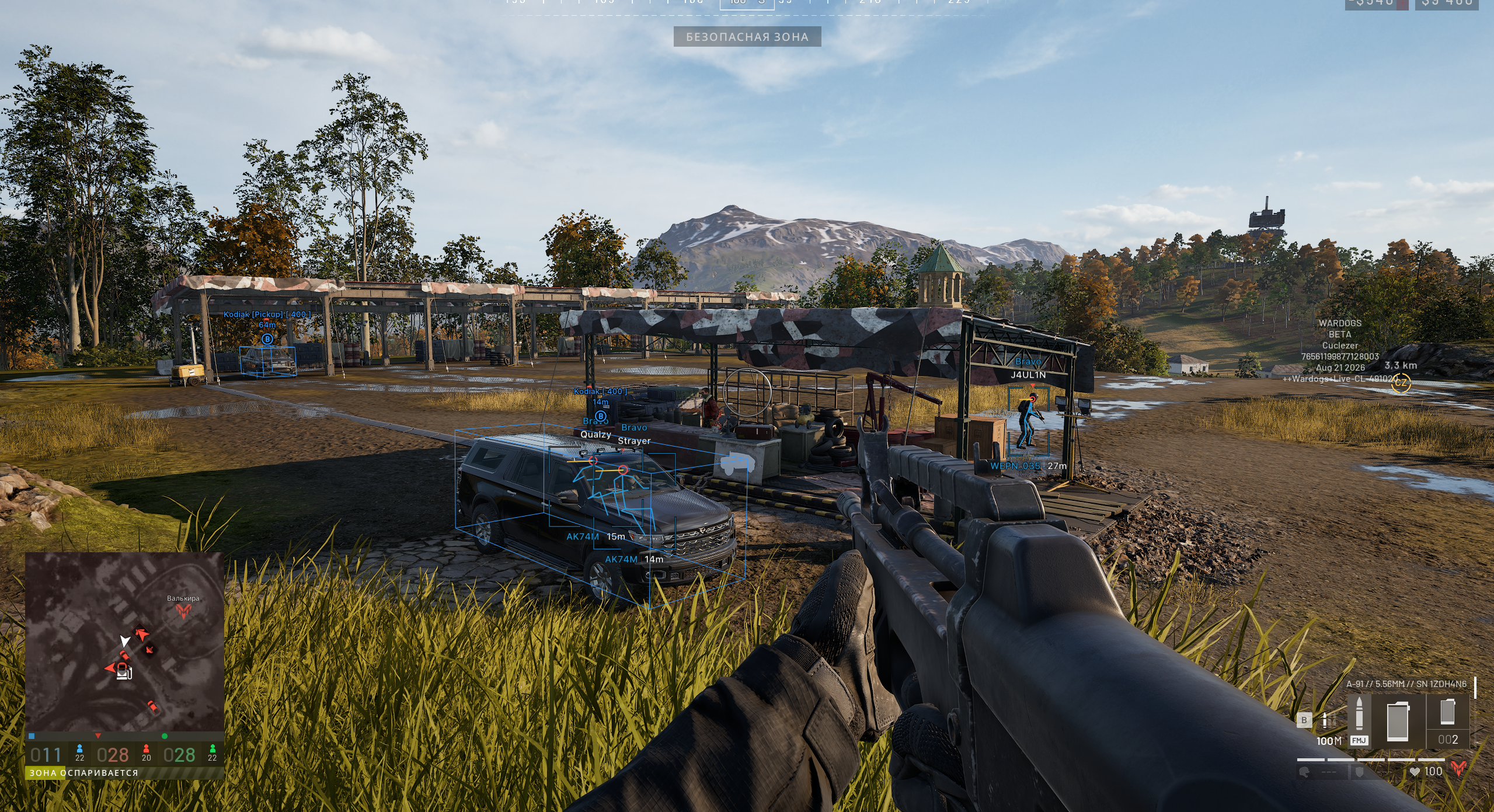
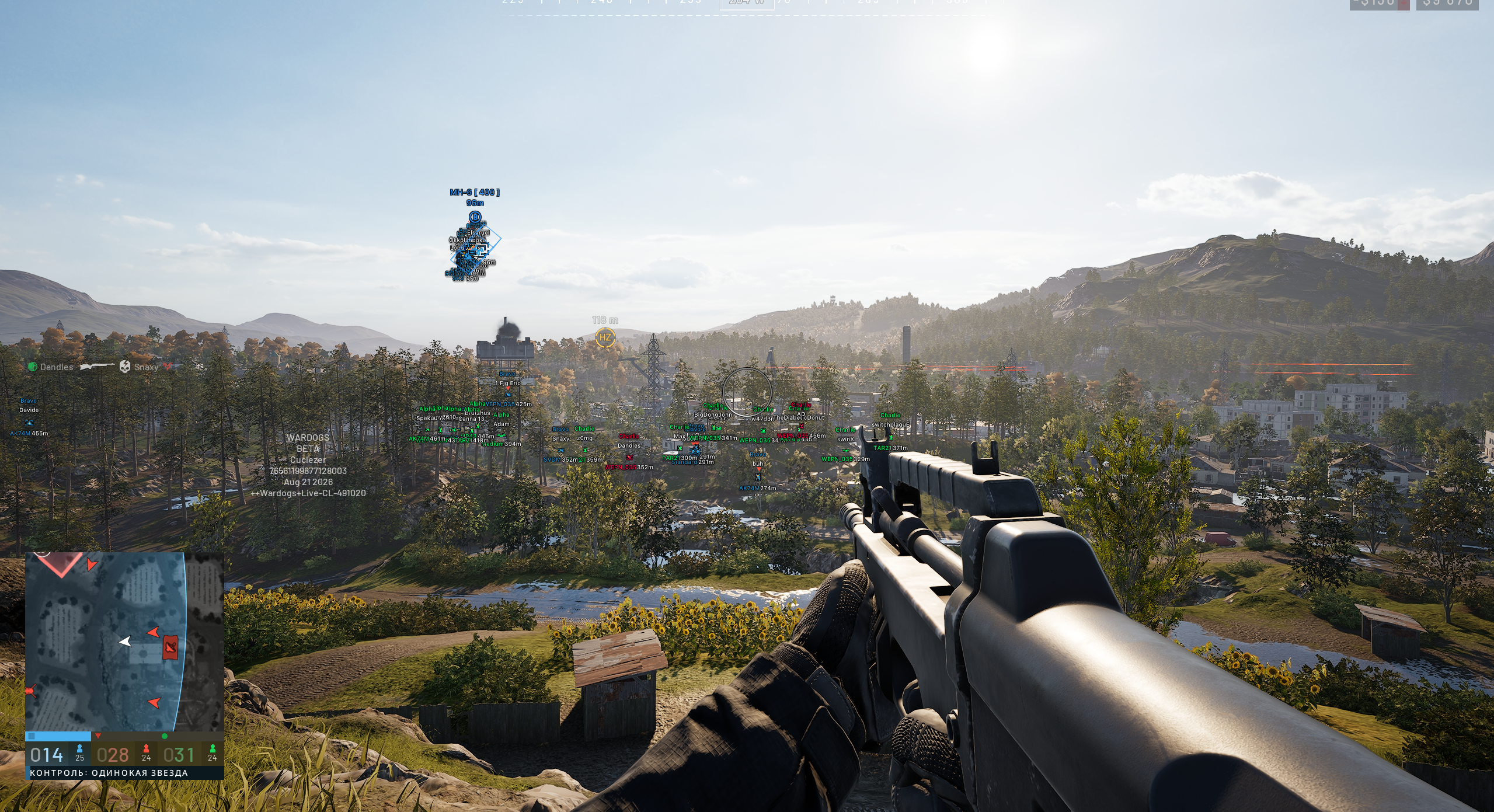
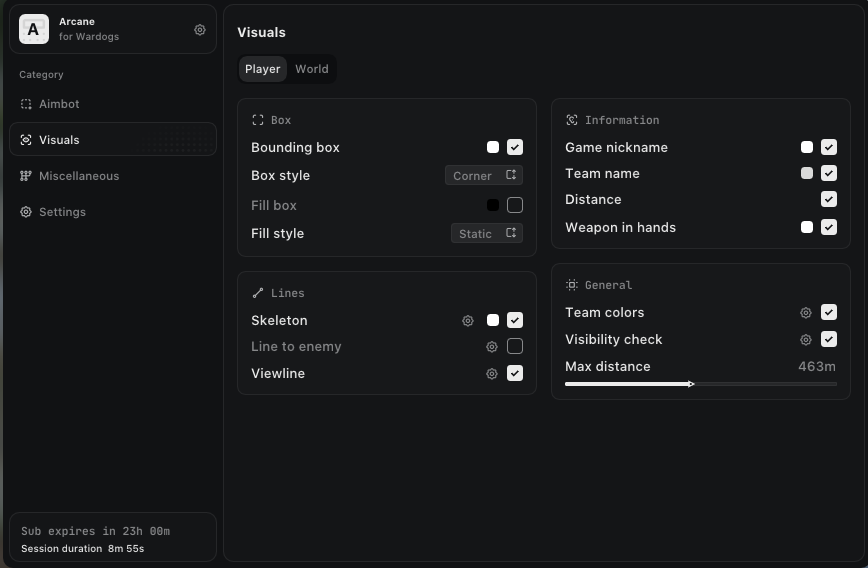
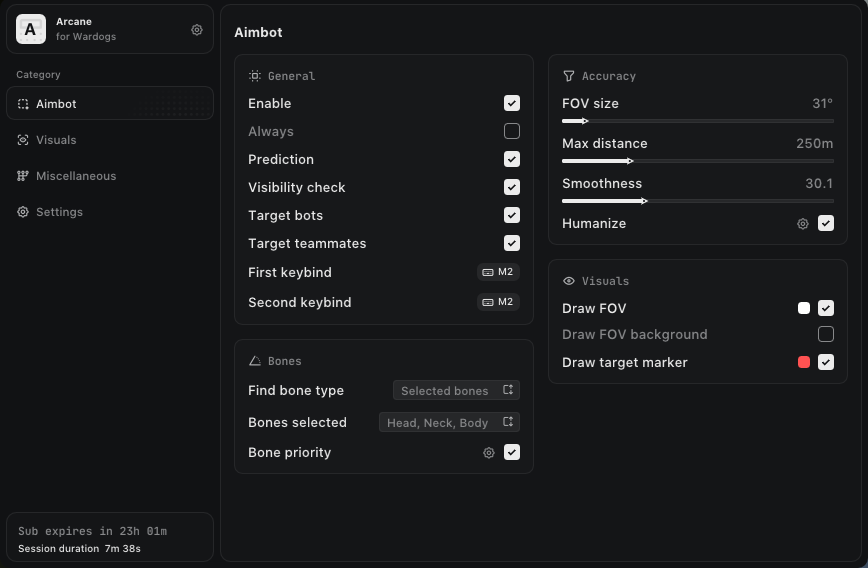
Aiming options include prediction, two keybinds, selectable target categories, bone selection, humanization, FOV and smoothing. The feature list also includes pSilent Aimbot, No Recoil, No Spread and No Sway. Player visuals cover boxes, skeletons, view lines, names, teams, weapons, health and corpses. The latest update fixes player view lines and bot view lines that previously pointed the wrong way. Look Alert adds configurable warnings for players and bots looking directly at you.

World information and customization

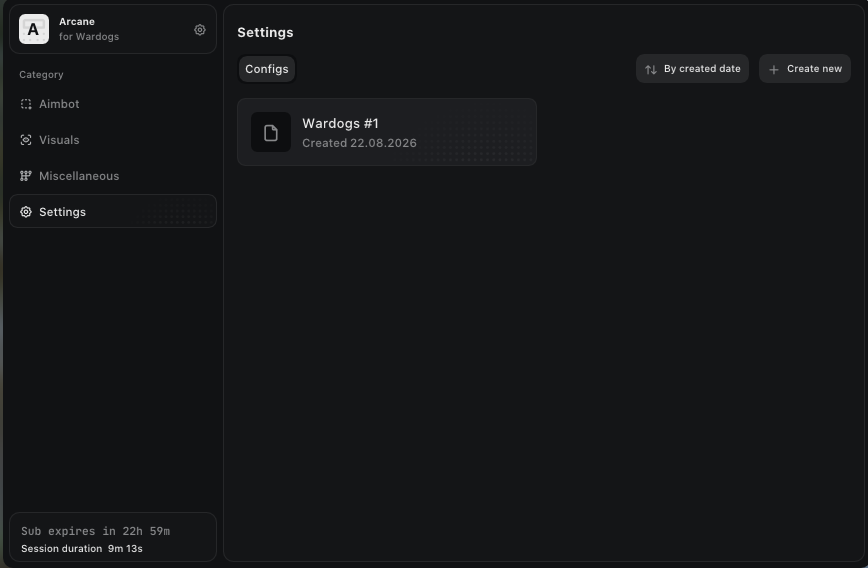
World ESP includes distance display, dropped items, vehicles and Fullbright. Interface settings include menu and unload keybinds, DPI scaling, VSync, theme, watermark and language. Configuration controls let you create, retrieve shared configurations, launch, save, rename, share and remove them.

Automatic updates

The product description lists an automatic update module. After a game patch, follow the setup guide’s instruction to wait for the product update before using it. Automatic updating does not establish immediate compatibility with every new patch.

Frequently asked questions

Which game version is supported?

The Steam version is listed. Use Windowed or Borderless mode.

Does it support Windows 11 24H2?

Yes, Windows 11 24H2 is explicitly listed in the supplied product description.

How much RAM do I need?

At least 12 GB of RAM is required.

Which overlay should I use?

Use either Discord or Medal.tv with its overlay enabled for the game. Disable the other overlay to avoid conflicts.

How do I open or unload the menu?

The guide lists Home or Insert for opening and closing the menu, and End for unloading. The product also includes configurable menu and unload keybinds.

Do I need to restart before loading?

The guide requires a manual PC restart before launching the software. It describes the loader closing after successful loading, rather than automatically restarting the PC.

Can I share configurations?

Yes. The Configs category includes Share and Get shared, alongside creation, saving, renaming and removal.

×
×
  • Create New...