Jump to content
Having Trouble Paying? Click here to join the Discord, You can pay with Card, Paypal, Cashapp, Venmo, Zelle, Apple Pay! ×

Arena Breakout infinite: Radar
Undetected Cheat

ESHub provides premium undetected game softwares, DMA Hardware, ESP, Aimbot, and HWID spoofers for popular PC titles including Apex Legends, Arena Breakout Infinite, ARC Raiders, Escape from Tarkov, Fortnite, Rust, Rainbow Six Siege, and more. Our solutions are secure, frequently updated, and designed to stay undetected.
Explore All Softwares
50,000+ Keys DELIVERED
★★★★★ 4.9/5 FROM 500+ REVIEWS
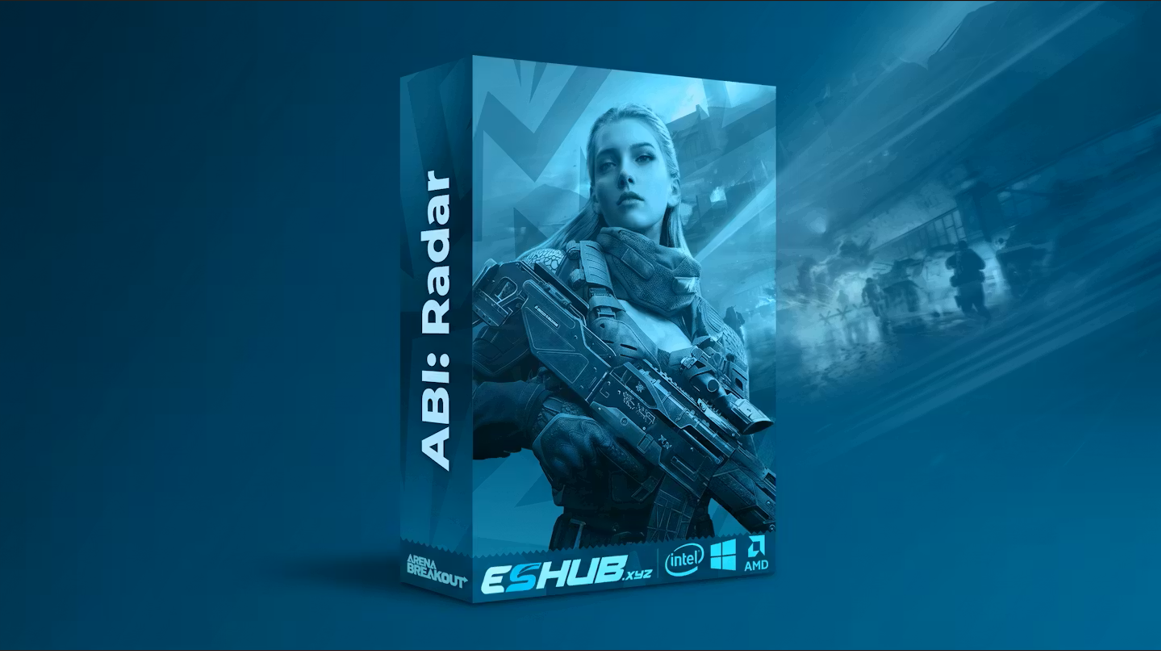
Arena Breakout infinite: Radar

Product Images

Arena Breakout infinite: Radar

Arena Breakout infinite: Radar

  • Instant Delivery
  • Undetected
    Most Popular Safest Approved Radar Tool 2/5 Setup Difficulty
$5.49
ARENA BREAKOUT INFINITE

Arena Breakout: Radar

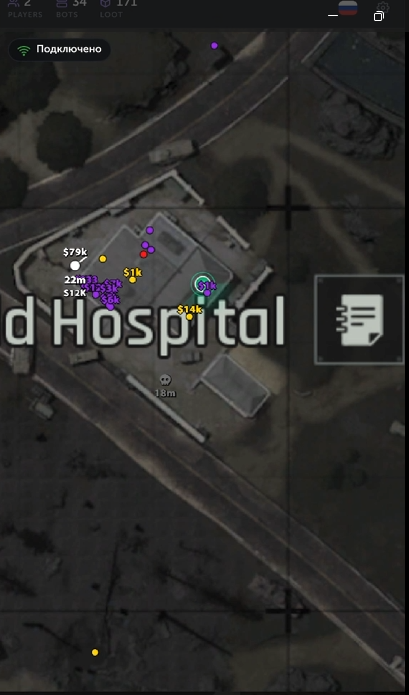
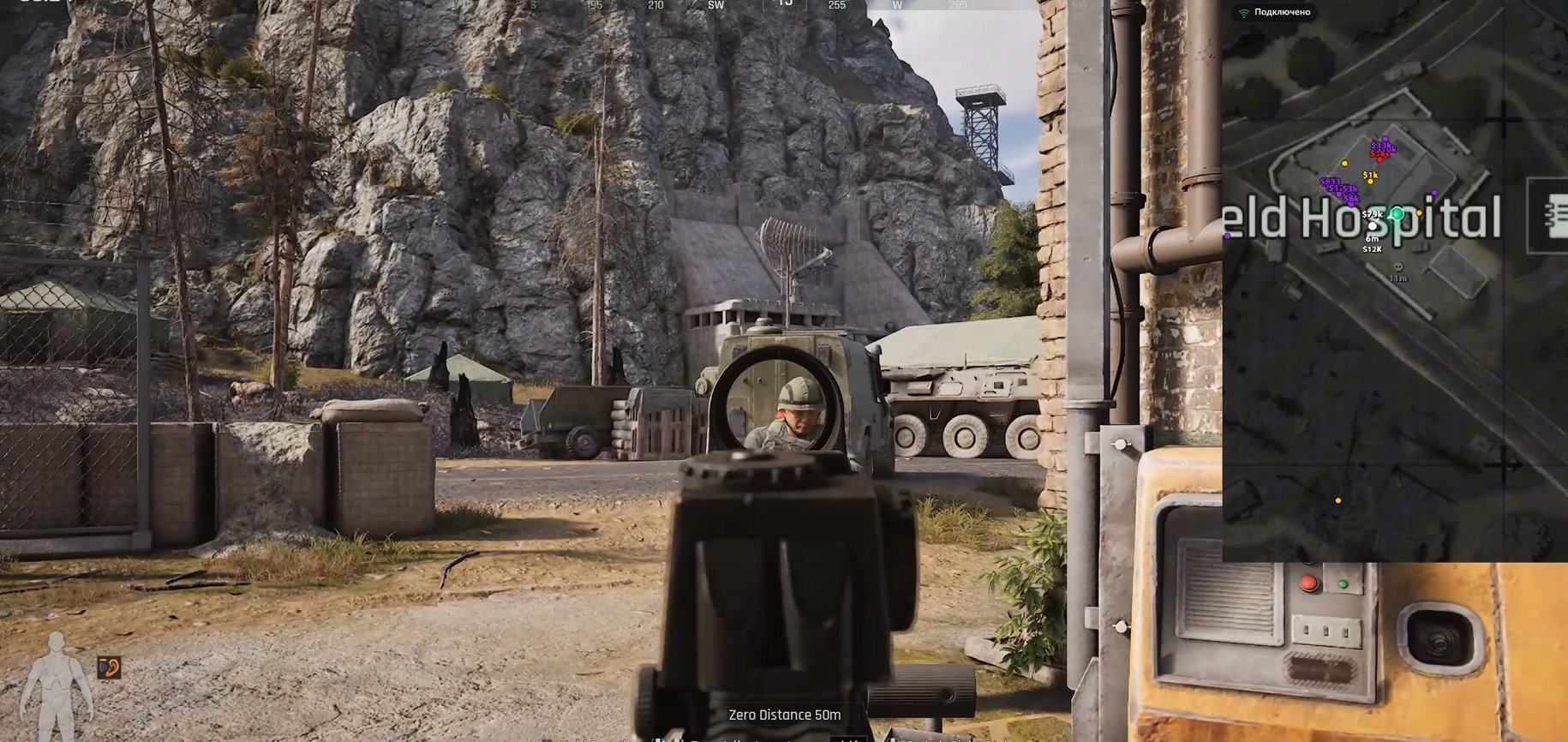
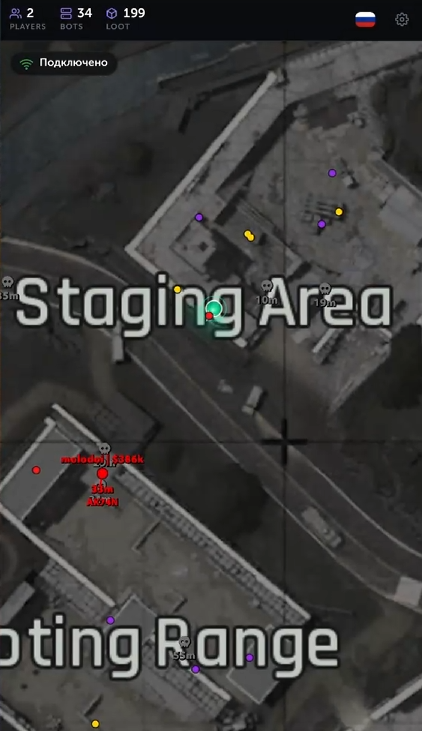
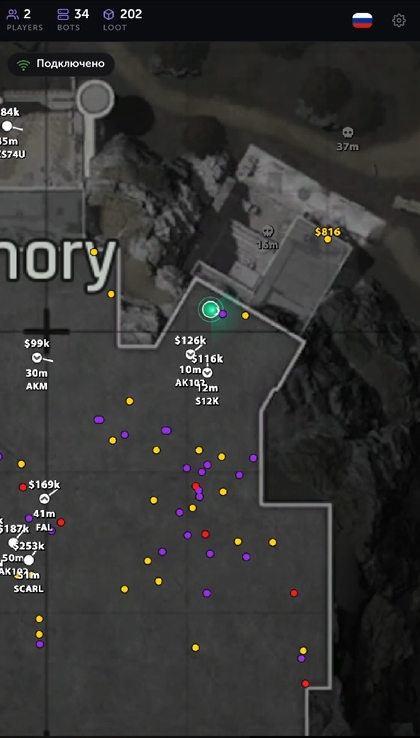
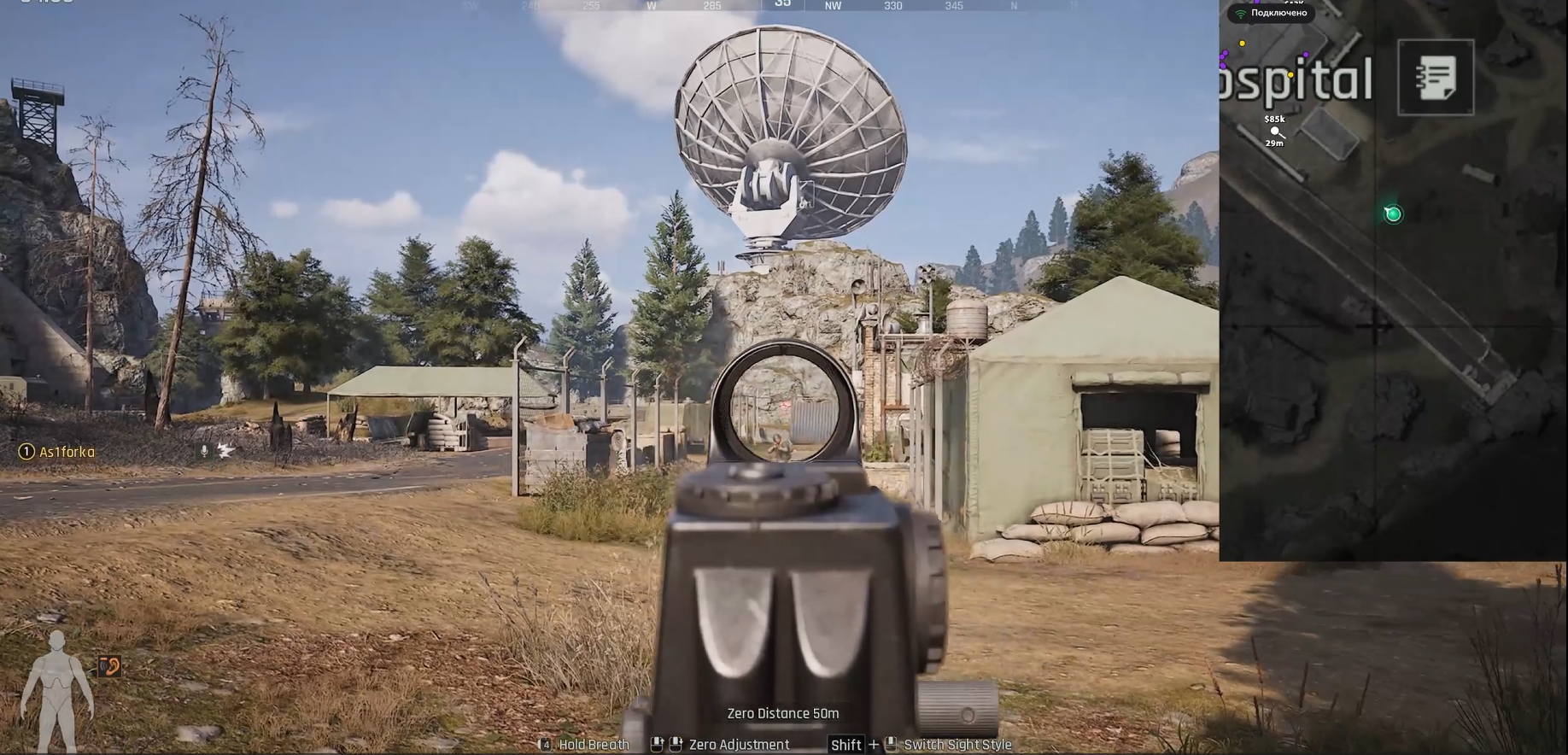
Track players, AI, bosses and loot in Arena Breakout Infinite with a hardware-rendered radar overlay. Customize map behavior, item rarity filters, colors and language settings.

PC / RADAR
Windows 10 / 11 Supported operating systems
Intel / AMD Supported processors
16 GB+ RAM Minimum system memory
Virtualization enabled AMD SVM / Intel VT-X

Product showcase

Explore the features

7 categories / 31 listed features

Click a linked feature to learn more about what it does.

Colors

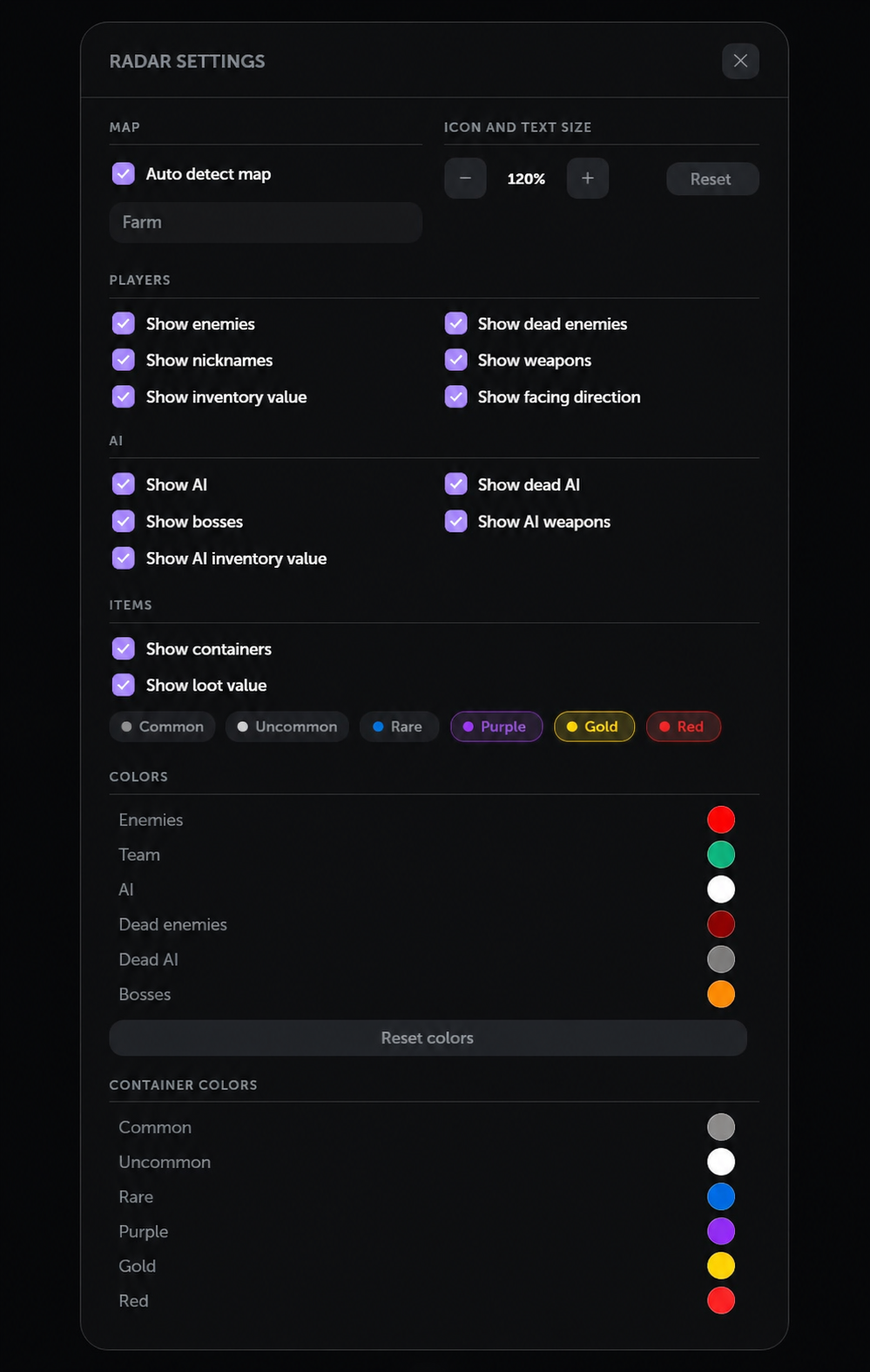
Customize colors for players, AI and bosses.

6
  • Enemy Color
  • Team Color
  • AI Color
  • Dead Enemies Color
  • Dead AI Color
  • Bosses Color

Radar Settings

Map orientation, player focus and display controls.

5
  • Main Settings
  • Follow Player
  • Return To Player
  • Rotate map
  • Fullscreen

Map

Automatic map selection and display scaling.

2

System compatibility

Operating system

Windows 10 / 11 — guide lists versions 1809–24H2

Processor

Intel or AMD CPU with AES instruction support

Memory

16 GB RAM minimum

Hardware virtualization

Intel VT-X / AMD SVM enabled in BIOS

Secure Boot

Disabled

Required software & overlay

Visual C++

Microsoft Visual C++ Redistributable x64 installed

Defender Control

DControl listed in the setup guide

NVIDIA graphics cards

Use SteelSeries GG or NVIDIA App with its overlay enabled

AMD graphics cards

SteelSeries GG required; NVIDIA App overlay is not supported

SteelSeries overlay

Sonar enabled; Master – Volume Up bound to F7 and activated before launching RADAR

NVIDIA App overlay

In-Game Overlay enabled before launching RADAR

Display mode

Fullscreen supported with SteelSeries; use a non-fullscreen mode with NVIDIA App

Required system settings

Windows Defender

Disabled, as specified in the setup guide

Third-party antivirus

Uninstalled

Vanguard / FACEIT Anti-Cheat

Uninstalled if installed

Hyper-V & VBS

Disabled

Windows virtualization features

Hyper-V, Windows Hypervisor Platform and Virtual Machine Platform disabled; Windows Sandbox disabled if enabled

Memory Integrity

Disabled

Windows Hello PIN

Removed from Windows sign-in options

About Arena Breakout: Radar

Arena Breakout: Radar brings player, AI, boss and loot information into a customizable radar interface for Arena Breakout Infinite. Follow your player, rotate the map and adjust text and icon scaling to organize the information you want to see during a raid.

Player, AI and loot tracking

Player options include nicknames, look direction, weapons, prices and dead-player markers. AI options cover bosses, equipment, prices and dead AI. Loot settings display containers and prices, with rarity options from Common through Red.

Customize your radar

Set separate colors for enemies, teammates, AI, bosses and dead entities. Map controls include automatic map detection, Follow Player, Return To Player, rotation and fullscreen. Russian, English and Chinese interface languages are listed.

Overlay compatibility

NVIDIA graphics cards can use SteelSeries GG or NVIDIA App. AMD graphics cards require SteelSeries GG. SteelSeries supports fullscreen, while the NVIDIA App overlay requires a non-fullscreen display mode. Enable your chosen overlay before launching RADAR.

Frequently asked questions

Does it support Intel and AMD processors?

Yes. The guide lists Intel and AMD CPUs with AES support. Intel VT-X or AMD SVM must be enabled in BIOS, and at least 16 GB of RAM is required.

Do I need both overlay applications?

No. On an NVIDIA GPU, choose SteelSeries GG or NVIDIA App. On an AMD GPU, use SteelSeries GG. The overlay must be enabled before launching RADAR.

Can I use fullscreen?

Yes, with SteelSeries. The NVIDIA App overlay does not support fullscreen for this product.

Why must virtualization be enabled but Hyper-V disabled?

The guide requires hardware virtualization in BIOS to be enabled, while Windows Hyper-V and VBS must be disabled. These are separate settings.

How do I open the menu?

Press Insert to open the menu. The guide says the loader closes automatically after injection.

Is Legacy BIOS or an MBR disk supported?

The older description lists Legacy/MBR support, but the setup guide specifies GPT and UEFI as the fix for an unsupported-firmware error. Confirm compatibility with support before purchasing if your system uses Legacy BIOS or an MBR system disk.

Which languages are available?

Russian, English and Chinese are listed in the product features.

Read the Arena Breakout: Radar setup guide for downloads, installation steps and troubleshooting.
×
×
  • Create New...