
-
Browse Rust Products
Rust Silent Aim vs Aimbot: What Is Different?
Silent aim and aimbot are related targeting terms, but they should not be treated as identical controls. This comparison focuses on how to read the current Rust product lists and which differences matter when choosing a package.
-
Featured Products
Compare Rust Silent Aim and Aimbot, including the separate Rush menus, documented targeting controls and Rush DMA aim-device requirements.
Explore the available options in , and . Feature availability and requirements vary between products.
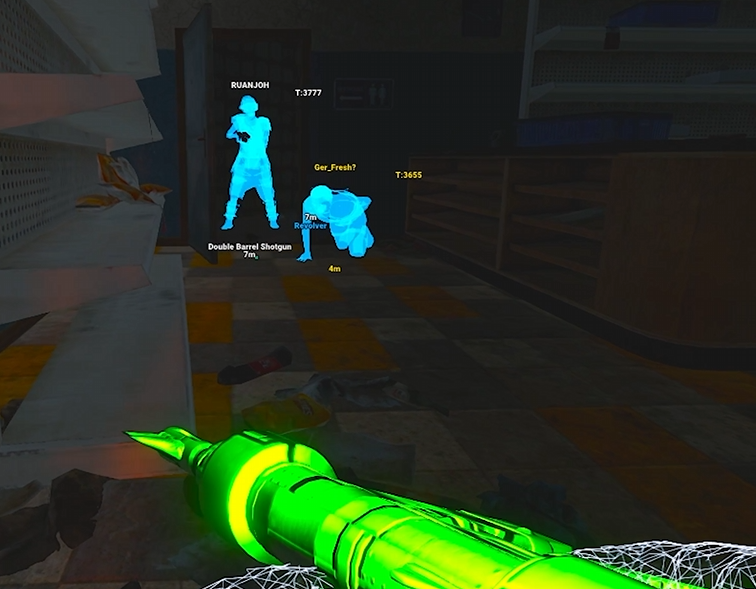
Compare the action, not just the label
Conventional aimbot generally concerns moving aim toward a selected target. Silent aim generally describes targeting without the same visible crosshair-tracking behaviour. Exact implementation remains product-specific, and the names alone do not establish how a game validates a shot.
Neither term means guaranteed hits, invisible use or protection from account action. A feature can have visibility and hit-rate settings without establishing any guarantee about detection or the result of an individual shot.
Silent Aim & Aimbot Differences
Different concepts
Compare targeting behaviour rather than relying on similar names.
Rush menus
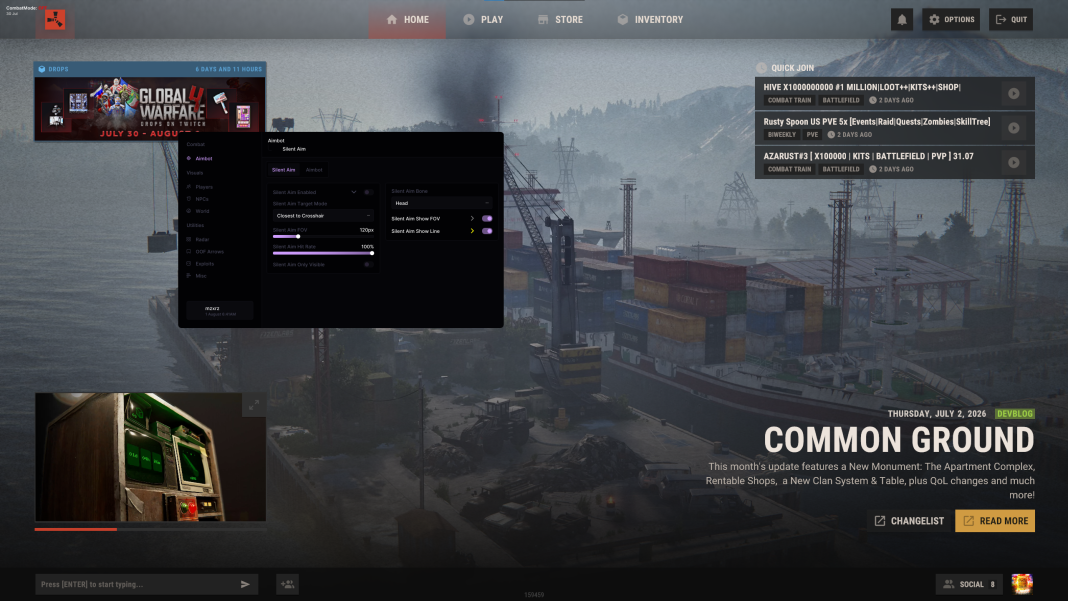
Rush separates Silent Aimbot and Aimbot into distinct categories.
Different controls
Hit rate and prediction appear in different documented Rush categories.
DMA distinction
Rush DMA lists aimbot and aim-device requirements, not Silent Aim.
Rush separates the two menus
lists Silent Aimbot and Aimbot as separate categories. Both include FOV, visibility and target-bone controls. Silent Aimbot lists hit rate, while the ordinary Aimbot category explicitly lists smoothness and prediction.
This gives the comparison a concrete purpose: choose the controls you need to understand rather than copying the same description into both feature pages. The dedicated guides cover each category; this page explains why those pages are distinct.
| Question | Silent Aim | Aimbot |
|---|---|---|
| General concept | Targeting without the same visible aim-tracking behaviour | Aim selection and tracking |
| Rush menu | Hit rate, FOV, visibility and bones | Smoothness, prediction, FOV, visibility and bones |
| Rush DMA listing | Not named in the reviewed listing | Listed; connected supported aim device required |
DMA and Disconnect are not identical cases
lists Silent Aim alongside its documented aiming controls. Rush DMA lists aimbot with smoothing, travel prediction, reaction delay and supported aim-device requirements, but its reviewed feature list does not name Silent Aim.
If a particular method is essential, check the product that explicitly lists it. Do not infer DMA Silent Aim from the existence of aimbot, or assume a setting with a similar name has the same behaviour across all three products.
Related Rust Features & Guides
Rust Silent Aim
Explore Rust Silent Aim controls including hit rate, Aim FOV, visibility checks, target-bone selection and targeting displays.
Read the Guide →Rust Aimbot
Explore Rust Aimbot features including Aim FOV, smoothing, prediction, target-bone selection, visibility checks and configurable aiming controls.
Read the Guide →Rust Products & Requirements
Explore the available products and check each listing for its current features and requirements.
Rust: Rush
Internal software with targeting, player and NPC visuals, world ESP and configurations.
Rust: Disconnect
External software with Silent Aim, Player ESP and detailed world-information features.
Rust: Rush DMA
DMA hardware required. Aimbot additionally requires a connected supported aim device.
Related Rust Cheat Guides
Frequently Asked Questions About Rust Silent Aim vs Aimbot
Click a question below to view the answer.