
ESHUB / NBA 2K27 / Guide
How to Customise Your MyPLAYER in NBA 2K27
Your NBA 2K27 MyPLAYER can look different without changing the way you play. Face paint, tattoos and the clothes you choose all change what you see on the court, with some details far more noticeable than others from your usual camera.
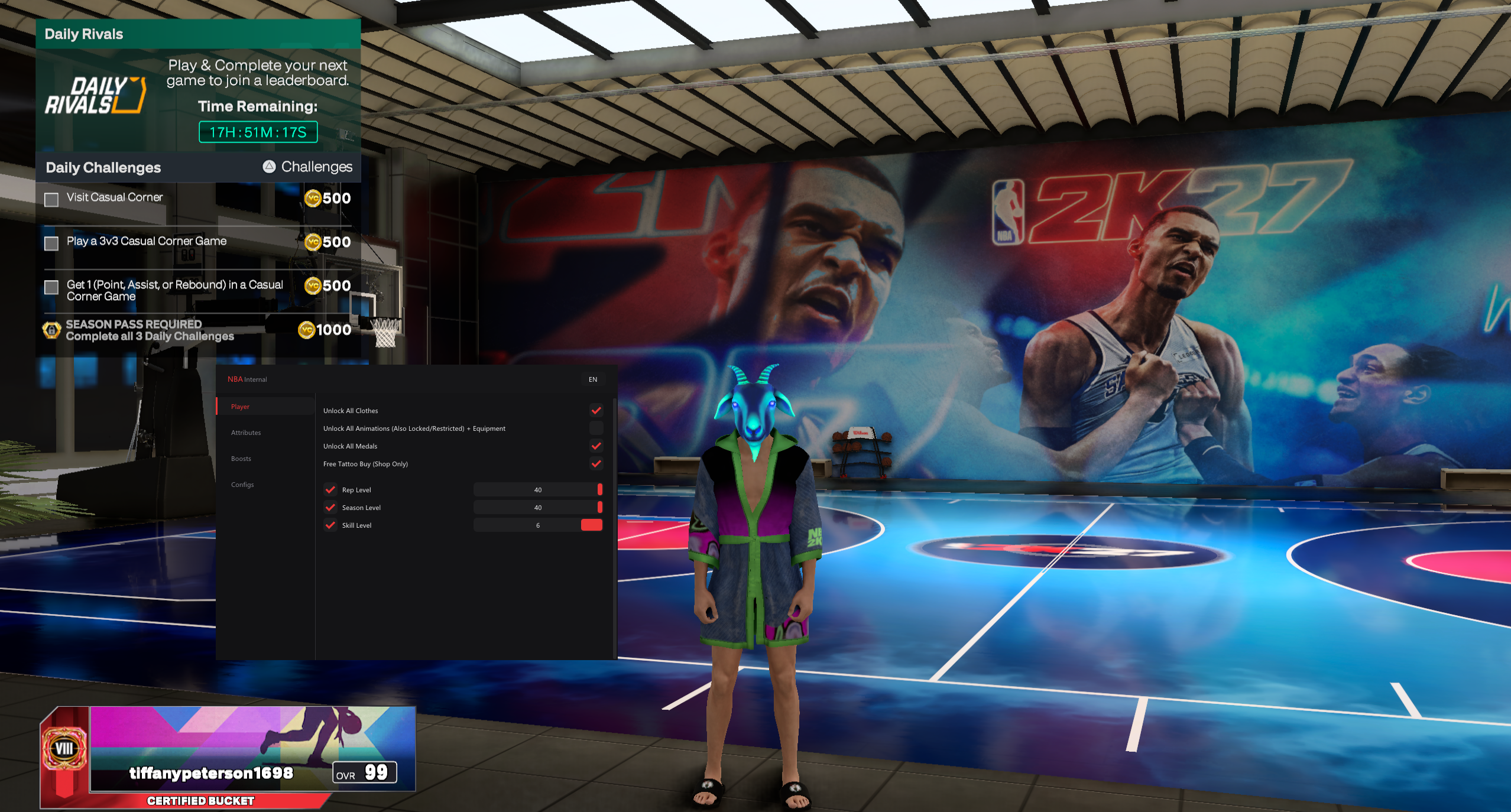
ESHUB Internal includes MyPLAYER customisation features and cosmetic unlocks. You can find it in our NBA 2K27 cheats category, then choose which parts of your player you want to change.
Changing your MyPLAYER's face
Face paint gives your player a more noticeable facial detail without changing every part of the character. Choose it while keeping the rest of the face familiar, then look at the result from the front and side.
For facial customisation, a close view helps you see smaller details. Step back afterwards to judge how much remains visible during a match. A design that fills most of the preview may look very different from the camera above the court.
You can keep the face simple if you want the tattoos or clothes to stand out instead. Start with the part of the character you most want to recognise, then add the surrounding details once you are happy with it.
Changing eye colour
Eye colour is another appearance feature in Internal. It changes a smaller part of the face, so it is easier to judge close up than during a possession. Look at the full face after changing it rather than focusing on the eyes alone.
The menu calls this feature Eye Color. Think about how the shade sits beside your player's skin and any paint you have chosen. A strong contrast will be more noticeable in close views, while a subtler change may suit the face you already use.
Choosing tattoos
MyPLAYER tattoos work with the areas of skin your usual clothes leave visible. If you normally wear long sleeves, spend time on the areas you can actually see during play. A design hidden beneath the sleeve will not change the match view.
Tattoo placement matters when several designs sit close together. Leave enough space to recognise the part you want to show. A collection of large designs can become hard to distinguish when the camera pulls away from the player.
Internal includes Unlock All Tattoos. After choosing a design, view it with the shirt or sleeves you normally wear. That gives you a more useful impression than judging the tattoo on an otherwise unfinished character.
Putting an outfit together
MyPLAYER clothes make up much of the character you see while moving around the court. Start with the item you want to keep, then add the rest around it. A favourite shirt gives you a clear place to begin.
Keep the colours of nearby items in mind as you dress the player. If every part draws attention, a face or tattoo design you spent time choosing may barely stand out. Looking at the whole character helps you decide which part needs changing.
Your outfit also has a back view. That can be the angle you see for much of a possession, so turn the player around before settling on it. A front design alone does not tell you what you will see while running up the court.
Adding equipment
MyPLAYER equipment gives you another way to change the visible character. Internal includes its unlock category alongside clothes and tattoos. Look at where an item sits on the player before adding it to a look you already like.
Clothing can cover part of an item or sit directly beside it. Check those areas together. A detail that looked right on its own may be less visible once the rest of the character is dressed.
For a full account of the unlock categories, our NBA 2K27 Unlock All guide covers the other features. Here, the focus is how the visible items fit your player.
Checking your player from the court camera
The gameplay camera is where you spend most of a match. Use that view to judge the parts of the character you care about seeing while playing. Small facial details will not have the same prominence as a shirt or exposed arm.
Watch the character move as well as stand still. The front and back become visible at different moments, and a detail may disappear behind the ball or another part of the body. That matters if you chose it specifically for how the player looks during a possession.
Close views still have their place. You may care about the face when the game brings the camera nearer, even if the detail is small during play. Decide which view matters to you before changing a feature that already looks right in the other one.
What other players can see
The clothes, animations, equipment, medals and tattoos unlocked by Internal are described as visible to other players. That lets you choose those items with the multiplayer appearance in mind, as well as your own view.
Face Paint and the eye feature are newer additions. Their visibility to other players is not confirmed, so do not buy specifically on the expectation that those two changes appear on everyone else's screen.
Visible cosmetics also have nothing to do with whether an item changes an attribute. A different look on the court does not establish a different rating. Choose the appearance for the character you want to see.
Appearance and player ratings
Cosmetic changes are separate from the attributes you use during a possession. If you want a different face or tattoo, change that first and leave the rating controls alone. It is easier to judge the result when you know what you altered.
For shooting or dribbling ratings, use our NBA 2K27 Attributes Changer guide. Those controls change another part of the player and deserve their own setup.
Finishing your MyPLAYER's look
Character appearance is easiest to review from the largest change down to the smallest. Start with the clothes you see throughout a match, then return to the face and exposed skin. This keeps a small edit from turning into an unnecessary redesign.
If something looks wrong, change that detail and look again. You can keep a favourite shirt while replacing a sleeve or a tattoo beside it. There is no need to replace every item whenever you want the player to look a little different.
MyPLAYER customisation questions
Can I unlock tattoos with Internal?
Unlock All Tattoos is included. Look at your chosen designs with the clothes you normally wear so you can see which parts remain exposed.
Does changing appearance improve my player ratings?
Appearance changes affect how the character looks. Internal has separate attribute controls for changes to player ratings.
Are animations included in Unlock All?
Animations are included alongside clothes and other unlock categories. You can choose them separately from the face and tattoo features.
Should I check the player close up or during a match?
Use both views. A close view helps with facial details, while the usual court camera shows which parts remain noticeable during play.
Customise your MyPLAYER with Internal
Our NBA 2K27 cheats category includes Internal with appearance features and unlocks. Choose the changes you want to see on your player, then check the finished look from your normal match view.