
Players and AI
Track players, AI and bosses with detailed status, equipment and team information.
- Real-time Enemies and Teammates
- Regular AI Enemies and Bosses
- Separate Alive / Knocked / Dead Markers
- Player Nicknames
- Currently Equipped Weapon
ESHub provides premium undetected game softwares, DMA Hardware, ESP, Aimbot, and HWID spoofers for popular PC titles including Apex Legends, Arena Breakout Infinite, ARC Raiders, Escape from Tarkov, Fortnite, Rust, Rainbow Six Siege, and more. Our solutions are secure, frequently updated, and designed to stay undetected.
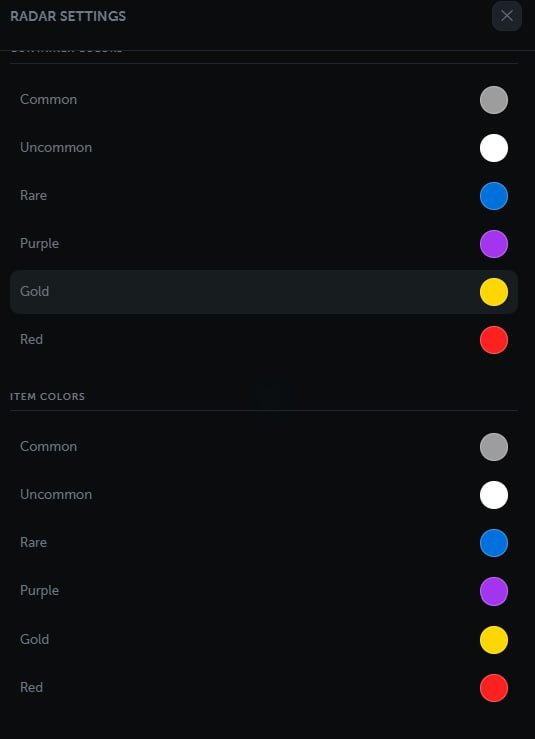
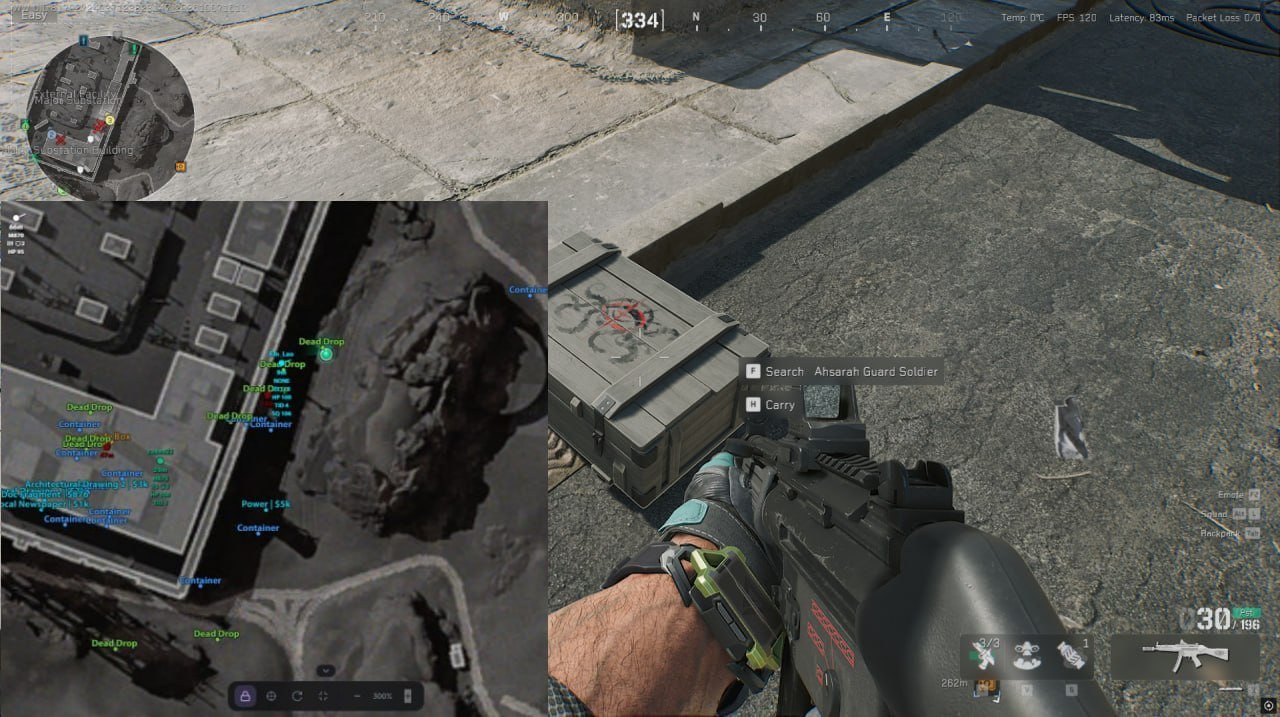
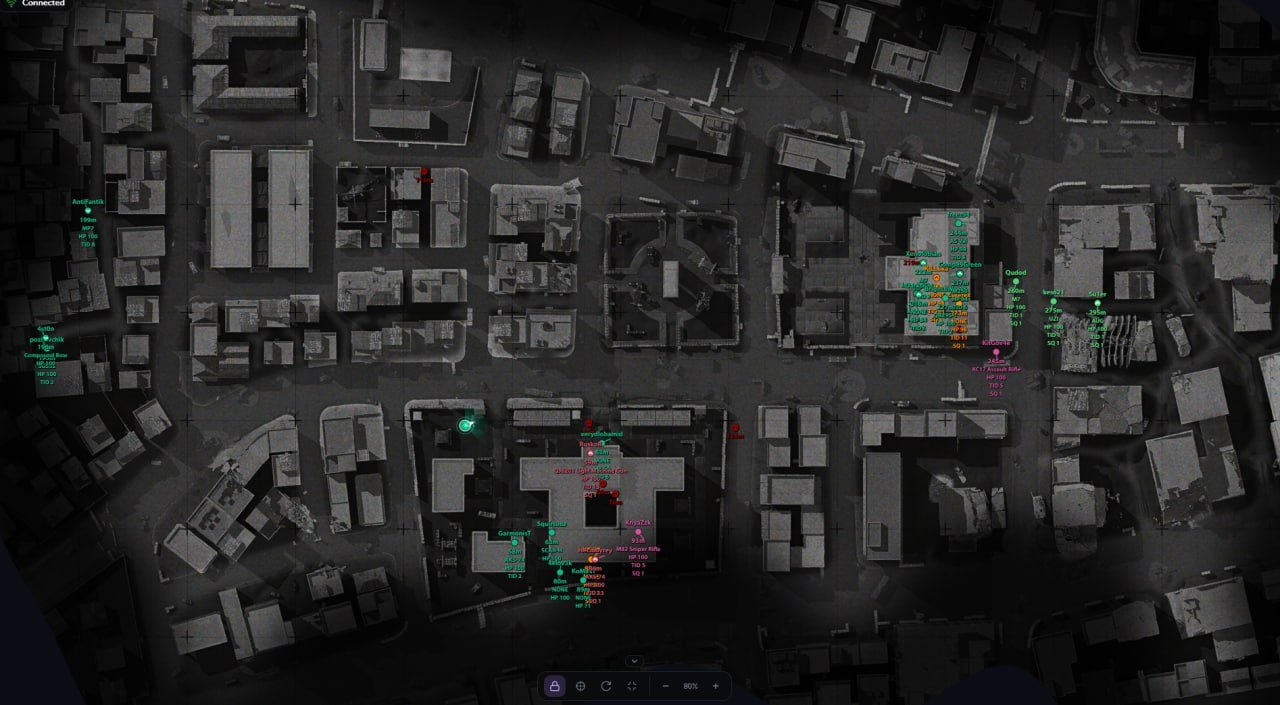
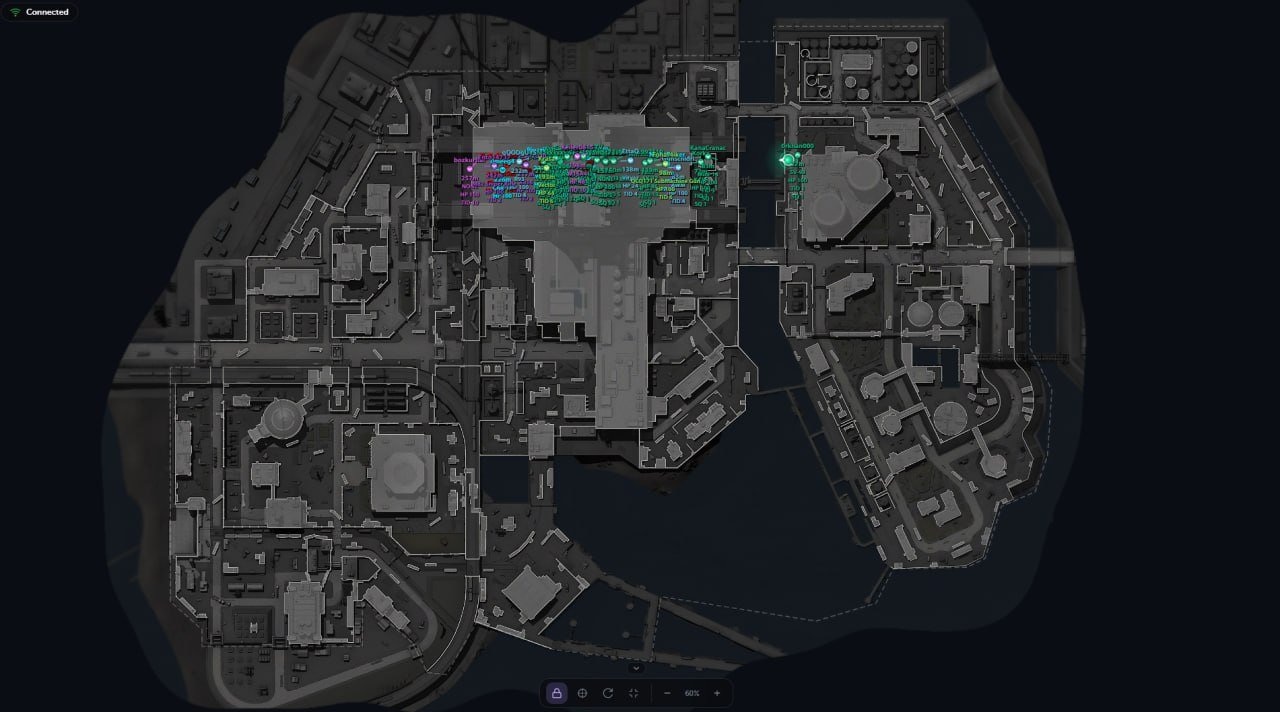
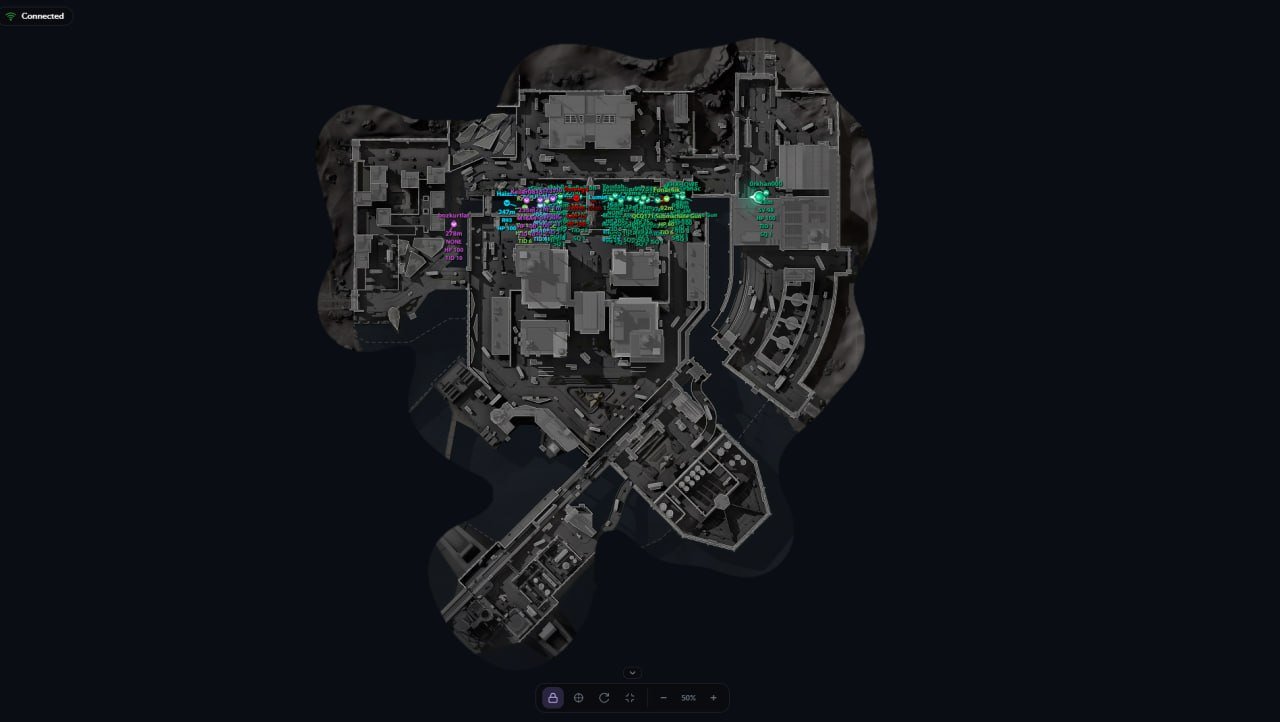
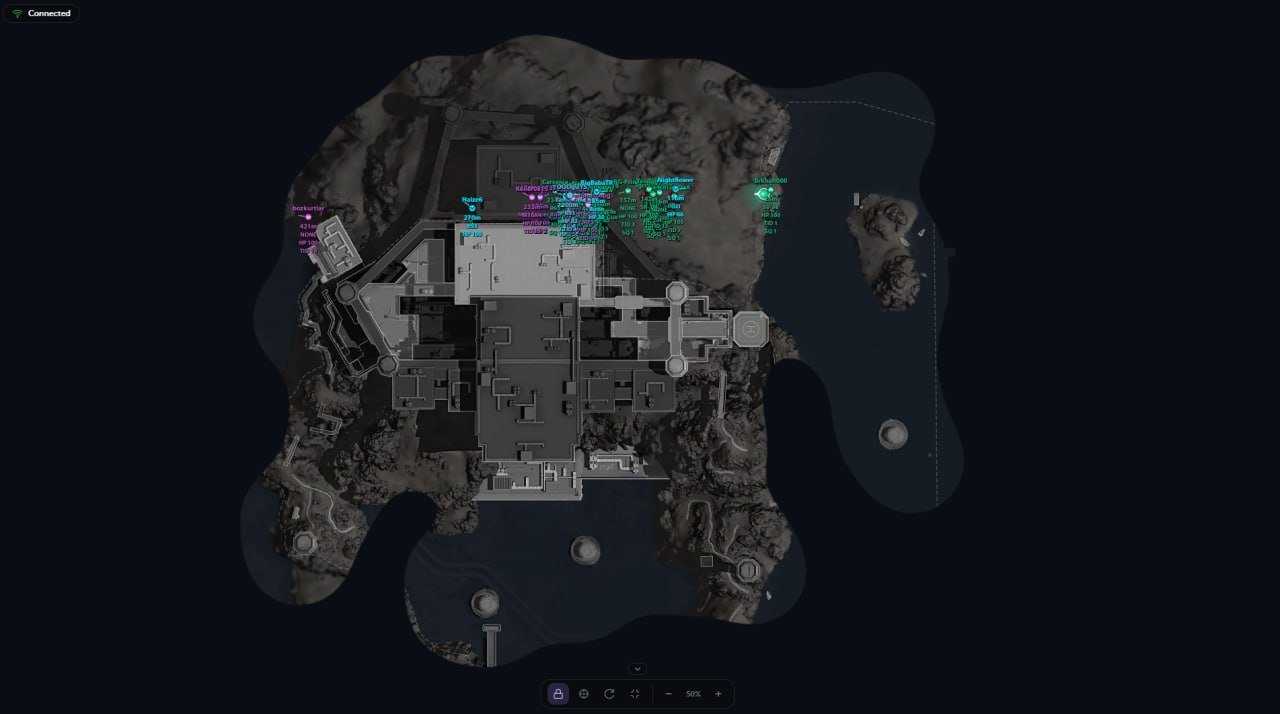
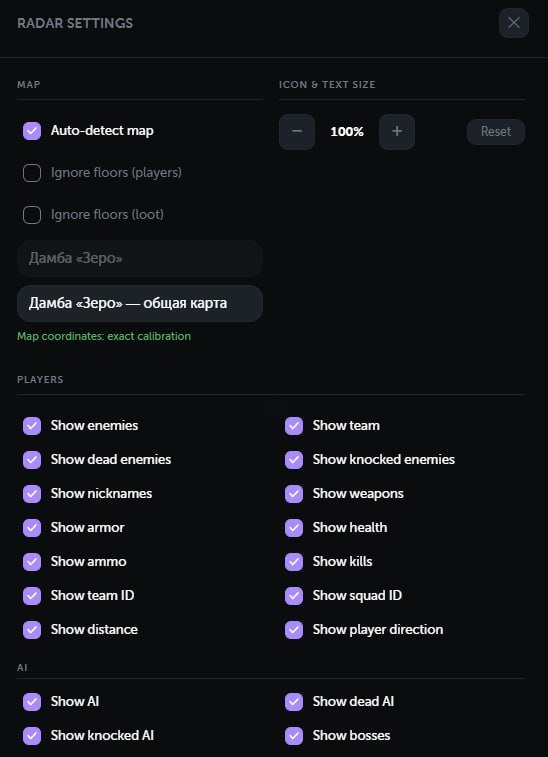
Delta Force Radar combines real-time player and AI tracking, detailed equipment information, Operations loot filters and support for 22 maps in a customizable interface for desktop and mobile devices.
Expand a category to view its full feature list.
Track players, AI and bosses with detailed status, equipment and team information.
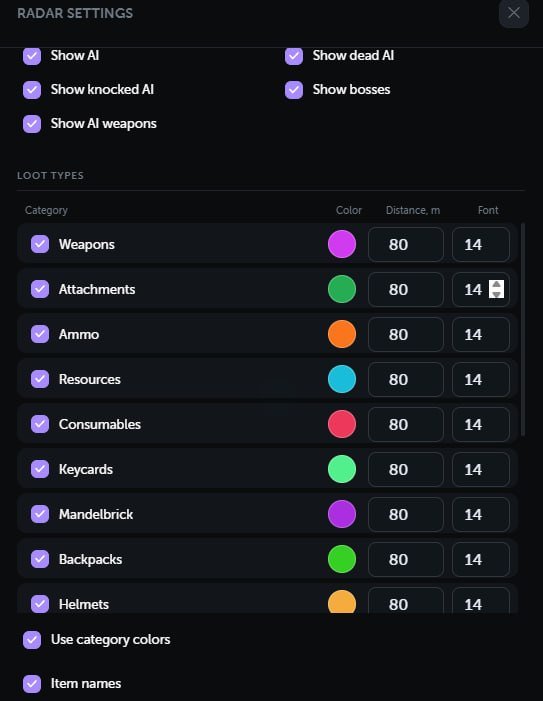
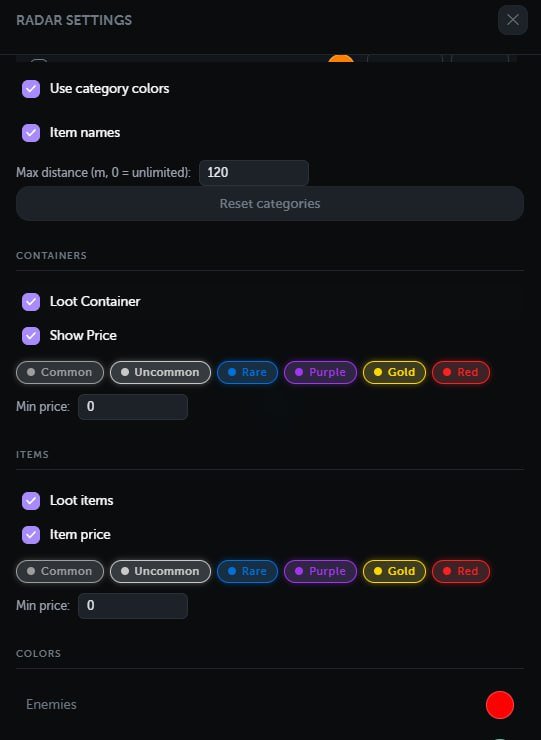
Control category visibility, price, rarity, range and presentation.
Navigate the map on desktop or mobile and customize tracking, rotation and zoom.
Operations-only loot tracking with support for items, equipment and containers.
Support for 22 maps with floor controls, automatic detection and calibration tools.
Monitor the connection and customize colors, language and browser settings.
Windows 10–11, versions 1809–24H2, as listed in the supplied setup guide.
Intel or AMD CPU with support for the AES instruction set.
16 GB RAM.
Intel VT-X or AMD-V / SVM must be enabled in BIOS.
Microsoft Visual C++ Redistributable x64 must be installed.
Use either SteelSeries GG or NVIDIA App. Only one supported overlay is needed.
SteelSeries GG is the only supported overlay option listed for AMD GPUs.
Fullscreen is supported. Enable Sonar under Settings → GENERAL → General. In SONAR → Shortcuts, bind F7 to Master – Volume Up, then press F7 before injection.
Fullscreen is not supported with this option. Enable In-Game Overlay under Settings → General.
Enable your supported overlay before launching the radar. For SteelSeries, press the configured Sonar bind before injection.
The supplied setup guide requires Windows Defender disabled and third-party antivirus fully uninstalled. It names DControl in the Defender preparation step.
Fully uninstall Riot Vanguard and FACEIT Anti-Cheat if installed, as required by the guide.
Hyper-V and Virtualization-Based Security must be disabled. The guide also covers Windows Hypervisor Platform, Virtual Machine Platform, Windows Sandbox when enabled, Memory Integrity and Virtual Secure Mode. Verify that System Information reports VBS as Not enabled or Not running.
The Windows Hello sign-in PIN must be removed before running the software. Restart after completing the required preparation.
The radar interface supports desktop and mobile devices. The loader and PC preparation requirements above apply to the Windows system running the product.
Loot is displayed only on Operations maps and is automatically disabled on maps where it should not appear.
Track enemies, teammates, regular AI and bosses on a map with separate markers for alive, knocked and dead targets. View player details alongside configurable loot categories, map layers and navigation controls.
View nicknames, equipped weapons, current and maximum ammunition, health, knocked health, armor levels and kill counts. Team and squad IDs, distance, facing direction and floor indicators provide additional context. Visible targets have separate colors, enemy teams can be grouped by color, and player positions remain correct while inside vehicles.
Choose which item and container categories appear, including weapons, keycards, MandelBricks, equipment, safes and dead bodies. Filter by rarity level 1–6, minimum price, distance and floor. Each category has its own color, text size and distance limit, with separate settings for items and containers.
Use automatic detection or select a map manually. Multiple floors and layers are supported, with independent floor filtering for players and loot. Affine world-to-map calibration aligns positions to the map; a built-in tool supports new maps, and calibration controls hide automatically once a map is calibrated.
Follow the local player automatically or pan freely using a mouse or touchscreen. Recenter quickly, rotate the map with the player’s direction, adjust zoom and enter fullscreen. Marker and text sizes are adjustable, while the local player’s direction and field of view can be displayed.
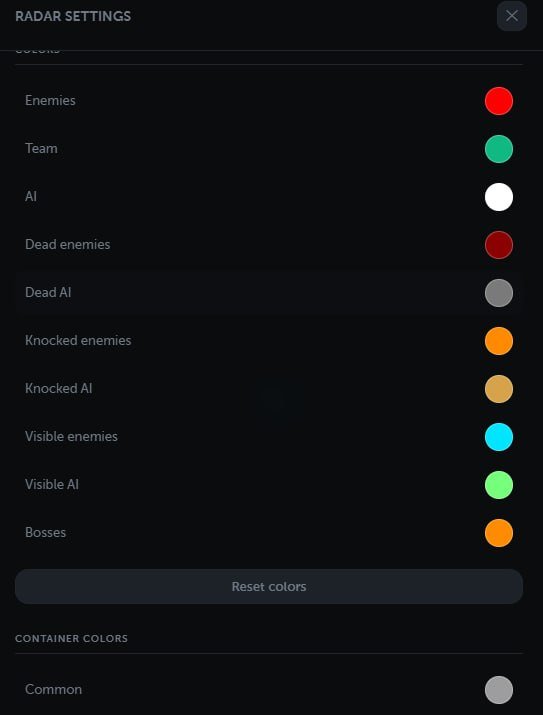
Monitor player, AI and loot counts, client connection status and out-of-match notifications. Customize target colors and separate rarity colors for items and containers. Settings are stored in the browser, with Russian, English and Chinese interface options.