
Aimbot & Targeting
Configure aim assistance with target priorities, advanced bone scanning, prediction, automatic firing and precise targeting controls.
- Configurable Aim Key
- Aim-Key Delay: 1-50 Ticks
- Auto Fire
- Five Target-Priority Modes
- Bone Scan
ESHub provides premium undetected game softwares, DMA Hardware, ESP, Aimbot, and HWID spoofers for popular PC titles including Apex Legends, Arena Breakout Infinite, ARC Raiders, Escape from Tarkov, Fortnite, Rust, Rainbow Six Siege, and more. Our solutions are secure, frequently updated, and designed to stay undetected.
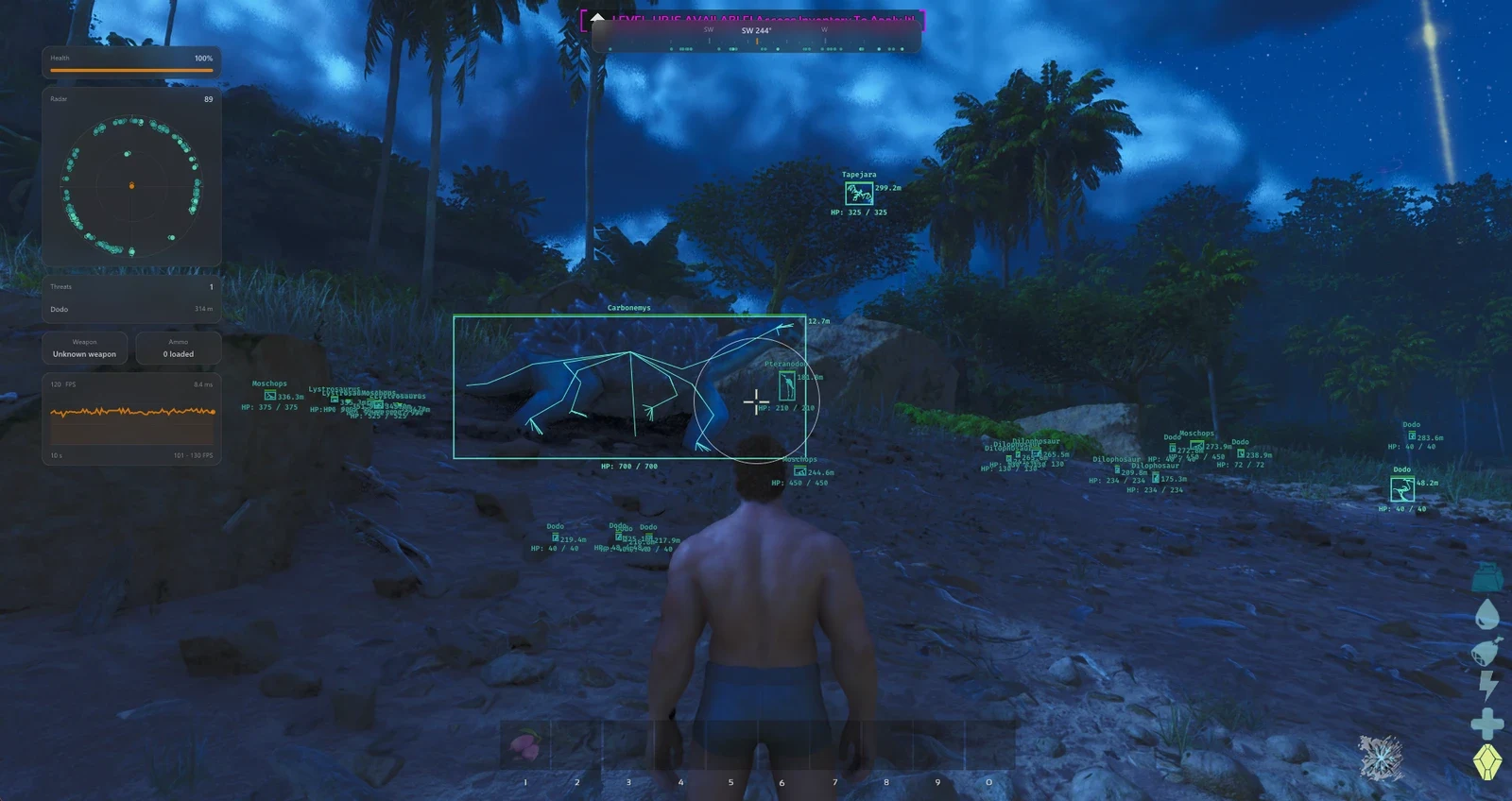
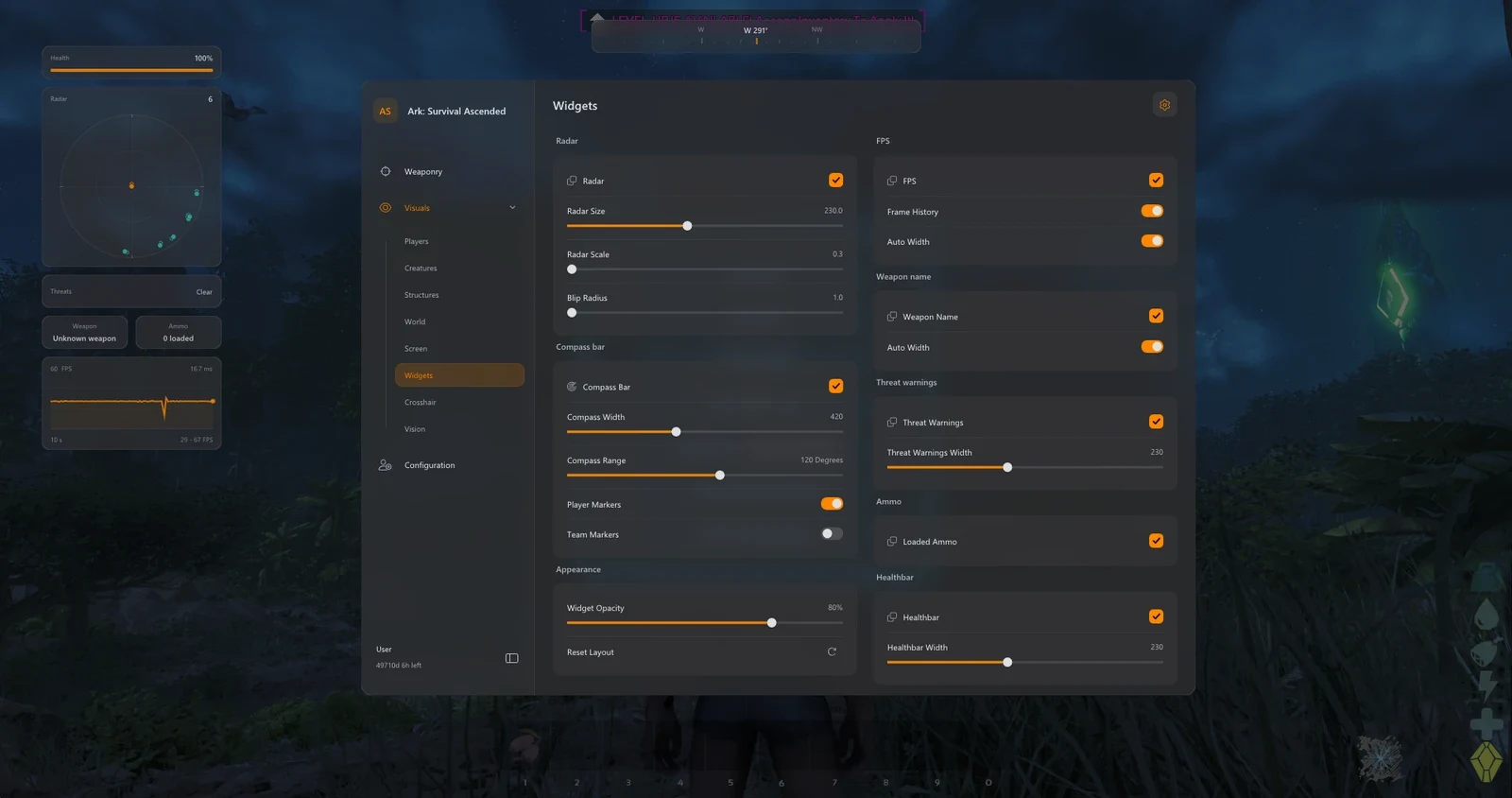
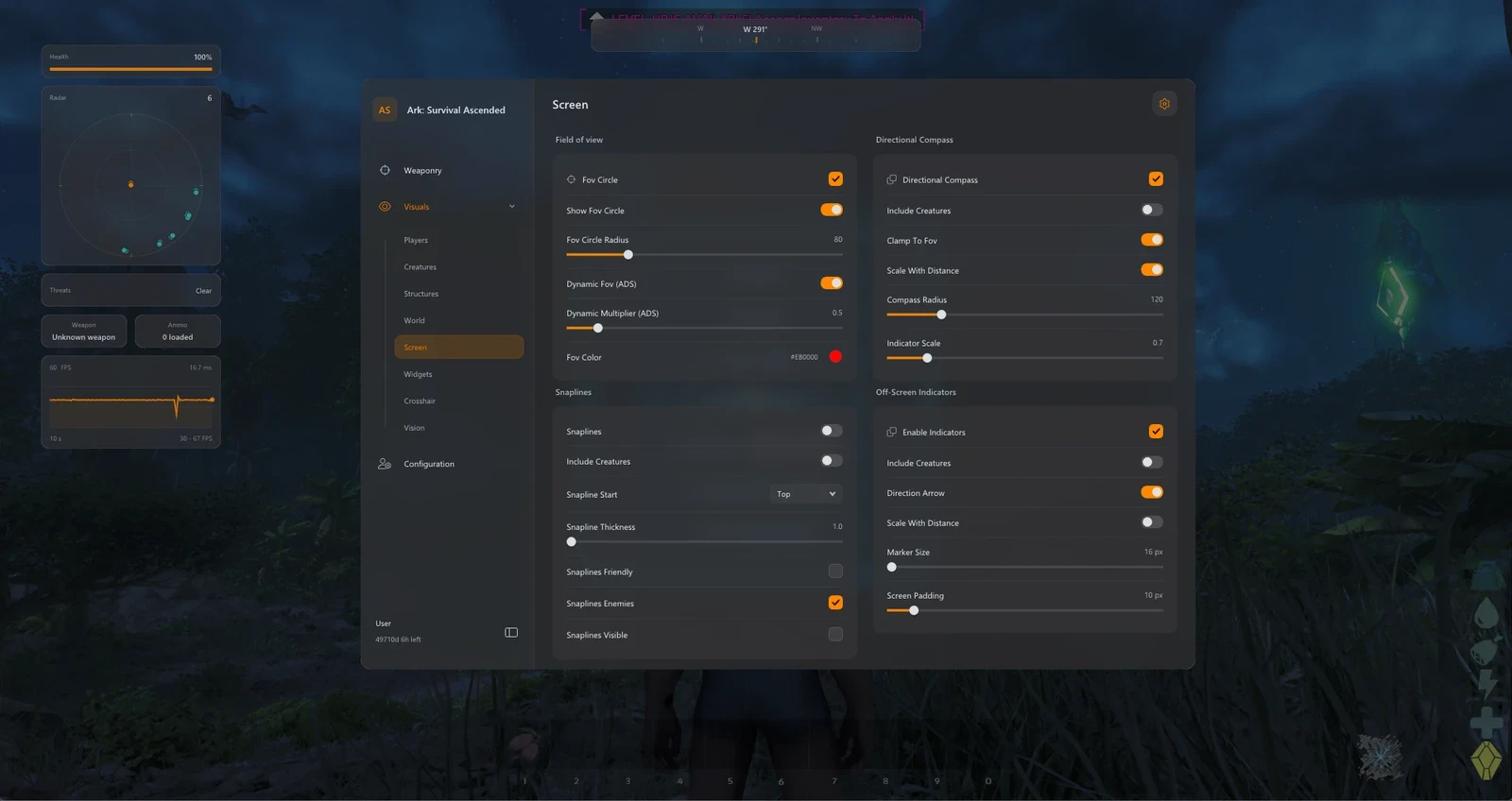
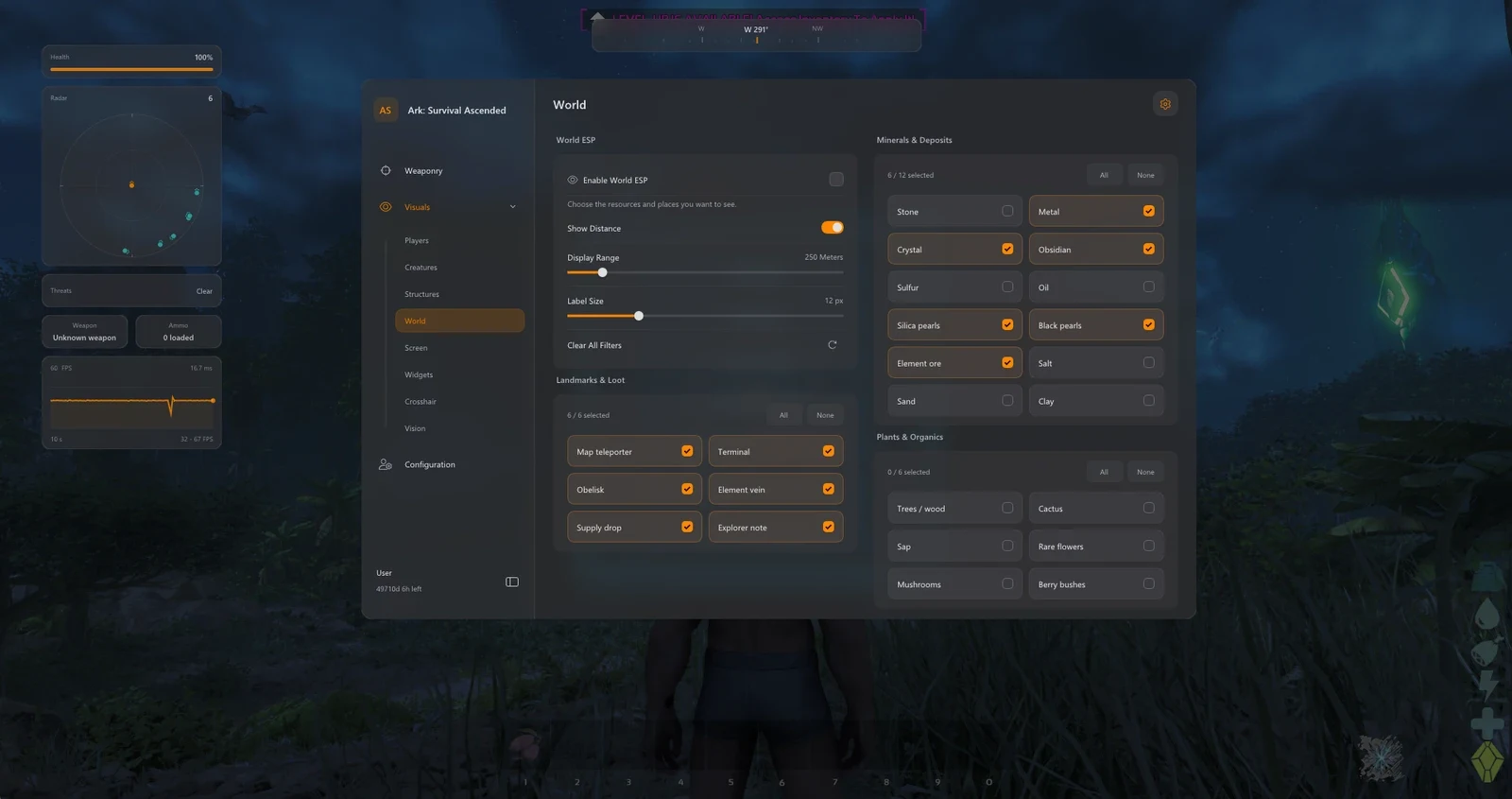
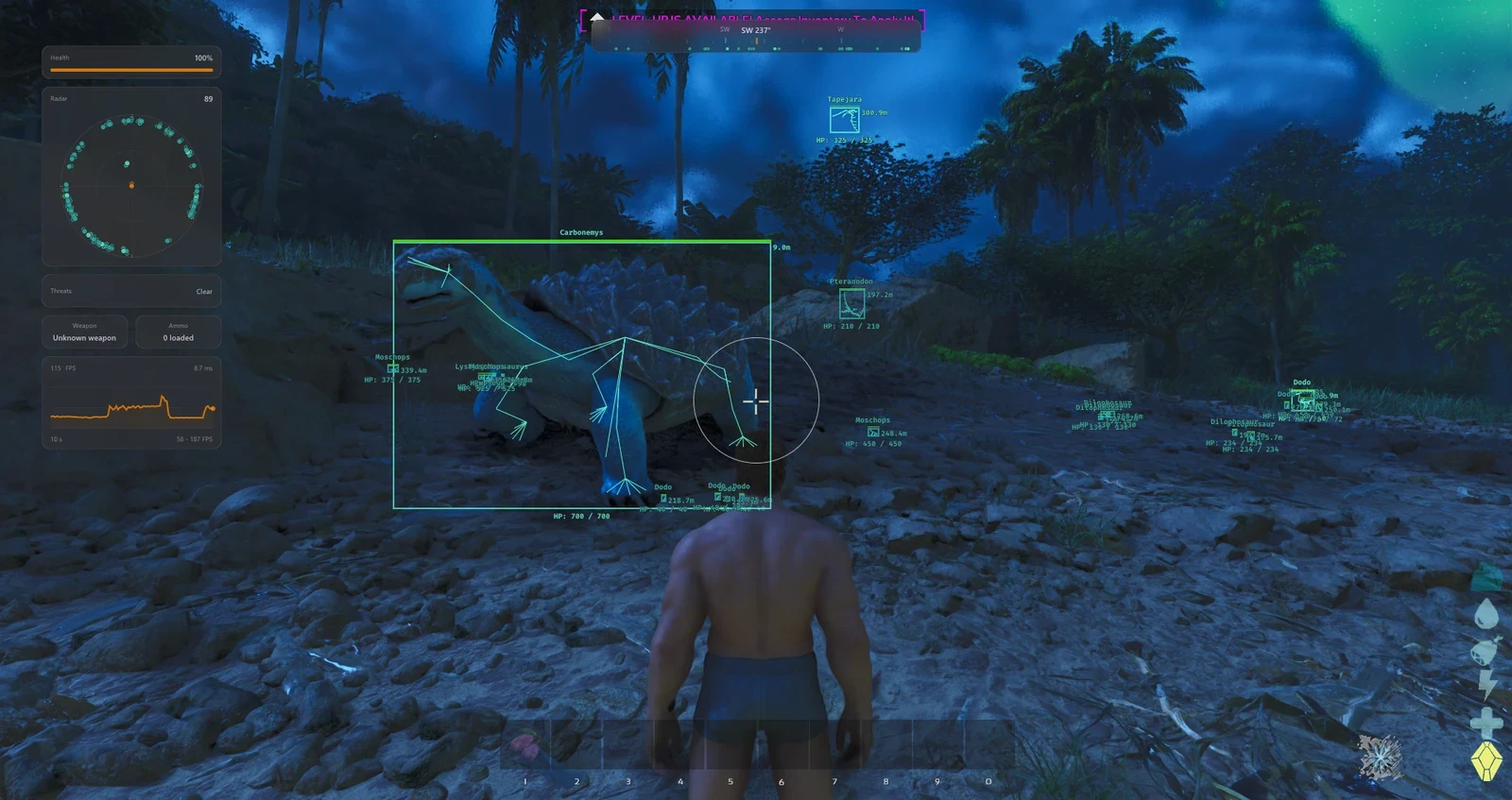
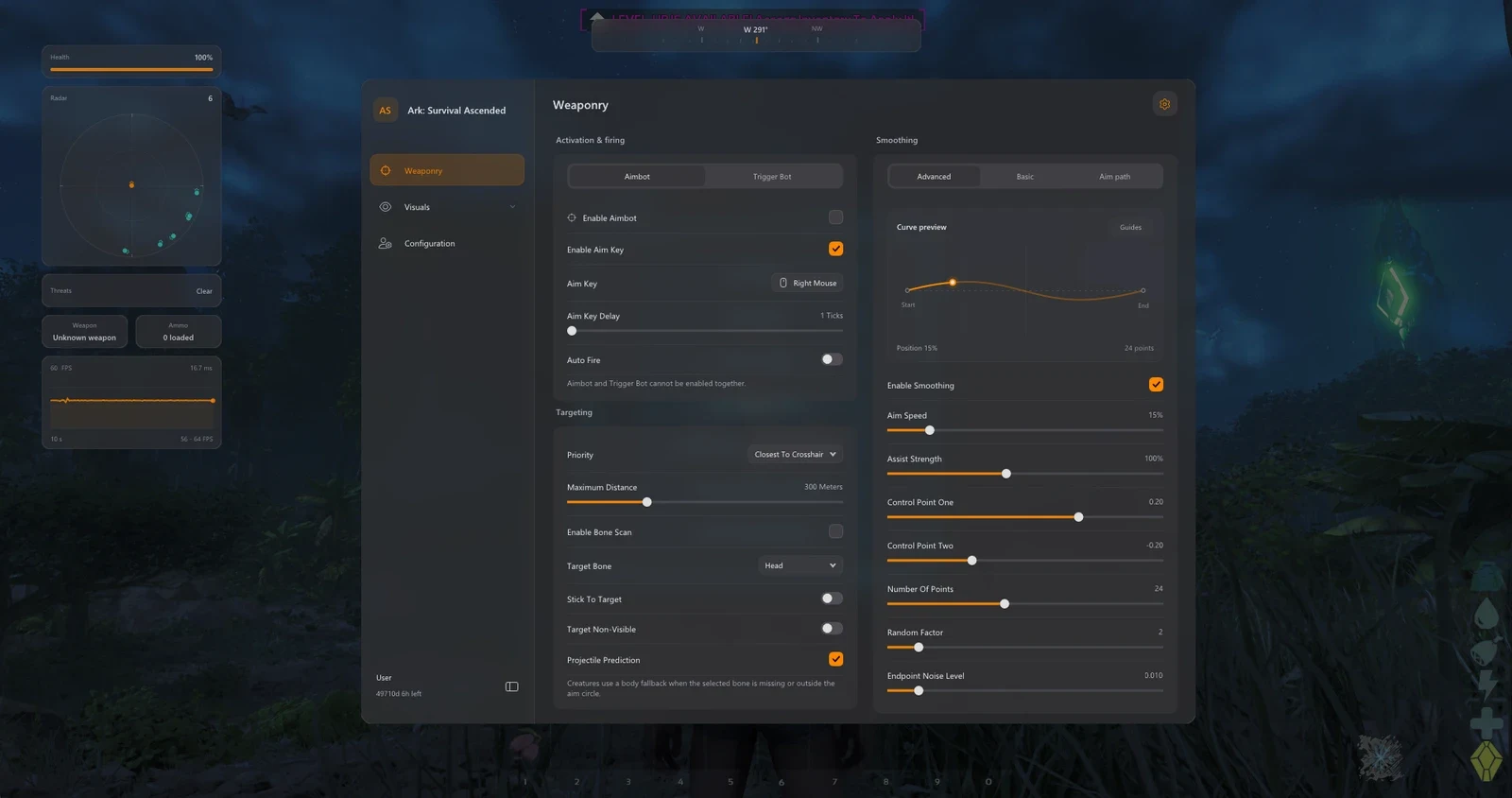
ARK: Survival Ascended: Orbit delivers advanced aimbot targeting, triggerbot controls, humanized aim smoothing, player and dinosaur ESP, structure tracking, and extensive resource detection. Discover valuable materials, track creatures and players, customize radar and HUD widgets, and save personalized configurations in one comprehensive package.
Expand a category to view its complete feature list.
Configure aim assistance with target priorities, advanced bone scanning, prediction, automatic firing and precise targeting controls.
Control automatic firing with adjustable reaction timing, bone selection, activation keys and dedicated triggerbot settings.
Fine-tune aiming movement with smoothing profiles, Bezier curves, humanized controls and live aim-path visualization.
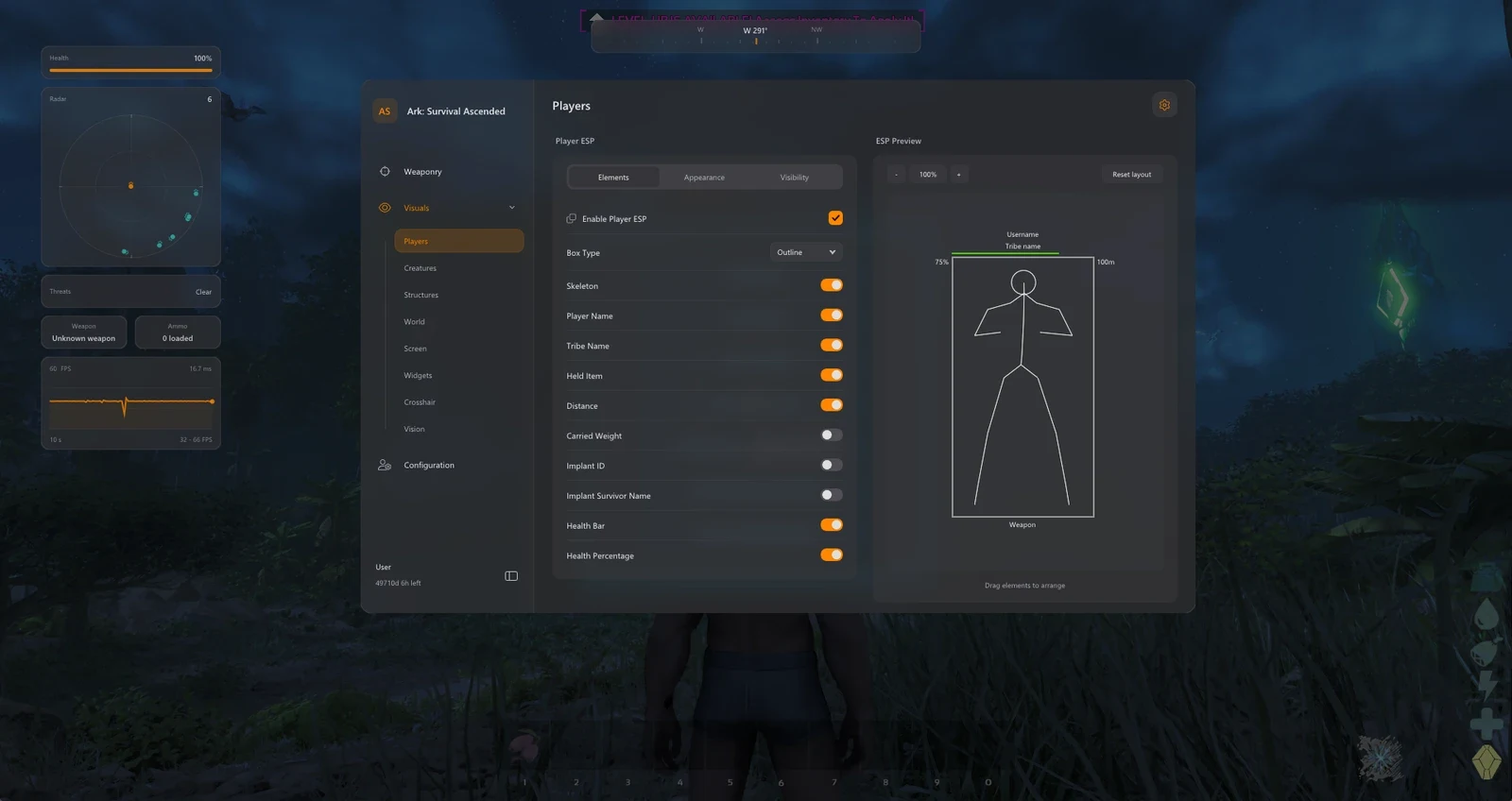
Display player and tribe information with customizable boxes, skeletons, health indicators, held items and visibility filters.
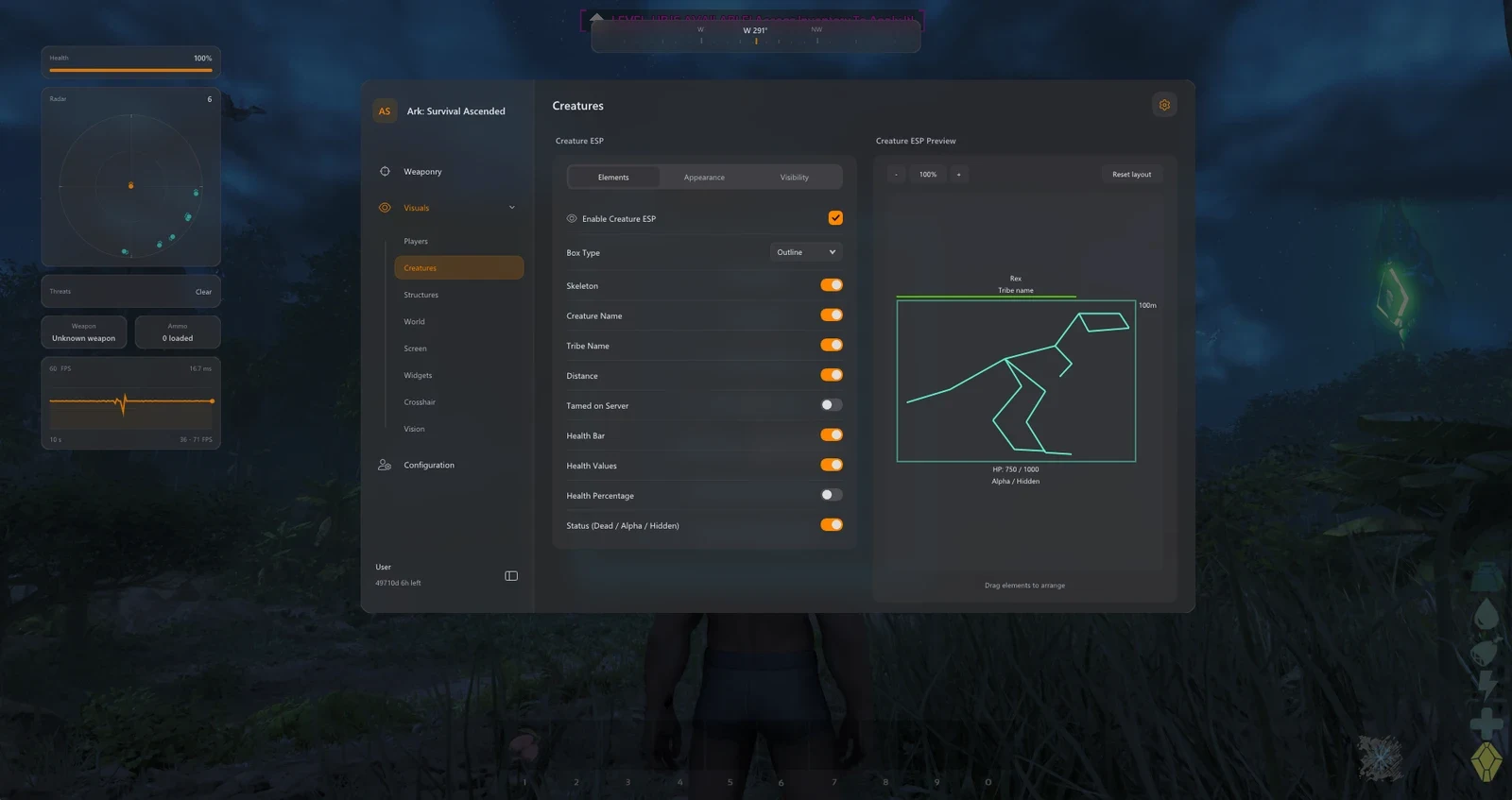
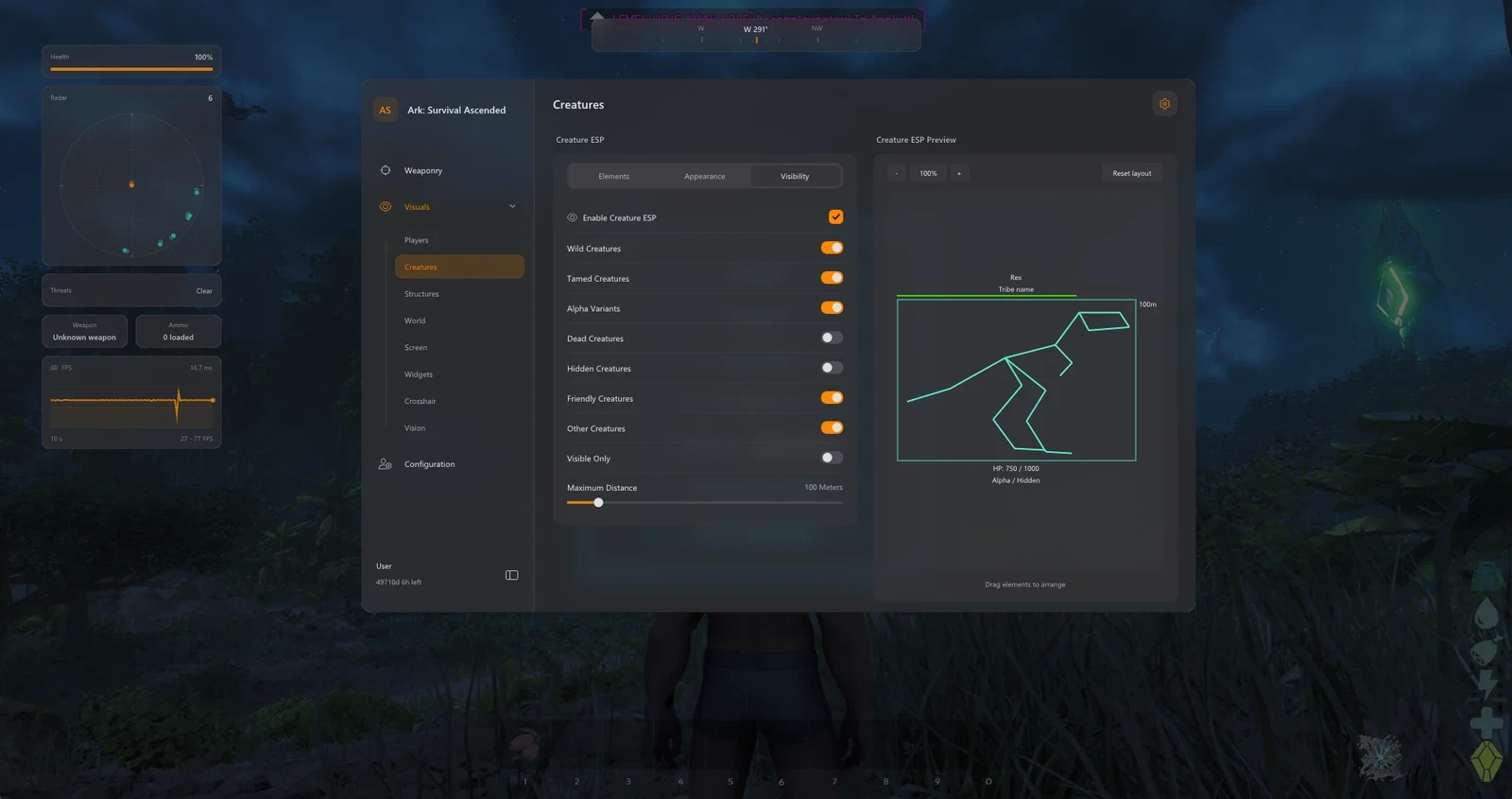
Track wild and tamed dinosaurs with creature names, tribe details, health information and advanced creature filters.
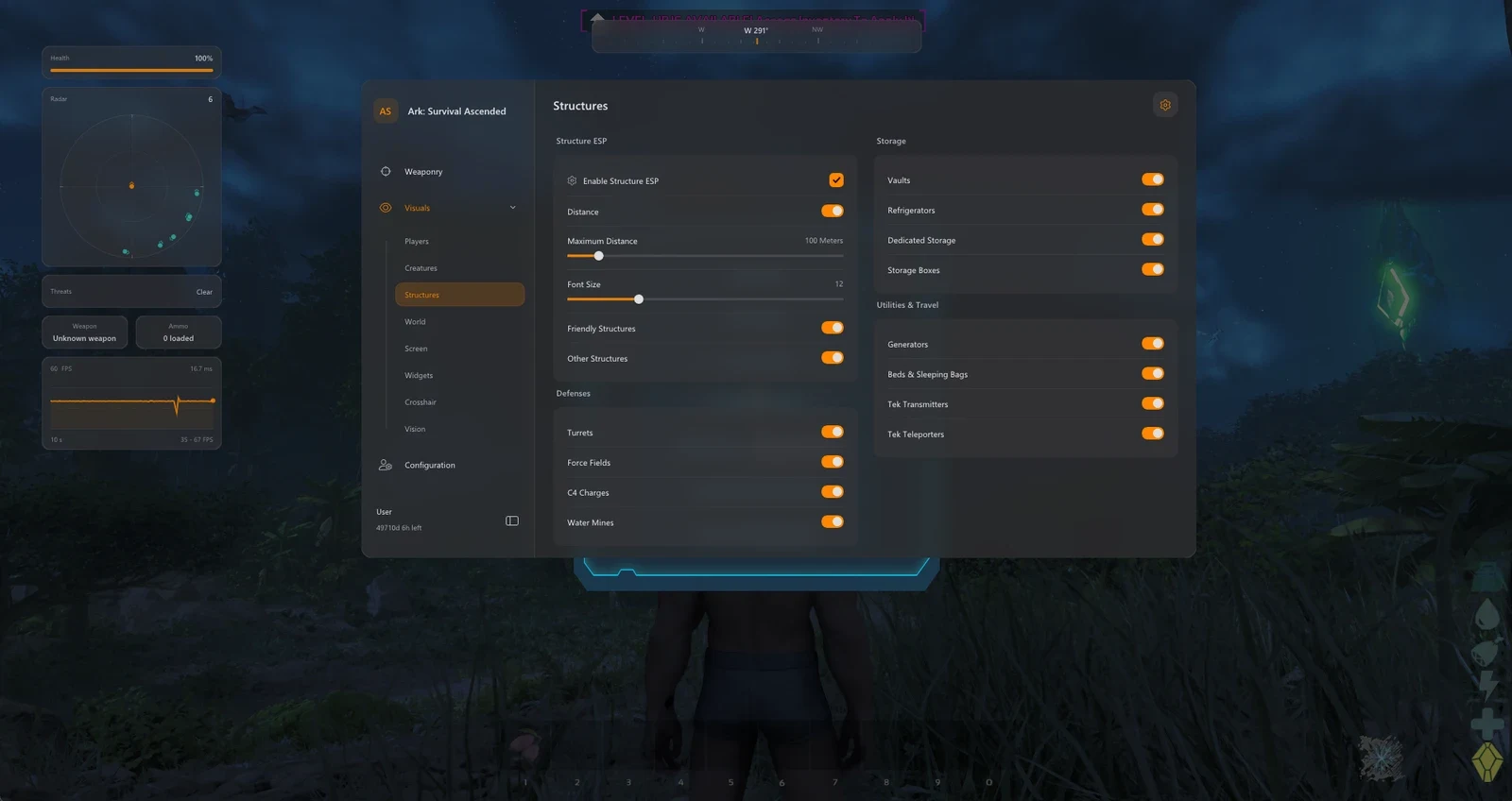
Locate structures, defensive installations, storage containers and teleporters with configurable structure filters.
Find valuable resources, materials, plants, map landmarks and supply drops with individual filters and customizable distance settings.
Customize targeting visuals and directional awareness with FOV circles, snaplines, compass markers and off-screen indicators.
Customize the radar, compass and on-screen widgets for performance monitoring, ammunition details and threat awareness.
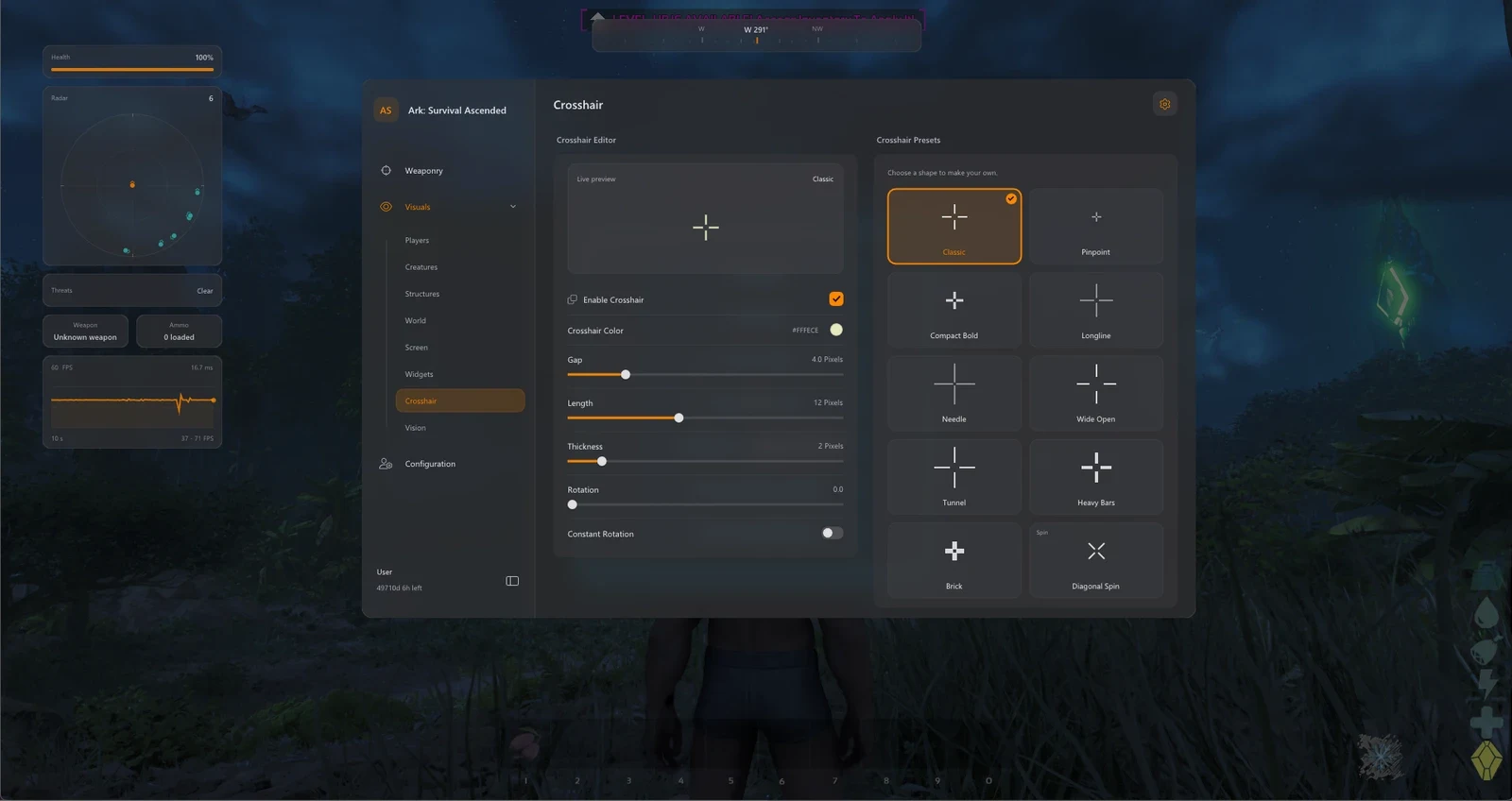
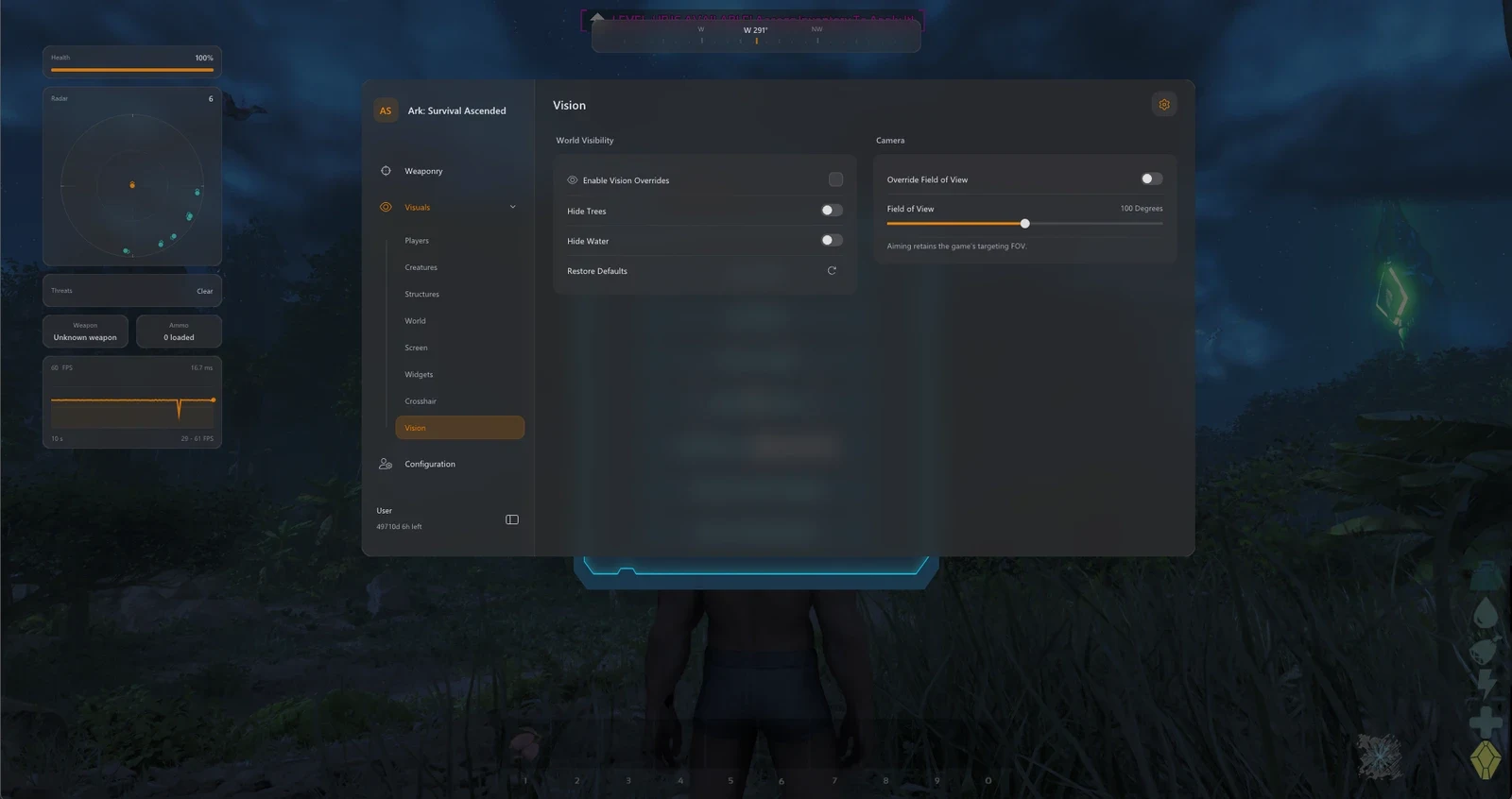
Control environmental visibility, adjust camera FOV and personalize crosshairs with editable presets and live previews.
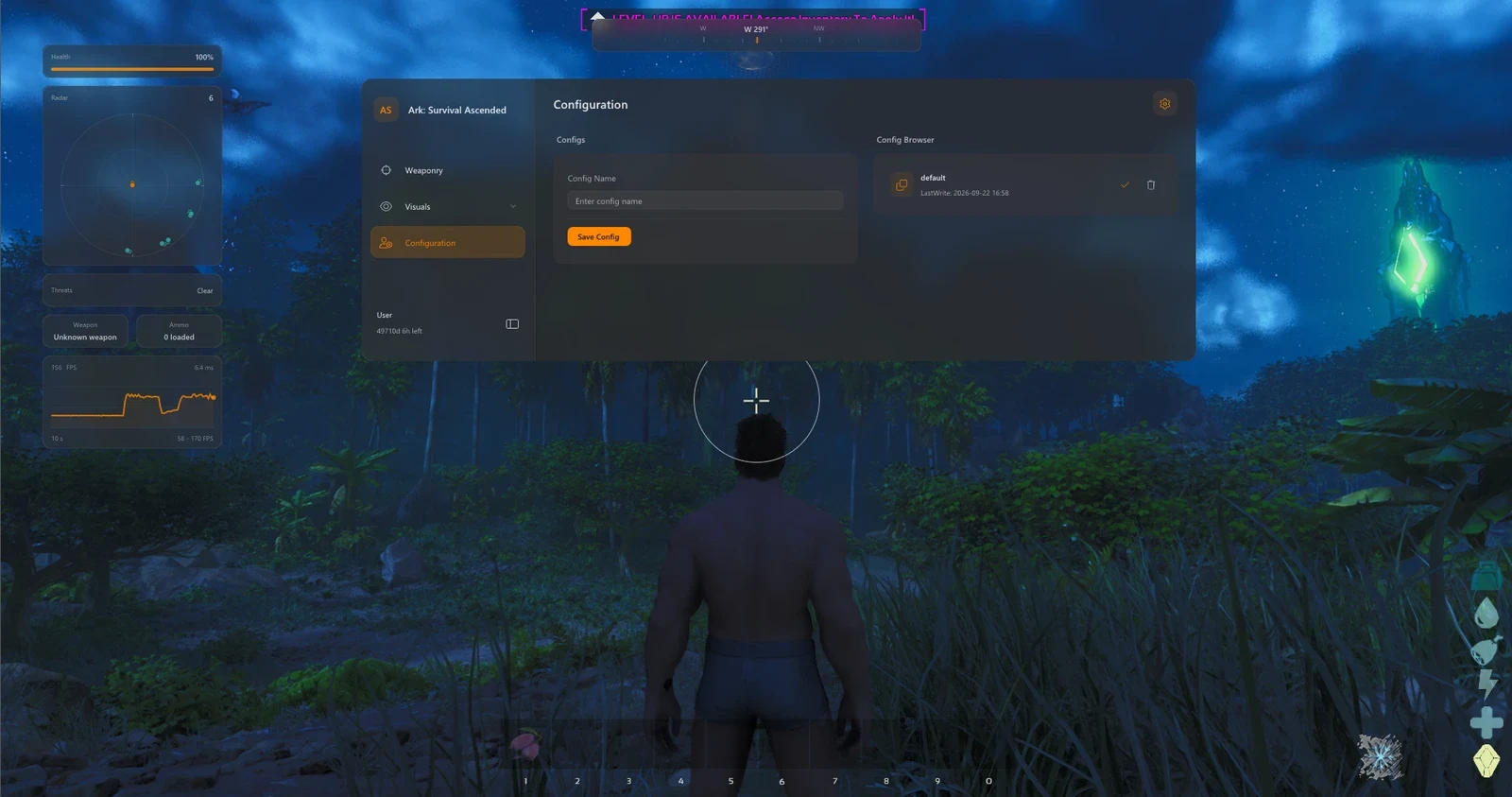
Save, load and manage personalized configurations using named profiles, a paginated list and protected defaults.
Windows PC. Confirm supported Windows versions and builds using the latest ARK: Survival Ascended: Orbit documentation.
Designed for ARK: Survival Ascended. Confirm your game version, launcher and current product compatibility before purchasing.
Check the live status page for maintenance announcements and product-specific availability.
Install the latest Microsoft Visual C++ runtime if required by the loader. Use the official Microsoft download.
Install the DirectX End-User Runtime if required. Restart after installation if prompted.
Use only trusted product downloads and confirm any security-related requirements with ESHub support before making changes.
Check the current Orbit setup guide for any product-specific BIOS or virtualization requirements.
Follow the current product instructions for game launch order, loader preparation and license activation.
Contact ESHub support with the exact loader error before making additional Windows or BIOS changes.
Use the product files provided in your ESHub purchase dashboard. Avoid third-party mirrors, unofficial reuploads and files sent by other users.
Extract the complete archive into a dedicated folder. Do not run executables directly from compressed archives.
Enter the license key supplied with your purchase exactly as displayed in your dashboard.
Check the current status and any maintenance notices before attempting activation.
Confirm that your Windows version, ARK: Survival Ascended build and game launcher are supported by the current Orbit release.
Use only the official download provided with your purchased product in the ESHub dashboard.
Extract the complete archive into its own folder and keep the supplied files together.
Read the current product documentation and verify all required components and system settings before proceeding.
Launch the verified loader according to the supplied instructions and wait for any required updates to complete.
Enter the purchased license key and select ARK: Survival Ascended: Orbit from your available products.
Follow the loader's instructions to finish setup. If an error appears, contact ESHub support with the exact message.
ARK: Survival Ascended: Orbit combines adjustable aimbot and triggerbot features, advanced aim smoothing, player and dinosaur ESP, structure detection, resource tracking and customizable visuals. With eleven main feature categories, Orbit offers extensive control over targeting, on-screen information and configuration management.
Choose from five target-priority modes, configure aim activation delays and select from 22 target bones. Projectile prediction, automatic firing, bone scanning and stick-to-target controls are included. A separate Trigger Bot mode offers configurable reaction delay, activation keys, bone selection and radius multipliers.
Orbit includes Smooth, Balanced and Aggressive smoothing profiles, alongside adjustable strength and humanized controls. Advanced Bezier settings allow users to customize aim speed, assist strength, curve resolution, randomness and endpoint noise. Live aim-path and assist-point visualization provide additional tuning options.
Player ESP includes outline, corner and filled boxes, skeletons, player and tribe names, held items, distance indicators, carried weight, implant details and health information. Team, enemy and visibility filters, adjustable colors and a draggable preview layout provide extensive display customization.
Dino ESP displays creature names, tribes, distance, health values and percentages. Filter between wild, tamed, Alpha, dead and hidden creatures, and customize boxes, skeletons, labels, display distance and colors. Friendly and visibility-based filters provide additional control.
Structure ESP covers defensive installations such as turrets, force fields, C4 and water mines, as well as vaults, fridges, storage containers, generators, beds, sleeping bags, Tek transmitters and teleporters. Adjustable filters, distance labels and font sizing help organize structure information.
Locate valuable materials including metal, crystal, obsidian, oil, silica pearls, black pearls, element ore and more. Additional categories include plants, trees, rare flowers, supply drops, explorer notes, element veins, obelisks and map terminals. Use individual filters, resource groups and adjustable display ranges to customize tracking.
Customize radar size, scale and blip appearance, display compass markers, use snaplines and off-screen direction arrows, and adjust FOV visualization. HUD widgets include FPS tracking, frame-history graphs, weapon information, loaded ammunition, health indicators and threat warnings.
Vision tools include Hide Trees, Hide Water and camera FOV overrides. Ten crosshair presets, live previews, adjustable geometry and rotation allow personalized targeting visuals. Restore default vision settings whenever needed.
Save and load named configuration profiles to preserve preferred targeting, ESP and visual settings. Browse profiles through a paginated selection interface, delete custom configurations and retain the protected default profile.