
Aimbot & Targeting
Customize aim assistance with target filters, bone scanning, smoothing, humanized aiming and adjustable FOV controls.
- Enabled (Toggle)
- Max Distance
- Use Aim Key (+ Alternate)
- Attributes (Filter & Priority)
- Bones (+ Bone Scan)
ESHub provides premium undetected game softwares, DMA Hardware, ESP, Aimbot, and HWID spoofers for popular PC titles including Apex Legends, Arena Breakout Infinite, ARC Raiders, Escape from Tarkov, Fortnite, Rust, Rainbow Six Siege, and more. Our solutions are secure, frequently updated, and designed to stay undetected.
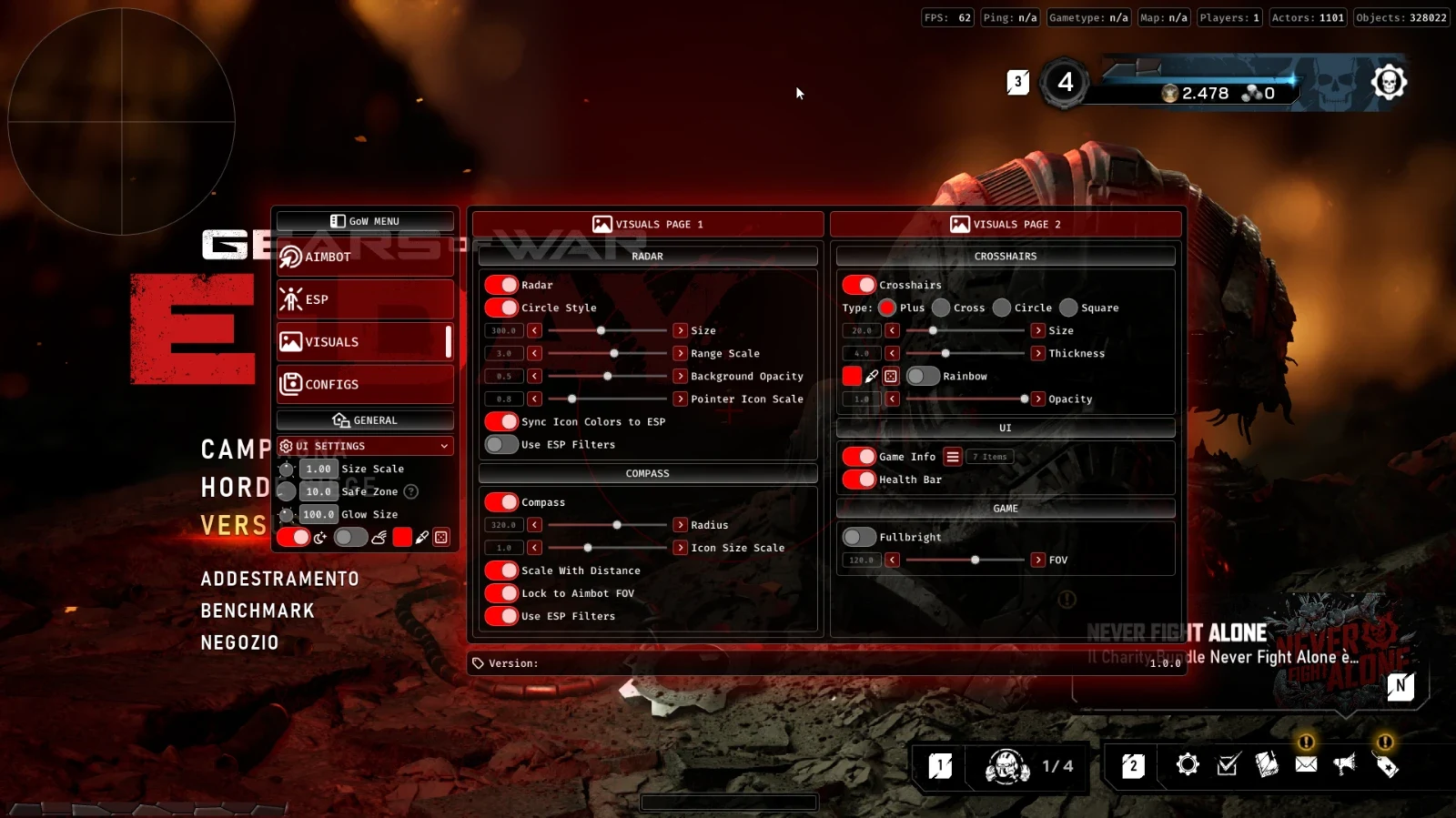
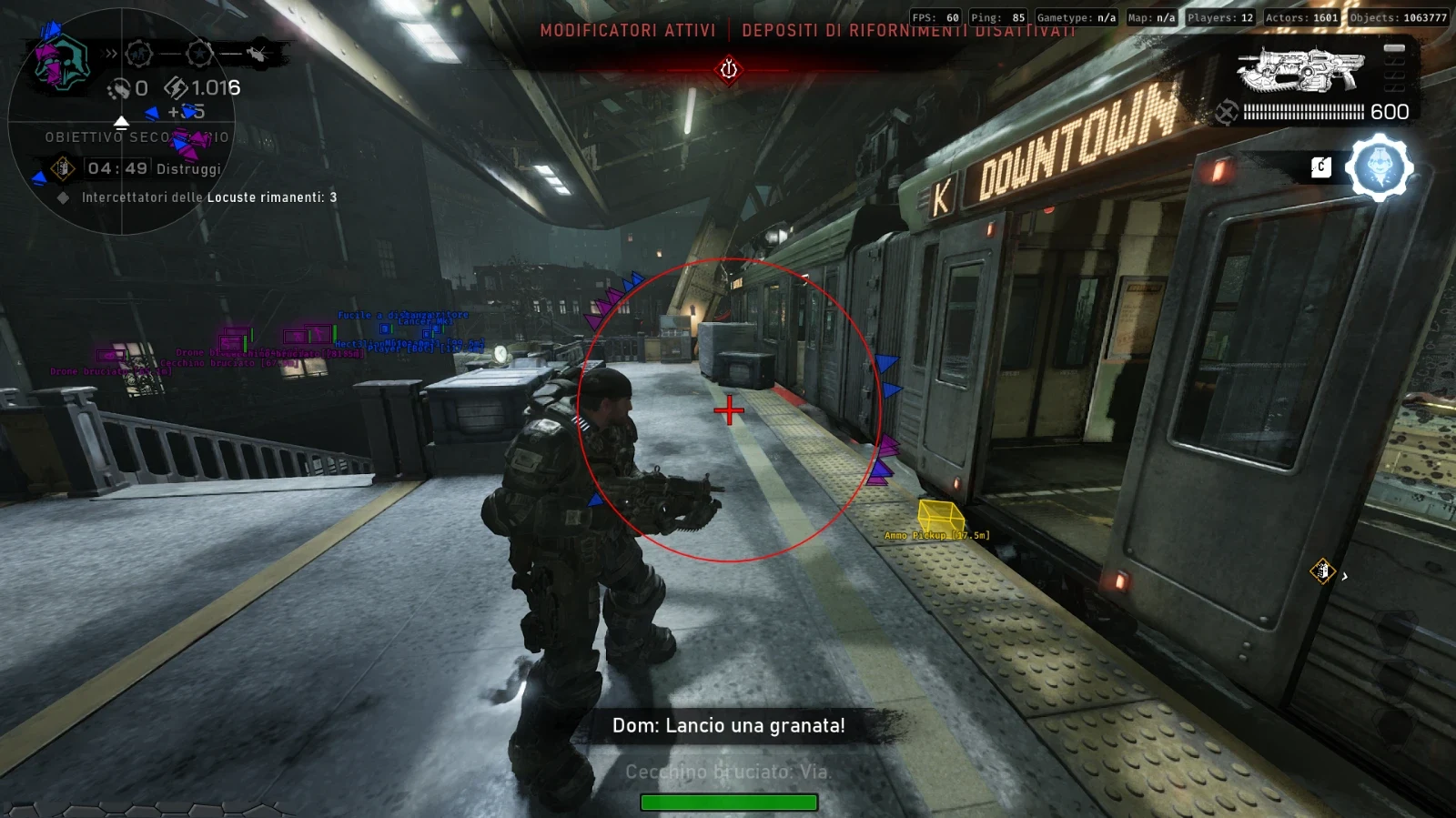
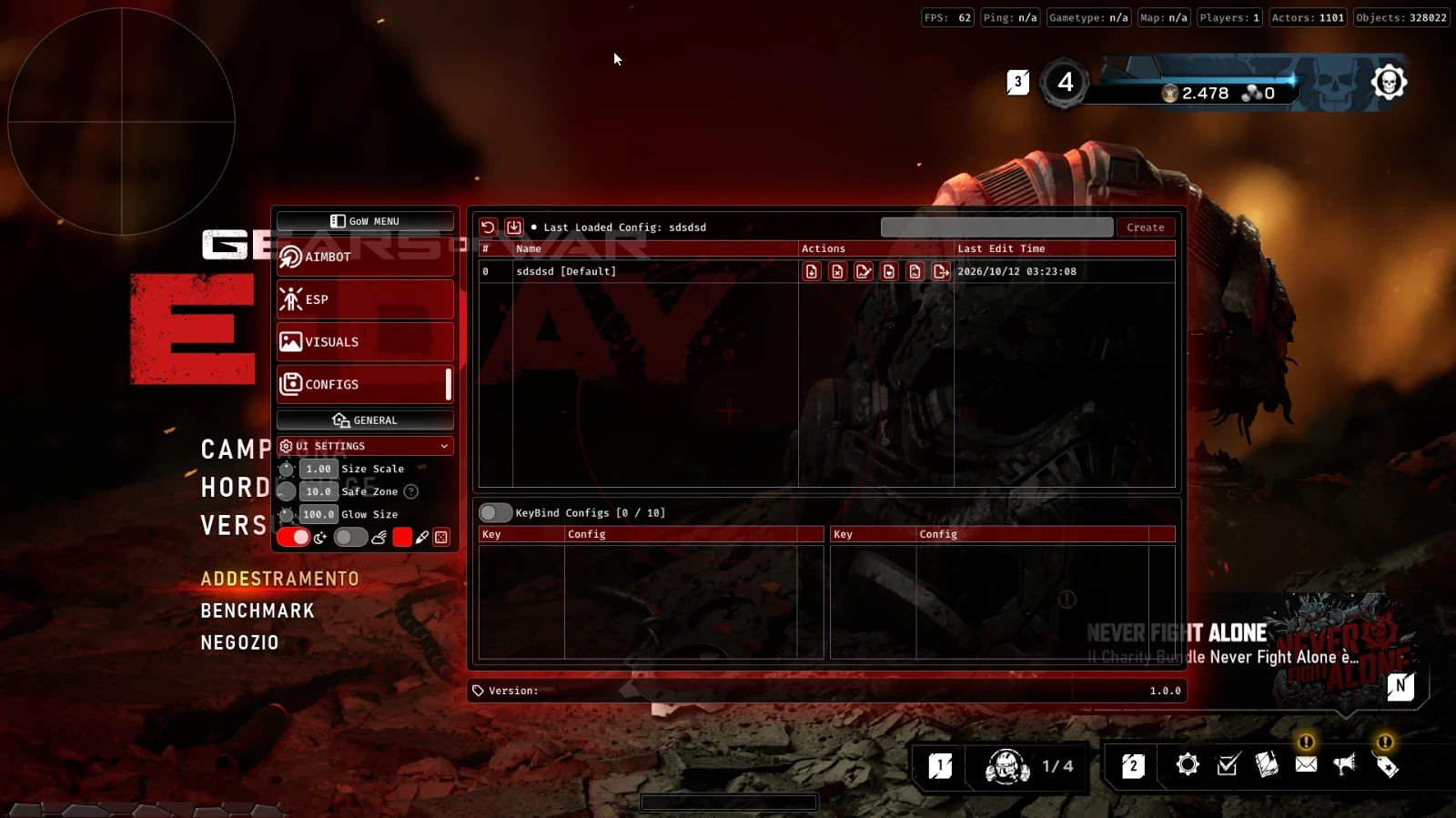
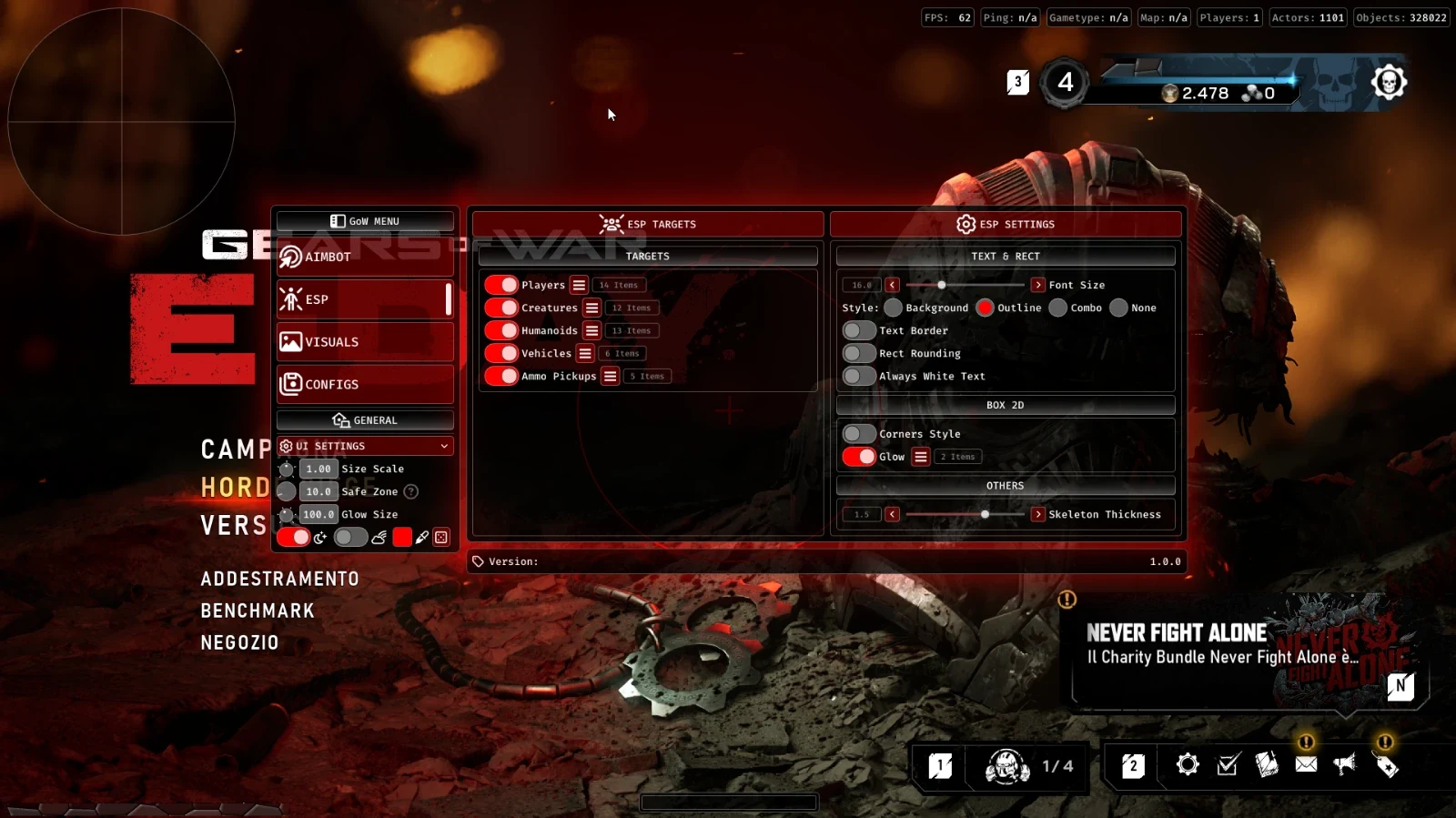
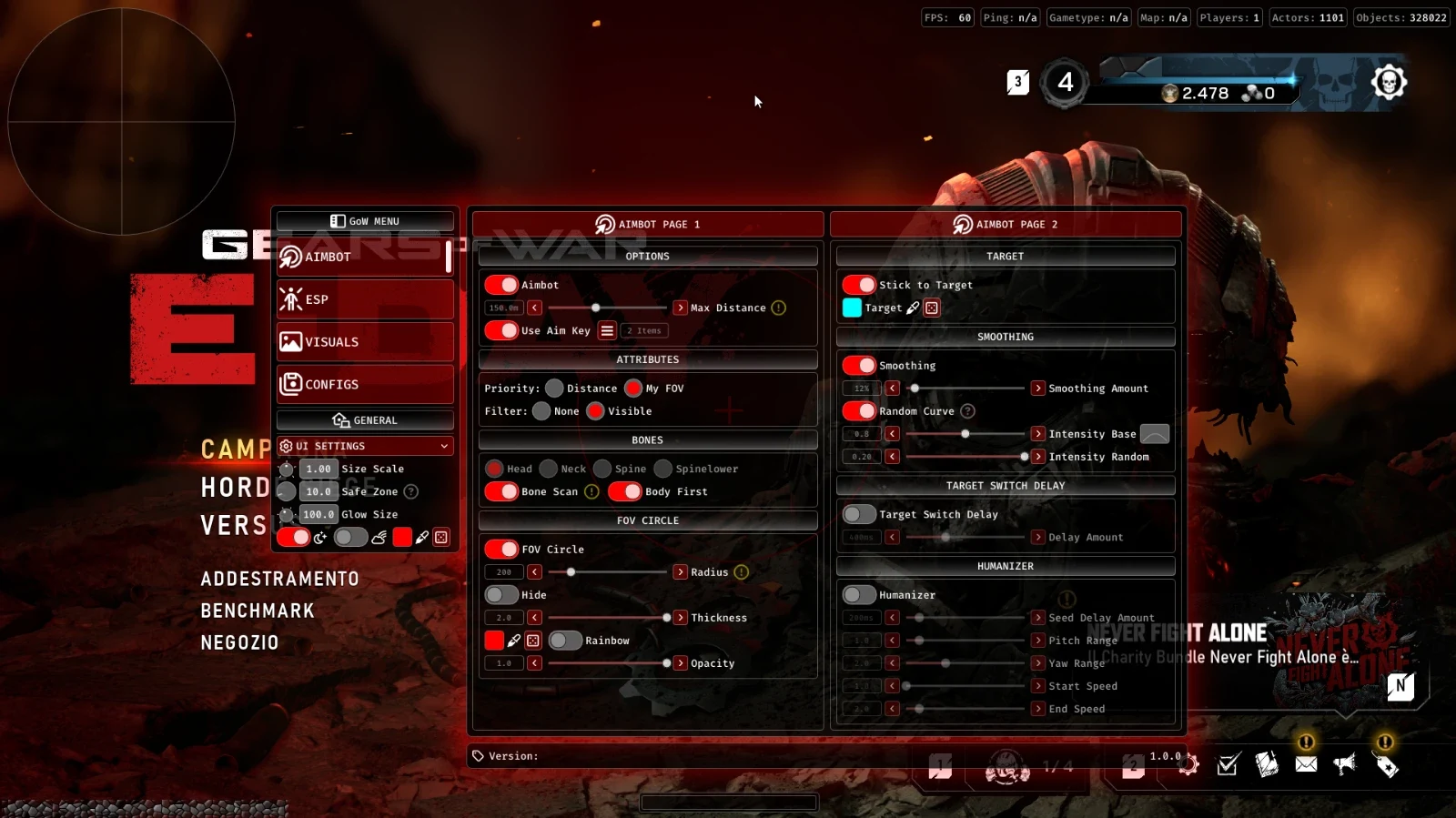
Gears of War: E-Day: Orbit delivers configurable aimbot controls, player and creature ESP, humanoid and vehicle tracking, ammo pickup detection, radar, Fullbright and customizable visual settings. Adjust targeting behavior, manage configuration profiles and personalize the interface with an extensive collection of options.
Expand a category to view its complete feature list.
Customize aim assistance with target filters, bone scanning, smoothing, humanized aiming and adjustable FOV controls.
Track players, creatures, humanoids, vehicles and ammunition pickups with configurable ESP categories and display styles.
Improve on-screen awareness with radar, compass, custom crosshairs, health indicators and lighting adjustments.
Create, import, export and manage custom configurations, including default presets and dedicated keybind profiles.
Customize the appearance and layout of the software interface with scaling, safe zones, glow effects and color themes.
Windows PC. Confirm supported Windows releases and builds using the current Gears of War: E-Day: Orbit documentation.
Designed for Gears of War: E-Day. Confirm the supported game version and launcher before purchasing or activating.
Check the live status page for product-specific maintenance and availability before starting.
Install the current Microsoft Visual C++ runtime if required by the loader. Use the official Microsoft download.
Install the DirectX End-User Runtime if required. Restart after installation when prompted.
Use trusted product downloads and confirm any security-related requirements with ESHub support before making system changes.
Check the current Orbit setup documentation for any specific BIOS or virtualization requirements.
Follow the current product instructions for the correct game launch order, loader preparation and activation process.
If a loader error occurs, follow instructions for that exact error or contact ESHub support before changing Windows settings.
Download the files attached to your purchased product in your ESHub dashboard. Avoid unofficial mirrors and third-party reuploads.
Extract the complete archive into a dedicated folder. Do not run executable files directly from inside a compressed archive.
Use the license key supplied with your purchase and enter it exactly as displayed in your dashboard.
Confirm the current product status and any maintenance announcements before attempting activation.
Verify that your Windows version, game build and launcher are supported by the current Gears of War: E-Day: Orbit release.
Use the official download provided with your purchased product in your ESHub dashboard.
Extract all supplied files into a dedicated folder and keep the original folder structure intact.
Read the current product instructions and verify any required components or Windows settings before proceeding.
Launch the verified loader according to the instructions supplied with your purchase and allow any required updates to finish.
Enter your purchased license key and select Gears of War: E-Day: Orbit from the available products.
Follow the loader's instructions to complete setup. If an error appears, contact ESHub support with the exact error message.
Gears of War: E-Day: Orbit brings together configurable aimbot targeting, player and world ESP, radar, visual adjustments and extensive configuration management. With five core feature categories, users can customize targeting behavior, track supported entities, manage saved profiles and personalize their interface.
Configure aiming distance, activation keys, target filters and priorities. Bone selection and bone scanning provide additional targeting options, while stick-to-target controls, adjustable smoothing, FOV circles, target colors, switching delays and humanizer settings allow further customization.
ESP support covers players, creatures, humanoids, vehicles and ammunition pickups. Each supported category features its own settings, alongside global ESP controls for font size, display styles and additional visual adjustments.
Use customizable radar and compass indicators to display directional information. Additional visual controls include crosshair settings, game information and item displays, a health bar, Fullbright and adjustable field of view.
Create, rename, load, update and delete configuration profiles. Import and export configurations from your desktop, set a preferred default, restore factory settings and manage up to 10 KeyBindConfig slots. Last Edit Time helps identify recently modified profiles.
Personalize the Orbit interface with Size Scale, Safe Zone and Glow Size adjustments. Dark Mode, Rainbow Mode and custom colors provide additional appearance options, allowing the interface to match your preferred visual setup.