
Aimbot
Customize aim assistance with bone scanning, target priorities, smoothing, FOV controls and humanized targeting.
- Max Distance
- Enabled (Toggle)
- Attributes (Filter & Priority)
- Use Aim Key (+ Alternate)
- Bones (+ Bone Scan)
ESHub provides premium undetected game softwares, DMA Hardware, ESP, Aimbot, and HWID spoofers for popular PC titles including Apex Legends, Arena Breakout Infinite, ARC Raiders, Escape from Tarkov, Fortnite, Rust, Rainbow Six Siege, and more. Our solutions are secure, frequently updated, and designed to stay undetected.
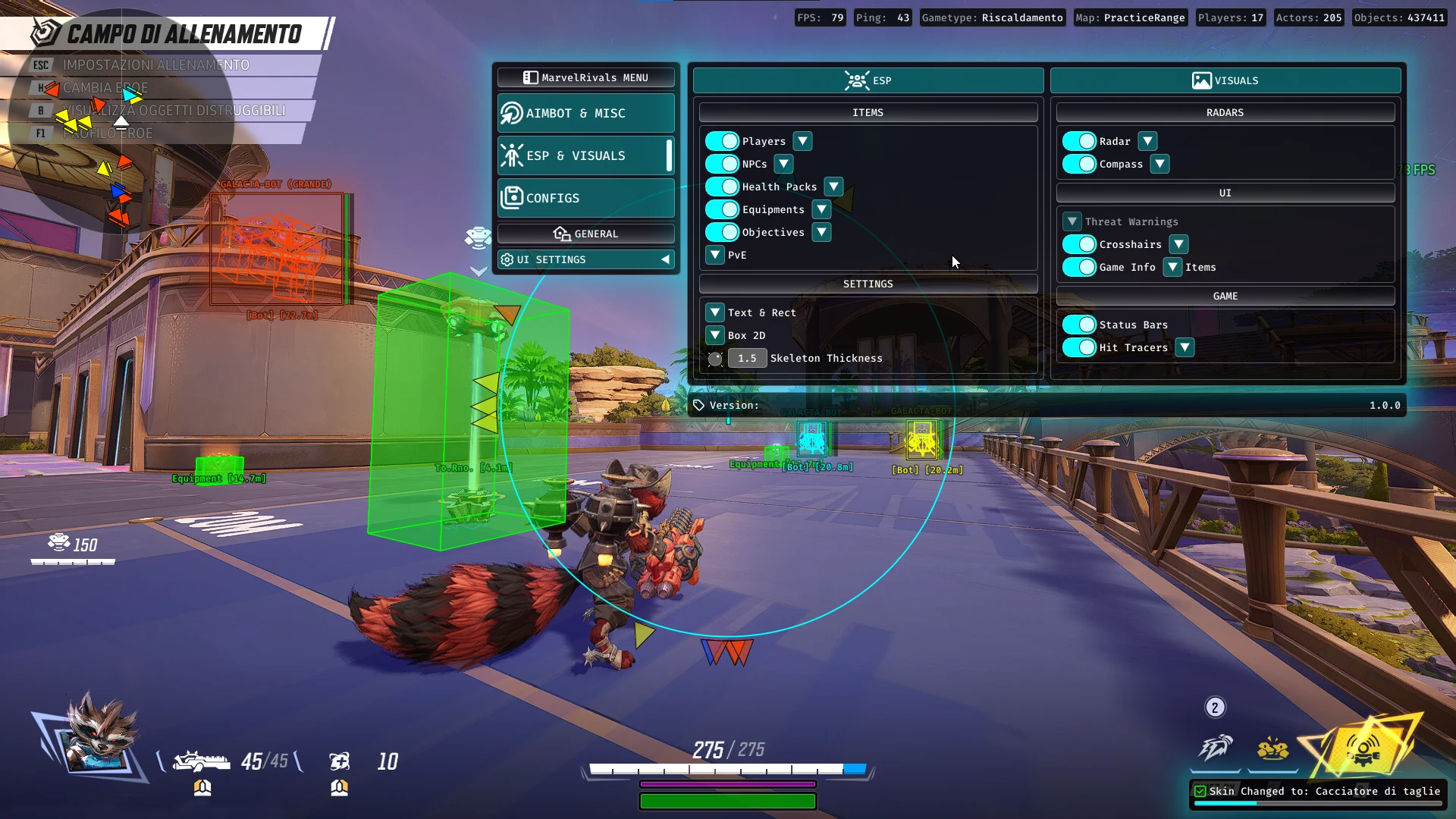
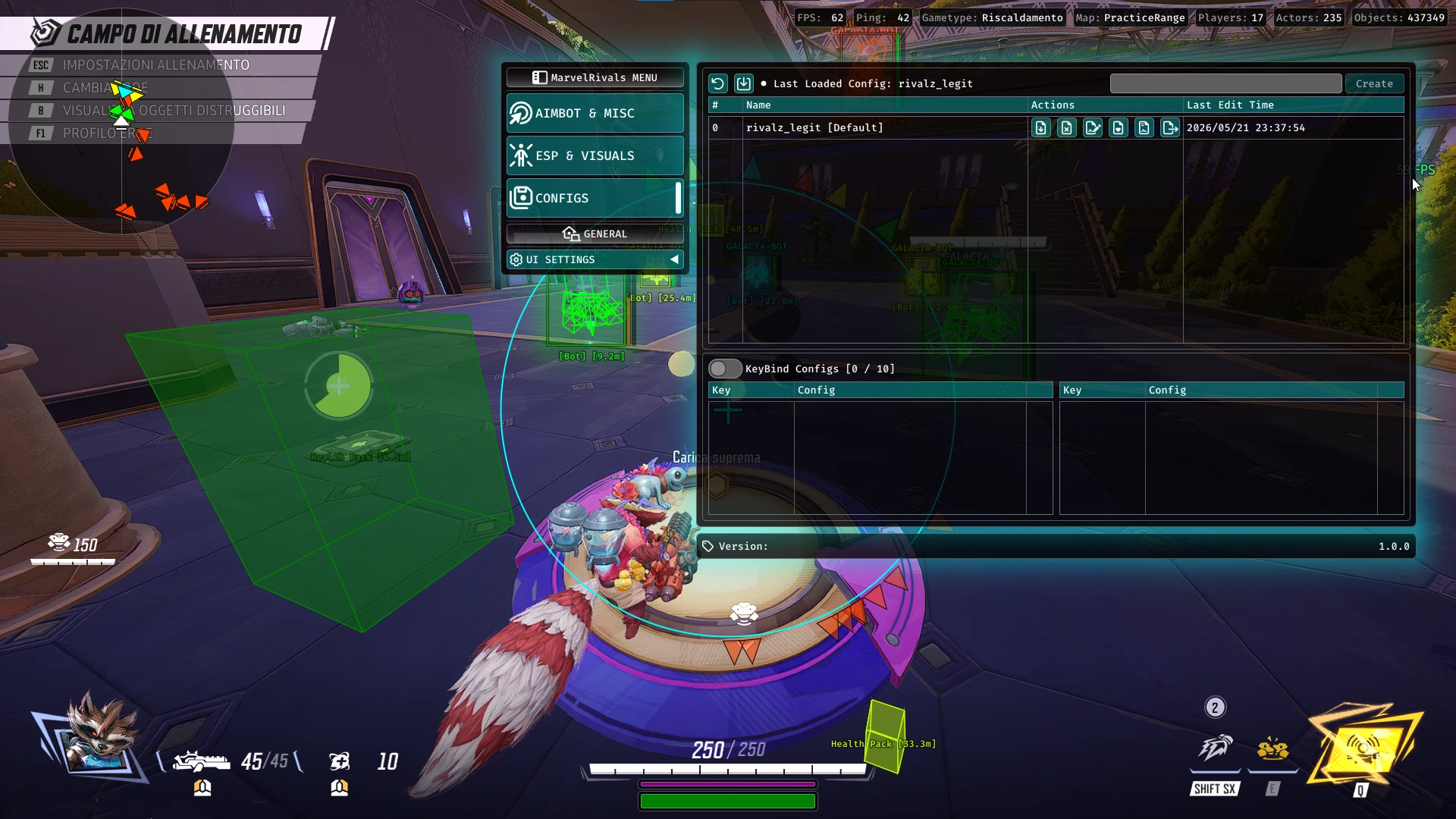
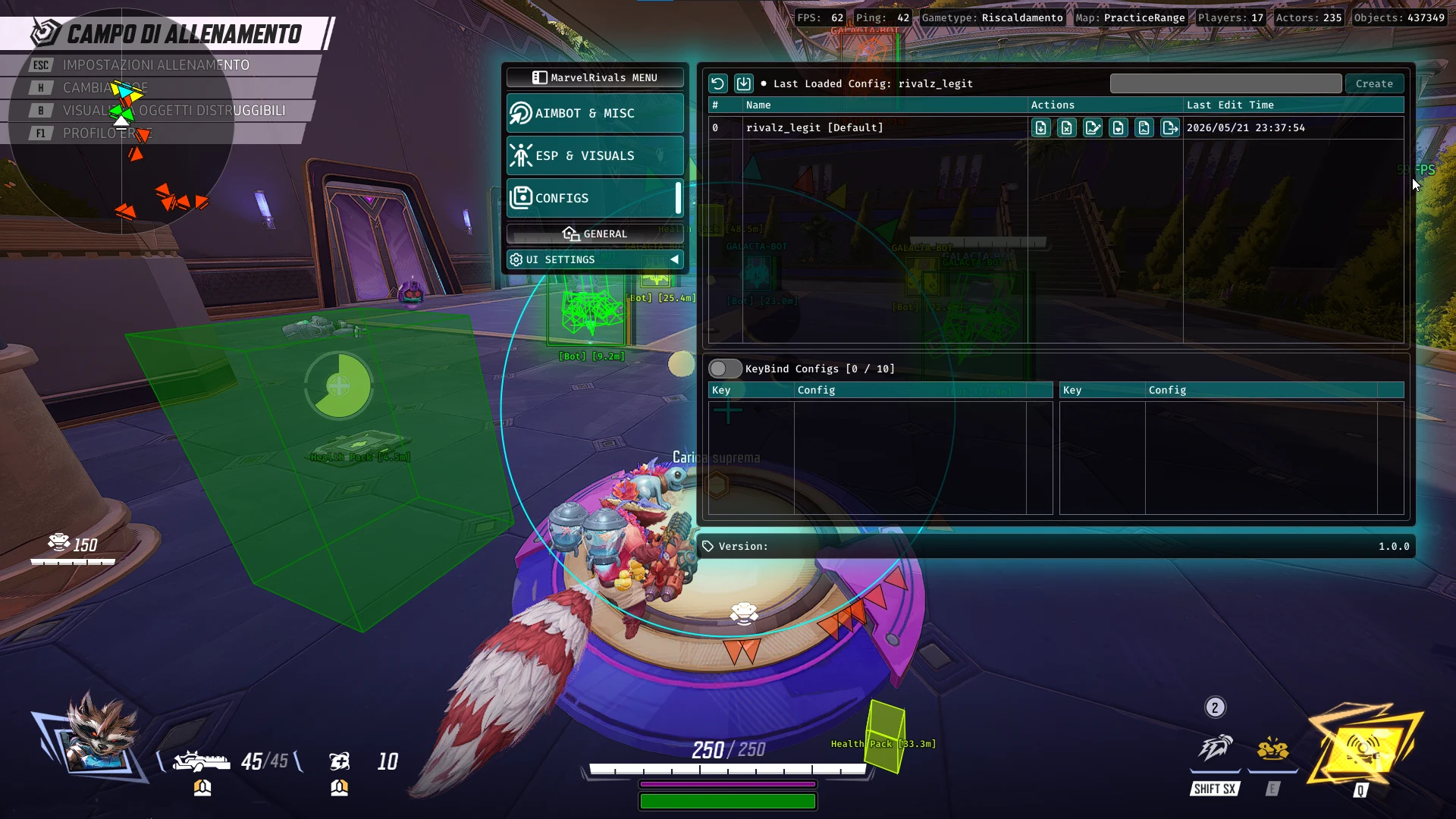
Marvel Rivals: Orbit offers adjustable aimbot controls, player and NPC ESP, health pack and objective tracking, customizable radar and crosshairs, plus extensive configuration and interface settings. Save multiple setups, adjust targeting behavior, and personalize the display to suit your preferences.
Expand a category to view its complete feature list.
Customize aim assistance with bone scanning, target priorities, smoothing, FOV controls and humanized targeting.
Additional combat, movement, field-of-view and cosmetic customization features.
Display players, NPCs, equipment, objectives and PvE enemies with configurable ESP overlays and chams.
Customize radar, compass, crosshairs, status indicators and hit tracers for improved on-screen awareness.
Create, import, export and organize personalized configurations, including dedicated keybind profiles.
Personalize the software interface with adjustable scaling, display positioning, colors and visual themes.
Supported releases: 23H2, 24H2 and 25H2.
Limited compatibility; technical support is no longer provided.
Check the live status page for product-specific maintenance before starting.
Install the latest Microsoft Visual C++ runtime using the official Microsoft download.
Install the DirectX End-User Runtime. Restart if prompted.
The supplied example specifies temporarily disabling these protections before opening the loader and re-enabling them afterward. Verify this requirement before use; disabling security protection increases risk.
The supplied example specifies Disabled. Confirm the requirement for Orbit before changing Windows security settings.
The supplied example specifies Disabled in BIOS. Verify this with the product instructions before changing BIOS settings.
Fully close running games before opening the loader. The supplied example specifies running the loader as administrator.
Contact ESHub support with the exact loader error before making additional Windows or BIOS changes.
Use the download attached to your purchased product in your dashboard. Avoid mirrors, reuploads and files sent by other users.
Extract every file together into a new, empty folder. Do not run the executable directly from inside an archive.
Paste your key exactly as shown in your dashboard after the loader finishes updating.
Keep security software enabled unless a trusted, verified product instruction specifically requires otherwise. Restore any protection changed during setup.
Confirm Windows compatibility and install the official Microsoft Visual C++ and DirectX runtimes. Verify any product-specific BIOS and security settings before changing them.
Use only the download attached to your purchased Marvel Rivals: Orbit product. Avoid third-party mirrors and reuploaded files.
Extract all files together into a new, empty folder. Do not run the executable directly from the compressed archive.
Review the official product instructions and verify the file source before launching. Do not disable Windows security protections based only on generic setup instructions.
Fully close running games, then open the verified loader according to the instructions supplied with your purchased product.
Wait for the loader to finish updating, paste the license key exactly as displayed in your dashboard, then continue.
Choose Marvel Rivals: Orbit from your purchased products. Follow the loader's instructions while it completes the necessary checks.
Continue only when the loader reports success or instructs you to launch. If an error appears, contact ESHub support with the exact message.
Marvel Rivals: Orbit combines customizable aimbot targeting, extensive ESP options, radar and visual tools, configuration management and interface personalization into one feature-packed package for Marvel Rivals. With six main feature categories, users can customize their experience according to their preferred playstyle.
Adjust maximum aiming distance, targeting attributes, priorities, aim keys and bone scanning. Customize target colors, enable stick-to-target, Auto Shoot and FOV visualization, and tune smoothing, humanizer settings and target switching delays for additional aiming control.
Access configurable ESP and chams for players, NPCs and PvE bosses. Additional visual options cover health packs, equipment and objectives. ESP font sizes, display styles and individual categories can be adjusted to customize the information shown on screen.
Use customizable radar and compass features to improve directional awareness. Crosshair settings, game information, status bars and hit tracers provide additional visual feedback, with individual customization available across supported categories.
Additional features include Triggerbot, adjustable FOV, Bunny Hop and Skin Changer. These tools provide further gameplay customization beyond the primary aiming and ESP functions.
Create, rename, save, load, update, import and export configurations. Set default profiles, restore factory settings and manage up to 10 dedicated KeyBindConfig slots. Interface customization includes adjustable size, safe zone, glow size, dark mode, rainbow mode and color settings.