Jump to content
Having Trouble Paying? Click here to join the Discord, You can pay with Card, Paypal, Cashapp, Venmo, Zelle, Apple Pay! ×
🎁 Earn 10% back in EsHub store credit on eligible referral orders this weekend. Click here to get your link! ×

ARC Raiders: Radar
Undetected Cheat

ESHub provides premium undetected game softwares, DMA Hardware, ESP, Aimbot, and HWID spoofers for popular PC titles including Apex Legends, Arena Breakout Infinite, ARC Raiders, Escape from Tarkov, Fortnite, Rust, Rainbow Six Siege, and more. Our solutions are secure, frequently updated, and designed to stay undetected.
Explore All Softwares
50,000+ Keys DELIVERED
★★★★★ 4.9/5 FROM 500+ REVIEWS
ARC Raiders: Radar

Product Images

ARC Raiders: Radar
ARC Raiders: Radar
ARC Raiders: Radar
ARC Raiders: Radar
ARC Raiders: Radar

ARC Raiders: Radar

  • Instant Delivery
  • Undetected
    Safest External Approved Radar Tool 1/5 Setup Difficulty
$3.99
ARC RAIDERS

ARC Raiders: Arcane Radar

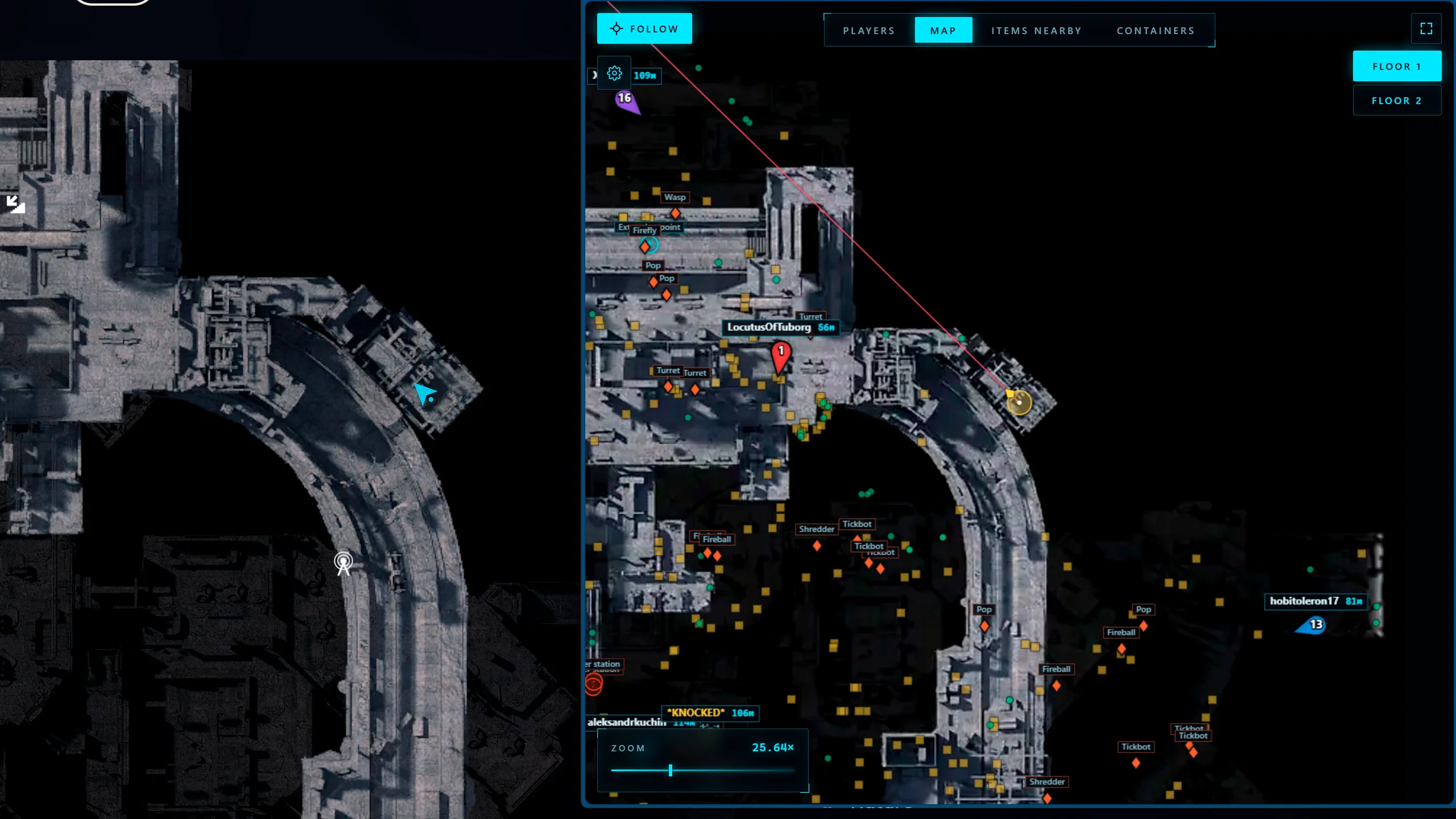
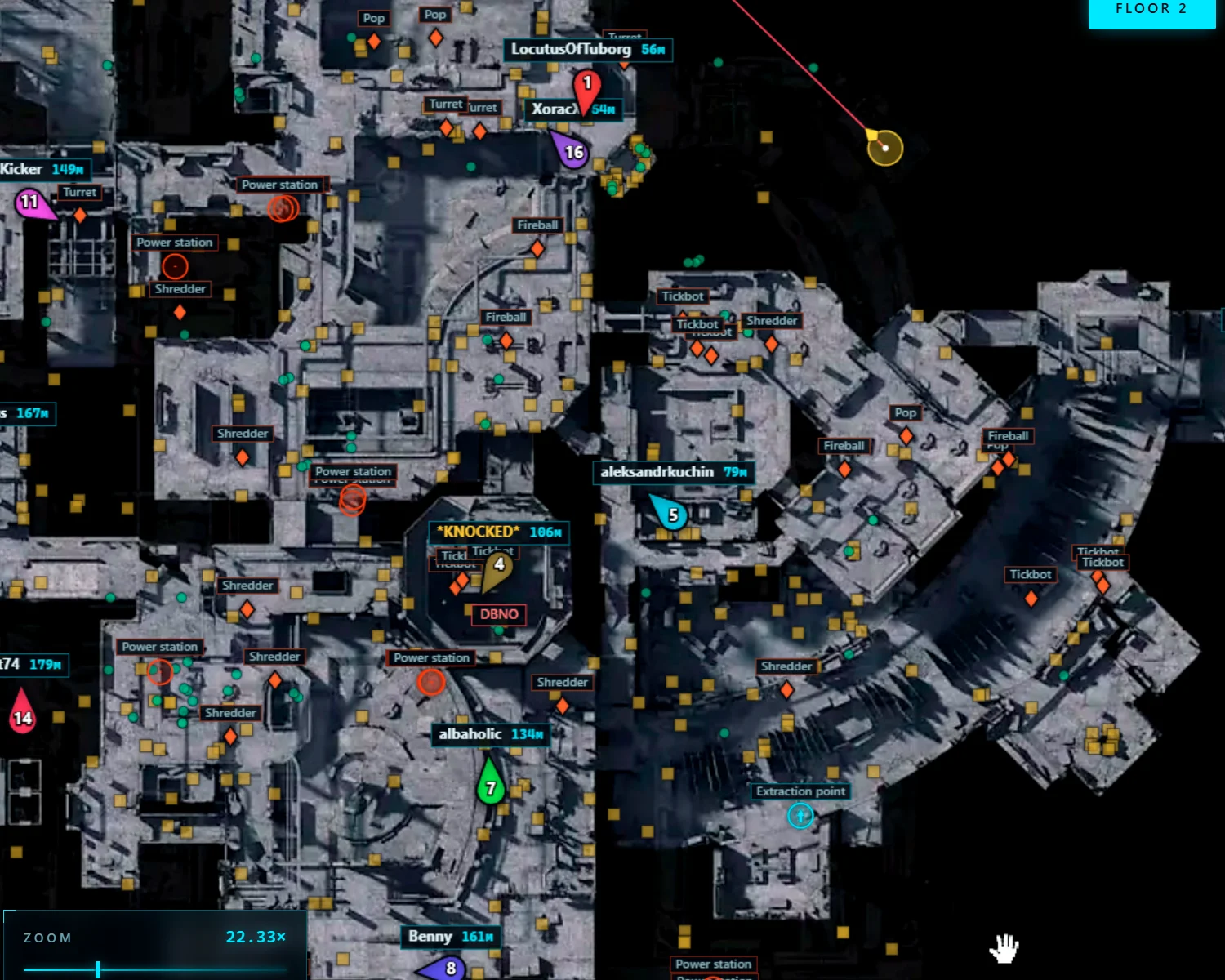
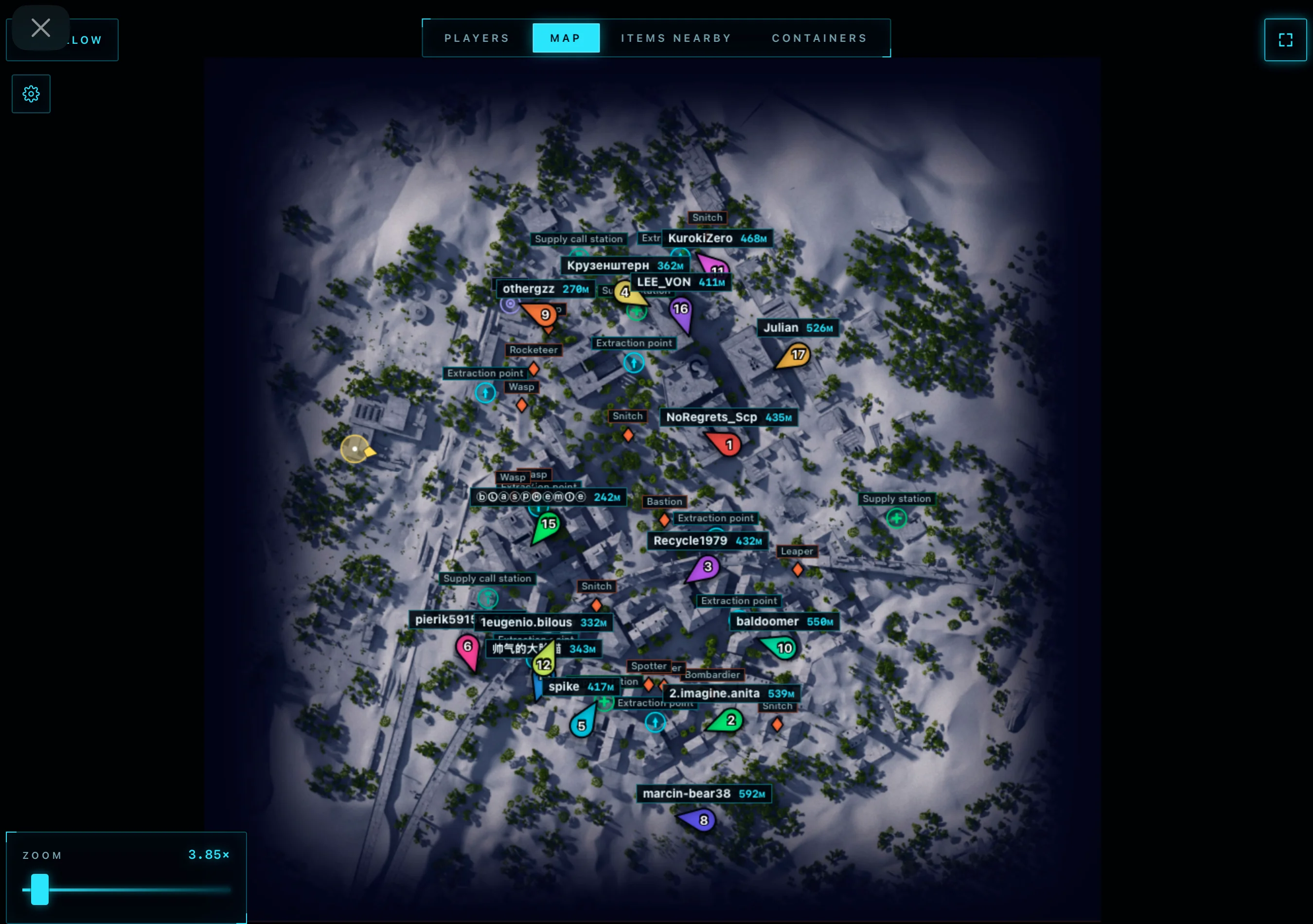
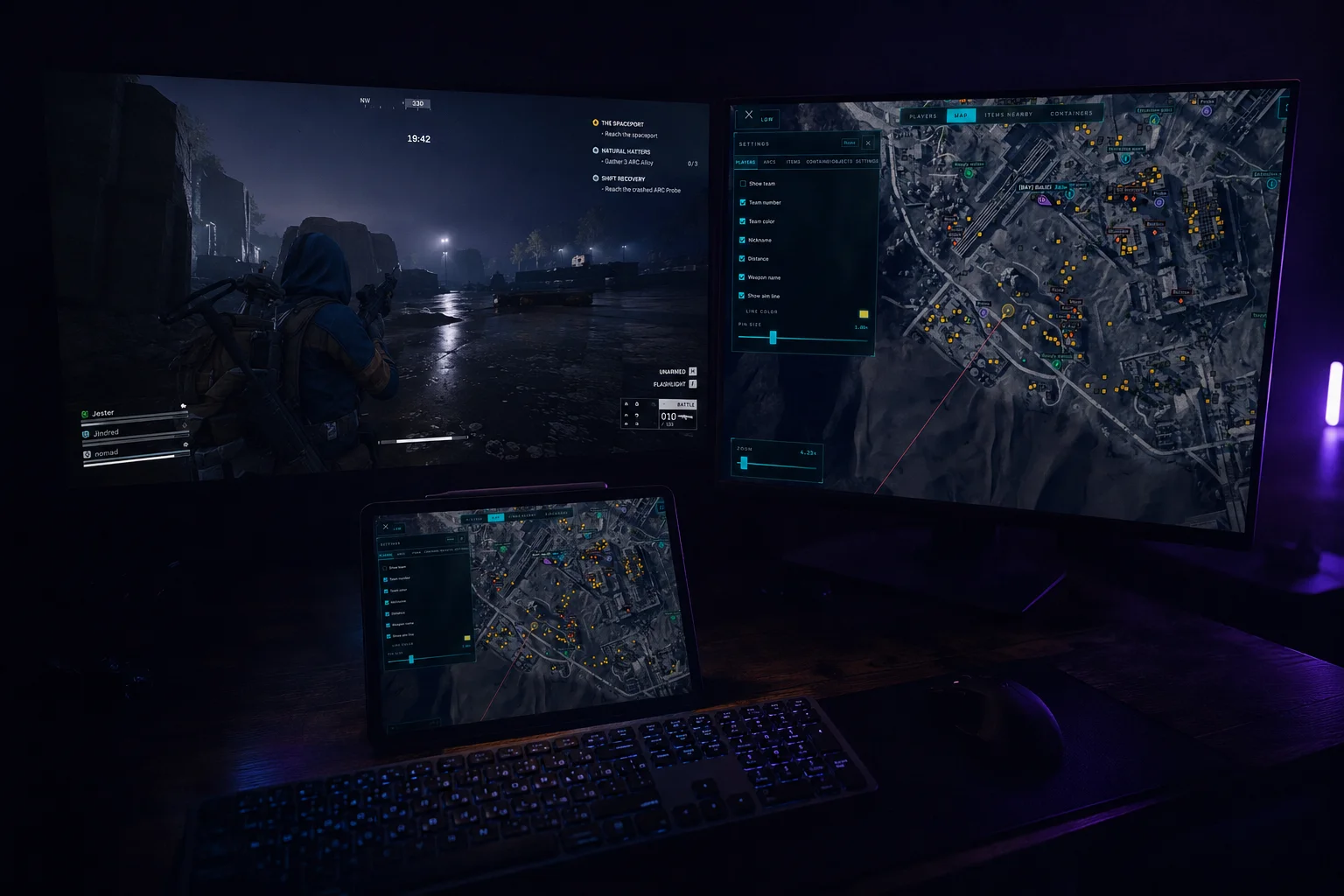
Browser-based player tracking, loot and ARC detection, container filters, extraction points, and route planning for ARC Raiders. View the map on another device and share your radar with a teammate.

BROWSER / ARCANE RADAR
Browser RadarMap access through a browser
Multiple ScreensSecond monitor, laptop, tablet or phone
Route PlanningPlayers, nearby loot and containers
Teammate SharingShare radar access through a link

Explore the features

8 categories / 53 features

Players

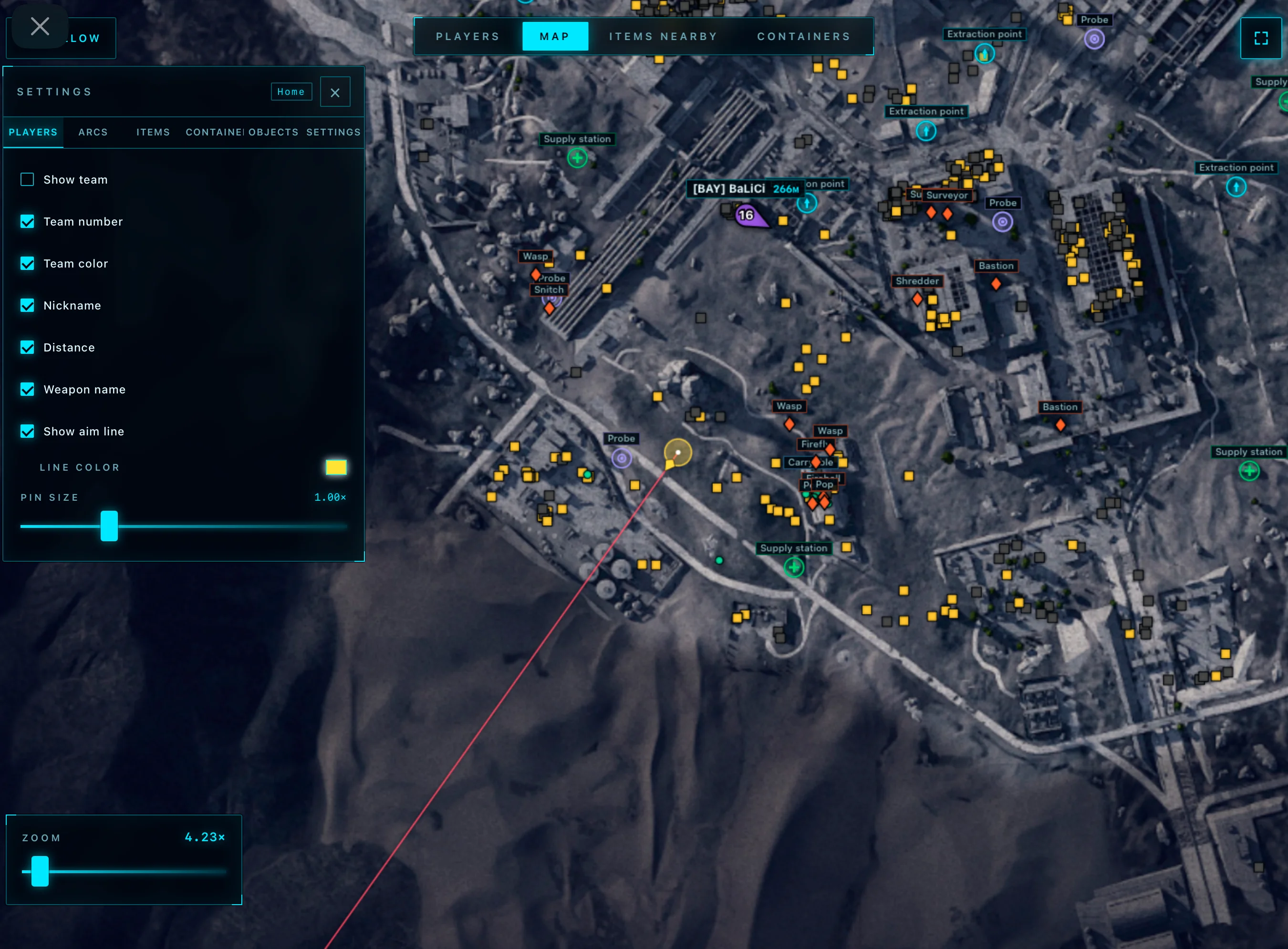
Identify players and squads with configurable radar markers.

7
  • Show Team
  • Team Number
  • Team Color
  • Nickname
  • Distance
Show 2 more featuresShow fewer features
  • Show Aim Line
  • Players Size

Items and Loot

Filter loot categories and adjust item labels.

6
  • Show Items
  • Show Name
  • Show Distance
  • Font Size
  • Opacity
Show 1 more featuresShow fewer features
  • Category Selector

Drones (ARCs)

Track detected ARCs with names and distances.

4
  • Show ARCs
  • Show Name
  • Show Distance
  • Font Size

Containers and Objects

Filter containers, extraction points, and world objects.

16
  • Show Containers
  • Hide Opened
  • Show Name
  • Show Distance
  • Font Size
Show 11 more featuresShow fewer features
  • Opacity
  • Types Selector
  • Extraction Points
  • Supply Call Station
  • Supply Station
  • Power Station
  • Probe
  • Mine
  • Quest
  • Carryable
  • Grenade

Player Table

Inspect player details and create routes to selected players.

7
  • Team Number
  • Name
  • Weapon
  • Health
  • Distance
Show 2 more featuresShow fewer features
  • Show
  • Route

Nearby Items Table

Find nearby loot and route to selected items.

5
  • Search for Nearby Items
  • Name
  • Distance
  • Show Item
  • Route to Item

Nearby Containers Table

Check container status and route to selected containers.

6
  • Status
  • Name
  • Type
  • Distance
  • Show Container
Show 1 more featuresShow fewer features
  • Route to Container

Browser Radar and Sharing

View the radar on another screen or share it with a teammate.

2
  • Browser Radar
  • Share Link

Radar viewing

Browser display

The radar map opens through a browser.

Viewing devices

Second monitor, laptop, tablet or smartphone.

Steam overlay

The radar can also be viewed through the Steam overlay browser.

About ARC Raiders: Arcane Radar

ARC Raiders: Arcane Radar brings players, loot, ARCs, containers and world objects together on a browser-based map. Customize what appears and use the dedicated tables to highlight targets or create routes.

Player and squad tracking

Display all players or select only the players you need. Team numbers and team colors help distinguish squads, while nicknames, distances and viewing-direction lines add context. Adjust player marker size to suit your radar layout. The player table also shows weapons and health.

Loot, ARCs and world objects

Choose loot categories, display names and distances, and adjust text size or opacity. Track detected ARCs and filter container types, with an option to hide opened containers. World markers include extraction points, supply call stations, supply stations, power stations, probes, mines, quest objects, carryable items and grenades.

Nearby tables and routes

Use the player table to highlight a selected player or create a route to them. The nearby items table lists loot names and distances, while the nearby containers table adds container type and opened or closed status. Both tables let you highlight the selected target and create a route.

Browser access and teammate sharing

Launch the radar map in a browser on a second monitor, laptop, tablet, smartphone or through the Steam overlay. Share the radar with a teammate using the Share Link feature.

Frequently asked questions

Where can I view the radar?

The browser radar can be viewed on a second monitor, laptop, tablet, smartphone or through the Steam overlay.

Can I share the radar with a teammate?

Yes. Share Link lets you give a teammate access through a link.

Can I hide opened containers?

Yes. Enable Hide Opened to remove already opened containers from the map.

What can I create routes to?

The player, nearby items and nearby containers tables each include a route option for the selected target.

Can I choose which loot and objects appear?

Yes. Category Selector filters item categories, and Types Selector filters containers and world objects.

×
×
  • Create New...