Explore the features
6 categories / 56 listed options
Expand a category to view its complete feature list.
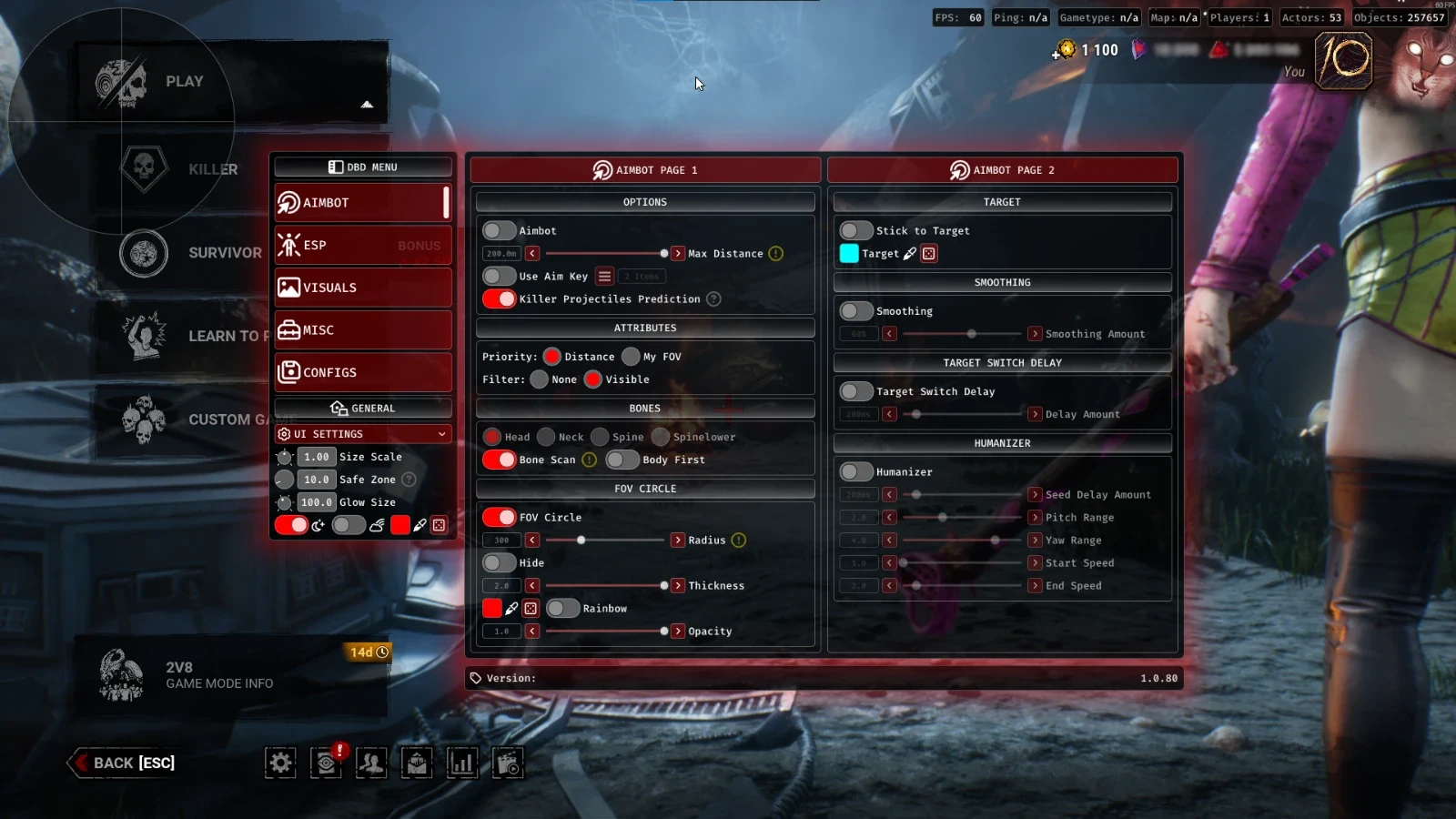
Aimbot & Targeting
Configure targeting behavior with aim-key controls, bone scanning, smoothing and humanized aim adjustments, including Huntress hatchet prediction.
11
-
Max Distance
-
Enabled (Toggle)
-
Attributes (Filter & Priority)
-
Use Aim Key (+ Alternate)
-
Bones (+ Bone Scan)
Show 6 more features Show fewer features
-
Stick to Target
-
Target Color
-
FOV Circle (+ Settings)
-
Smooth (+ Amount)
-
Target Switch Delay (+ Amount)
-
Humanizer (+ Settings)
-
Prediction for The Huntress Hatchets
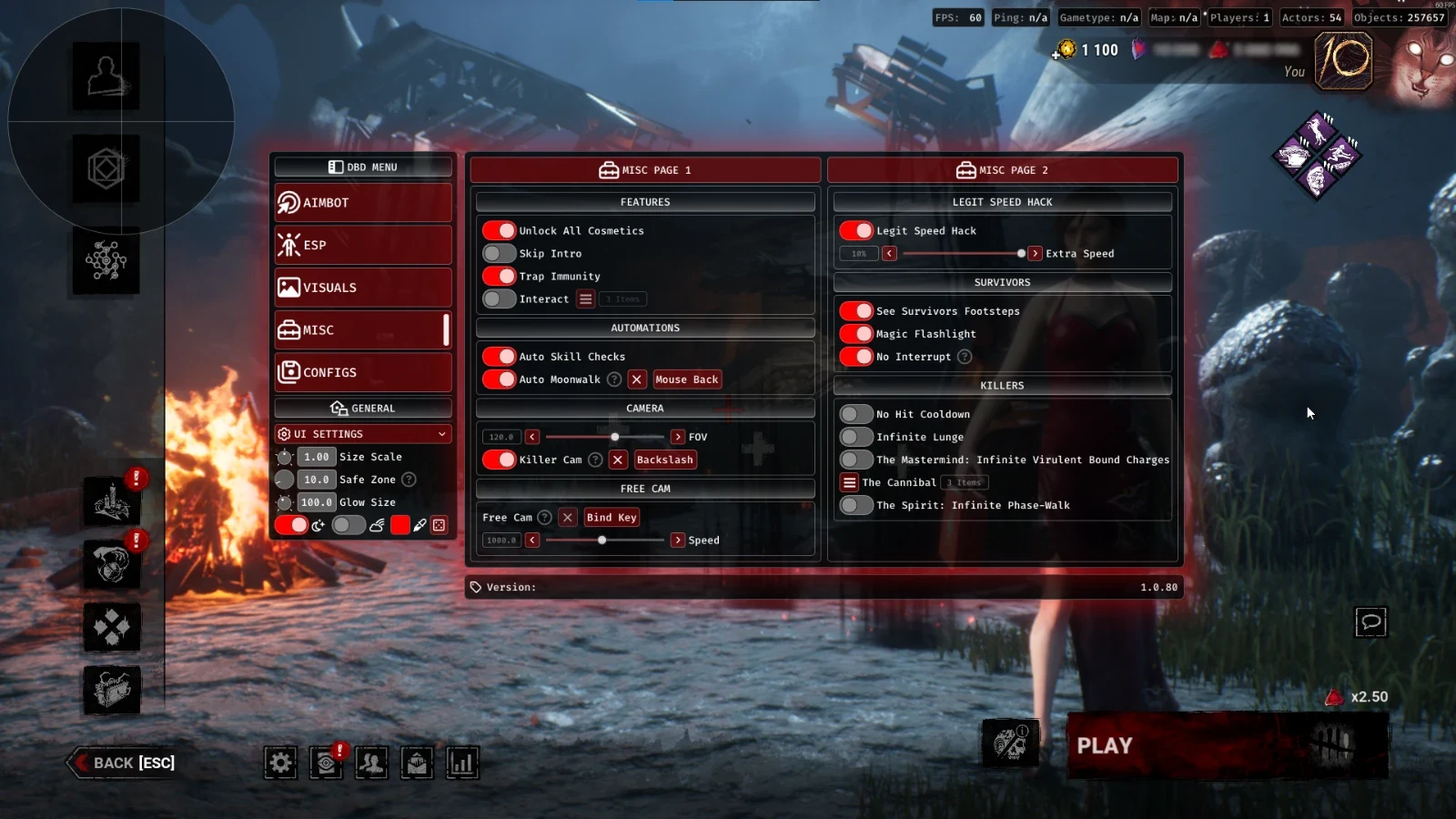
Miscellaneous & Gameplay
Access movement tools, camera controls, visibility improvements and killer-specific utilities for Dead by Daylight.
15
-
FOV
-
Auto Skill Checks
-
Auto Moonwalk (+ KeyBind)
-
Killer Cam (+ KeyBind)
-
Free Cam (+ KeyBind Toggle & Speed)
Show 10 more features Show fewer features
-
Legit Speed Hack (1% - 10%)
-
Skip Intro
-
Trap Immunity
-
See Survivors Footsteps
-
Magic Flashlight
-
No Hit Cooldown
-
Infinite Lunge
-
The Mastermind: Infinite Virulent Bound Charges
-
The Cannibal: Multiple Exploits
-
The Spirit: Infinite Phase-Walk
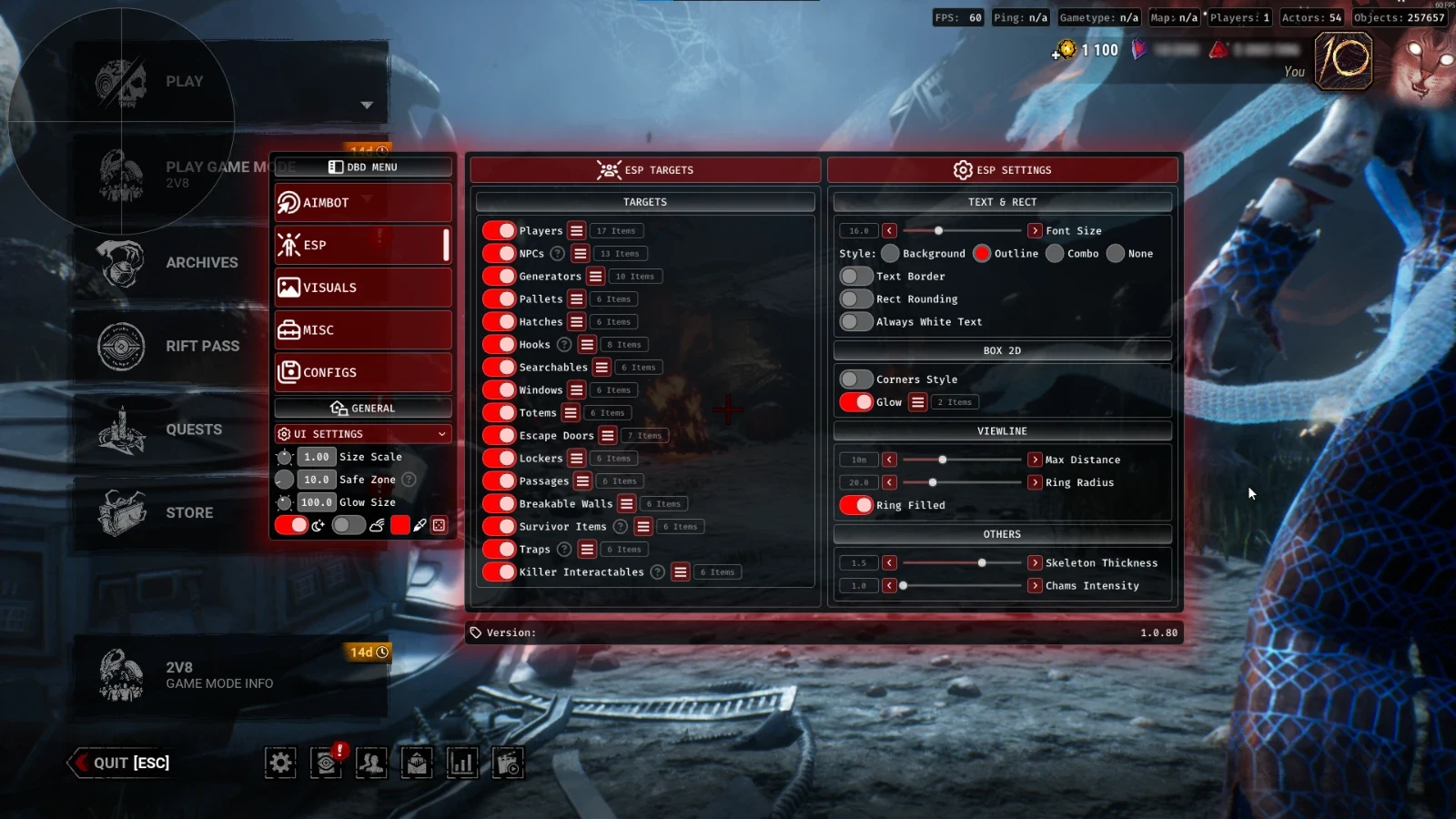
ESP & Chams
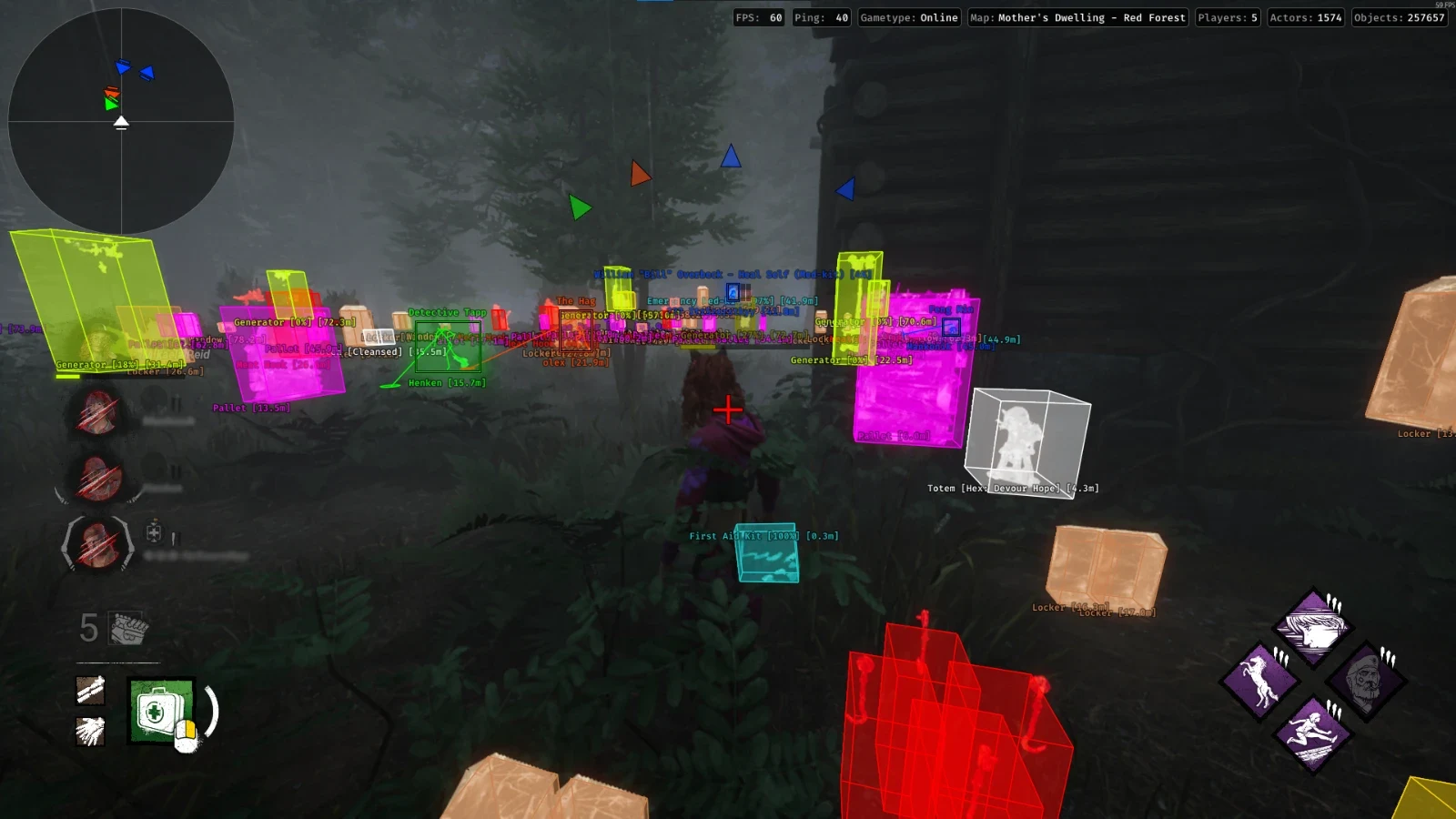
Track players, NPCs, world objects, survivor items, traps and killer interactables using individually configurable ESP categories.
7
-
Players (+ Settings)
-
NPCs (+ Settings)
-
World (Multiple Items + Settings)
-
Survivor Items (+ Settings)
-
Traps (+ Settings)
Show 2 more features Show fewer features
-
Killer Interactables (+ Settings)
-
ESP Settings (Font Size, Styles & More)
Visuals & Radar
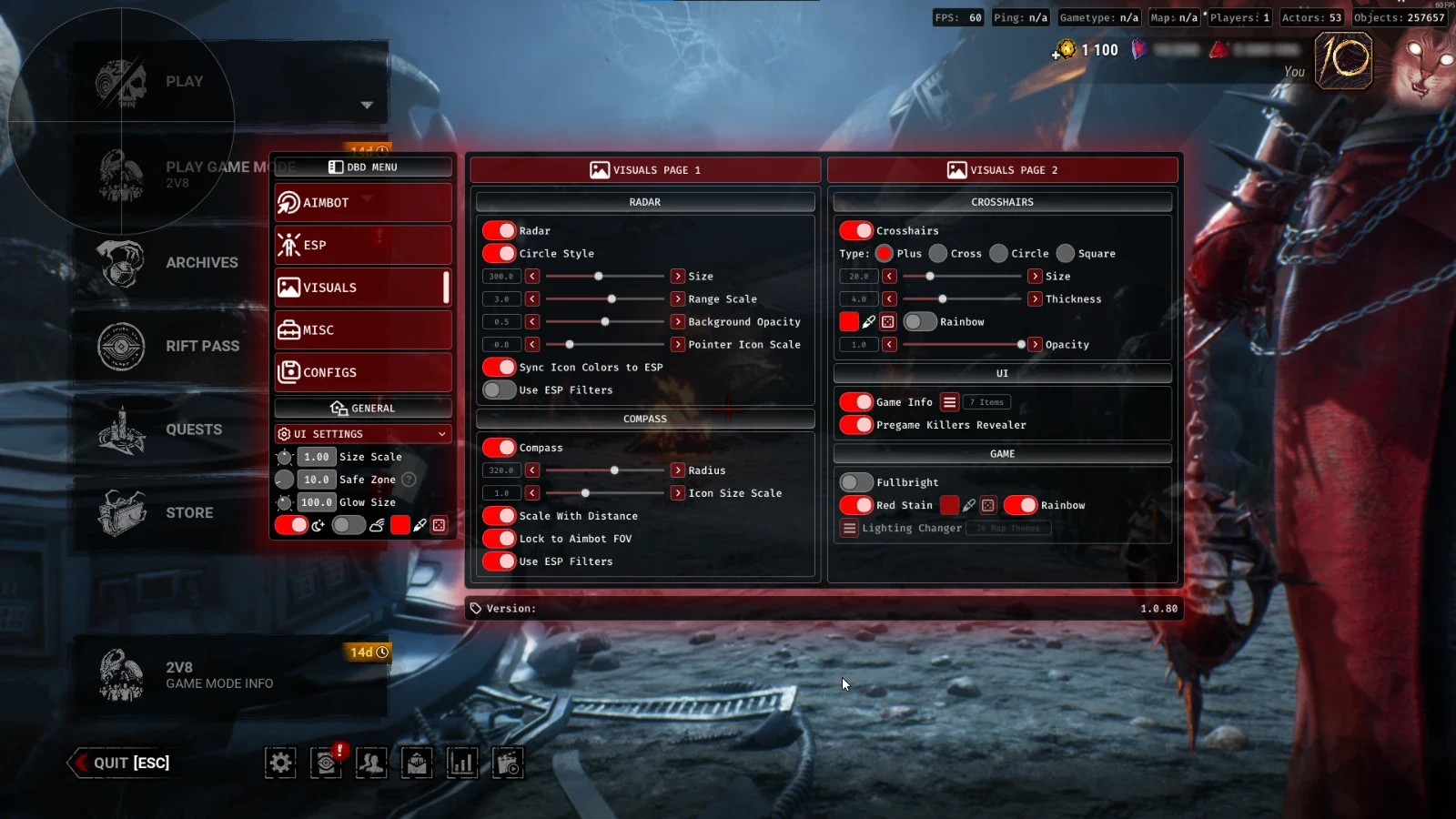
Enhance awareness using radar, compass indicators, customized crosshairs and additional visibility settings.
6
-
Radar (+ Settings)
-
Compass (+ Settings)
-
Crosshairs (+ Settings)
-
Game Info (+ Items)
-
Fullbright
-
Red Stain (+ Settings)
Configuration Profiles
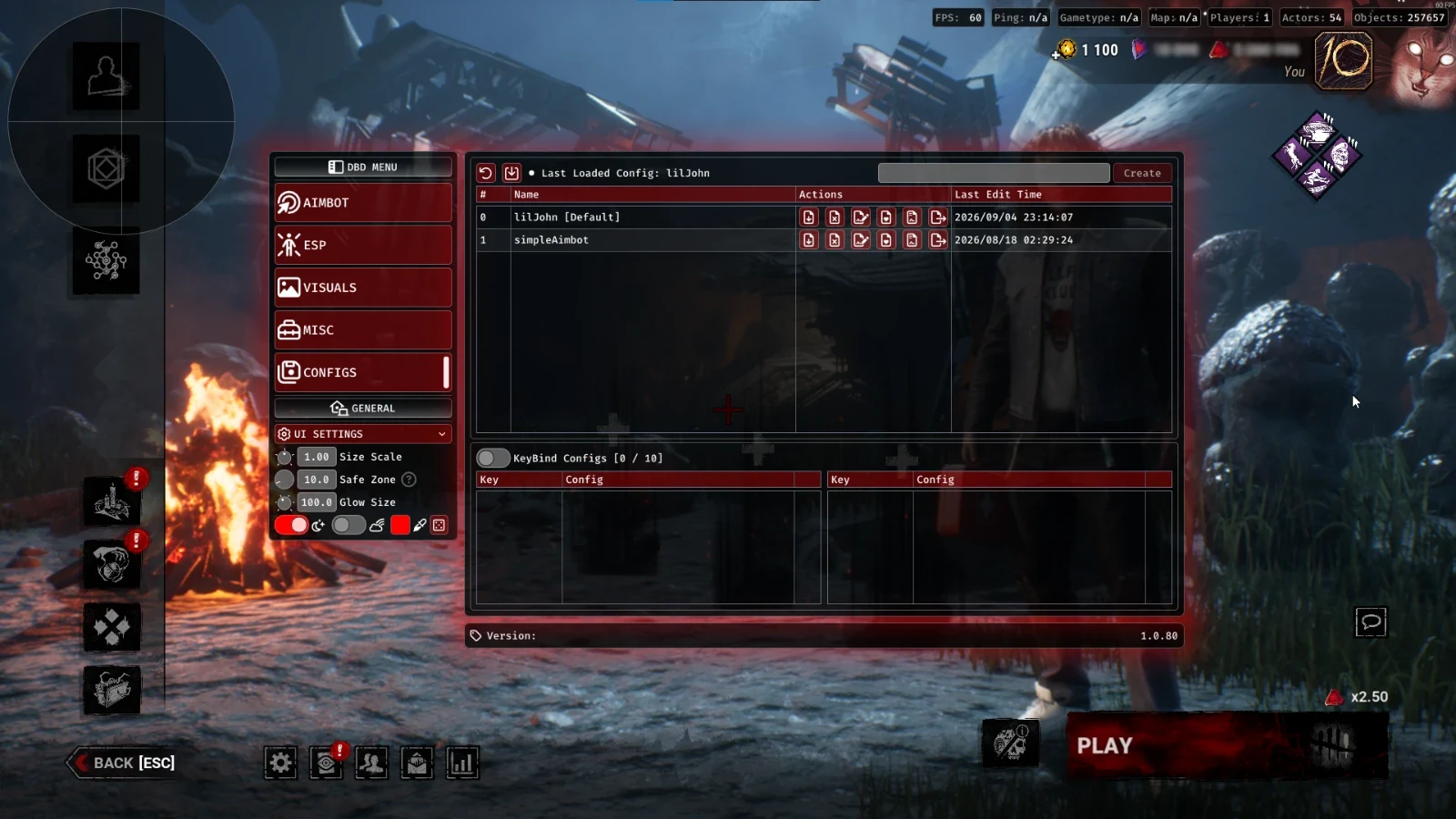
Manage personalized configurations and keybind profiles with import, export, editing and default profile controls.
12
-
Reset to Factory Settings
-
Import Configs from Desktop
-
Create Config
-
Rename Config
-
Load Config
Show 7 more features Show fewer features
-
Delete Config
-
Update Config
-
Set Config as Default
-
Create KeyBindConfig
-
Export Config to Desktop
-
Last Edit Time
-
KeyBindConfigs (10 Slots)
UI Settings
Personalize the software interface with adjustable scaling, safe zones, glow effects, colors and interface themes.
6
-
Size Scale
-
Safe Zone
-
Glow Size
-
Dark Mode
-
Rainbow Mode
-
Color
About DBD: Orbit
DBD: Orbit is a feature-packed Dead by Daylight software package combining targeting controls, survivor and killer awareness, world ESP, gameplay utilities, visual customization and flexible configuration management. The feature set covers six main categories, providing extensive customization for different gameplay preferences.
Aimbot & Huntress Prediction
Configure maximum aiming distance, target priorities, bone scanning, activation keys and stick-to-target behavior. Additional controls include customizable FOV circles, smoothing, humanizer settings, target switching delays and dedicated prediction for The Huntress hatchets.
Player, World & Object ESP
Access separate ESP categories for players, NPCs, world objects, survivor items, traps and killer interactables. Each supported category includes configurable display settings, alongside global ESP controls for font sizes, styles and visual presentation.
Movement & Gameplay Utilities
The miscellaneous feature collection includes Auto Skill Checks, Auto Moonwalk, Killer Cam, Free Cam, adjustable FOV, Legit Speed Hack, Skip Intro, Trap Immunity and survivor footstep visibility. Additional gameplay options include Magic Flashlight, No Hit Cooldown and Infinite Lunge.
Killer-Specific Features
Orbit includes dedicated features for selected Dead by Daylight killers. The Mastermind includes Infinite Virulent Bound Charges, The Cannibal includes multiple exploits, and The Spirit includes Infinite Phase-Walk. The Huntress also receives specialized hatchet prediction within the targeting settings.
Radar, Fullbright & Red Stain
Customize on-screen awareness through radar, compass indicators, crosshair settings and game information. Fullbright and configurable Red Stain visuals provide additional display options suited to Dead by Daylight's environments and gameplay mechanics.
Config Profiles & UI Customization
Create, rename, load, update, delete, import and export custom configurations. Set default profiles, restore factory settings and manage up to 10 dedicated KeyBindConfig slots. Personalize the interface with size scaling, safe zones, glow settings, dark mode, rainbow mode and color customization.
Frequently Asked Questions
Does DBD: Orbit include an aimbot?
Yes. Orbit includes configurable targeting features such as bone scanning, aim keys, target priorities, FOV circles, smoothing, humanizer settings and Huntress hatchet prediction.
Can I see survivors, killers and world objects?
The ESP feature list includes players, NPCs, world objects, survivor items, traps and killer interactables. Individual settings and global ESP appearance controls are also available.
Does Orbit support The Huntress?
Yes. The aimbot feature list includes dedicated prediction for The Huntress hatchets, alongside standard targeting and smoothing controls.
Are there killer-specific features?
Yes. The listed features include Infinite Virulent Bound Charges for The Mastermind, multiple exploits for The Cannibal and Infinite Phase-Walk for The Spirit.
Does DBD: Orbit include Auto Skill Checks?
Yes. Auto Skill Checks is included under the miscellaneous feature category, alongside movement controls, camera options and other gameplay utilities.
Can I use Free Cam and Killer Cam?
Yes. Both Free Cam and Killer Cam are listed. Free Cam includes a keybind toggle and adjustable speed, while Killer Cam includes a configurable keybind.
Does Orbit include radar and Fullbright?
Yes. Visual options include radar, compass, crosshairs, game information, Fullbright and customizable Red Stain settings.
Can I save multiple configurations?
Yes. Orbit supports creating, importing, exporting, editing and loading custom configurations, with the ability to set defaults and maintain up to 10 KeyBindConfig slots.
Which Windows versions are supported?
DBD: Orbit is intended for Windows PC. Confirm the exact supported Windows builds using the latest product documentation or ESHub support before purchasing.
What should I do if the loader shows an error?
Contact ESHub support with the exact error message and confirm that you are using the official product download attached to your purchase.