Jump to content
Having Trouble Paying? Click here to join the Discord, You can pay with Card, Paypal, Cashapp, Venmo, Zelle, Apple Pay! ×
⚡WARDOGS Season 2 Sale! | Save 10% on all Wardogs products using code: WARDOGS10 ⚡ ×

ARC Raiders: Rush
Undetected Cheat

ESHub provides premium undetected game softwares, DMA Hardware, ESP, Aimbot, and HWID spoofers for popular PC titles including Apex Legends, Arena Breakout Infinite, ARC Raiders, Escape from Tarkov, Fortnite, Rust, Rainbow Six Siege, and more. Our solutions are secure, frequently updated, and designed to stay undetected.
Explore All Softwares
50,000+ Keys DELIVERED
★★★★★ 4.9/5 FROM 500+ REVIEWS
ARC Raiders: Rush

Product Images

ARC Raiders: Rush
ARC Raiders: Rush
ARC Raiders: Rush
ARC Raiders: Rush
ARC Raiders: Rush
ARC Raiders: Rush
ARC Raiders: Rush
ARC Raiders: Rush

ARC Raiders: Rush

  • Instant Delivery
  • Undetected
    Internal Approved Radar Tool Feature Rich 2/5 Setup Difficulty
$6.99
ARC RAIDERS

ARC Raiders: Rush

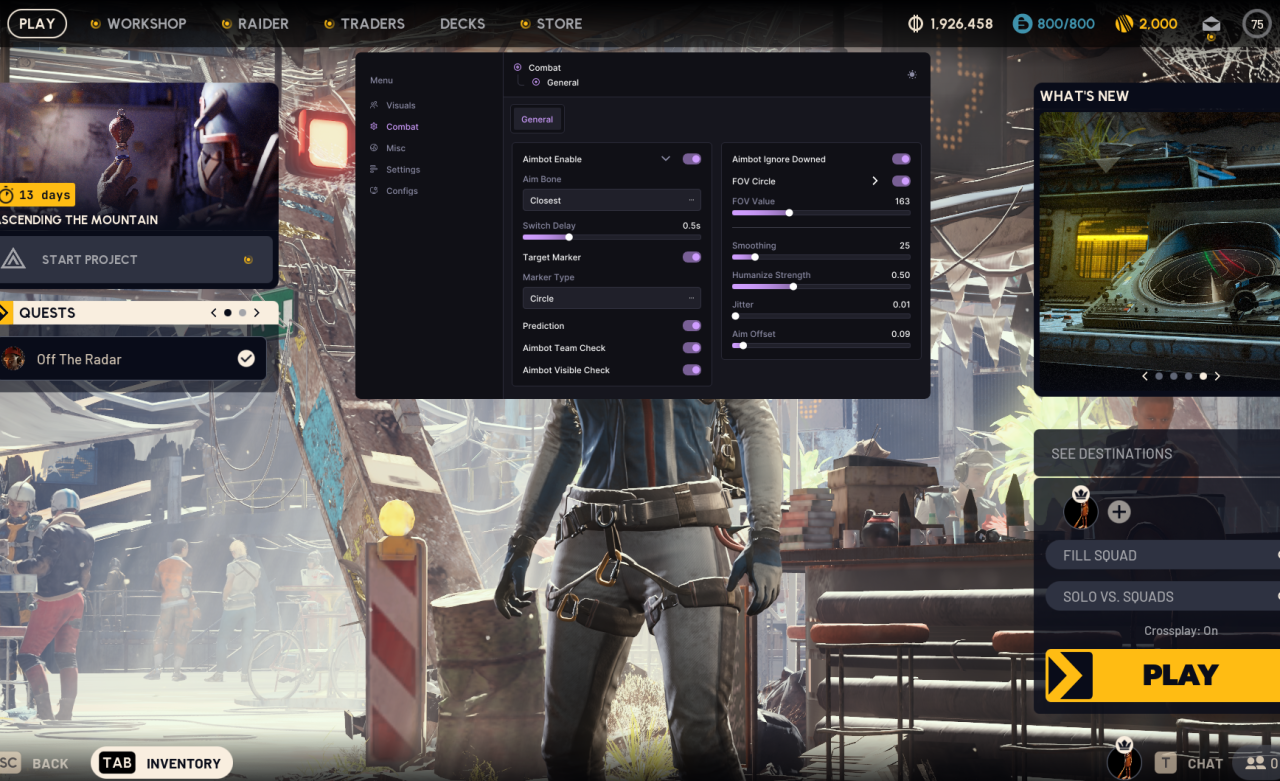
ARC Raiders: Rush combines configurable aimbot, player ESP, chams, ARC highlights, radar and saved configurations in one internal package.

PC / INTERNAL
InternalARC Raiders product
VC++ & DirectXRequired runtime components
F2 / InsertInitialize / open menu
Legacy LoaderSupported troubleshooting fallback

Explore the features

6 categories / 42 listed features

Expand a category to view its full list of settings.

Aimbot

Aim activation, prediction and customizable aiming behavior.

10
  • Aimbot Enable / Disable with Keybind Toggle
  • Bone Selection (Head / Neck / Chest / Closest)
  • Target Marker (Dot / Crosshair / Circle)
  • Projectile Prediction
  • Team Check / Visible Check
Show 5 more featuresShow fewer features
  • Ignore Downed Players
  • FOV Circle
  • Smoothing (Slider)
  • Humanization (Strength / Jitter / Aim Offset)
  • Switch Between Player Delay

Chams ESP

Player, self-body and ARC highlighting with color controls.

6
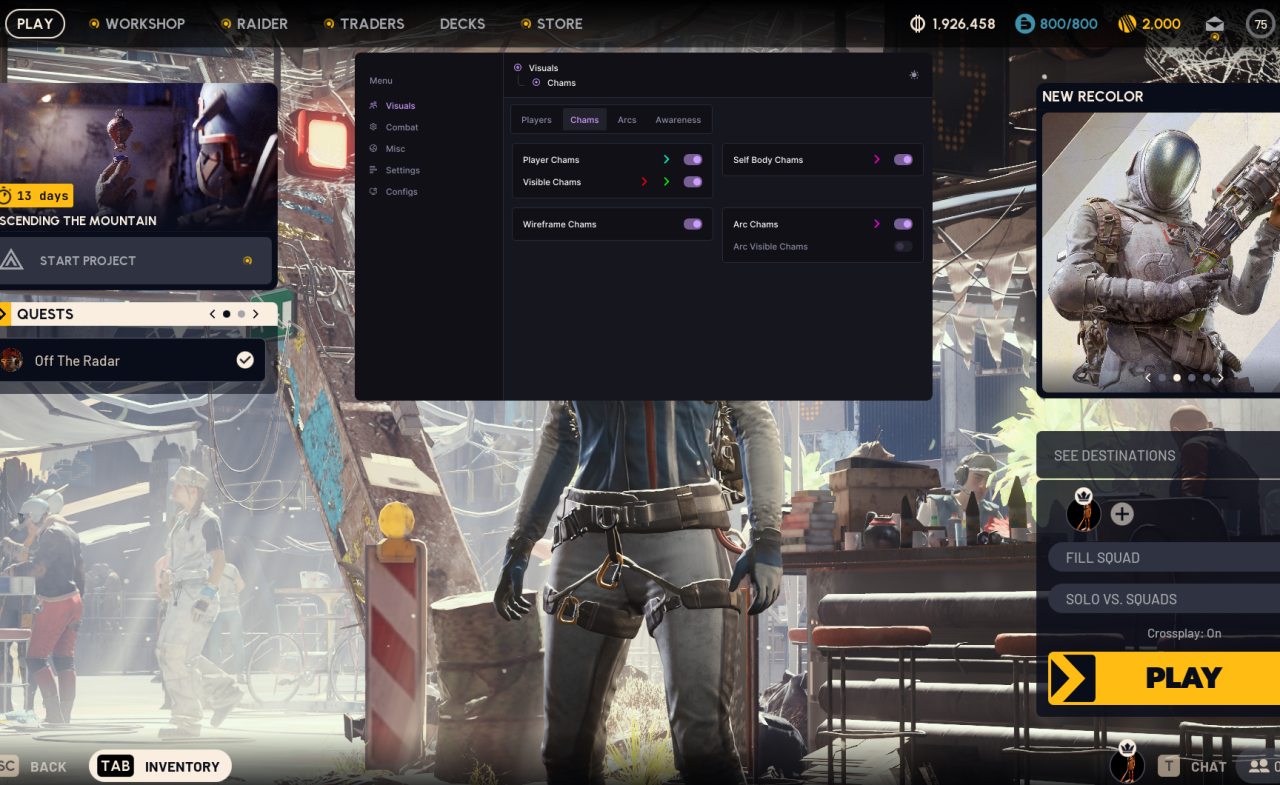
  • Player Chams (with Visible Colors)
  • Self Body Chams
  • Wireframe Chams
  • ARC Chams (with Visible Colors)
  • Chams Color Selector
Show 1 more featuresShow fewer features
  • Chams Fill / No Fill

Exploits

Field of view, zoom and environment controls.

5
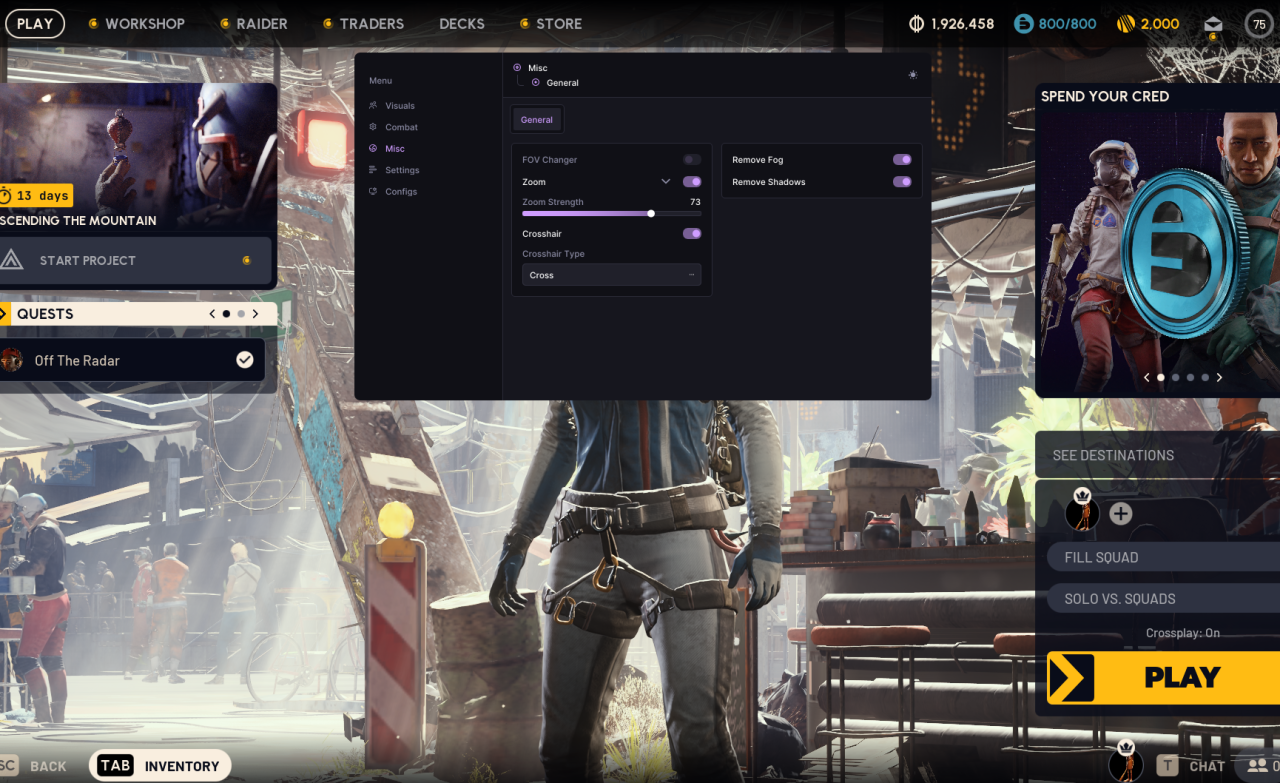
  • FOV Changer
  • Zoom (Keybind / Adjustable Strength)
  • Crosshair (Cross / Dot / Circle)
  • Remove Fog
  • Remove Shadows

Player ESP

Player details, health, shields and visual markers.

12
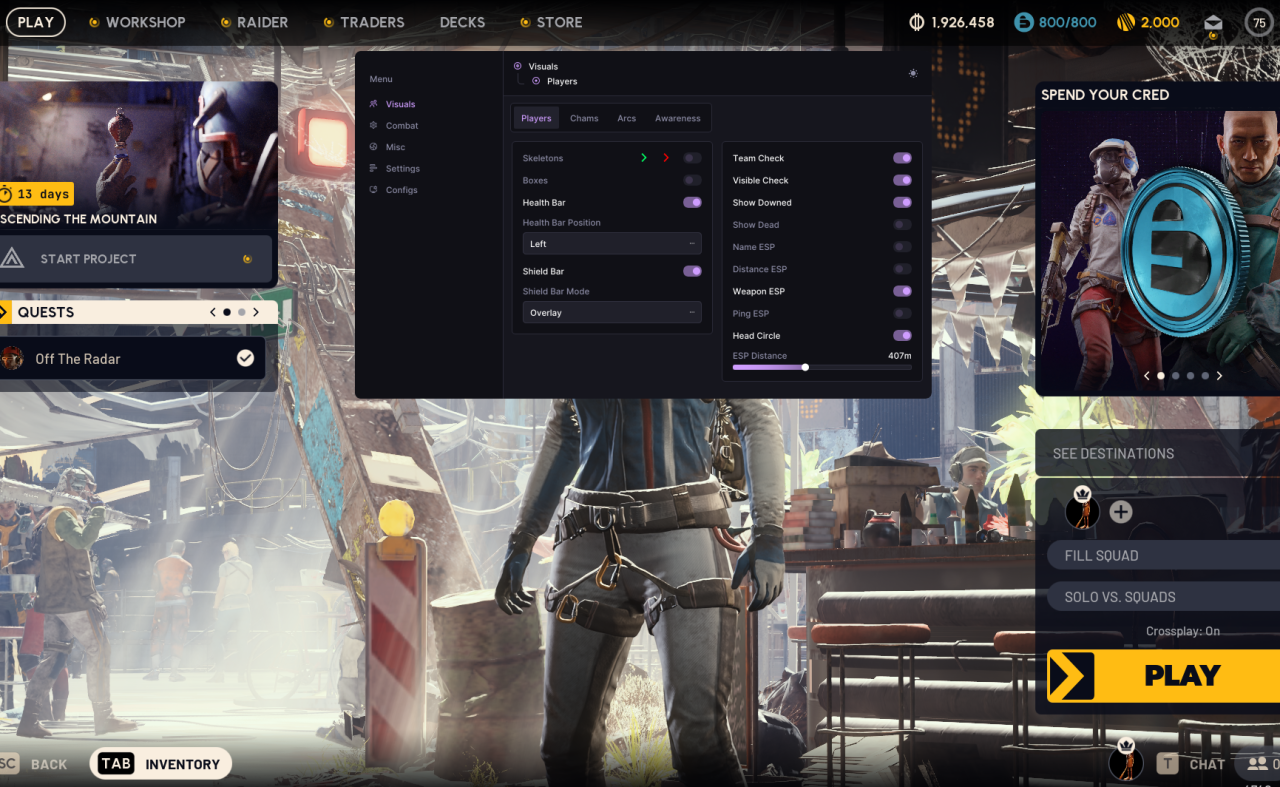
  • Skeletons (with Thickness)
  • 2D / 3D Boxes (with Filled Option)
  • Health Bar
  • Shield Bar (with Overlay Mode)
  • Team Check
Show 7 more featuresShow fewer features
  • Visible Check
  • Show Downed / Show Dead
  • Name ESP
  • Distance ESP
  • Weapon ESP
  • Ping ESP
  • Head Circle

ARCs ESP & Radar

ARC markers, radar controls and off-screen indicators.

5
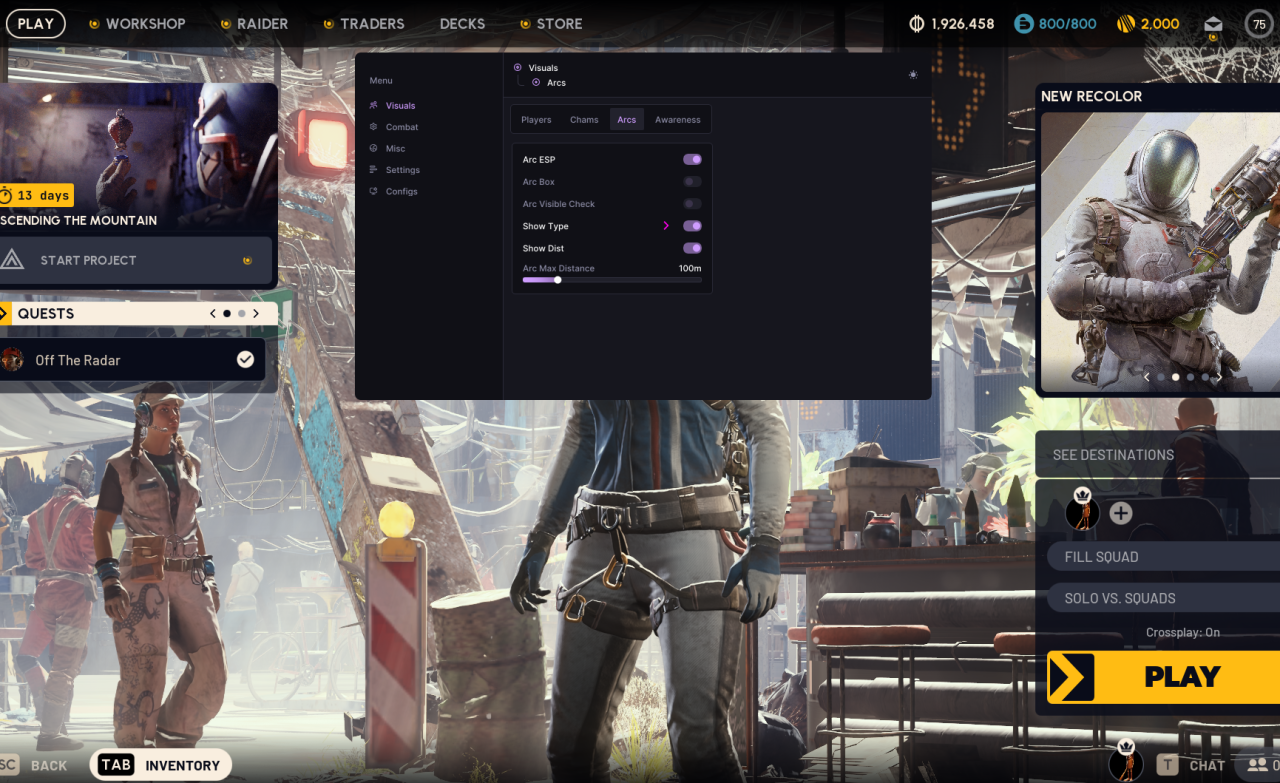
  • ARC ESP (Boxes / Filled / Visible Check)
  • Type Display
  • Distance Display
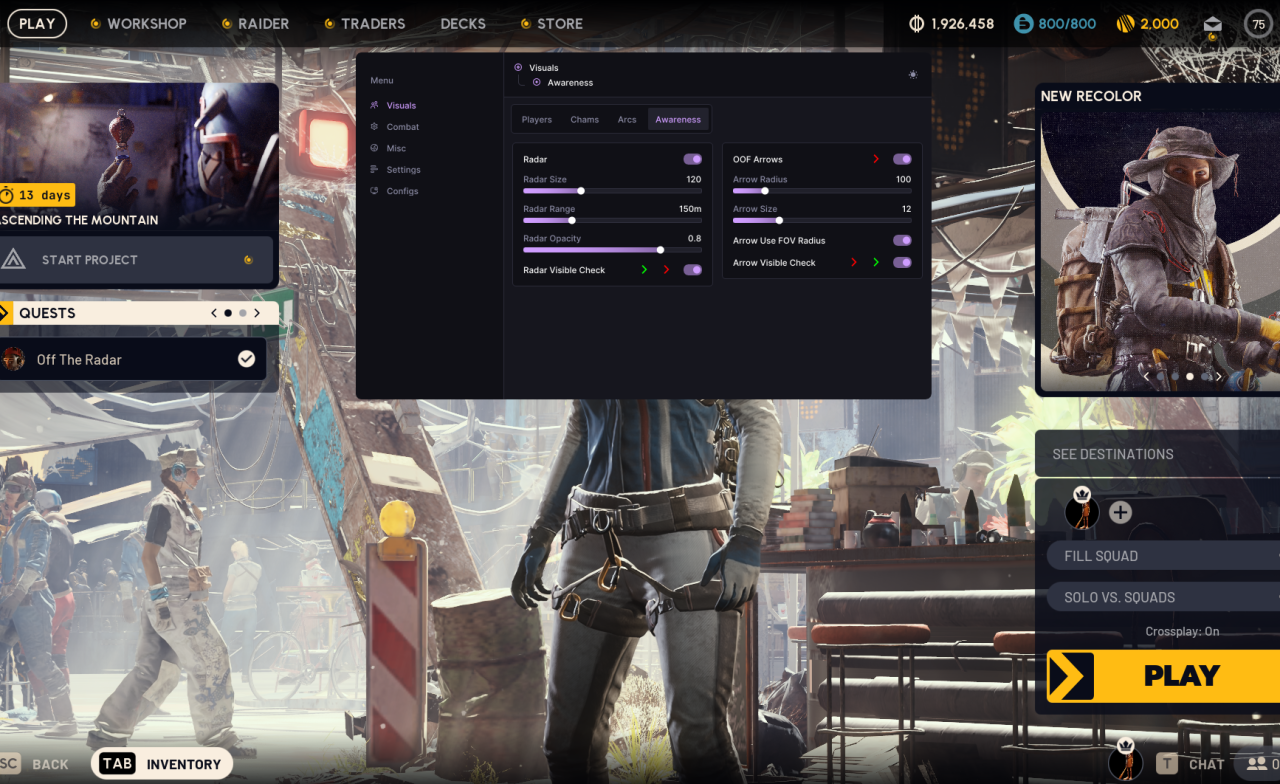
  • Radar (Size / Range / Opacity / Visible Check / Direction Triangles)
  • Off-Screen Arrows (Radius / Size / FOV-Linked / Visible Check)

Miscellaneous

Menu controls, font settings and saved configurations.

4
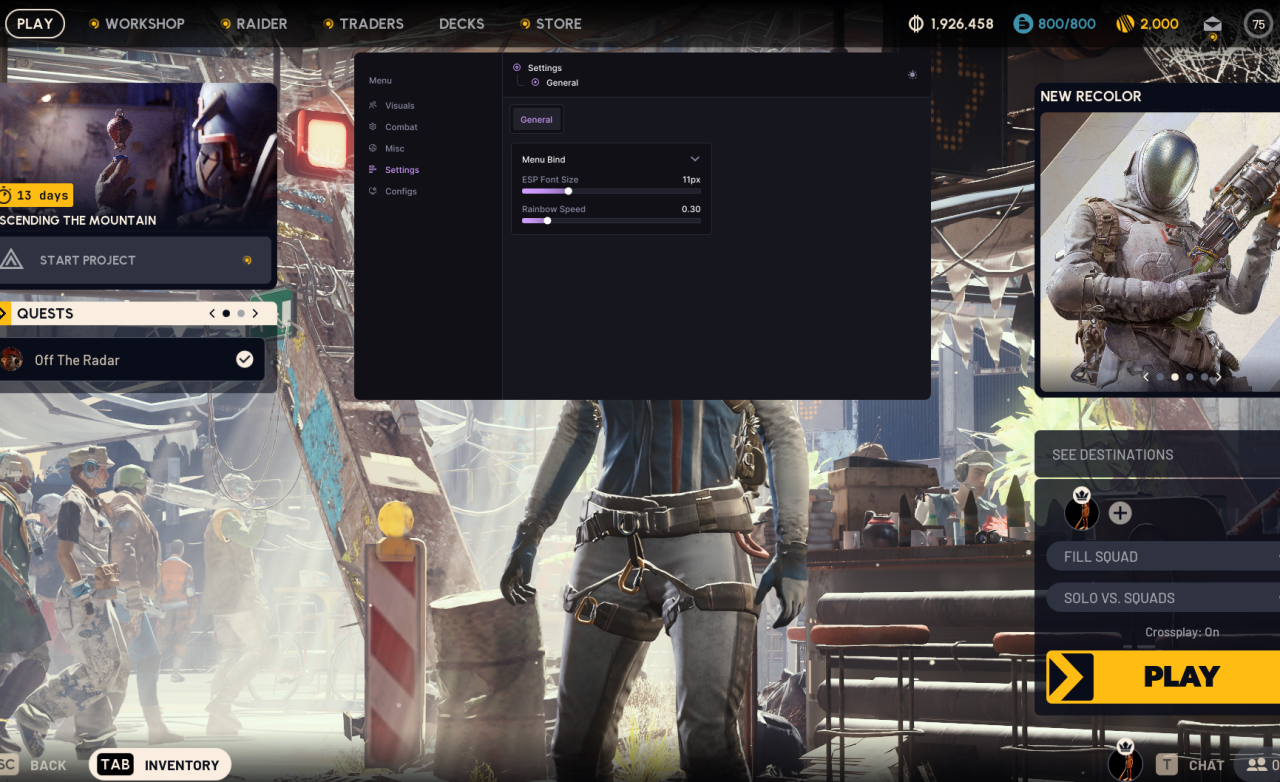
  • Menu Keybind
  • ESP Font Size
  • Rainbow Speed
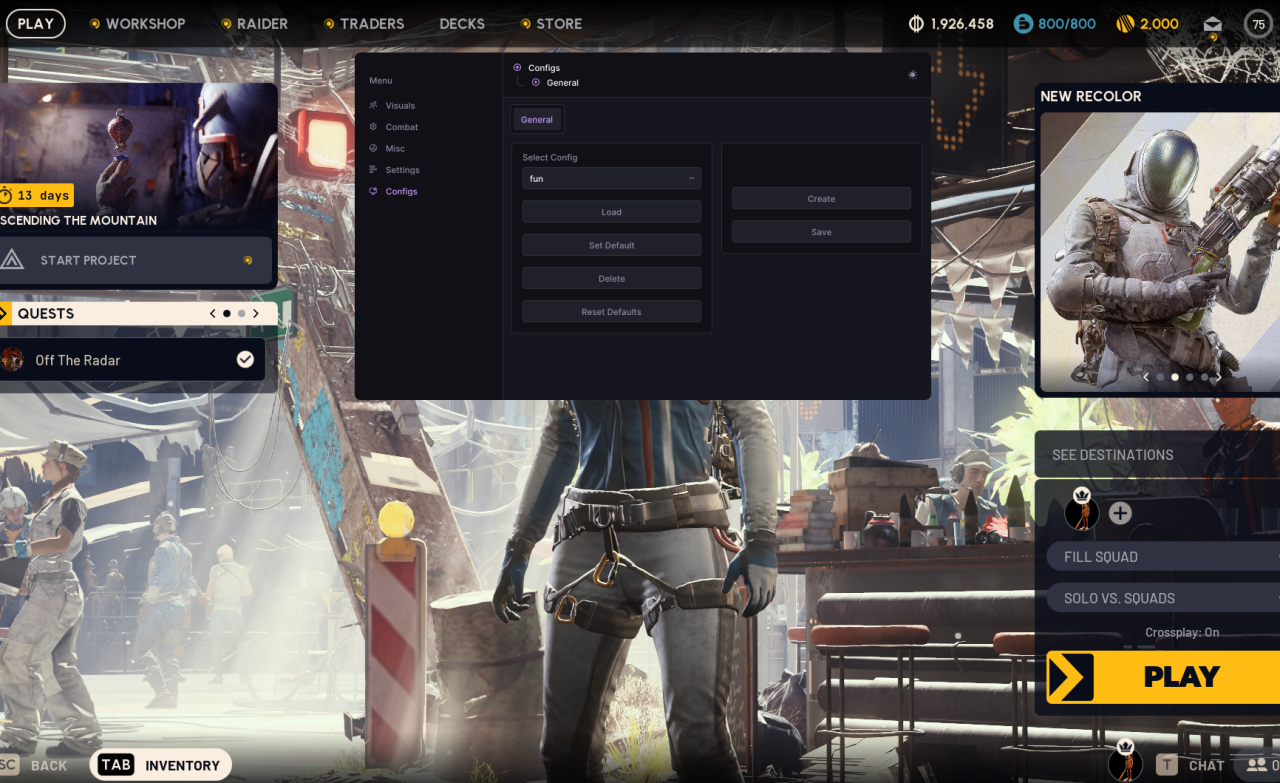
  • Config System (Save / Load / Delete / Defaults)

Required software

Archive utility

WinRAR or another compatible archive utility for extracting the downloaded files.

Visual C++ Runtime

Install the Microsoft Visual C++ Runtime x64 listed in the setup guide. Use Repair if it is already installed and needs repair.

DirectX

Install the Microsoft DirectX libraries listed in the setup guide before launching.

Launch and display setup

Administrator access

Run the launcher as Administrator and allow it to finish loading.

Display mode

Use Borderless when required by your product configuration, including when troubleshooting a missing menu.

Steam Overlay

Keep Steam Overlay enabled when required for your configuration.

License activation

Create a launcher account or sign in to your existing account, then activate the purchased key.

Initialization

Select ARC Raiders and your product, follow the launcher prompts, open the game and press F2 at the Main Menu / Lobby when instructed.

Menu access

Allow approximately 5–10 seconds after F2, then press Insert to open the menu when applicable.

Compatibility checks

Other overlays

Close unnecessary overlays. Keep only those required for your current configuration; Medal / Discord setup is part of specific overlay troubleshooting procedures.

Other anti-cheat services

FACEIT Anti-Cheat and Riot Vanguard may conflict. Check the current product compatibility instructions before launching.

Windows security

If a file is blocked or quarantined, check the security notification and verify its source. Treat security-setting changes as troubleshooting steps, following current developer guidance.

Firmware / boot mode

UEFI is expected in the guide’s EFI troubleshooting procedure. Check BIOS Mode with msinfo32; do not switch an existing Legacy installation without confirming boot compatibility.

Virtualization

For a repeated restart message, verify the virtualization and Windows components required by your configuration using the current developer instructions.

Windows date and time

For Initialization Failure / Error Code 1, enable automatic time and select Sync now in Windows Date & Time settings.

The supplied guide does not list supported Windows releases, CPU models or minimum RAM. Confirm compatibility with support before purchasing if you are unsure about your setup.

About ARC Raiders: Rush

ARC Raiders: Rush is an internal product with configurable aimbot, player ESP, chams, ARC ESP, radar and environment controls. Customize the visual information and aiming settings through the product menu.

Aimbot and humanization

Choose Head, Neck, Chest or Closest targeting, enable projectile prediction and adjust smoothing. Humanization settings include strength, jitter and aim offset. Team and visibility checks, downed-player filtering and target-switch delay let you configure target selection.

Player ESP and chams

Display skeletons, 2D / 3D boxes, health and shields, names, distances, weapons, ping and head circles. Chams include player, self-body, wireframe and ARC options, with visible-color controls and fill settings.

ARCs, radar and off-screen arrows

ARC ESP includes boxes, filled displays, visibility checks, type and distance information. Configure radar size, range, opacity and direction triangles, plus off-screen arrow radius, size and FOV-linked behavior.

View controls and configurations

Adjust FOV, use keybound zoom and select a Cross, Dot or Circle crosshair. Fog and shadow removal controls are included. Save, load, delete or restore default configurations, and customize the menu keybind, ESP font size and rainbow speed.

Frequently asked questions

Is ARC Raiders: Rush internal?

Yes. This feature list is for the internal product.

Which aiming controls are included?

The product includes a toggle keybind, target bones, a target marker, projectile prediction, team and visibility checks, downed-player filtering, FOV, smoothing, humanization and target-switch delay.

Does it include radar and ARC ESP?

Yes. ARC ESP includes type and distance displays. Radar offers size, range, opacity, visibility and direction-triangle settings, with separate off-screen arrows.

Which components do I install?

The setup guide lists an archive utility, Microsoft Visual C++ Runtime x64 and Microsoft DirectX. Follow the current guide for any configuration-specific requirements.

How do I initialize it and open the menu?

Run the launcher as Administrator, sign in, activate your key and select ARC Raiders. Follow the launcher prompts, press F2 when instructed in the Main Menu / Lobby, wait approximately 5–10 seconds and use Insert when applicable. The menu keybind is configurable.

Do I need a new account for another key?

No. Returning users can sign in to their existing launcher account and use Redeem for a new license.

What if the menu does not appear?

Wait 5–10 seconds after F2, try Insert and check Borderless mode and Steam Overlay when required. If the issue continues, try the supported Legacy Loader or contact ESHub support with the exact error and LogHelper.tmp when requested.

Read the ARC Raiders: Rush setup guide supplied with your purchase for installation and troubleshooting. Contact ESHub support if you need help.
×
×
  • Create New...