Jump to content
Having Trouble Paying? Click here to join the Discord, You can pay with Card, Paypal, Cashapp, Venmo, Zelle, Apple Pay! ×
🎁 Earn 10% back in EsHub store credit on eligible referral orders this weekend. Click here to get your link! ×

Delta Force: Full
Undetected Cheat

ESHub provides premium undetected game softwares, DMA Hardware, ESP, Aimbot, and HWID spoofers for popular PC titles including Apex Legends, Arena Breakout Infinite, ARC Raiders, Escape from Tarkov, Fortnite, Rust, Rainbow Six Siege, and more. Our solutions are secure, frequently updated, and designed to stay undetected.
Explore All Softwares
50,000+ Keys DELIVERED
★★★★★ 4.9/5 FROM 500+ REVIEWS
Delta Force: Full

Product Images

Delta Force: Full
Delta Force: Full
Delta Force: Full
Delta Force: Full
Delta Force: Full
Delta Force: Full

Delta Force: Full

  • Instant Delivery
  • Undetected
    Most Popular Internal Approved 2/5 Setup Difficulty
$7.99
DELTA FORCE

Delta Force: Full

Delta Force: Full combines configurable aiming, detailed player and equipment ESP, loot value tracking, customizable chams and gameplay controls, with controller and stream-proof support.

PC / FULL
Windows 10 / 11 Supported operating systems
Intel & AMD Supported processors
Fullscreen / Borderless Supported display modes
Controller / Stream-Proof Gamepad integration and capture hiding

Product showcase

Explore the features

6 categories / 54 listed features

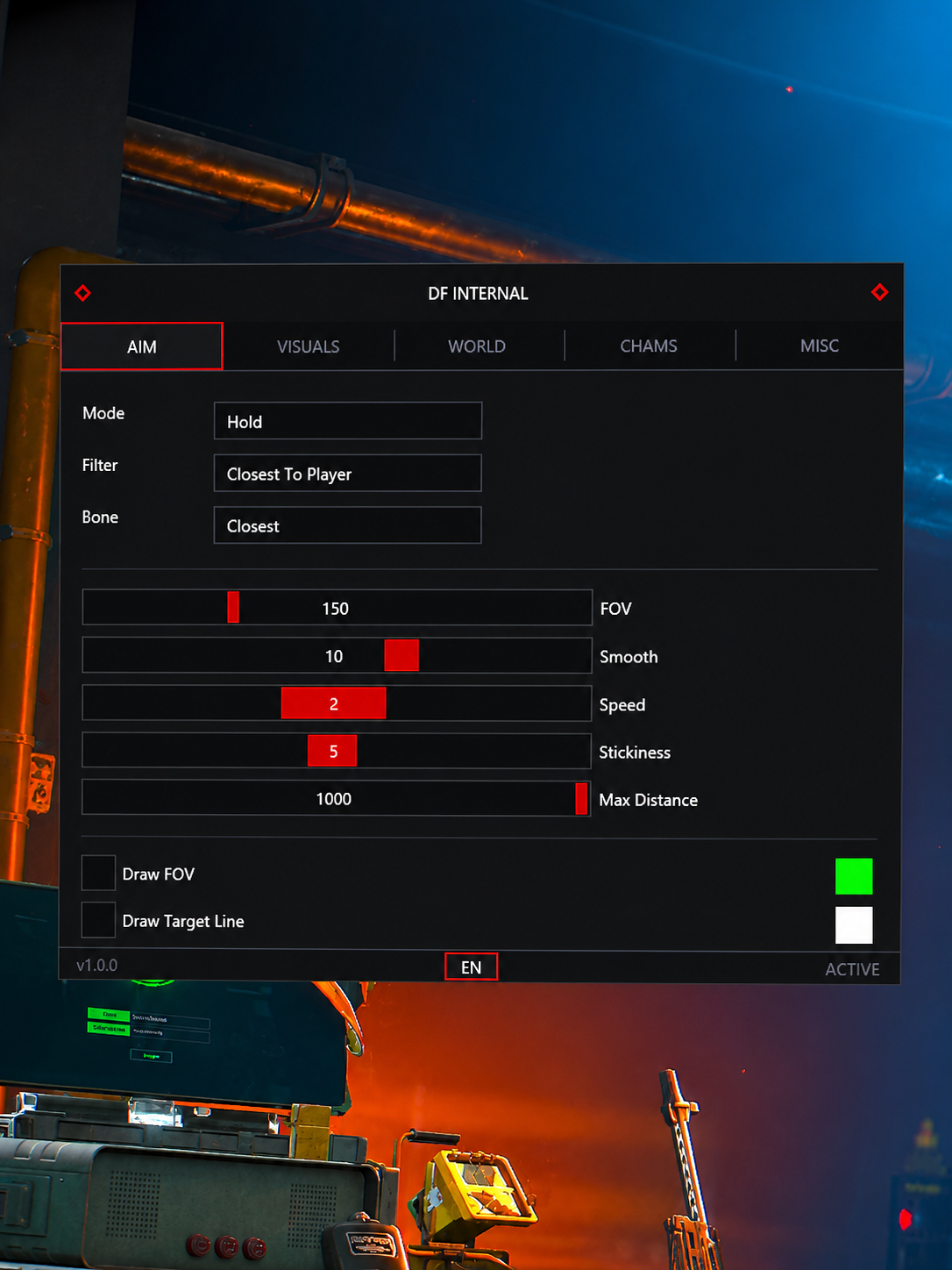
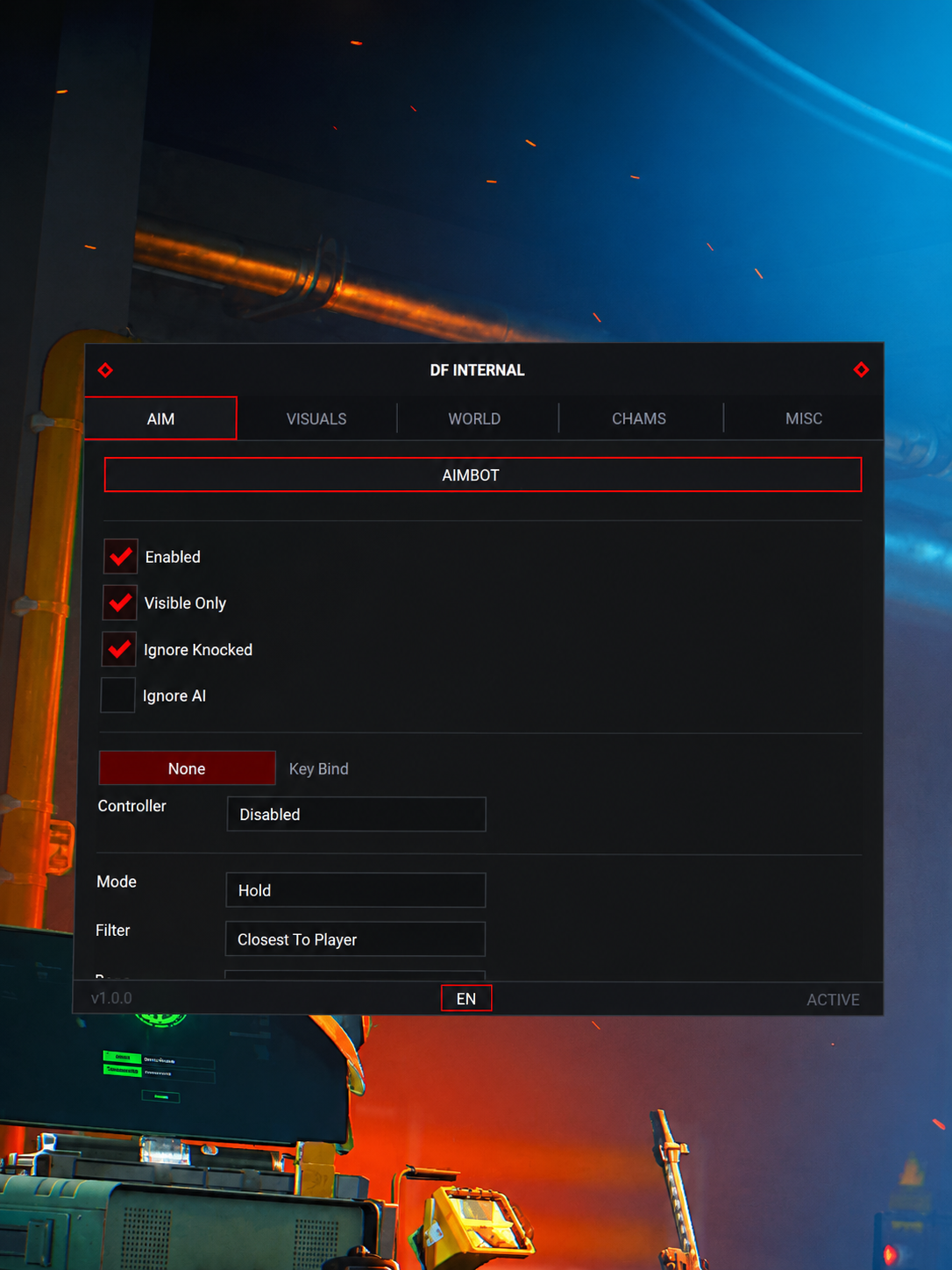
Aimbot

Tune aim behavior, target selection and native controller activation.

11
  • FOV
  • Smooth
  • Speed
  • Stickiness
  • Aimbot Filter
Show 6 more features Show fewer features
  • Bone Selection (Closest / Head / Neck / Chest)
  • 2 Aimbot Keybinds (Native controller keybinds, no remap needed)
  • Visible Check
  • Ignore Knocked
  • Draw FOV
  • Draw Target Line

Loot ESP

Track loot names, rarity, prices, corpses and computers.

9
  • Item Name
  • Rarity
  • Distance
  • Price
  • Minimum Price Filter
Show 4 more features Show fewer features
  • Max Distance
  • Players Corpses
  • AI Corpses
  • Computers

Settings

Manage your configuration.

1
  • Config System

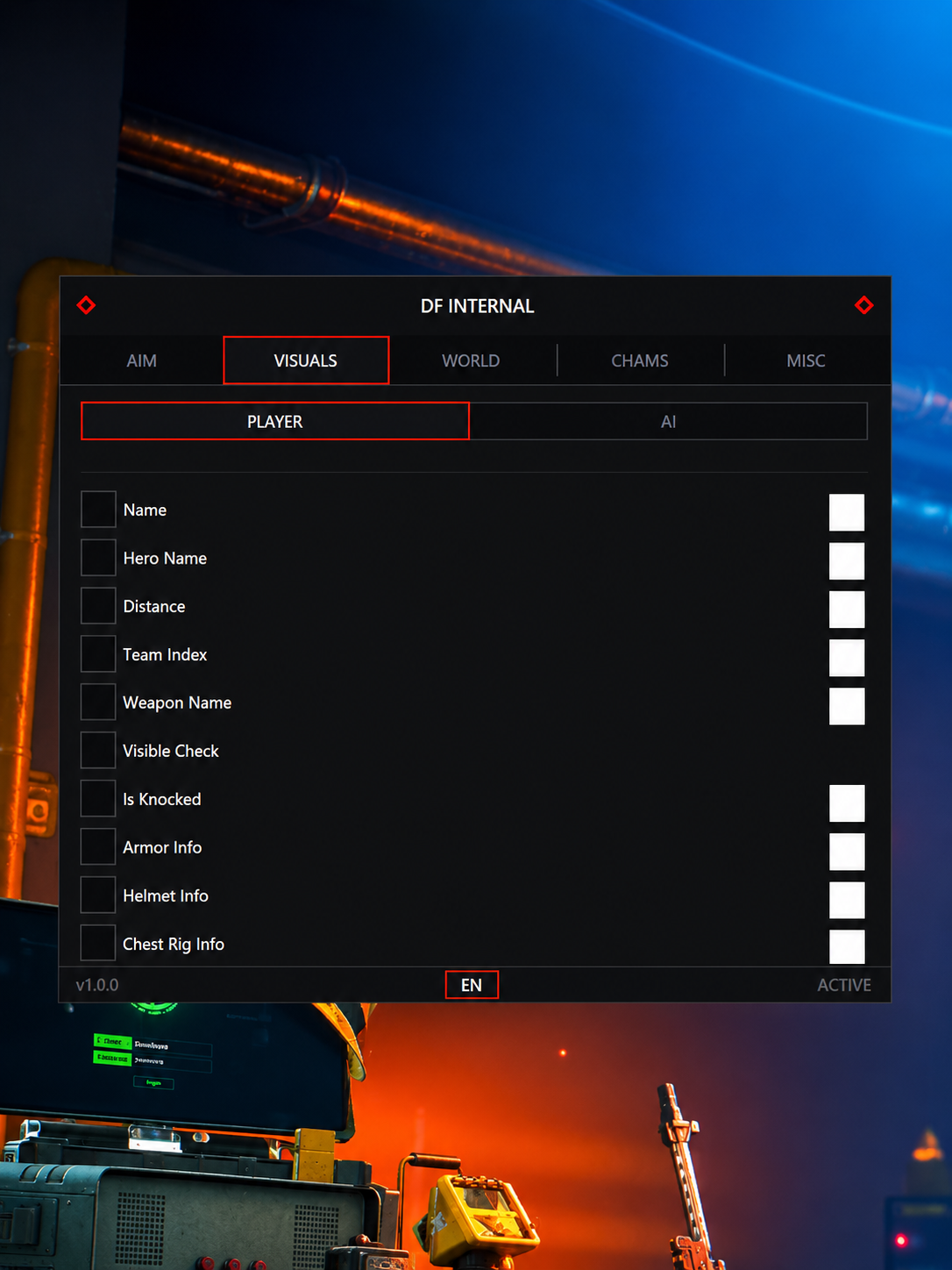
Player ESP

Display player information, equipment levels and visibility indicators.

21
  • Skeleton
  • Head Circle
  • Box
  • Distance
  • Name
Show 16 more features Show fewer features
  • Team Number
  • Weapon
  • View Direction
  • Health Bar
  • Snaplines
  • Show Knocked
  • Helmet Name
  • Helmet Level
  • Armor Name
  • Armor Level
  • Chest Bag Name
  • Chest Bag Level
  • Hero Name
  • Visible Check
  • Max Distance
  • Custom Colors / ESP Size / Transparency / Brightness

Chams

Customize model highlights and color styles.

3
  • Applies To Player / AI / Weapon / Hands / Self (Customizable)
  • Style (Static Color / RGB Color)
  • Static Color Picker

Misc

Control the camera, model offsets and combat display.

9
  • Instant Hit
  • Camera FOV Changer
  • Third Person View (Hotkey)
  • Arms Scale Offset (X / Y / Z)
  • Weapon Scale Offset (X / Y / Z)
Show 4 more features Show fewer features
  • Enable Crosshair
  • Combat Mode Hide Entities (Player / AI / Item / Dead Container / Computer - Customizable)
  • Encryption Bypass
  • Config System

System compatibility

Operating system

Windows 10 / Windows 11; your supplied requirements list all versions.

CPU

Intel and AMD processors.

GPU

NVIDIA, AMD and Intel UHD graphics.

Memory

8 GB minimum; 16 GB recommended for best performance.

Display mode

Fullscreen or Borderless Windowed.

BIOS mode

UEFI is listed in the compatibility overview; no additional BIOS setup is listed.

Platforms and setup

Launchers

The supplied requirements list Steam Global/CN, Garena, Official launcher and WeGame. The overview also lists Steam / EA; confirm your exact launcher with ESHub before purchase.

Setup tutorial

Detailed tutorial available after purchase.

Controller support

Full gamepad and aim-assist integration, including native aimbot keybinds without remapping.

Stream-Proof

Listed as invisible to OBS, Discord and screenshots.

For launcher compatibility or installation help, contact ESHub on Discord .

About Delta Force: Full

Delta Force: Full combines aiming controls, player and loot information, model highlighting and camera customization for PC.

Player equipment and loot value

Player ESP includes helmet, armor and chest-bag names and levels. Loot ESP includes item prices and a minimum-price filter, alongside corpses and computers.

Model highlights and camera controls

Chams can apply to players, AI, weapons, hands and your own model with static or RGB colors. Camera controls include FOV changes and a third-person hotkey.

Controller and capture support

The supplied specification lists controller integration, native aim keybinds and stream-proof visuals for OBS, Discord and screenshots.

Frequently asked questions

Does Full support controllers?

Yes. The supplied feature list includes gamepad integration and two native controller aimbot keybinds without remapping.

Can I use fullscreen?

Yes. Fullscreen and Borderless Windowed are both listed.

Which Windows versions are listed?

Your supplied requirements list Windows 10 and Windows 11, all versions. Confirm compatibility with your exact build before purchasing.

Can I filter loot by value?

Yes. Loot ESP lists item price and a minimum-price filter, alongside rarity and maximum distance.

Can ESP show equipment levels?

Yes. Helmet, armor and chest-bag names and levels are listed, alongside weapons and hero names.

Is BIOS setup required?

The overview lists UEFI mode, while the requirements say no BIOS setup is required. Follow the supplied product tutorial and ask ESHub if your system uses a different boot mode.

Which launcher should I use?

The requirements list Steam Global/CN, Garena, Official launcher and WeGame; the overview also mentions EA. Ask ESHub to confirm your launcher before purchasing.

Where can I get setup help?

A detailed tutorial is available after purchase. For order questions or installation assistance, contact ESHub on Discord.

Contact ESHub support for setup instructions, compatibility checks and troubleshooting.
×
×
  • Create New...