Jump to content
Having Trouble Paying? Click here to join the Discord, You can pay with Card, Paypal, Cashapp, Venmo, Zelle, Apple Pay! ×
🎁 Earn 10% back in EsHub store credit on eligible referral orders this weekend. Click here to get your link! ×

Delta Force: Orbit
Undetected Cheat

ESHub provides premium undetected game softwares, DMA Hardware, ESP, Aimbot, and HWID spoofers for popular PC titles including Apex Legends, Arena Breakout Infinite, ARC Raiders, Escape from Tarkov, Fortnite, Rust, Rainbow Six Siege, and more. Our solutions are secure, frequently updated, and designed to stay undetected.
Explore All Softwares
50,000+ Keys DELIVERED
★★★★★ 4.9/5 FROM 500+ REVIEWS
Delta Force: Orbit

Product Images

Delta Force: Orbit
Delta Force: Orbit
Delta Force: Orbit
Delta Force: Orbit
Delta Force: Orbit
Delta Force: Orbit
Delta Force: Orbit

Delta Force: Orbit

  • Instant Delivery
  • Undetected
    Internal Approved Feature Rich 1/5 Setup Difficulty
$6.99
Add-ons
DELTA FORCE

Delta Force: Orbit

Delta Force: Orbit brings together configurable aiming, detailed player overlays, Operations loot tracking, radar and a customizable HUD.

PC / ORBIT
Windows 11 23H2 / 24H2 / 25H2
Windows 10 22H2 Limited compatibility; no technical support
Visual C++ / DirectX Microsoft runtimes required
ESHub Support Help through our Discord

Product showcase

Explore the features

7 categories / 85 listed features

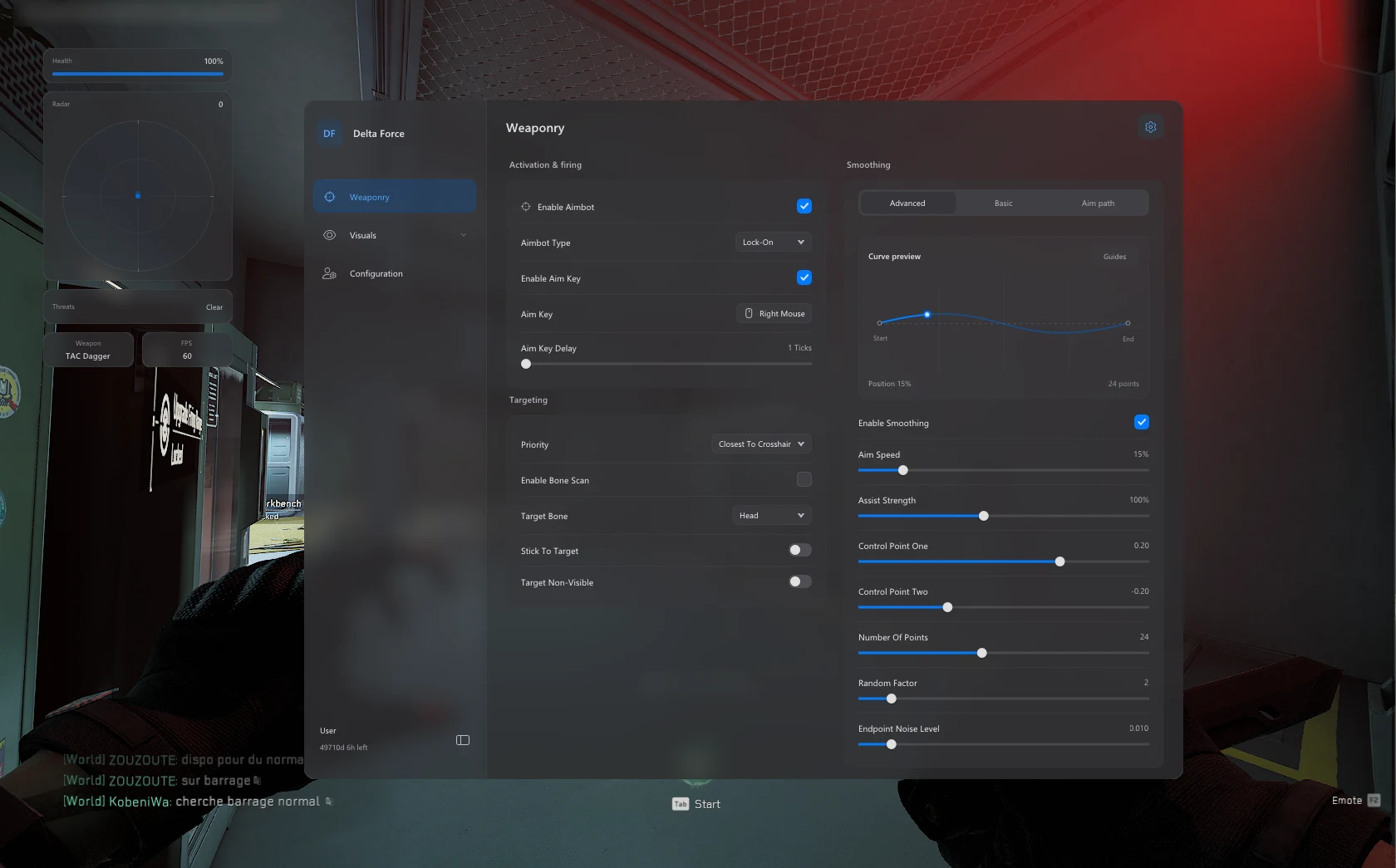
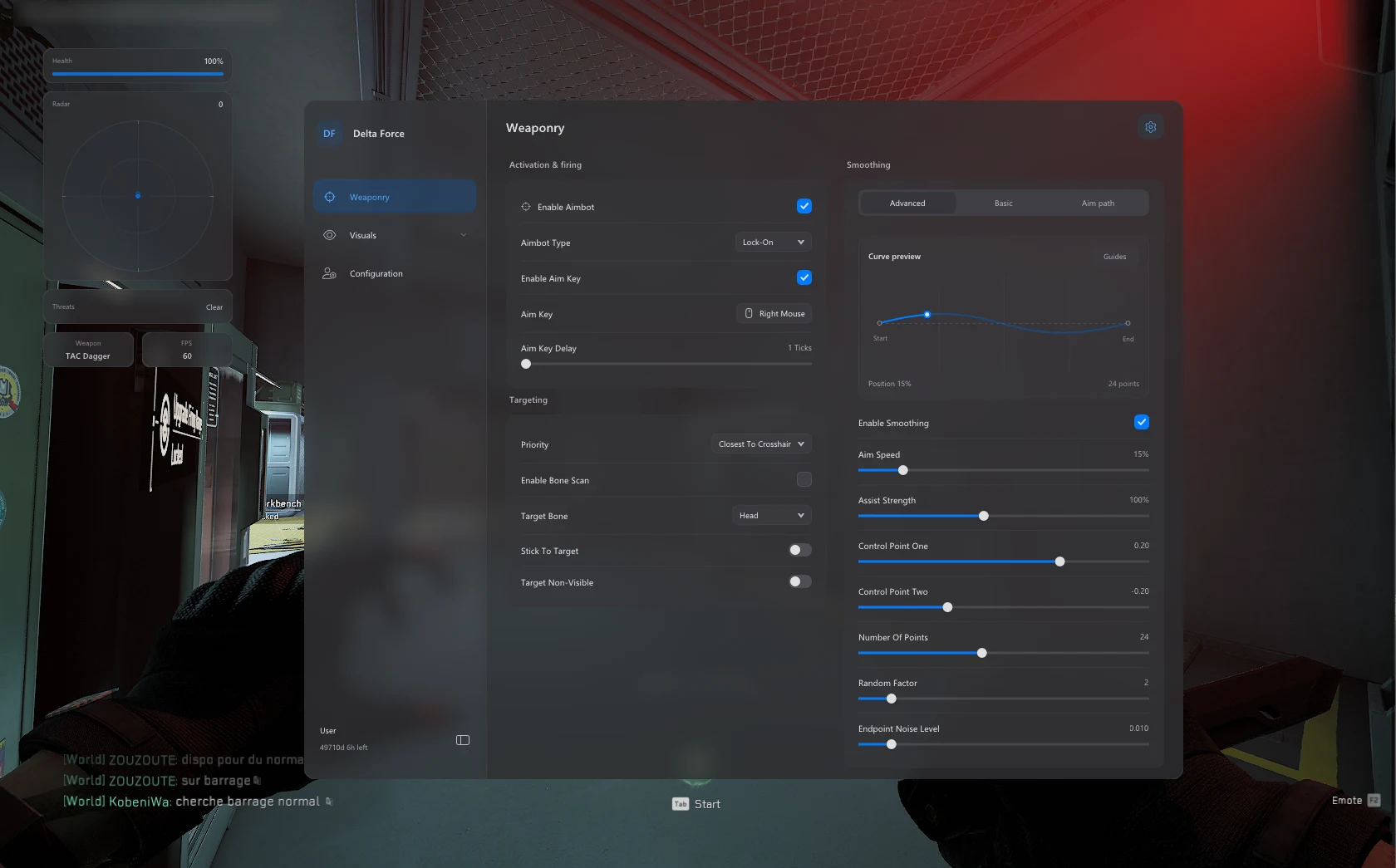
Aimbot

Configure target selection and aim movement.

11
  • Enable Aimbot
  • Lock-On / Trigger-Bot
  • Target Priority
  • Bone Scan
  • Target Bone Selection
Show 6 more features Show fewer features
  • Stick To Target
  • Target Non-Visible
  • Aim Key + Delay
  • Smoothing Profiles
  • Advanced Bezier Smoothing
  • Smoothing Visualizer

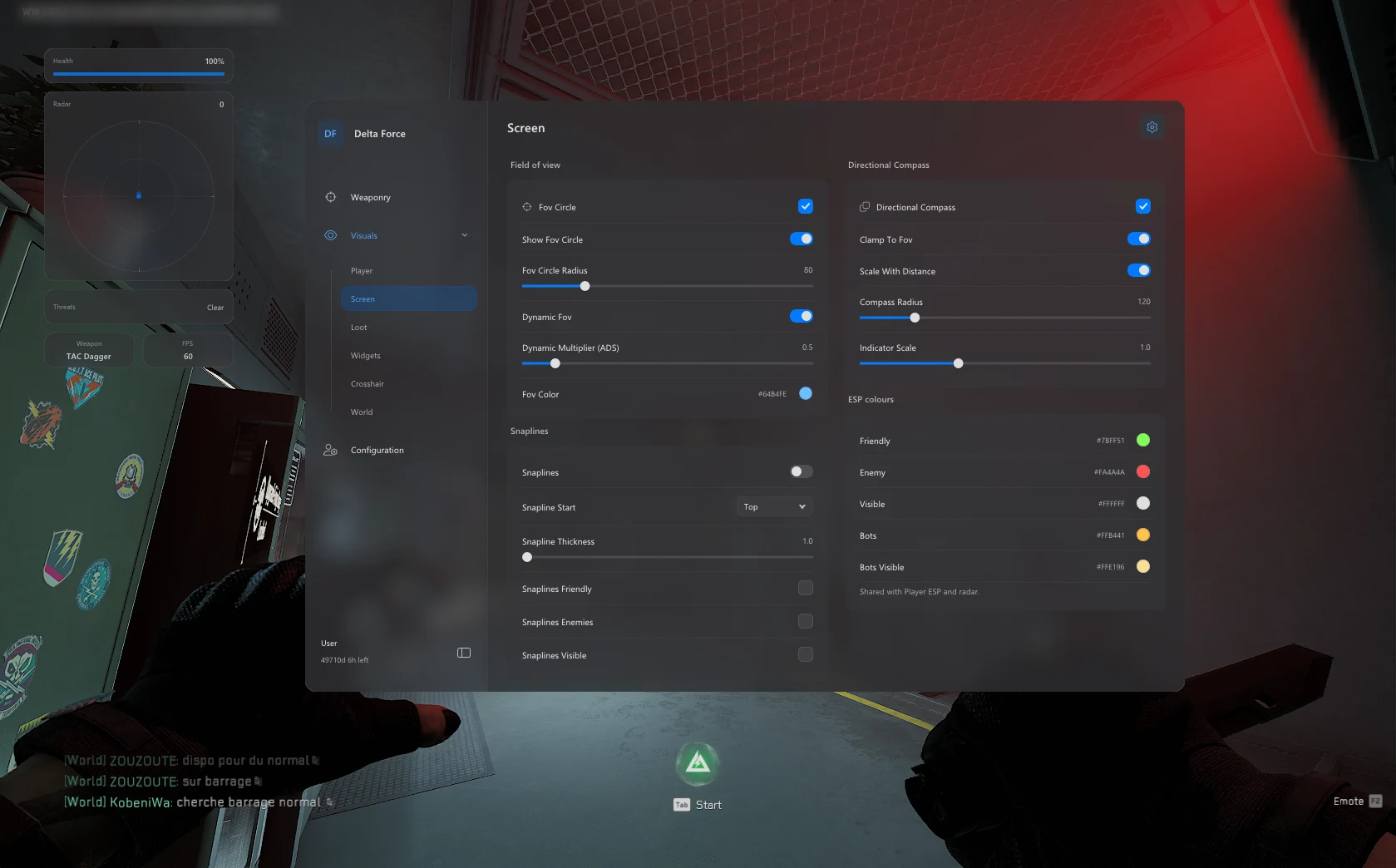
Screen Visuals

Tune snaplines, your aim field and directional indicators.

12
  • Snaplines
  • Snapline Team Filters
  • Snapline Start Position
  • Snapline Thickness
  • Snapline Colors
Show 7 more features Show fewer features
  • FOV Circle
  • FOV Radius
  • Dynamic ADS Multiplier
  • FOV Color
  • Directional Compass
  • Clamp To FOV
  • Distance Scaling

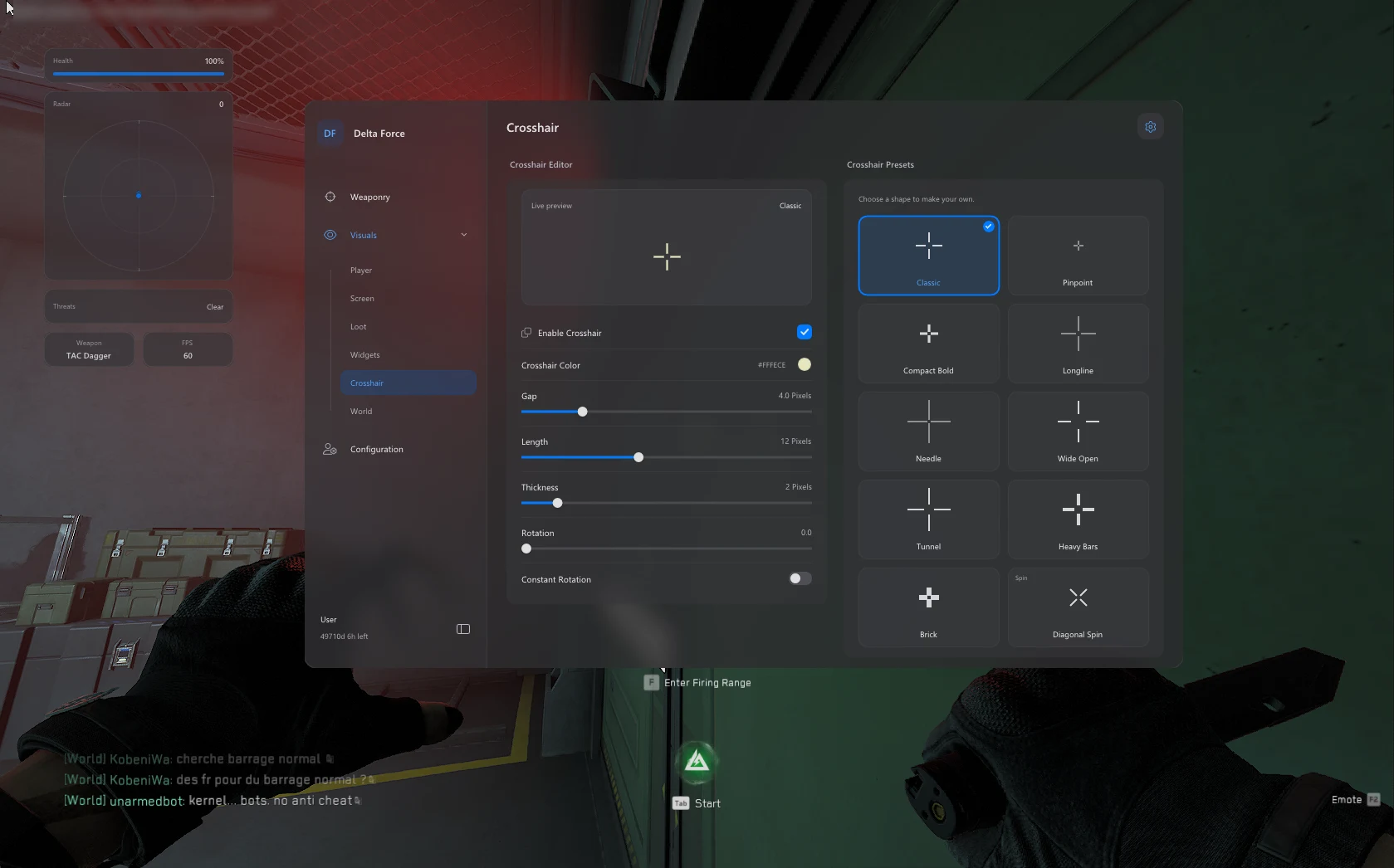
Crosshair

Build a custom crosshair with presets and a live preview.

10
  • Enable Crosshair
  • Gap
  • Length
  • Thickness
  • Rotation
Show 5 more features Show fewer features
  • Constant Rotation
  • Crosshair Color
  • Live Preview
  • Crosshair Presets
  • Diagonal Spin Preset

Misc

Adjust lighting, menu appearance and saved configurations.

12
  • Sun Changer
  • Sun Color
  • Config System
  • Save Configs
  • Config Browser
Show 7 more features Show fewer features
  • Load Configs
  • Delete Configs
  • Menu Hotkey
  • DPI Scaling
  • Blur Settings
  • Theme Modes
  • Accent Color

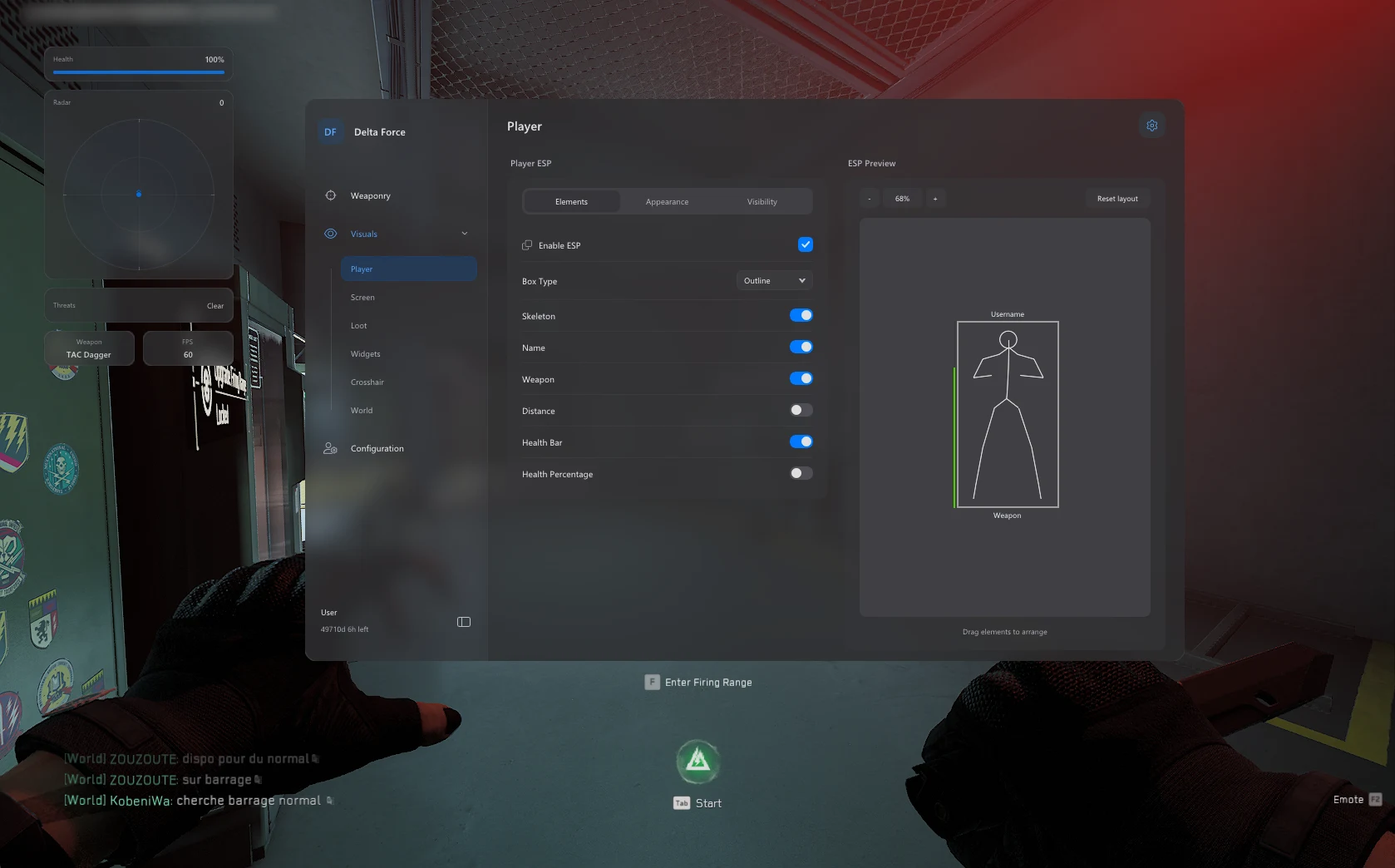
Player ESP

Arrange player information with a drag-and-drop preview.

16
  • Enable ESP
  • Player Name
  • Health Bar
  • Health Percentage
  • Weapon Display
Show 11 more features Show fewer features
  • Skeleton
  • Distance Display
  • Box Types
  • ESP Distance
  • Font Size
  • Skeleton Smoothness
  • ESP Colors
  • Target Filtering
  • Drag & Drop ESP Preview
  • Ignore Bots
  • Bots / Bots Visible Colors

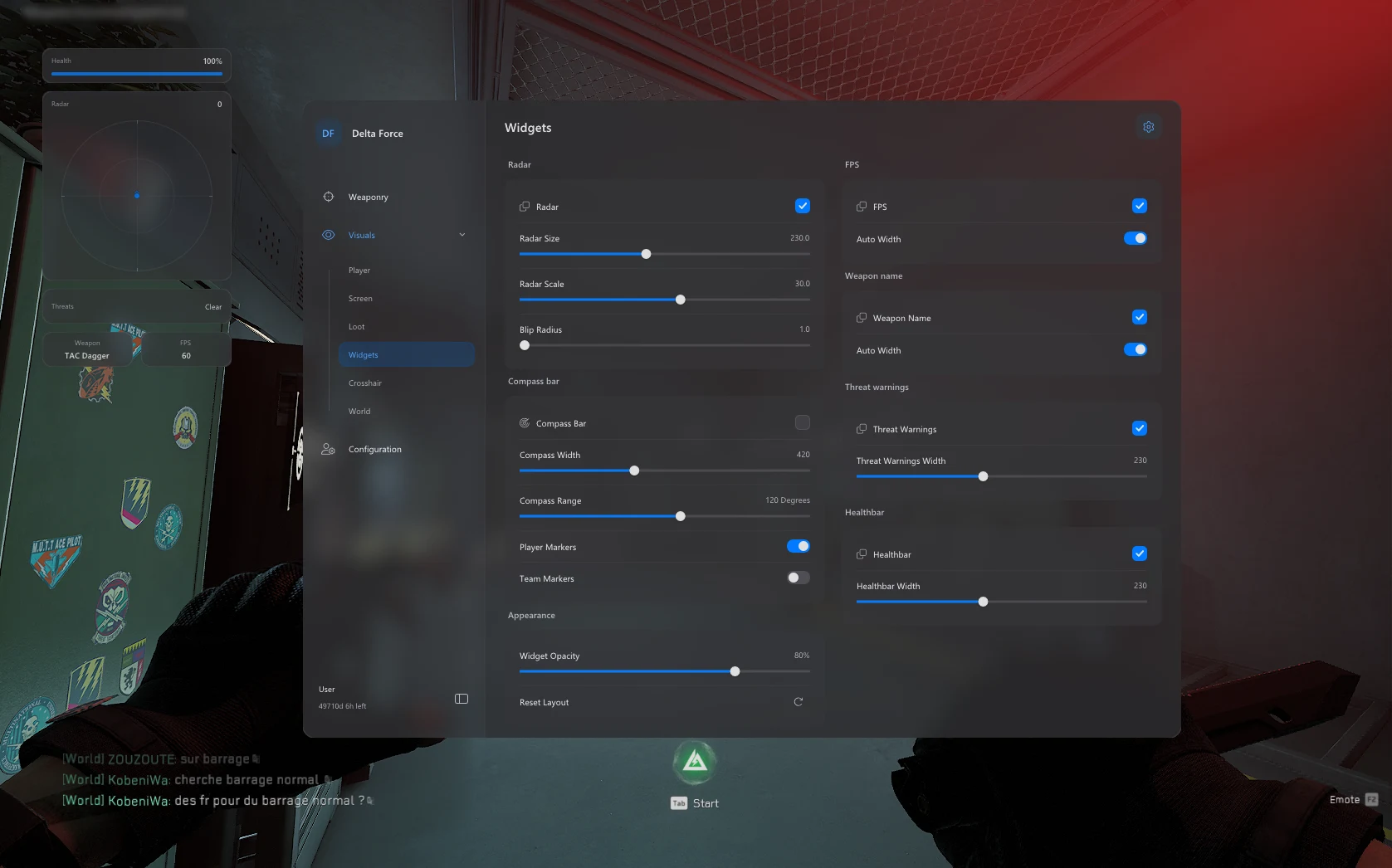
HUD Widgets

Position radar and information panels around your screen.

10
  • Radar Widget
  • Radar Size
  • Radar Scale
  • Blip Radius
  • Healthbar Widget
Show 5 more features Show fewer features
  • Threat Warnings
  • FPS Widget
  • Weapon Widget
  • Auto Width Options
  • Movable HUD Panels

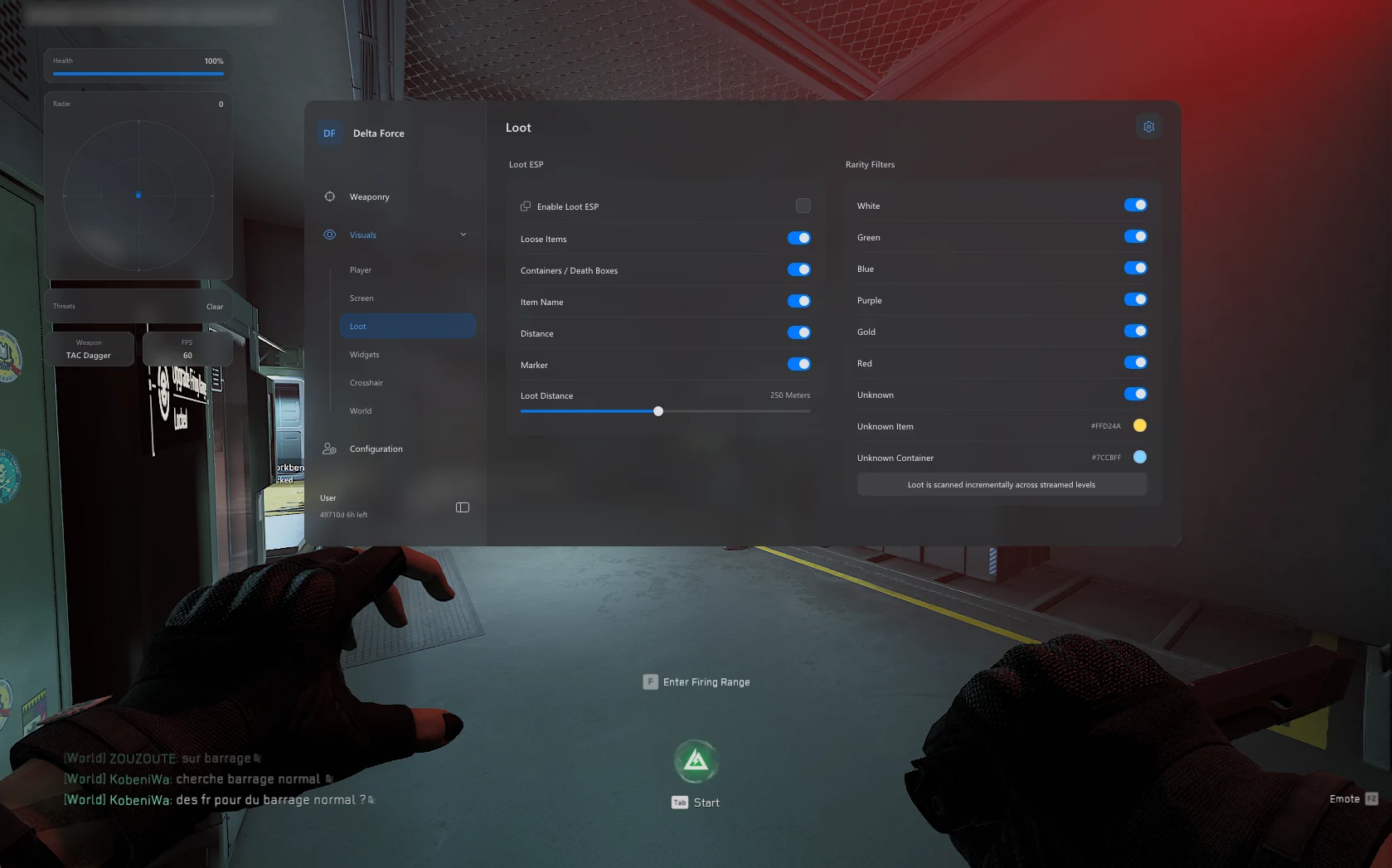
Operations Loot ESP

Filter loot, containers and death boxes by rarity.

14
  • Loose Item ESP
  • Container ESP
  • Death Box ESP
  • Real In-Game Loot Names
  • Loot Distance
Show 9 more features Show fewer features
  • Loot Markers
  • Rarity-Based Colours
  • White Rarity Filter
  • Green Rarity Filter
  • Blue Rarity Filter
  • Purple Rarity Filter
  • Gold Rarity Filter
  • Red Rarity Filter
  • Maximum Display Distance

Operating system

Windows 11

23H2, 24H2 and 25H2 supported.

Windows 10

22H2 has limited compatibility; technical support is no longer provided.

Required software

Visual C++

Install the current Microsoft Visual C++ runtime.

DirectX

Install the DirectX End-User Runtime; restart if prompted.

Loader settings

CPU virtualization

Intel VT-x / AMD SVM disabled in BIOS.

Vulnerable Driver Blocklist

Disabled, as required by the loader.

Antivirus / Windows Firewall

Temporarily disabled during loader use; re-enable when finished.

Before launching

Product download

Use the current download supplied with your ESHub purchase.

Extract first

Extract all files into a new folder before running the loader.

Administrator access

Close games and launchers, then run the loader as Administrator.

License and launch

Enter your license, choose your product and follow the ready prompt.

Need help with compatibility or setup? Contact ESHub support on Discord .

About Delta Force: Orbit

A configurable Delta Force product for PC with targeting controls, player overlays, loot filters and screen customization.

Aim control

Choose target bones and priorities, configure activation timing and refine movement with smoothing profiles or Bezier curves.

Player and loot awareness

Arrange player labels, adjust bot visibility and filter Operations loot by rarity. Radar and directional indicators offer additional positional information.

Your own layout

Move HUD panels, customize crosshairs and save configurations. Theme and scaling controls let you adjust the menu to your display.

Frequently asked questions

Does Orbit include aimbot and trigger options?

Yes. Aim activation, target selection, lock-on and trigger behavior are configurable.

Can I customize the ESP layout?

Yes. The ESP builder supports drag-and-drop placement alongside text, color and distance settings.

Does it include Operations loot tracking?

Yes. Item, container and death-box overlays include names, distances and rarity filters from White through Red.

Does it include radar?

Yes. The radar panel has adjustable size, scale and blip radius.

Which Windows versions are supported?

Windows 11 23H2, 24H2 and 25H2 are listed. Windows 10 22H2 compatibility is limited and technical support is no longer provided.

Is the product always available?

Availability can change after game updates. Confirm the current product status with ESHub before purchasing or launching.

Where do I get support?

For order questions, setup assistance or loader errors, contact ESHub on Discord. Include your order number, Windows build and an error screenshot. Open ESHub Discord

Contact ESHub support for downloads, setup instructions and troubleshooting.
×
×
  • Create New...